
The ASUS ROG Zephyrus G14 (2025) is the best all-around starting point for shoppers looking for a 14-inch gaming laptop, combining a high-resolution OLED display, powerful NVIDIA GeForce RTX 50-series graphics options, and a portable aluminum design. The Razer Blade 14 (2025) is a strong alternative for buyers who prioritize a premium finish and understated styling.
Both are compact Windows gaming laptops designed for people who want to play demanding games without carrying a bulky 16-inch machine. The main trade-offs are price, fan noise, limited upgradeability, and the performance constraints of fitting powerful components into a small chassis.
This roundup focuses on published specifications and independent reviews rather than firsthand testing by Real Gaming News. Configurations, stock, and prices can change, so verify the exact model before purchasing.
Quick Verdict: Which 14-Inch Gaming Laptop Should You Buy?
| Laptop | Best for | Main strengths | Main trade-off |
| ASUS ROG Zephyrus G14 (2025) | Best overall | OLED display, portable design, multiple GPU configurations | Soldered memory and fan noise under load |
| Razer Blade 14 (2025) | Best premium alternative | Aluminum chassis, OLED display, understated styling | Price and lower maximum GPU tier |
The Zephyrus G14 is the better starting point for most buyers because its 2025 configurations include graphics options up to the RTX 5080 Laptop GPU. The Blade 14 is worth considering if its design and overall feature set justify the additional cost.
1. ASUS ROG Zephyrus G14 (2025) — Best Overall
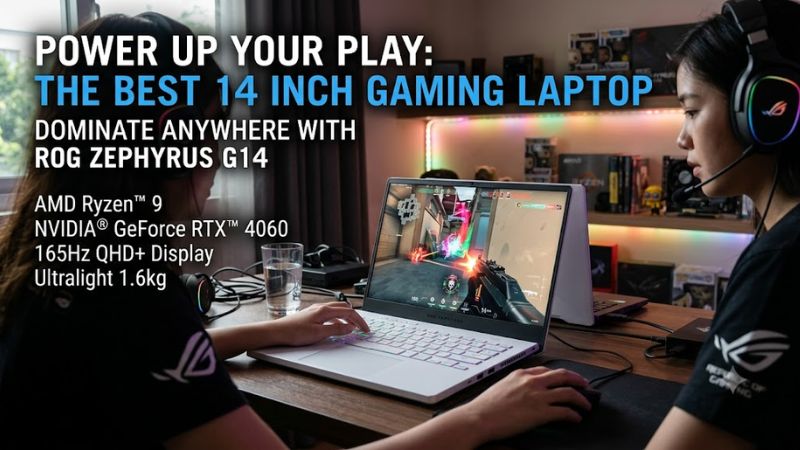
The ASUS ROG Zephyrus G14 (2025) is the best all-around pick because it balances gaming hardware, portability, and display quality without moving to a larger laptop category.
Its 2025 GA403 family includes configurations with AMD Ryzen processors and NVIDIA GeForce RTX 5060, RTX 5070, RTX 5070 Ti, or RTX 5080 Laptop GPUs, depending on the exact model. That range makes it easier to match the laptop to your budget and performance requirements.
Key specifications
- Processor: Up to AMD Ryzen AI 9 HX 370, with 12 cores and 24 threads.
- Graphics: Up to NVIDIA GeForce RTX 5080 Laptop GPU with 16GB GDDR7.
- Display: 14-inch, 2880 × 1800 OLED, 120Hz, 16:10 aspect ratio.
- Memory: Onboard LPDDR5X memory; capacity varies by configuration.
- Storage: PCIe 4.0 NVMe M.2 SSD, with one listed M.2 slot.
- Connectivity: HDMI 2.1, USB-A, USB-C, USB4, microSD reader, and 3.5mm audio.
- Weight: Approximately 3.46 pounds.
- Operating system: Windows 11, depending on configuration.
Specifications may vary by regional model and SKU.
Why it stands out
The 3K OLED panel is a major attraction for gamers who also use their laptop for photo editing, video work, or general productivity. Its 120Hz refresh rate supports smooth motion, while the 16:10 aspect ratio provides additional vertical space for documents and creative applications.
Higher-end configurations are appealing for demanding games, ray tracing, and GPU-accelerated creative workloads. However, an RTX 5080 configuration is unnecessary for many buyers. A lower-tier GPU may offer better value if you mainly play esports titles or are comfortable adjusting graphics settings.
The G14 also suits students and developers who want one portable computer for gaming, coding, and creative applications. Its combination of a capable processor, discrete graphics, and compact dimensions makes it versatile beyond gaming.
Limitations to consider
The small chassis creates thermal and acoustic compromises. PC Gamer’s published review of the 2025 G14 praised its form factor and OLED display but criticized its inconsistent fan behavior and noted limitations in its gaming performance relative to expectations.
Memory is soldered, so you should choose sufficient RAM at purchase rather than expecting to upgrade it later. The compact chassis can also become noisy during sustained gaming, and the power adapter adds to the travel load.
Who should buy it?
Buy it if:
- You want a compact gaming laptop that can also handle creative work.
- You value OLED image quality and a high-resolution screen.
- You want the option of a powerful RTX 50-series GPU.
- You need a portable Windows laptop for school, work, and gaming.
Consider another laptop if:
- You want easily upgradeable memory.
- You prioritize quiet gaming over a slim chassis.
- You need the lowest possible purchase price.
- You mainly play demanding games on an external display and want more cooling headroom.
Price considerations: The price depends on the GPU, memory, storage, and retailer. Do not assume that the most powerful configuration offers the best value. Compare the exact configuration and current US price before buying.
2. Razer Blade 14 (2025) — Best Premium Alternative
The Razer Blade 14 (2025) is a strong alternative for buyers who prefer a restrained design and premium aluminum construction. It targets much the same audience as the Zephyrus G14: people who need gaming performance in a compact computer that is also suitable for work and travel.
The 2025 model is listed with an AMD Ryzen AI 9 365 processor and graphics options up to the NVIDIA GeForce RTX 5070 Laptop GPU. Its 14-inch QHD+ OLED display runs at 120Hz. Published comparisons also list configurations with up to 64GB of memory and up to 2TB of storage, although exact specifications depend on the model.
Key specifications
- Processor: AMD Ryzen AI 9 365.
- Graphics: Up to NVIDIA GeForce RTX 5070 Laptop GPU.
- Display: 14-inch, 2880 × 1800 OLED, 120Hz.
- Memory: Up to 64GB, depending on configuration.
- Storage: Up to 2TB, depending on configuration.
- Connectivity: HDMI 2.1, USB-A, USB4 Type-C, microSD reader, and 3.5mm audio.
- Weight: Approximately 3.5 pounds, according to published comparisons.
Check the precise model number and regional specifications before purchasing.
Why it stands out
The Blade’s understated appearance suits buyers who carry their laptop between a gaming desk, classroom, office, and shared spaces. Its OLED display provides high resolution, rich contrast, and a high refresh rate in the same general size class as the G14.
It is worth comparing the Blade directly with the G14 rather than assuming the more expensive laptop is automatically faster. The G14 offers higher-tier GPU options, while the Blade’s appeal centers more on its design and overall premium package.
Limitations to consider
The RTX 5070 GPU ceiling limits the Blade’s graphics options relative to the most powerful G14 configurations. That distinction matters if you want the greatest available GPU headroom in a 14-inch laptop.
Price is another concern. Tom’s Guide’s December 2025 comparison listed starting prices of $2,299 for the Blade 14 and $1,799 for the G14 at the time of publication. These are historical prices, not verified October 2026 offers.
As with other compact gaming laptops, consider fan noise, sustained performance, memory configuration, and accessory costs before buying.
Who should buy it?
Buy it if:
- You want a premium-looking laptop for gaming and professional settings.
- You prefer a compact aluminum design.
- An RTX 5070 Laptop GPU meets your performance requirements.
- You are willing to pay more for the overall design and feature package.
Consider another laptop if:
- You want the highest available GPU tier in this size class.
- You prioritize performance per dollar.
- You want upgrade flexibility and have not confirmed the model’s serviceability.
How We Selected These 14-Inch Gaming Laptops
This roundup prioritizes products that fit the compact gaming-laptop category, offer discrete graphics, and have sufficient published specification information and independent review coverage to support useful recommendations.
The selection criteria are:
- Gaming hardware: GPU tier, processor capability, and available configurations.
- Display quality: Resolution, refresh rate, panel technology, and aspect ratio.
- Portability: Chassis dimensions, weight, and connectivity.
- Everyday usability: Suitability for school, office work, programming, and creative applications.
- Documented limitations: Upgradeability, cooling, fan noise, and pricing.
The recommendations draw on manufacturer specifications and published reviews, including PC Gamer and Tom’s Guide. Real Gaming News did not independently benchmark these laptops for this article.
The field is intentionally narrow. A product should not be included merely to make a list longer when its exact configuration, availability, or comparative value cannot be established with sufficient confidence.
What to Look for When Buying a 14-Inch Gaming Laptop
1. Choose the GPU for Your Games
The graphics processor has a major influence on gaming performance, but the GPU name alone does not tell the whole story. Laptop GPUs operate within power and cooling limits, and performance can vary between systems carrying the same GPU designation.
- Esports and lighter games: A lower-tier discrete GPU may be sufficient, particularly at competitive settings.
- Modern AAA games: Compare independent benchmarks for the exact laptop and GPU configuration.
- Ray tracing: Higher GPU tiers generally provide more headroom, but performance depends on the game, resolution, and settings.
- GPU-heavy creative applications: Check software compatibility, VRAM requirements, and application-specific benchmarks.
The G14’s RTX 5060, RTX 5070, RTX 5070 Ti, and RTX 5080 configurations should not be treated as equivalent. Memory capacities and power specifications differ between configurations.
2. Understand Resolution and Refresh Rate
A 14-inch 3K OLED panel can deliver detailed images and rich contrast, but native-resolution gaming places more demand on the GPU than lower-resolution gaming.
A 120Hz display is useful for smooth motion, but it does not mean every game will run at 120 frames per second. Actual frame rates depend on the GPU, game engine, graphics settings, and workload.
Consider whether you prioritize image quality, competitive responsiveness, or a balance of both. Upscaling and frame generation can improve perceived performance in supported games, but they do not eliminate the need for adequate rendering performance.
3. Buy Enough RAM and Storage Upfront
Compact laptops often have fewer upgrade options than larger gaming systems.
The G14 uses onboard LPDDR5X memory, making the installed capacity particularly important. Check the exact configuration for 16GB, 32GB, or 64GB rather than relying on the maximum listed for the entire product family.
Storage deserves similar attention. Modern games can consume substantial SSD space, and a 1TB drive may become restrictive if you keep a large game library installed.
The G14 lists one M.2 storage slot, so check the supported replacement drive and service procedure before assuming you can add a second SSD.
4. Account for Heat and Fan Noise
Small gaming laptops have less room for cooling hardware than larger models. Their fans may become noticeable during sustained gaming, and performance can vary with power mode, temperature, and workload.
Look for independent reviews that identify the exact configuration and report noise, temperatures, and sustained performance under a repeatable workload. Do not assume a laptop will remain quiet simply because it is thin.
5. Check Ports and External-Monitor Support
A compact laptop can work well as a desktop replacement when connected to a monitor, keyboard, mouse, and headset.
Check the actual port layout before buying. Both laptops offer HDMI 2.1 and USB-C connectivity, but supported display resolutions and refresh rates depend on the output, connection method, and configuration.
If you plan to use a high-refresh-rate external monitor, verify the supported display mode rather than relying solely on the HDMI or USB-C label.
6. Compare the Complete Cost
The purchase price is only one part of the decision. You may also need a laptop stand, cooling pad, USB hub, external SSD, or monitor.
Compare the exact configuration rather than a brand’s advertised starting price. Check the retailer’s return policy, warranty coverage, and the cost of the model you actually intend to buy.
A discounted laptop with insufficient memory or storage may not be a better value than a properly configured alternative.
Are 14-Inch Gaming Laptops Worth Buying?
Yes, a 14-inch gaming laptop is worth buying if portability matters enough to justify a smaller screen and tighter thermal limits. Models such as the Zephyrus G14 and Blade 14 offer discrete graphics, high-refresh-rate OLED displays, and processors capable of handling gaming alongside everyday workloads.
They are less compelling if your laptop rarely leaves your desk. A larger gaming laptop may offer better cooling capacity, a bigger display, and more room for sustained performance, depending on the model.
The best purchase is not necessarily the laptop with the highest GPU tier. It is the one that balances performance, screen quality, portability, price, and the games you actually play.
Frequently Asked Questions
1. What is the best 14-inch gaming laptop in 2026?
The ASUS ROG Zephyrus G14 (2025) is the strongest all-around recommendation in this roundup because it combines a 3K OLED display, a portable design, and graphics configurations up to an RTX 5080 Laptop GPU. Check current availability and the exact configuration before purchasing.
2. Is a 14-inch gaming laptop powerful enough for AAA games?
Yes, a well-configured 14-inch gaming laptop can run demanding AAA games, although performance depends on the GPU, cooling system, resolution, and graphics settings. You may need to lower settings or use supported upscaling in particularly demanding titles.
3. Is the ASUS ROG Zephyrus G14 better than the Razer Blade 14?
The G14 is the better starting point for most buyers who prioritize graphics options and value, while the Blade 14 is an alternative for shoppers who prioritize its premium design. Compare the exact GPU, RAM, SSD, warranty, and current price before deciding.
4. Can you upgrade RAM in a 14-inch gaming laptop?
It depends on the model, but the 2025 ASUS ROG Zephyrus G14 uses soldered onboard memory that cannot be upgraded like a replaceable SO-DIMM module. Confirm the memory design of the exact laptop before purchase and choose sufficient capacity for your expected workload.
Final Verdict
The ASUS ROG Zephyrus G14 (2025) is the best 14-inch gaming laptop to start with if you want a compact, versatile machine with high-end graphics options and a detailed OLED display. Choose a lower-GPU configuration if it meets your needs and offers better value; the RTX 5080 is not essential for every gamer.
The Razer Blade 14 (2025) is the premium alternative for buyers who prefer its understated aluminum design and do not need a GPU tier above the RTX 5070 Laptop GPU.
Before ordering either machine, verify the exact SKU, installed memory, GPU, SSD capacity, US warranty, and final price. In this category, configuration details matter as much as the model name.









