Our Top Picks
A budget of under 1000 dollars forces one blunt question before any spec sheet gets opened: do you want a machine that draws frames, or a machine that simply does everything else well? The listings in this guide split cleanly down that line. Two are gaming towers built around a GeForce RTX 3050 6GB, four are compact Dell Optiplex small-form-factor boxes with older Intel Core processors, and two are Lenovo all-in-one units where the monitor and the computer share one chassis. They solve different problems, and mixing them up is the most common way to overspend or end up disappointed.
This roundup is written for buyers who want a desk-ready computer for 2026 without assembling one from parts: a family that needs homework and streaming, a freelancer who lives in browser tabs and spreadsheets, or a first-time PC gamer who wants a graphics card included. Everything below is judged from what each listing title states, so treat the notes as a shortlist filter, then confirm the exact configuration, condition and return terms on the page where you buy.
Quick Picks

ZYNEEX Prebuilt Gaming Desktop PC, AMD Ryzen 5 5500, GeForce RTX 3050 6GB,16GB DDR4 3200MHz RAM, 1TB NVMe SSD, ARGB Air Cooling, Wi-Fi,Tower Computer for Gaming, Streaming, Editing
One of the consumer electronics options compared in this guide.
View on Amazon
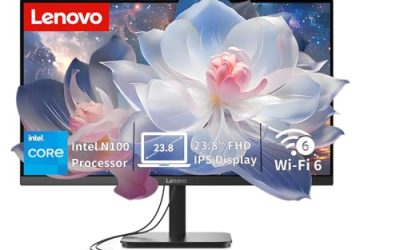
Lenovo IdeaCentre All-in-One Desktop Computer, 8GB RAM 512GB SSD | Intel 4-Core Processor, 24" FHD Anti-Glare IPS Display, Wi-Fi 6, Bluetooth 5.2, Windows 11, Everyday Use AIO
One of the consumer electronics options compared in this guide.
View on Amazon
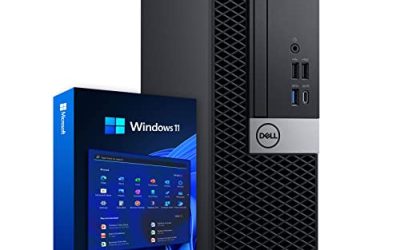
Dell Optiplex 3050 SFF Desktop Computer PC, Intel Quad Core i5-6500 up to 3.6GHz, 16GB DDR4, 256GB SSD, WiFi, 4K Support, DP, HDMI, Windows 11 Pro 64 Bit (Renewed)
One of the consumer electronics options compared in this guide.
View on Amazon
Dell Optiplex 7050 SFF Desktop PC Intel i7-7700 4-Cores 3.60GHz 32GB DDR4 1TB SSD WiFi BT HDMI Duel Monitor Support Windows 11 Pro Excellent Condition(Renewed)
One of the consumer electronics options compared in this guide.
View on Amazon
SKYESEV Prebuilt Gaming Desktop PC, AMD Ryzen 5 5600, GeForce RTX 3050 6GB,32GB DDR4 3200MHz RAM, 1TB NVMe SSD, ARGB Air Cooling, Wi-Fi,Tower Computer for Gaming, Streaming, Editing
One of the consumer electronics options compared in this guide.
View on Amazon
DELL Optiplex 7060 SFF Desktop Computer PC | Intel 8th Gen i7-8700 (6 Core) | 32GB DDR4 Ram 512GB NVMe M.2 SSD | Built-in WiFi & Bluetooth | Windows 11 Pro | Wireless Keyboard & Mouse(Renewed)
One of the consumer electronics options compared in this guide.
View on Amazon
Dell Optiplex 5050 Small Form Factor (SFF) Business Desktop PC, Intel i7-7700 Quad-Core 3.6 GHz, 16GB DDR4, 512G NVME SSD Windows 11 Pro (Renewed)
One of the consumer electronics options compared in this guide.
View on Amazon
Lenovo 2026 Flagship 24" FHD All-in-One Desktop, 16GB RAM, 512GB PCIE SSD | IdeaCentre Business Desktop, Intel 8-Core i3 CPU (up to 3.8 GHz), Wi-Fi 6, Windows 11,Ideal for Home Office and Students
One of the consumer electronics options compared in this guide.
View on Amazon| Product | Best for | Key spec from the title |
|---|---|---|
| ZYNEEX Gaming Tower | Entry gaming with a dedicated GPU | Ryzen 5 5500, RTX 3050 6GB, 16GB DDR4 3200MHz, 1TB NVMe |
| Lenovo IdeaCentre All-in-One (8GB) | Light home and school use | 24″ FHD IPS, 8GB RAM, 512GB SSD, Wi-Fi 6 |
| Dell Optiplex 3050 SFF | Basic office and browsing | Core i5-6500, 16GB DDR4, 256GB SSD |
| Dell Optiplex 7050 SFF | Storage-heavy multitasking | Core i7-7700, 32GB DDR4, 1TB SSD |
| SKYESEV Gaming Tower | Gaming plus multitasking headroom | Ryzen 5 5600, RTX 3050 6GB, 32GB DDR4, 1TB NVMe |
| Dell Optiplex 7060 SFF | Six-core productivity | Core i7-8700 (6 core), 32GB DDR4, 512GB NVMe M.2 |
| Dell Optiplex 5050 SFF | Renewed business workhorse | Core i7-7700, 16GB DDR4, 512GB NVMe |
| Lenovo Flagship 24″ All-in-One | One-box family computer | Intel 8-core i3, 16GB RAM, 512GB PCIe SSD |
The 8 Best Options
ZYNEEX Prebuilt Gaming Desktop (Ryzen 5 5500, RTX 3050 6GB)
This is the pick for someone who wants to connect a monitor and play on day one. The title lists an AMD Ryzen 5 5500, a GeForce RTX 3050 6GB, 16GB of DDR4 running at 3200MHz, a 1TB NVMe SSD, ARGB air cooling and Wi-Fi in a tower case. That is a conventional, upgrade-friendly layout: a tower leaves room to swap the graphics card later, which none of the small-form-factor or all-in-one entries here can claim. It is the more modest of the two gaming towers in this list, and the lower memory figure is the main reason.
- A discrete GeForce graphics card is included, which the office-class Dell boxes lack entirely.
- 16GB of DDR4 at 3200MHz and a 1TB NVMe drive are sensible foundations for games and a handful of apps.
- Tower format and air cooling keep future upgrades and fan swaps straightforward.
- The title names no brand for the power supply, motherboard or case, so build quality needs checking in the full listing.
- A 6GB graphics card limits texture settings in newer games compared with cards that carry more memory.
Skip it if you only browse, stream video and write documents; you would be paying for graphics power you will not use. Compared with the SKYESEV tower later in the list, it gives up a faster Ryzen 5 5600 and double the RAM, so read that entry next if multitasking matters as much as gaming. If you already own a monitor, keyboard and mouse, this tower is also the simplest way to reach a complete gaming desk without further purchases beyond a headset.
Lenovo IdeaCentre All-in-One (8GB RAM, 512GB SSD)
The appeal here is the single-cable desk. The title describes an Intel 4-core processor, 8GB of RAM, a 512GB SSD, and a 24-inch Full HD anti-glare IPS display with Wi-Fi 6 and Bluetooth 5.2. You are buying the monitor and the computer in one purchase, which is why this class suits a kitchen counter, a dorm desk or a spare room where cable clutter is the enemy and nobody wants a tower humming underneath.
- The 24-inch FHD IPS panel with an anti-glare finish is included, so no separate monitor is needed.
- Wi-Fi 6 and Bluetooth 5.2 cover modern routers and wireless peripherals.
- A 512GB SSD boots and loads far faster than a hard drive would in this role.
- 8GB of RAM is the bare minimum for current browsers; heavy tab users will feel the ceiling quickly.
- All-in-one chassis rarely allow easy graphics or processor upgrades, and the title says nothing about expansion.
Skip it if you want to game, edit video or keep the machine for many years. Next to the Flagship all-in-one that closes this list, it carries half the memory, so it is the plainer choice for the same layout. It makes the most sense for a second-room computer with modest demands, where a clean look and a ready-to-use screen matter more than headroom.
Even a basic home machine benefits from a quick reinstall of updates and a check of the storage health when it arrives, because a clean first day avoids returns.
Dell Optiplex 3050 SFF (Core i5-6500, 16GB, 256GB SSD)
The Optiplex 3050 is the entry point of the small-form-factor group. Its title shows an Intel quad-core Core i5-6500 at up to 3.6GHz, 16GB of DDR4, a 256GB SSD, Wi-Fi, and 4K support through DisplayPort and HDMI, running Windows 11 Pro 64-bit. For a shared family computer or a counter-top business desk, that is an honest, workable specification, and the output options make it easy to pair with a monitor you already own.
- 16GB of DDR4 is generous for a machine at the lower end of the group.
- DisplayPort plus HDMI gives flexibility when pairing with an existing monitor, including the 4K support the title mentions.
- The small footprint slides under a monitor stand or onto a shelf.
- The i5-6500 is the oldest processor on this list, so it will age sooner than the newer chips.
- 256GB of storage fills quickly once Windows updates and a few programs are installed.
Skip it if you plan to run many programs together or keep the machine for years. Compared with the Optiplex 7050 next in line, you give up the Core i7, half the memory and three quarters of the storage, which is a large gap between two otherwise similar chassis. A buyer who already owns a spare SSD or can add one cheaply might still find the 3050 acceptable as a secondary or classroom machine.
Dell Optiplex 7050 SFF (Core i7-7700, 32GB, 1TB SSD)
On paper, this is the roomiest Dell in the group. The title lists a Core i7-7700 with four cores at 3.60GHz, 32GB of DDR4, a 1TB SSD, Wi-Fi and Bluetooth, HDMI, dual-monitor support and Windows 11 Pro, plus a note of excellent condition. Memory and storage at that scale are what usually separate a smooth multitasking machine from a sluggish one, and few machines in this budget offer both.
- 32GB of DDR4 leaves room for dozens of tabs, spreadsheets and even a virtual machine.
- A 1TB SSD stores a full document and photo library without an external drive.
- Dual-monitor support is stated in the title, helpful for work-from-home desks.
- The wording suggests a used or refurbished unit, so warranty length matters.
- No graphics card is named, so expect integrated graphics only.
Skip it if you want to play modern games. Against the Optiplex 7060 that follows, you keep a quad-core i7 with the same memory but lose two cores and gain double the storage, so pick based on whether capacity or core count drives your work. Photographers and people who archive large folders will lean toward this one, while anyone compressing files or exporting batches will lean toward the six-core option.
Buyers who rely on a single machine for remote work will also appreciate that business-class chassis like this are built around everyday durability, so the refurbishment grade and the seller’s return policy are the details that deserve a second read.
SKYESEV Prebuilt Gaming Desktop (Ryzen 5 5600, RTX 3050 6GB, 32GB)
If the first gaming tower is the entry configuration, this is the fuller one. The title lists a Ryzen 5 5600, GeForce RTX 3050 6GB, 32GB of DDR4 3200MHz, a 1TB NVMe SSD, ARGB air cooling, Wi-Fi and a tower case. The processor and memory upgrades make it the better fit for someone who games but also streams, edits clips or keeps many windows open behind the game, and the tower body leaves the door open for a better graphics card down the road.
- 32GB of DDR4 3200MHz is far above what the graphics card needs for games alone, so background apps will not squeeze it.
- The Ryzen 5 5600 is a clear step above the 5500 in the first tower.
- 1TB of NVMe storage holds a reasonable library of installed games.
- The graphics card is the same 6GB RTX 3050 as in the other tower, so frame rates will not change from the extra RAM alone.
- Brands of power supply and motherboard are not given in the title.
Skip it if gaming is occasional and a cheaper tower or an Optiplex would cover your needs. Compared with the Optiplex 7060 that follows, this is the pick when graphics matter; the 7060 is the pick when they do not and you would rather have a small, quiet box. Note that both RTX 3050 towers share their graphics tier, so the extra expense on this one buys multitasking comfort rather than higher frame rates.
Dell Optiplex 7060 SFF (Core i7-8700, 32GB, 512GB NVMe)
Among the business-class machines, the 7060 stands out for its processor. The title says Intel 8th Gen Core i7-8700 with six cores, 32GB of DDR4, a 512GB NVMe M.2 SSD, and built-in Wi-Fi and Bluetooth. Six cores is a meaningful jump over the quad-core chips elsewhere in the list for file compression, photo batches and many background programs running at once.
- Six cores handle multitasking better than the four-core Optiplex siblings.
- An NVMe M.2 drive is stated, which is typically quicker than a SATA SSD.
- 32GB of DDR4 matches the top Optiplex 7050 configuration.
- 512GB is half the capacity of the 7050’s drive, so heavy media libraries need external storage.
- Like its siblings, it has no discrete graphics named in the title.
Skip it if you need a graphics card for games or 3D work. Next to the Optiplex 5050 that follows, it asks you to value the extra two cores and double the memory over a simpler configuration, which makes sense for anyone whose workload is processor-bound, such as spreadsheet models, batch conversions or running several browser profiles at once.
Because the title gives the processor name exactly, you can look up its generation and instruction support easily before ordering, which is a small advantage over listings that say only Core i5 or Core i7.
Dell Optiplex 5050 SFF (Core i7-7700, 16GB, 512GB NVMe, Renewed)
The 5050 is the quietly sensible renewed choice. The title lists an Intel Core i7-7700 quad-core at 3.6GHz, 16GB of DDR4, a 512GB NVMe SSD and Windows 11 Pro, marked as Renewed. That puts it midway between the 3050 and the 7050: the same processor family as the 7050 with half the memory and half the storage, but a faster drive type than the 3050.
- A Core i7 quad-core processor is better suited to multitasking than the i5 in the 3050.
- NVMe storage is stated, helping boot and load times.
- The Renewed label signals a refurbishment process, which is a plus over an unlabeled used unit.
- 16GB of RAM is fine today but will limit heavy workloads sooner than 32GB.
- Integrated graphics only, going by the title.
Skip it if the 7050 configuration is available to you for similar money, since that has twice the memory. Compared with the final Lenovo all-in-one, it needs a separate monitor, keyboard and mouse, which is a cost to plan for before you decide it is the cheaper route. Add a display, keyboard and mouse to the total and the gap with an all-in-one narrows more than the sticker suggests.
As a rule of thumb, the 5050 is the one to pick when its configuration is available at a clear saving over the 7050, and the 7050 is the one to pick when the two sit close together.
Lenovo Flagship 24-Inch All-in-One (Intel 8-Core i3, 16GB, 512GB)
The last entry is the stronger of the two all-in-ones. The title describes a 24-inch Full HD IdeaCentre Business Desktop with 16GB of RAM, a 512GB PCIe SSD, an Intel 8-core Core i3 processor at up to 3.8GHz, and Wi-Fi 6. Double the memory of the earlier Lenovo all-in-one makes it much less likely to stall once several programs are open, and the business label hints at everyday office use rather than play.
- 16GB of RAM suits mixed browsing, video calls and office documents.
- The 24-inch FHD display is built in, saving a monitor purchase and desk space.
- A PCIe SSD is named, which speeds up boot and app launches.
- An all-in-one is difficult to upgrade; the screen and computer age together.
- No discrete graphics are mentioned, so it is not a gaming machine.
Skip it if you want a graphics-driven build or plan to rotate displays often. It sits at the top of the all-in-one tier, while the gaming towers at the top of the list are the clearer choice for play. A family that wants a single reliable box for school work, video calls and streaming will be well served here, provided nobody expects it to run recent games.
Families who like a tidy setup should also confirm the stand adjustment and the wall-mount options in the full listing, since an all-in-one cannot swap its display later.
Who Actually Needs a Desktop in This Budget
Laptops dominate the conversation, but a desktop still earns its desk space for specific reasons. A fixed machine gives you a full-size display, a proper keyboard and room for upgrades, and in this range it usually delivers more memory and storage than a laptop at the same spend. The trade is portability, so the buyer here is someone whose work and play happen in one place.
The Home Office and Remote Worker
If your day is video calls, cloud documents and two monitors, the Optiplex 7050 and 7060 deserve a second look. Their titles list 32GB of memory and SSD storage, and the 7050 mentions dual-monitor support, which matters more for this job than raw gaming power.
The First-Time PC Gamer
A discrete GeForce card is the dividing line. Only the ZYNEEX and SKYESEV towers list one, and both name the same RTX 3050 6GB, so the choice comes down to processor and memory rather than graphics. Because the card is entry-level, plan on 1080p resolution and moderate settings, and treat any later graphics upgrade as part of the long-term plan.
The Family Computer
Shared machines need to be simple, quiet and tidy. An all-in-one keeps cables to a minimum, and an Optiplex small-form-factor box tucks behind a monitor, so both approaches fit a household better than a large tower with glowing fans in a shared living space.
How to Choose a Desktop for Under 1000 Dollars
Processor Cores and Generation
Aim for at least four cores and eight threads for comfortable multitasking, and treat six cores as a clear upgrade. Older generations such as the sixth-gen i5 in the 3050 still run Windows 11 as the title says, but newer silicon like the Ryzen 5 5600 or the Core i7-8700 will stay useful longer. Do not chase boost clocks across brands; compare cores and generation instead.
Memory Capacity and Speed
16GB is the sensible floor, with 8GB reserved for light use only. 32GB is worthwhile for editing, many tabs or virtual machines. DDR4 at 3200MHz, as the gaming towers list, is the common sweet spot for Ryzen systems; the Dell boxes do not state a speed, so do not pay extra for it.
Storage Type and Size
Choose an SSD of at least 512GB if you can. A 256GB drive is workable for office use, but game libraries and photo folders call for 1TB. NVMe drives load faster than SATA SSDs, though for ordinary office tasks the difference is small and capacity matters more.
Graphics: Integrated or Discrete
Integrated graphics handle video playback, office work and light photo editing. For gaming, a discrete card is needed, and the RTX 3050 6GB in the two towers is an entry-level choice for 1080p play. Do not expect high settings in demanding recent games, and do not expect a small-form-factor box to accept a large card. If you edit video occasionally, memory and cores matter more than the graphics card, and a six-core processor is a better investment.
Ports, Wireless and Displays
Look for HDMI or DisplayPort for monitors, enough USB ports for peripherals, and Wi-Fi 5 or newer. The all-in-ones list Wi-Fi 6, while the Optiplex entries mention built-in Wi-Fi and Bluetooth. Confirm the number of front USB ports if you plug in drives often.
Condition, Warranty and Where Budget Models Cut Corners
Used and renewed units dominate this price range, so read the condition note and the return window closely. New prebuilt towers often economize on the power supply, motherboard and cooling, none of which the titles reveal. What you can safely ignore is RGB lighting: it adds nothing to performance. Ask for the PSU wattage and the SSD brand before paying, and favor 500 watts or more for any tower that might receive a bigger card later.
Gaming Tower vs Small-Form-Factor Business PC
This is the comparison nearly every buyer in this range faces. The two towers offer a graphics card and a modern Ryzen processor, while the Optiplex boxes offer memory, storage and a compact body made for work.
| Factor | Gaming Tower | Optiplex SFF |
|---|---|---|
| Graphics | Discrete RTX 3050 6GB | Integrated only per titles |
| Processor | Ryzen 5 5500 or 5600 | Core i5-6500 to i7-8700 |
| Memory | 16GB or 32GB DDR4 3200 | 16GB or 32GB DDR4 |
| Size | Full tower | Compact desktop |
| Upgrades | Roomy case | Limited by chassis |
| Condition | New prebuilt | Used or renewed |
Noise is the quiet differentiator. Towers with ARGB fans and a graphics card can get audible under load, while small-form-factor business machines are designed for offices and usually stay calmer during ordinary use. Power draw follows the same pattern, with the discrete graphics card adding to the electricity bill during gaming sessions.
When the Tower Wins
Choose a tower if you play games, want a future graphics upgrade or like a roomy case with better airflow. A new build also tends to bring a fresh warranty period, though the title does not state its length.
When the Optiplex Wins
Choose the small-form-factor Dell if you need memory, storage and a quiet desk presence. The Optiplex 7060 with six cores and 32GB gives productivity users more than the entry tower does, even without a graphics card.
Setup, Compatibility and Upgrade Tips
Setting up a prebuilt desktop is simpler than it looks, but a few checks before and after delivery save frustration later.
What to Confirm Before You Pay
Read the full listing for the number and type of video outputs, the storage drive size and the operating system licence. Check that your monitor has an input that matches, since older monitors may need an adapter. For used or renewed machines, confirm the return period and warranty length before anything else.
What to Upgrade First
On the Optiplex units, memory and storage are the easiest improvements if you ever outgrow them. On the gaming towers, the graphics card is the biggest lever, and a larger SSD is next. On the all-in-ones, plan on buying the right configuration the first time, because later changes are limited.
Common Compatibility Traps
Small-form-factor cases limit the height and power draw of any graphics card, so a full-size card may not fit. All-in-ones usually do not accept new processors. Windows 11 support is listed for the Optiplex units, but older processors sit close to the edge of official support, so read the vendor’s update notes. When a listing says Windows 11 Pro, make sure the licence is genuine and activated, and run all system updates and driver updates on the first evening so any faults appear within the return window.
One more rule keeps budgets honest: the listed configuration is the product. A tower with 16GB and a tower with 32GB may look alike in photos, so read the memory, drive and processor lines of the exact listing rather than relying on a similar-looking page.
Which One Fits Your Situation
A Student Who Games on Weekends
The ZYNEEX tower covers the basics: a dedicated GeForce card, 16GB of RAM and a 1TB NVMe drive in a case that can be upgraded later.
A Freelancer Who Lives in Spreadsheets and Video Calls
The Dell Optiplex 7060 is the best fit, thanks to six cores, 32GB of memory and NVMe storage in a small body.
A Family Needing One Shared Desk Computer
The Lenovo Flagship 24-inch all-in-one wins, with 16GB of RAM, a built-in display and minimal cables.
A Gamer Who Also Streams or Edits
The SKYESEV tower is the pick, as it pairs the Ryzen 5 5600 and 32GB of DDR4 with the same entry-level graphics card.
Common Mistakes
- Buying an Optiplex expecting to play modern games; none list a graphics card.
- Accepting 8GB of RAM because the machine looks tidy and the screen is large.
- Forgetting that an Optiplex needs a separate monitor, keyboard and mouse.
- Ignoring the condition wording, such as Renewed or Excellent Condition, and the return window that goes with it.
- Paying extra for RGB lighting instead of memory or storage.
- Assuming an all-in-one can be upgraded later like a tower.
Related guides
- External Hard Drive For Xbox Series X
- How To Check Gpu Temperature While Gaming
- 7.1 Surround Sound Gaming Headsets
Frequently Asked Questions
Can a desktop under 1000 dollars run modern games?
Only the two towers with the RTX 3050 6GB are suited to gaming, and they target 1080p at moderate settings, which is a fair match for esports titles and older releases. The Optiplex and all-in-one units rely on integrated graphics and should be treated as work machines.
Is 16GB of RAM enough?
For browsing, office tasks and gaming, 16GB is enough. Move to 32GB if you edit video, keep many tabs open or run virtual machines, and treat 8GB as a limit that will show itself the first time you open a dozen browser tabs beside a video call.
Are renewed Dell Optiplex machines reliable?
They are business-class designs, which is why they are common refurbished stock. Reliability depends on the seller, so look for a clear warranty and return policy in the listing.
Which is better for working from home?
The Optiplex 7050 and 7060 both list 32GB of memory and SSD storage, and the 7050’s title mentions dual-monitor support. The 7060 adds six cores.
Is an all-in-one a good value?
It can be, because the 24-inch display is included and the desk stays tidy. The trade is that the screen and computer age together, so the 16GB Flagship model is the safer choice than the 8GB one.
Can I add a graphics card to an Optiplex?
Possibly, but small-form-factor cases restrict card size and power supply output. Check the exact chassis and power supply wattage before buying a card, and remember that the Optiplex, tower and all-in-one choices differ on whether a monitor is included: only the two Lenovo units list a 24-inch screen.
Final Words
Pick the job first and the hardware second. If frames per second matter, the two RTX 3050 towers are the only entries that deliver a graphics card, and the SKYESEV adds the extra memory. If work and multitasking matter, the Optiplex 7060 and 7050 offer the most memory and processing for their size, while the Lenovo all-in-ones suit tidy family desks. With the stated cap of under 1000 dollars in mind, the smartest purchase is usually the one that matches today’s work and leaves one clear upgrade path open. Whatever you choose, confirm the condition, the warranty and the monitor you will pair it with before you commit.