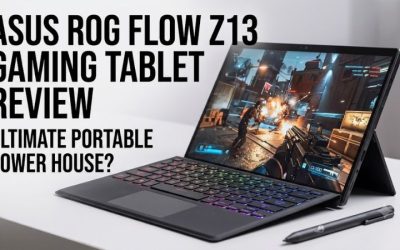
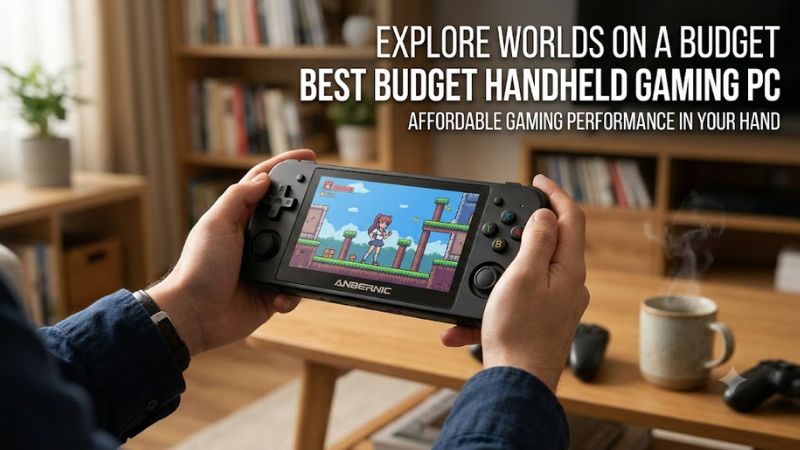
The best budget handheld gaming PC depends on your game library, preferred operating system, and spending limit. The ASUS ROG Xbox Ally is a strong starting point for buyers who want a new Windows handheld, while the Lenovo Legion Go S offers a larger screen. A used or refurbished Steam Deck LCD is worth considering if keeping costs low is your main priority.
As of October 23, 2026, buyers should compare actual retail prices and configurations rather than assume one handheld is always the cheapest. Processor performance, game compatibility, storage, battery life, and ergonomics all affect long-term value.
This guide compares four options, explains their strengths and limitations, and helps you choose a handheld gaming PC that fits your budget without paying for features you do not need.
Best budget handheld gaming PCs at a glance
| Handheld | Best for | Key specifications | Main trade-off |
| ASUS ROG Xbox Ally | New Windows handheld | Ryzen Z2 A, 16GB RAM, 512GB SSD, 7-inch 1080p 120Hz display | Limited graphics performance in demanding games |
| Lenovo Legion Go S (Windows) | Larger screen and Windows compatibility | Ryzen Z2 Go configuration, 16GB RAM, 512GB SSD, 8-inch 1920 × 1200 120Hz display | Performance varies by configuration |
| Lenovo Legion Go S (SteamOS) | Steam-focused gaming | Ryzen Z1 Extreme configuration available, up to 32GB RAM and 1TB SSD, 8-inch 120Hz display | Higher-spec versions may cost more |
| Valve Steam Deck LCD (used or refurbished) | Lower-cost Steam gaming | Custom AMD APU, 16GB RAM, 7-inch 1280 × 800 display | Condition, warranty, and availability vary |
Specifications can differ between configurations. Verify the processor, memory, storage, and operating system of the exact model before purchasing.
1. ASUS ROG Xbox Ally — Best Budget Windows Handheld
The ASUS ROG Xbox Ally is a strong choice for buyers who want a new handheld gaming PC with Windows compatibility and a familiar controller-style design. Its 7-inch Full HD screen, 120Hz refresh rate, and 16GB of memory make it suitable for a range of PC games, although demanding releases may require reduced graphics settings.
Key specifications
- Processor: AMD Ryzen Z2 A.
- Graphics: Integrated AMD Radeon graphics based on RDNA 2.
- Memory: 16GB LPDDR5-6400.
- Storage: 512GB PCIe 4.0 NVMe SSD.
- Display: 7-inch IPS touchscreen, 1920 × 1080 resolution, 120Hz refresh rate.
- Operating system: Windows 11.
- Weight: Approximately 670g.
- Published US launch price: $599.99.
The launch price is a historical reference, not a guarantee of current retail pricing.
Why it’s worth considering
The main advantage of the ROG Xbox Ally is Windows compatibility. You can access supported games from multiple PC launchers and use compatible Windows applications, making the device more flexible than a handheld focused primarily on Steam.
Its 1080p display provides a sharp picture for a handheld, while the 120Hz refresh rate can improve motion clarity in games that deliver sufficiently high frame rates.
However, a 120Hz display does not mean demanding games will consistently run at 120 FPS. The integrated graphics and handheld power limits affect performance, particularly in newer AAA releases.
The 512GB SSD is adequate for a moderate collection, but several large games can quickly consume available space. Consider storage expansion if you regularly switch between large releases.
Main drawbacks
The Ryzen Z2 A is an entry-level processor for this product category. Buyers should expect to adjust resolution, graphics quality, or power settings to achieve comfortable performance in demanding games.
Windows also requires more maintenance than a console-oriented interface. Updates, launcher behavior, and occasional desktop navigation can make the experience less straightforward for users who want to pick up the device and immediately play.
Buy it if: You want a new Windows handheld for indie games, older PC titles, supported multiplayer games, and modern releases at adjusted settings.
Consider another option if: You prioritize maximum graphics performance, an OLED screen, or the lowest possible purchase price.
2. Lenovo Legion Go S (Windows) — Best for a Larger Screen
The Windows version of the Lenovo Legion Go S is worth considering if you prefer a larger display for role-playing games, strategy titles, and games with small interface elements. Its 8-inch screen provides more physical viewing space than the 7-inch panel on the ROG Xbox Ally.
Key specifications
- Processor: AMD Ryzen Z2 Go in the configuration covered here.
- Memory: 16GB in the entry configuration.
- Storage: 512GB SSD in the entry configuration.
- Display: 8-inch IPS touchscreen, 1920 × 1200 resolution, up to 120Hz.
- Operating system: Windows 11.
Lenovo offers multiple Legion Go S configurations. The processor, memory, storage, and operating system should be confirmed for the exact unit because specifications are not identical across every version.
Why choose it?
The larger display is the most obvious advantage. Text, menus, and detailed game interfaces can be easier to read, while the 1920 × 1200 resolution provides additional vertical space.
Windows compatibility is another benefit for players who use multiple launchers or want to run supported non-gaming applications.
The device can also serve as a portable Windows PC for tasks such as web browsing and document editing, although its handheld controls and screen size are not substitutes for a full desktop setup.
What are the drawbacks?
The Ryzen Z2 Go configuration should not be confused with a Legion Go S model using the Ryzen Z1 Extreme. The processors have different graphics capabilities, so performance claims for one configuration should not automatically be applied to the other.
The native 1920 × 1200 resolution also requires more rendering work than the Steam Deck LCD’s 1280 × 800 resolution. Reducing the resolution or using supported upscaling may help demanding games run more comfortably.
Buy it if: You value a larger screen, Windows flexibility, and a handheld that can also run compatible PC applications.
Consider another option if: You mainly want the cheapest way to play Steam games or prefer a simpler console-like interface.
3. Lenovo Legion Go S (SteamOS) — Best for Steam-Focused Gaming
The SteamOS version of the Lenovo Legion Go S is a compelling option for players who primarily use Steam and prefer a controller-friendly interface over the conventional Windows desktop.
A configuration with the AMD Ryzen Z1 Extreme combines that processor with integrated Radeon 780M graphics. The device also has an 8-inch 1920 × 1200 display with a refresh rate of up to 120Hz. Memory and storage capacities depend on the configuration.
Why SteamOS matters
SteamOS is designed around handheld gaming. Its interface makes it easier to navigate a game library, launch supported titles, and manage common gaming settings using built-in controls.
For players who spend most of their time in Steam, this can create a more console-like experience than a conventional Windows installation.
However, SteamOS is Linux-based, and compatibility varies between games. Some Windows titles work well through compatibility layers, while others require extra configuration or may not work correctly. Multiplayer games with incompatible anti-cheat systems are a particular concern.
Check your essential games before buying, especially if you primarily play competitive online titles.
Is it a budget purchase?
Not always. A Legion Go S with the Ryzen Z1 Extreme can be significantly more expensive than an entry-level handheld, depending on memory, storage, and current retail pricing.
Its larger display and more capable processor may justify the extra cost for some buyers, but a premium configuration is unnecessary if your library consists mainly of lightweight indie games.
Buy it if: Most of your games are on Steam, you prefer SteamOS, and the configuration is available at a competitive price.
Consider another option if: You depend on Windows-only applications, specific incompatible multiplayer games, or the lowest possible entry price.
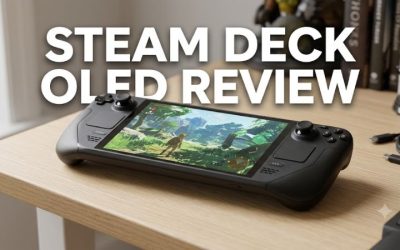
4. Valve Steam Deck LCD (Used or Refurbished) — Best Low-Cost Steam Option
A used or refurbished Steam Deck LCD is worth considering if your budget is too tight for a new Windows handheld. The original LCD model remains useful for compatible indie games, older releases, and many PC games that do not require high-end graphics performance.
Key specifications
- Processor: Custom AMD APU.
- Graphics: Integrated AMD RDNA 2 graphics.
- Memory: 16GB LPDDR5.
- Display: 7-inch LCD touchscreen, 1280 × 800 resolution.
- Operating system: SteamOS.
- Storage: Varies by model.
These specifications describe the original Steam Deck LCD family. The LCD and OLED models have different displays and other hardware differences, so verify the exact model before purchasing.
Why buying used can make sense
The Steam Deck LCD’s 1280 × 800 native resolution requires fewer pixels to render than a 1080p or 1200p display. This can help reduce the graphics workload and make the device practical for compatible games at appropriate settings.
SteamOS is also well suited to players who mainly use Steam. The interface is designed around handheld controls, so everyday navigation generally requires less interaction with a traditional desktop.
Its limitations include lower graphics performance than newer premium handhelds and inconsistent compatibility across the broader PC game library.
What to inspect before purchasing
A secondhand handheld’s condition can matter more than its advertised specifications. Before paying, check:
- Battery condition and charging behavior.
- Analog sticks, triggers, buttons, trackpads, and touchscreen response.
- Wi-Fi connectivity and speaker output.
- Installed SSD capacity and system update functionality.
- Physical damage, unauthorized modifications, and evidence of poor repairs.
- Seller return terms and any remaining warranty coverage.
Ask the seller to confirm the exact model and storage capacity. If possible, test the controls and charging connection in person before completing the purchase.
A refurbished unit from a reputable seller may be preferable to a cheaper private sale if it includes meaningful warranty protection.
Buy it if: You mainly play compatible Steam games and are comfortable purchasing used hardware.
Consider another option if: You need a new device with a clear warranty, broad Windows compatibility, or stronger performance in demanding modern games.
How to choose the best budget handheld gaming PC
The right handheld depends on your game library and how you plan to use the device. These are the most important factors to consider before comparing processor specifications.
1. Set a realistic budget
Start by deciding how much you can spend on the device itself and any essential accessories.
The ASUS ROG Xbox Ally has a published US launch price of $599.99, while a used Steam Deck LCD may cost less depending on condition and availability. Lenovo Legion Go S pricing varies by configuration.
Do not compare a new handheld with a used device based on purchase price alone. Warranty protection, battery condition, storage capacity, and potential repair costs can change which option offers better value.
2. Check game compatibility
Operating system compatibility can matter more than a modest difference in graphics performance.
| Gaming preference | Best starting point | Main limitation |
| Steam indie games and compatible older titles | Used Steam Deck LCD | Condition and game compatibility vary |
| Multiple PC launchers and Windows applications | ASUS ROG Xbox Ally | Entry-level integrated graphics |
| Larger display and Windows flexibility | Lenovo Legion Go S (Windows) | Performance depends on configuration |
| Steam library with a controller-first interface | Lenovo Legion Go S (SteamOS) | Some Windows games and anti-cheat systems may be incompatible |
If you have a specific list of must-play games, check compatibility before purchasing. A game that runs on a Windows gaming laptop will not necessarily run on SteamOS.
3. Understand integrated graphics performance
Budget handheld PCs generally use integrated graphics rather than a dedicated desktop-style graphics card. The graphics processor shares the device’s power and thermal budget with the CPU, so performance depends on the chip, power limits, cooling, game, and graphics settings.
For demanding games, start by lowering the graphics preset or rendering resolution. Supported upscaling can improve performance while preserving reasonable image quality, although results vary by game.
Frame generation may improve perceived smoothness in supported titles, but it does not remove the underlying hardware limits and can affect input latency.
Do not choose a handheld based solely on its maximum display refresh rate. A 120Hz panel is useful when the game can deliver a sufficiently high frame rate, but it does not guarantee 120 FPS.
4. Compare storage capacity
A 512GB SSD is enough for a moderate library, but several large AAA games can consume a significant portion of that space.
Before buying, check whether the device supports microSD expansion and whether the internal SSD can be replaced. Confirm the installed capacity on used devices instead of relying exclusively on the seller’s listing.
If you regularly install and remove large games, storage expansion can be more useful than paying extra for a slightly higher display refresh rate.
5. Consider battery life and portability
Battery life varies with the game, brightness, refresh rate, power settings, and wireless activity. Demanding 3D games typically consume more power than lightweight indie titles.
A larger battery may extend playtime but can increase weight. If you mainly play at home, a heavier handheld may be acceptable. For commuting and travel, consider grip comfort, weight, sleep-and-resume behavior, and charger portability.
Frequently asked questions
What is the best budget handheld gaming PC in 2026?
The ASUS ROG Xbox Ally is a strong starting point for buyers who want a new Windows handheld, with 16GB of memory, 512GB of storage, and a 120Hz Full HD screen. Its integrated graphics are less suitable for demanding games at high settings, so buyers should consider their performance expectations before purchasing.
Is the Steam Deck cheaper than the ROG Xbox Ally?
A used or refurbished Steam Deck LCD may be cheaper than a new ROG Xbox Ally, but actual prices vary by condition, storage, seller, and warranty. Compare the total cost and game compatibility rather than assuming one device is always the better deal.
Can a budget handheld gaming PC run AAA games?
Yes, budget handheld gaming PCs can run many AAA games, but performance depends on the specific title and hardware. You may need lower graphics settings, reduced resolution, or supported upscaling to achieve a comfortable experience in demanding releases.
Is Windows or SteamOS better for a budget gaming handheld?
Windows is generally a better starting point for broad Windows game and application compatibility, while SteamOS is attractive for players who mainly use compatible Steam titles and prefer a controller-focused interface. Your game library should determine which operating system is the better fit.
Final verdict
The ASUS ROG Xbox Ally is a practical starting point for buyers who want a new, relatively affordable Windows gaming handheld. Its Full HD display, 16GB of memory, 512GB SSD, and Windows compatibility make it versatile, although its entry-level graphics require realistic expectations.
Choose the Lenovo Legion Go S if a larger screen matters more to you, and consider its SteamOS configuration if your library is primarily on Steam and the games you care about are compatible.
If your budget is especially limited, a carefully inspected used Steam Deck LCD can be a sensible alternative. The best budget handheld gaming PC is the one that runs your favorite games at settings you can accept, with a total cost and operating system that fit the way you play.