The ROG Ally is the better choice for players who prioritize Windows game compatibility, higher-resolution graphics, and access to multiple PC gaming platforms. The Steam Deck is the better fit for players who want a console-like experience, an excellent OLED display, and straightforward access to their Steam library.
However, the comparison depends on which models you mean. The original ASUS ROG Ally, the ROG Ally X, and the newer ROG Xbox Ally family have different hardware and prices. The Steam Deck LCD and Steam Deck OLED also offer different display and battery characteristics.
For this comparison, the Steam Deck OLED is the primary Valve model, while the newer ROG Xbox Ally and ROG Xbox Ally X provide context for buyers considering the current generation. The older ROG Ally Z1 Extreme and ROG Ally X remain relevant when comparing discounted or refurbished handhelds.
ROG Ally vs Steam Deck: Quick Comparison
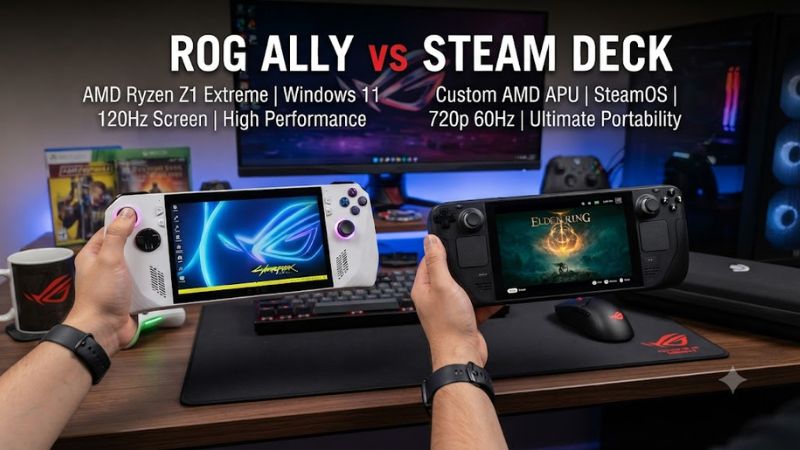
| Feature | Steam Deck OLED | ROG Xbox Ally | ROG Xbox Ally X |
| Operating system | SteamOS 3 | Windows 11 Home | Windows 11 Home |
| Processor | Custom AMD Zen 2 APU | AMD Ryzen Z2 A | AMD Ryzen AI Z2 Extreme |
| Memory | 16GB LPDDR5 | 16GB LPDDR5X | 24GB LPDDR5X |
| Storage | 512GB or 1TB SSD | 512GB SSD | 1TB SSD |
| Display | 7.4-inch OLED | 7-inch IPS LCD | 7-inch IPS LCD |
| Resolution | 1280 × 800 | 1920 × 1080 | 1920 × 1080 |
| Refresh rate | Up to 90Hz | Up to 120Hz | Up to 120Hz |
| Battery capacity | 50Wh | 60Wh | 80Wh |
| Built-in trackpads | Two | No | No |
| Expandable storage | microSD | microSD | microSD |
| US listed price checked October 23, 2026 | $789 for 512GB; $949 for 1TB | $599.99 launch price | $999.99 launch price |
Specifications are based on the manufacturers’ published information. Steam Deck prices reflect Valve’s May 2026 pricing announcement; ROG Xbox Ally prices are launch reference prices, not guaranteed current sale prices. Retail availability and pricing may change.
The central difference is the balance between software simplicity and hardware flexibility. The Steam Deck OLED is built around SteamOS, while the ROG Xbox Ally family uses Windows 11 and targets players who want access to a broader range of PC gaming services.
1. Gaming Performance: ROG Ally Has the Higher Performance Ceiling
The ROG Ally’s performance advantage depends on the model. The original ROG Ally Z1 Extreme and the ROG Xbox Ally X have more powerful graphics hardware on paper than the Steam Deck OLED, but that does not mean every game runs better under every setting.
The original ROG Ally Z1 Extreme uses an AMD Ryzen Z1 Extreme processor with eight CPU cores, 16 threads, and RDNA 3 graphics with 12 compute units. The Steam Deck OLED uses a custom AMD Zen 2 processor with four cores and eight threads, paired with RDNA 2 graphics with eight compute units.
That hardware difference gives the Z1 Extreme more performance headroom, especially when plugged into power and running games at higher resolutions. The newer ROG Xbox Ally X moves to the Ryzen AI Z2 Extreme platform, while the standard ROG Xbox Ally uses the less powerful Ryzen Z2 A.
What independent benchmarks show
Gamers Nexus published a Steam Deck OLED comparison on April 4, 2024, examining the OLED model, the original LCD Deck, and the ROG Ally Z1 Extreme. Its tests included gaming performance, frame pacing, system latency, thermals, and battery life.
In Red Dead Redemption 2, the outlet reported the Steam Deck OLED averaging 53 FPS at 720p using Vulkan and its upper-end Favor Performance preset. The Ally Z1 Extreme performed competitively in that particular test, illustrating why architecture alone cannot predict the winner in every game.
These are historical results from the original ROG Ally generation, not benchmarks for the newer ROG Xbox Ally X. They should not be used to claim a specific performance percentage for the current models.
For players, the practical takeaway is straightforward:
- Choose the ROG Ally family if higher graphics settings, more demanding Windows games, or higher-resolution output are priorities.
- Choose the Steam Deck OLED if you primarily play games that run well within its hardware limits and value efficiency over maximum performance.
- Check game-specific benchmarks before buying either device for a demanding AAA title.
2. Display Quality: Steam Deck OLED vs. ROG Ally
Steam Deck OLED
7.4-inch OLED, 1280 × 800, up to 90Hz
ROG Xbox Ally X
7-inch IPS LCD, 1920 × 1080, up to 120Hz
The Steam Deck OLED has the advantage in contrast and black levels, while the ROG Xbox Ally X offers higher native resolution and refresh-rate capability.
OLED pixels can switch off individually to produce deep blacks, which benefits dark scenes, nighttime environments, and games with high-contrast lighting. Valve also specifies HDR support and a peak brightness of 1,000 nits for the Deck OLED display.
The ROG Xbox Ally X uses a 1080p IPS display with a 120Hz refresh rate, 500-nit rated brightness, and FreeSync Premium support. Its higher pixel count can make fine details and small text look sharper, while the higher refresh ceiling is useful in games that can sustain higher frame rates.
Neither specification guarantees a better experience in every game. Running a game at 1080p can demand more graphics processing than running it at 800p, and demanding titles may not reach 120 FPS on either handheld.
Display verdict: The Steam Deck OLED is the stronger choice for contrast and HDR viewing. The ROG Xbox Ally X is more attractive if you prefer 1080p resolution and a 120Hz display.
3. Battery Life: Capacity Is Only Part of the Story
The Steam Deck OLED has a 50Wh battery, compared with 60Wh in the standard ROG Xbox Ally and 80Wh in the ROG Xbox Ally X.
Valve estimates approximately three to 12 hours of gameplay for the Steam Deck OLED, depending on the content and settings. This is a manufacturer estimate, not a guarantee for demanding games.
A larger battery does not automatically mean longer playtime. The processor’s power consumption, screen brightness, frame-rate limits, graphics settings, and wireless activity all affect how long a handheld lasts between charges.
The ROG Xbox Ally X has a larger battery than the Deck OLED, but it also has more powerful hardware and a higher-resolution display. Actual runtime will vary considerably by workload.
For an older-model comparison, Gamers Nexus reported that the Steam Deck OLED outlasted the original ROG Ally Z1 Extreme in its F1 battery test. That result applies to the specific configurations and test conditions used in 2024, not to every game or newer Ally model.
To improve battery life on either device, lower demanding graphics settings, reduce screen brightness, and set a frame-rate cap appropriate for the game. These changes can reduce power consumption without requiring hardware modifications.
Battery verdict: The Steam Deck OLED is a strong choice for efficient handheld gaming. The ROG Xbox Ally X has more battery capacity, but you should look for game-specific runtime tests before assuming it lasts longer.
4. Software and Game Compatibility
Software compatibility is one of the most important differences between the ROG Ally and Steam Deck.
Steam Deck: SteamOS and a console-like experience
The Steam Deck OLED runs SteamOS, a Linux-based operating system designed around the Steam gaming interface. Players can browse their libraries, configure controls, suspend games, and resume playing without dealing with the full desktop environment in routine use.
Valve’s Proton compatibility layer allows many Windows games to run on SteamOS. However, compatibility is not universal. Some multiplayer games depend on anti-cheat systems or other software that may prevent them from working correctly.
Before purchasing a Steam Deck for a particular game, check its current Steam Deck compatibility status and recent reports of problems after updates.
The Deck also has two built-in trackpads. These can make mouse-driven games, desktop navigation, and games that benefit from custom input layouts more manageable without connecting a mouse.
ROG Ally: Windows and broader PC gaming access
The ROG Ally family runs Windows 11, giving it access to Windows applications and a wider range of PC gaming launchers. Depending on the game and service, this includes Steam, Xbox PC games, Battle.net, and other Windows-compatible platforms.
The newer ROG Xbox Ally models also feature a gaming-focused Xbox interface developed with Microsoft. The underlying Windows environment remains available for desktop applications and configuration.
The trade-off is that Windows can require more maintenance than a dedicated console-style interface. Operating-system updates, launcher behavior, background processes, and controller configuration can affect the experience.
| Gaming need | Better fit | Reason |
| Primarily playing Steam games | Steam Deck OLED | SteamOS is designed around the Steam library |
| Windows-specific multiplayer games | ROG Ally | Broader Windows compatibility, subject to game requirements |
| PC Game Pass downloads | ROG Ally | Native Windows support |
| Mouse-driven games without accessories | Steam Deck OLED | Built-in trackpads |
| General Windows desktop applications | ROG Ally | Runs Windows 11 |
| Simple handheld-focused interface | Steam Deck OLED | SteamOS gaming interface |
Software verdict: Pick the Steam Deck if your library is compatible with SteamOS and you prefer a console-like experience. Pick the ROG Ally if access to Windows software and multiple gaming services is central to your purchase.
5. Controls, Comfort, and Portability
Both handheld families have physical controls designed for playing PC games without a separate controller. Their layouts differ in ways that matter for certain genres.
The Steam Deck includes two trackpads, four rear grip buttons, full-size analog sticks, and gyro controls. The trackpads are particularly useful for strategy games, simulations, and games with mouse-oriented interfaces.
The ROG Ally and ROG Xbox Ally models use a more conventional gamepad layout, with two analog sticks, a D-pad, face buttons, triggers, and assignable rear buttons. The ROG Xbox Ally X also features impulse triggers designed to provide more detailed feedback in supported games.
Weight is another consideration. The Steam Deck OLED weighs approximately 640 grams. The standard ROG Xbox Ally weighs approximately 670 grams, while the ROG Xbox Ally X weighs approximately 715 grams.
Those differences may matter during longer gaming sessions, especially when holding a device without resting your arms. Ergonomics are subjective, so the best option depends on hand size, grip preference, and the types of games you play.
For travel, both systems support microSD storage expansion. The newer ROG Xbox Ally X uses an M.2 2280 SSD, which can make storage replacement more convenient than smaller SSD formats. The Steam Deck OLED uses an M.2 2230 SSD.
Storage upgrades require opening the device and following the manufacturer’s precautions. Back up important data and check the relevant repair instructions before replacing an SSD.
6. Price and Value in 2026
Price is more complicated than it was when the original ROG Ally and Steam Deck OLED launched.
As of October 23, 2026, Valve’s official May 2026 pricing announcement lists the Steam Deck OLED at $789 for the 512GB model and $949 for the 1TB model in the US. Valve attributed the increase to rising memory and storage costs.
ASUS lists the ROG Xbox Ally X at $999.99, while the standard ROG Xbox Ally launched at $599.99. These figures are reference points rather than verified current promotional prices, and actual retail availability can differ.
The original ROG Ally Z1 Extreme and 2024 ROG Ally X may also be worth considering if retailers have remaining stock or reputable sellers offer refurbished units. Compare the exact model, warranty, battery condition, and storage configuration rather than assuming every device called ROG Ally offers the same performance.
Which handheld offers better value?
- Best for Steam-focused gaming: Steam Deck OLED, provided its current price fits your budget and your games work on SteamOS.
- Best lower-cost Windows option among the newer models: ROG Xbox Ally at its $599.99 launch price, if available near that price.
- Best for a higher-end Windows handheld experience: ROG Xbox Ally X, with its stronger processor, 24GB of memory, 1TB SSD, and 80Wh battery.
- Best used-market opportunity: An older ROG Ally Z1 Extreme or Steam Deck, if the discount is substantial enough to justify its age and condition.
At the current listed prices, the Steam Deck OLED is no longer automatically the cheaper new purchase. The standard ROG Xbox Ally can be significantly less expensive than the OLED Deck, while the Ally X costs more than either OLED configuration at its listed price.
Before deciding, compare the cost of the handheld, any required storage upgrade, a protective case, a charger if needed, and any subscription services you intend to use.
7. ROG Ally vs Steam Deck: Which Should You Buy?
The right choice comes down to your game library, preferred operating system, and budget.
Choose the Steam Deck OLED if you primarily play Steam games, want an OLED screen, value built-in trackpads, and prefer a gaming-focused operating system. Its main limitation is that some Windows games and services are incompatible or require additional workarounds.
Choose the ROG Xbox Ally if you want Windows gaming access at a lower launch price than the Ally X. Its Ryzen Z2 A processor and 16GB of memory make it a different performance tier from the more expensive Ally X, so do not assume both models perform alike.
Choose the ROG Xbox Ally X if you want more capable hardware, 1080p resolution, 120Hz refresh support, 24GB of memory, and an 80Wh battery. Its disadvantages are its higher cost, heavier body, and Windows maintenance requirements.
If you are shopping for the original ROG Ally Z1 Extreme or the 2024 ROG Ally X, evaluate those models separately. Their processors, memory configurations, batteries, and prices differ from the newer Xbox-branded models.
There is no universal winner. The Steam Deck OLED prioritizes a cohesive handheld gaming experience, while the ROG Ally family prioritizes Windows compatibility and a broader range of hardware capabilities.
Frequently Asked Questions
1. Is the ROG Ally more powerful than the Steam Deck?
Yes, the original ROG Ally Z1 Extreme has a higher performance ceiling than the Steam Deck OLED in many demanding workloads, although individual game results depend on settings, power limits, and software compatibility. The newer ROG Xbox Ally X uses a different processor and should be evaluated separately.
2. Does the ROG Ally have better battery life than the Steam Deck?
Not necessarily, because battery life depends on the specific model and game workload. The Steam Deck OLED has a 50Wh battery, while the ROG Xbox Ally X has an 80Wh battery, but capacity alone does not establish which device lasts longer in a particular game.
3. Can the Steam Deck play games from Xbox Game Pass?
Yes, through supported cloud-gaming methods using a compatible browser, but native Windows PC Game Pass downloads are not officially supported on SteamOS in the same way they are on Windows. Players should check current service requirements and availability before relying on cloud gaming.
4. Should you buy the Steam Deck OLED or ROG Ally X in 2026?
Choose the Steam Deck OLED if you prioritize SteamOS, OLED image quality, and trackpads; choose the ROG Xbox Ally X if you prioritize Windows compatibility, stronger hardware, and a 1080p 120Hz display. Compare current prices and verify compatibility with your most-played games before purchasing.
Final Verdict: ROG Ally vs Steam Deck
The Steam Deck OLED is the better choice for players who want an OLED display, intuitive SteamOS navigation, and a handheld designed primarily around Steam games. Its built-in trackpads also make it more versatile for strategy games and mouse-driven interfaces.
The ROG Ally family is better suited to players who want Windows compatibility, access to multiple PC gaming launchers, and more hardware options. The ROG Xbox Ally X is the premium choice for players who prioritize performance and a 1080p, 120Hz display, while the standard ROG Xbox Ally offers a more affordable entry point into Windows handheld gaming.
Before buying, check compatibility with your most-played games and compare current prices for the exact models available. The best handheld is the one that fits your gaming library, budget, and preferred playing experience.