Our Top Picks
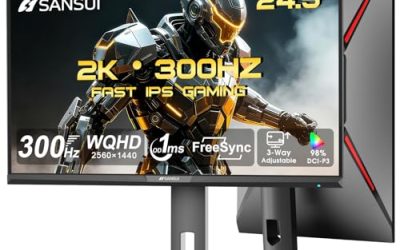
 SANSUI 27 Inch Curved 240Hz Gaming Monitor FHD27.017.66 x 24.13 x 17.84 inches7.26 poundsCheck on Amazon
 AOC 27" Gaming Monitor QHD 260Hz Overclocked IPS27" 240Hz IPS7.46 x 24.17 x 17.7 inchesCheck on Amazon
 New! Sceptre 24.5-inch Gaming Monitor 240Hz 1ms DisplayPort24.57.6 x 22 x 16 Inches10 poundsCheck on Amazon
Buying a 240Hz gaming monitor is a different decision from buying a general-purpose screen. You are paying for a panel that refreshes 240 times per second, and that only pays off if your graphics card can push frame rates anywhere near that number. For players of competitive shooters, battle royale titles, and fast arena games, the extra frames shorten the gap between what happens on screen and what your hands do. For everyone else, a 144Hz screen can be the smarter spend.
This guide is for buyers who have already settled on 240Hz and now need to pick the size, panel shape, and feature set. The eight models below range from 24.5 inch esports sizes through 27 inch panels to a 32 inch curved screen, and one 27 inch model steps up to 1440p. As 2026 brings more affordable high refresh options, the differences that matter are resolution, sync technology, stand adjustment, and how many digital inputs you get.
Quick Picks

Dell 27 240Hz Gaming Monitor - SE2726HG - 27-inch FHD (1920x1080) Display, in-Plane Switching (IPS) Technology, AMD FreeSync Premium, TÜV 3-Star, 2X HDMI, DisplayPort 1.4, Tilt
One of the consumer electronics options compared in this guide.
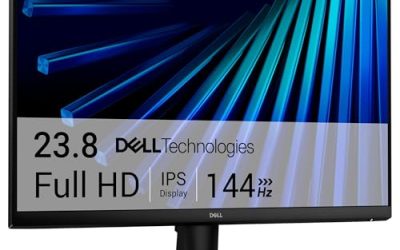
View on AmazonDell 24 240Hz Gaming Monitor - SE2426HG - 23.8-inch FHD (1920x1080) 240Hz Display, in-Plane Switching (IPS) Technology, AMD FreeSync™ Premium, TÜV 3-Star, 2X HDMI, DisplayPort 1.4, Tilt
One of the consumer electronics options compared in this guide.
View on AmazonSANSUI 27 Inch Curved 240Hz Gaming Monitor FHD 1080P, 1500R Curve Computer Monitor, 130% sRGB, 4000:1 Contrast, HDR, FreeSync, MPRT 1Ms, Low Blue Light, HDMI DP Ports, Metal Stand, Cable Incl.
One of the consumer electronics options compared in this guide.
View on Amazon
ASUS TUF Gaming VG259QM5A 25 Inch 1080p 240Hz G-SYNC Gaming Monitor | FreeSync Premium, ELMB Sync, Gaming AI, G-SYNC Compatible, DisplayWidget Center, Fast-IPS, 0.3ms, 99% sRGB, 3yr warranty
One of the consumer electronics options compared in this guide.
View on AmazonAOC 27" Gaming Monitor QHD 260Hz Overclocked IPS NVIDIA G-SYNC Q27G41ZE | 2560×1440 Computer Monitor, 240Hz Native / 260Hz OC, NVIDA G-SYNC Compatible, 0.3ms, HDR, VESA, Audio Out, 3-Yr Warranty
One of the consumer electronics options compared in this guide.
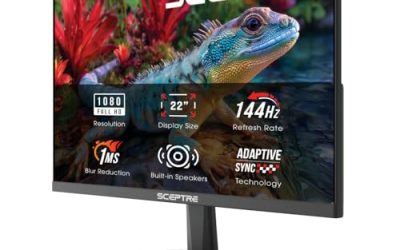
View on AmazonNew! Sceptre 24.5-inch Gaming Monitor 240Hz 1ms DisplayPort x2 HDMI x2 100% sRGB AMD FreeSync Premium Build-in Speakers, Machine Black 2026 (E255B-FWD240 Series)
One of the consumer electronics options compared in this guide.
View on Amazon
GIGABYTE G25F2A 24.5" SuperSpeed IPS FHD Gaming Monitor | Black, FHD 1920x1080, 240Hz, 1ms GTG, HDMI, DP, AMD Freesync Premium, Height and Tilt Adjustable
One of the consumer electronics options compared in this guide.
View on Amazon
SANSUI 32 Inch Curved 240Hz Gaming Monitor High Refresh Rate, FHD 1080P | Gaming PC Monitor HDMI DP1.4, 1500R Curvature, 1Ms MPRT, HDR,Metal Stand,VESA Compatible(DP Cable Incl.)
One of the consumer electronics options compared in this guide.
View on Amazon| Product | Best for | Key spec taken from the product title |
|---|---|---|
| Dell SE2726HG | Large flat esports screen | 27-inch FHD IPS, 240Hz, FreeSync Premium |
| Dell SE2426HG | Compact competitive setups | 23.8-inch FHD IPS, 240Hz, FreeSync Premium |
| SANSUI 27 Curved | Immersive budget gaming | 27 inch curved, 240Hz, 1500R, 1ms MPRT, HDR |
| ASUS TUF VG259QM5A | NVIDIA owners wanting G-SYNC | 25 inch 1080p, 240Hz, G-SYNC, ELMB Sync |
| AOC Q27G41ZE | Sharper 1440p play | 27″ QHD, 240Hz native, 260Hz OC, G-SYNC Compatible |
| Sceptre E255B | Many inputs and speakers | 24.5-inch, 240Hz, 1ms, DisplayPort x2, HDMI x2 |
| GIGABYTE G25F2A | Adjustable esports stand | 24.5″ IPS FHD, 240Hz, 1ms GTG, height and tilt adjust |
| SANSUI 32 Curved | Big-screen fast play | 32 inch curved FHD, 240Hz, HDMI and DP1.4 |
How to Choose
Match resolution and size to your graphics card
At 1080p, most modern mid-range graphics cards can approach high frame rates in esports titles, which is why 240Hz and 1080p are paired so often. At 1440p, the card has to render roughly 78 percent more pixels per frame, so reaching 240 frames per second becomes harder in demanding games. Size matters for sharpness too: 24 to 25 inches at 1080p looks crisp, while a 27 inch 1080p screen shows visible pixel structure up close, and a 32 inch 1080p screen looks soft for desktop work. If you play both competitive and cinematic games, 1440p at 27 inches is a sensible compromise.
Sync technology and your GPU
Variable refresh rate keeps the display in step with your graphics card and removes tearing. Check what the listing names: FreeSync Premium is the AMD standard and also works with many NVIDIA cards as G-SYNC Compatible. A true G-SYNC label points to NVIDIA hardware in the monitor and is mostly valuable if you want the manufacturer’s full certification. For most buyers, a monitor listed as FreeSync Premium or G-SYNC Compatible does the job. Ignore vague claims like “gaming AI” until you see what they actually change.
Response time claims versus real motion clarity
Listings quote 1ms in two ways: GTG (gray to gray) and MPRT (moving picture response time). MPRT figures are usually achieved by strobing or backlight tricks and often reduce brightness, so a 1ms MPRT claim and a 1ms GTG claim are not equivalent. IPS panels generally keep colors accurate at fast speeds, and an overdrive setting set too high can introduce a faint halo behind moving objects. Buyers should compare panel type and overdrive modes rather than relying on a single headline number.
Ports, stand, and curvature
Use DisplayPort for the full 240Hz refresh rate when the listing names it, and confirm which HDMI version is present before connecting a console. A height-adjustable stand matters more than most spec-sheet items if you play for hours, because the top of the screen should sit at or just below eye level. Curved panels at 1500R suit wide fields of view in single-player games, but they can distort straight lines for design work. Do not pay extra for a speaker bar built into the monitor; competitive players use headphones anyway.
The 8 Best Options
Dell SE2726HG
This is the flat-panel answer for someone who wants a bigger canvas than the typical 24.5 inch esports screen. Dell lists a 27-inch full HD IPS panel at 240Hz with AMD FreeSync Premium and two HDMI ports. It targets players who want a clean, no-frills screen from a mainstream brand.
- Strength: 240Hz on a 27 inch IPS panel gives a large, colorful play area.
- Strength: FreeSync Premium covers variable refresh rate on supporting cards.
- Trade-off: 1080p stretched over 27 inches looks less sharp than 1440p.
Skip it if you sit very close to the screen and prefer a denser pixel grid.
Dell SE2426HG
The smaller sibling, listed at 23.8 inches, keeps the 240Hz IPS formula with FreeSync Premium. The size is a natural fit for tournament-style desks, where the whole screen sits within a quick glance and pixel density stays high at 1080p.
- Strength: the compact size makes it easy to see the whole screen without moving your eyes.
- Strength: IPS and 240Hz in a mainstream brand’s lineup are straightforward to live with.
- Trade-off: the title lists no stand adjustment beyond what the brand offers by default, so confirm height options.
Skip it if you want a screen larger than a typical esports size.
SANSUI 27 Inch Curved
Sansui’s curved panel is aimed at buyers who want an immersive look on a modest budget. The listing shows a 27 inch FHD screen at 240Hz with a 1500R curve, 130 percent sRGB, 4000:1 contrast, HDR, FreeSync, 1ms MPRT, and a low blue light mode.
- Strength: the 1500R curve wraps the image around your field of view in racing and open-world games.
- Strength: high contrast and sRGB coverage figures point to a punchy picture for the cost.
- Trade-off: the 1ms figure is MPRT, not gray to gray, so do not compare it directly with GTG claims.
Skip it if you want a flat panel or a brand-name warranty experience.
ASUS TUF Gaming VG259QM5A
ASUS lists a 25 inch 1080p panel at 240Hz with G-SYNC support, FreeSync Premium, ELMB Sync, and G-SYNC Compatible status. That mix is for NVIDIA owners who want the vendor’s certified variable refresh and strobing tools on a screen sized for competitive play.
- Strength: it names both G-SYNC and FreeSync Premium, which covers AMD and NVIDIA graphics cards.
- Strength: ELMB Sync is a motion-blur reduction feature designed to work alongside variable refresh.
- Trade-off: its 25 inch size and 1080p resolution make it a specialist pick, not an all-round screen.
Skip it if you need a bigger display for movies and productivity.
AOC Q27G41ZE
This is the only QHD model in the group. AOC lists a 27 inch 2560×1440 IPS panel at 240Hz native with a 260Hz overclock, plus G-SYNC Compatible certification. It is for players who want sharper text and detail without moving to a much larger screen.
- Strength: 1440p at 27 inches delivers noticeably finer detail than the 1080p options.
- Strength: 240Hz native with a 260Hz overclock leaves headroom for fast cards.
- Trade-off: reaching 240 frames at 1440p demands a stronger graphics card.
Skip it if your PC struggles to maintain high frame rates in newer titles.
Sceptre E255B
The Sceptre is the connection-heavy choice. The listing shows a 24.5-inch panel at 240Hz with a 1ms claim, two DisplayPort inputs, two HDMI inputs, 100 percent sRGB, FreeSync Premium, and built-in speakers. It is useful when a gaming PC, a console, and a laptop all share a desk.
- Strength: four digital inputs make it easy to swap devices without cables.
- Strength: 100 percent sRGB coverage is respectable for color at this size.
- Trade-off: built-in speakers are a convenience, not a substitute for headphones.
Skip it if you want a stand with proven height adjustment.
GIGABYTE G25F2A
Gigabyte describes its 24.5 inch SuperSpeed IPS panel at full HD with 240Hz, a 1ms GTG response claim, HDMI and DisplayPort, FreeSync Premium, and a height and tilt adjustable stand. For tournament-style setups it covers the basics well.
- Strength: the GTG response claim is easier to compare with rival IPS panels.
- Strength: height adjustment helps you set the top edge at eye level.
- Trade-off: it lists just two digital input types, so multi-device desks need a switch.
Skip it if you prefer a curved or 27 inch screen.
SANSUI 32 Inch Curved
The largest model here pairs a 32 inch curved FHD screen with a 240Hz refresh rate, HDMI, DisplayPort 1.4, a 1500R curve, 1ms MPRT, HDR, and a metal stand. It is for players who value screen size and immersion above pixel density.
- Strength: 32 inches of curved display fill your peripheral vision in cinematic games.
- Strength: DisplayPort 1.4 is named, which supports the full refresh rate.
- Trade-off: 1080p stretched across 32 inches looks soft for desktop text.
Skip it if you sit close or use the screen for reading and spreadsheets.
Which One Fits Your Situation
You play competitive shooters and want maximum clarity
The GIGABYTE G25F2A is a careful fit. Its 24.5 inch size, GTG response claim, and adjustable stand match tournament habits. If you run an NVIDIA card and want certified sync, the ASUS TUF VG259QM5A is the alternative.
You want 240Hz and a sharper picture for everyday use
The AOC Q27G41ZE brings 1440p to the 240Hz table. It works well for people who split time between fast games, browsing, and video, provided the graphics card can keep up.
You share one desk between a PC, a console, and a laptop
The Sceptre E255B lists two DisplayPort and two HDMI inputs, which is the most generous list here. Switching devices becomes a menu choice rather than a cable swap.
You want a big, curved display for racing and adventure games
The SANSUI 32 Inch Curved offers the most screen area. If a smaller footprint suits your desk better, the 27 inch SANSUI model gives a similar look in less space.
Common Mistakes
- Buying 240Hz without checking whether your graphics card can push anywhere near 240 frames in the games you play.
- Comparing a 1ms MPRT claim directly with a 1ms GTG claim as though they were the same measurement.
- Choosing a large 1080p screen and then being disappointed by visible pixels during desktop use.
- Connecting with the wrong cable and leaving the monitor stuck at 60Hz; check your operating system’s display settings after setup.
- Overlooking stand adjustability, which affects posture more than any spec on the headline list.
Related guides
- External Hard Drive For Xbox Series X
- How To Check Gpu Temperature While Gaming
- 7.1 Surround Sound Gaming Headsets
Frequently Asked Questions
Is 240Hz noticeably better than 144Hz?
Many players can feel the difference in fast shooters when frame rates stay high, though the gain is smaller than the jump from 60Hz to 144Hz. If your games run below 150 frames per second, the extra refresh rate goes unused.
Do I need G-SYNC if I have an NVIDIA graphics card?
Not necessarily. Monitors listed as G-SYNC Compatible or FreeSync Premium generally work with recent NVIDIA cards. A true G-SYNC module adds certification and extras, but it is rarely essential for casual and mid-level play.
Is a curved screen good for competitive gaming?
It is fine, and many players like the immersion. The 1500R curves listed here are aggressive, which can slightly bend straight lines in menus and crosshair positioning. Flat panels remain the neutral choice for esports.
Which size is best for 240Hz play?
Competitive players tend to prefer 24 to 25 inches because the whole screen is visible at a glance. A 27 inch panel suits a mix of genres, and a 32 inch curved screen works best for single-player games at a longer viewing distance.