Our Top Picks
 LG 27GM950B-B 27-inch Ultragear evo Mini-LED IPS 5K9.8 x 24.2 x 21.1 inches18.7 PoundsCheck on Amazon
 ViewSonic VP2788-5K 27 Inch 5K Mac Ready Monitor27-Inch 5K8.26 x 24.13 x 21.44 Inches14 poundsCheck on Amazon
A 5K monitor is a very specific kind of purchase. The jump from 4K to 5K is not about fitting more windows on screen, it is about sharpness: a 27-inch panel at 5120 by 2880 packs roughly 218 pixels per inch, which is the density that makes text look printed rather than rendered. That is the reason this resolution became the default pairing for Mac desktops, and it is also why a handful of gaming and ultrawide makers have started using the “5K” label for very different panels. Before you compare anything else, you have to decide which kind of 5K you are shopping for: the true 16:9 panel with 2880 rows, or the wide 5K2K layout that trades vertical pixels for horizontal sweep.
This guide is written for people who will sit close to the screen for hours: photo and video editors, developers who live in text, designers working in Retina-style scaling, and the occasional gamer who wants high refresh without dropping to 1440p. It sorts seven listed models by what the product titles actually state, so you can see which ones lead with a connection like Thunderbolt 4, which lean on color coverage, and which are really about screen shape. If you land here in 2026 with a laptop that outputs a clean DisplayPort or USB-C signal, any of these can work, but they are not interchangeable.
Quick Picks

Samsung 27" ViewFinity S8 (S80HF) Series High-Resolution Monitor | 5K (5120x2880), HDR10, Eye Saver Mode, USB-C Port, Samsung Display Manager, LS27H800EFAXZA
One of the consumer electronics options compared in this guide.
View on AmazonLG 27GM950B-B 27-inch Ultragear evo Mini-LED IPS 5K 165Hz Gaming Monitor | (5120 x 2880), NVIDIA G-Sync, AMD FreeSync Premium, DisplayHDR1000, AI Upscaling, HDMI, DP, USB-C, Tilt/Height/Swivel/Pivot
One of the consumer electronics options compared in this guide.
View on Amazon
Dell UltraSharp 34 Monitor - U3425WE, 5K QHD 1440p | 5K QHD 1440p
One of the consumer electronics options compared in this guide.
View on Amazon
INNOCN 34" 5K 120Hz 5120 x 2160P Wide Monitor for Laptop/MacBook/Mini PC | 21:9, HDR400, HDMI 2.1, DP, USB-C, DeltaE<2, Ultrawide Screen Split PIP/PBP for Video Editing, Speakers, Black
One of the consumer electronics options compared in this guide.
View on Amazon
BenQ PD2730S 27" 5K 218 PPI Mac Monitor, 90W Thunderbolt 4, 98% P3, Uniformity, 2000:1 Contrast, Nano Matte Panel, Daisy Chain, KVM, Height Adjustable, for 3D Artists, VFX Animators, Game Designers
One of the consumer electronics options compared in this guide.
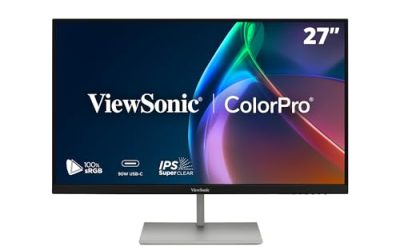
View on AmazonViewSonic VP2788-5K 27 Inch 5K Mac Ready Monitor, IPS Designer Display | Thunderbolt 4, USB C, HDMI, DisplayPort, 100W Power Delivery, 99% DCI-P3, sRGB, Pantone Validated, HDR400, Adjustable Stand
One of the consumer electronics options compared in this guide.
View on Amazon| Product | Best for | Key spec from the title |
|---|---|---|
| Samsung ViewFinity S8 (S80HF) | All-round 27-inch 5K with USB-C | 5K (5120×2880), HDR10, USB-C port |
| LG UltraGear evo 27GM950B-B | High-refresh 5K gaming | Mini-LED IPS, 165Hz, DisplayHDR1000, G-Sync |
| Dell UltraSharp U3425WE | Wide office and creative desk | 34-inch, listed as 5K QHD 1440p |
| INNOCN 34-inch 5K | Value ultrawide for laptops | 5120×2160, 120Hz, HDMI 2.1, DeltaE under 2 |
| Dell UltraSharp U4025QW | Giant curved multitasking | 40-inch class 5K2K WUHD, 21:9 |
| BenQ PD2730S | Mac-centered color work | 218 PPI, 90W Thunderbolt 4, 98% P3 |
| ViewSonic VP2788-5K | Designers on a single cable | Thunderbolt 4, 100W power delivery, 99% DCI-P3 |
How to Choose
Know which 5K you are buying
The phrase covers two shapes. A true 5K panel is 5120 by 2880 in a 16:9 frame and is almost always 27 inches, which is where the 218 pixels-per-inch figure comes from. The 5K2K panels are 5120 by 2160 in a 21:9 frame and run 34 inches and up, with pixel density closer to a 4K monitor than to a Retina display. Neither is wrong, but they solve different problems. If crisp small text is the goal, look for 2880 vertical pixels. If you want a timeline or spreadsheet that spans two documents side by side, the 2160-row ultrawides are the better fit. Always read the resolution line in the spec sheet, not just the marketing label.
Connection and cable count
Driving 5120 by 2880 at 60Hz is demanding, and the connection decides whether you get it at all. Thunderbolt 4 or a recent DisplayPort with Display Stream Compression is the safe route; a plain HDMI port on an older laptop may cap you at lower resolution or refresh. If you work on a laptop, prioritize power delivery of at least 90W so one cable charges the machine and carries video. Daisy-chain support and a built-in KVM matter when two computers share one screen. For gaming-oriented panels, confirm that your graphics card supports the DisplayPort version needed for the advertised refresh rate.
Color coverage versus HDR claims
Creative buyers should look at gamut coverage first: 98 to 99 percent of DCI-P3 and full sRGB are sensible targets, and a DeltaE under 2 is the figure to look for on factory accuracy. Brightness labels deserve skepticism. HDR10 on a basic IPS panel is a compatibility tag, HDR400 is a modest step, and DisplayHDR1000 combined with a local-dimming backlight such as Mini-LED is a genuinely different experience. For photo and video grading, uniformity and contrast ratio count for more than a headline HDR badge.
Size, desk depth, and ergonomics
At 27 inches a 5K panel is the sweet spot for viewing distance of about two feet. A 34-inch ultrawide needs more desk depth, and a 40-inch curved screen asks for a deep desk and a slightly longer viewing distance. Height adjustment, tilt, and pivot are where cheaper models cut corners, and a stand that only tilts forces you to buy an arm. Matte coatings reduce reflections but can soften fine detail slightly, so decide which matters more in your room.
The 7 Best Options
Samsung ViewFinity S8 (S80HF)
This 27-inch model is the straightforward route to true 5K, listing a 5120 by 2880 panel with HDR10, Eye Saver Mode, a USB-C port, and Samsung Display Manager software. It suits buyers who want crisp text and a single-cable laptop connection without paying for a specialist color tool.
- Strength: true 5K resolution on a 27-inch panel gives the high pixel density that sharp text needs.
- Strength: the USB-C port and bundled management software simplify laptop setups.
- Trade-off: the title does not mention color gamut coverage or refresh above standard, so it is not a grading or gaming pick.
Skip it if factory color accuracy is a hard requirement or if you plan to game at high frame rates.
LG UltraGear evo 27GM950B-B
The only gaming-first model in the group, this 27-inch Mini-LED IPS panel pairs 5K resolution with 165Hz, G-Sync, FreeSync Premium, and DisplayHDR1000. It is for players who refuse to choose between sharpness and speed and who own a graphics card able to push that many pixels.
- Strength: DisplayHDR1000 with a Mini-LED backlight points to far more headroom for highlights than standard IPS.
- Strength: support for both G-Sync and FreeSync Premium covers either GPU brand.
- Trade-off: running 5K at high refresh is demanding, and the title says nothing about creative color certification.
Skip it if your work is color-critical or if your GPU is mid-range; a lower-resolution panel will make better use of it.
Dell UltraSharp U3425WE
This 34-inch UltraSharp is the office-and-creative generalist of the list. The title reads “5K QHD 1440p,” which is contradictory wording, so buyers should confirm the native resolution on the spec sheet before assuming it matches the 5120-wide panels here.
- Strength: the UltraSharp line is the one buyers associate with business-grade stands and calibration.
- Strength: a wide 34-inch format gives spreadsheets and timelines a lot of horizontal room.
- Trade-off: the ambiguous resolution label means it may deliver lower pixel density than a true 27-inch 5K.
Skip it if sharp text at Retina-style density is the reason you are shopping at all, or if you cannot confirm the native resolution before the return window closes.
INNOCN 34-inch 5K 120Hz
This ultrawide is listed at 5120 by 2160, 21:9, 120Hz, with HDR400, HDMI 2.1, DisplayPort, USB-C, and a DeltaE under 2 claim. It is aimed at laptop and mini PC owners who want a big, fast, color-aware screen without a premium-brand tag.
- Strength: HDMI 2.1 plus 120Hz makes it flexible for both work and consoles or PCs.
- Strength: split-screen PIP and PBP let two sources share the panel.
- Trade-off: the 2160 rows mean text is less dense than on a 27-inch 5K, and HDR400 is only a modest HDR tier.
Skip it if you want the sharpest possible text or need a well-known service network behind the monitor.
Dell UltraSharp U4025QW
The largest screen in the list, this 40-inch class curved 5K2K WUHD display in 21:9 is built for people who would otherwise run two monitors. It replaces a side-by-side pair with one continuous surface.
- Strength: the 40-inch curved format removes the bezel gap of a dual-monitor desk.
- Strength: the UltraSharp name signals a business-oriented design.
- Trade-off: the title gives few details beyond size and shape, so connectivity and color coverage need confirmation, and it needs a deep desk.
Skip it on a small desk or if you prefer a flat panel for precise layout work.
BenQ PD2730S
BenQ’s 27-inch model is the one that reads like a spec sheet for a Mac-centered studio: 5K at 218 PPI, 90W Thunderbolt 4, 98% P3, a 2000:1 contrast ratio, a Nano Matte panel, daisy chaining, KVM, and a height-adjustable stand.
- Strength: Thunderbolt 4 with 90W delivery and daisy chaining reduces cable clutter for laptop users.
- Strength: a built-in KVM and height adjustment cover the practical details cheaper monitors skip.
- Trade-off: the Nano Matte coating that fights glare can slightly soften the pop of highlights.
Skip it if your computer lacks Thunderbolt or if you like a glossy finish.
ViewSonic VP2788-5K
This 27-inch IPS designer display is marketed as Mac ready, with Thunderbolt 4, USB-C, HDMI, DisplayPort, 100W power delivery, and 99% DCI-P3 coverage. It is for creatives who want maximum charging power from one cable.
- Strength: 100W power delivery is the highest charging figure in this group.
- Strength: a full spread of inputs lets multiple machines connect.
- Trade-off: the title is truncated after sRGB, so buyers should verify calibration and stand details on the full spec sheet.
Skip it if you need high refresh for gaming; this is a work display.
Which One Fits Your Situation
You edit photos on a MacBook
The BenQ PD2730S is the most complete match: Thunderbolt 4, 98% P3, 218 PPI, and a matte panel for controlled color. The ViewSonic VP2788-5K is the alternate if you want 100W charging and 99% DCI-P3.
You want 5K for coding and documents on a budget
The Samsung ViewFinity S8 offers true 27-inch 5K with a USB-C port and Eye Saver Mode for long reading sessions, without specialist color features you would not use.
You play games and still want a sharp screen
The LG UltraGear evo 27GM950B-B is the only one built around 165Hz, G-Sync, and DisplayHDR1000. Pair it with a powerful GPU, or you will not reach the refresh rate it advertises.
You replace two monitors with one
The Dell UltraSharp U4025QW covers the largest area, while the INNOCN 34-inch is the lighter, faster option if the desk is smaller and HDMI 2.1 matters.
Common Mistakes
- Assuming every “5K” label means 2880 vertical pixels, when ultrawides use 2160 rows.
- Buying without confirming the laptop’s port can carry 5K at 60Hz, then discovering the signal drops to a lower mode.
- Treating an HDR10 or HDR400 badge as proof of strong HDR performance on an edge-lit IPS panel.
- Ignoring desk depth for 34-inch and 40-inch curved models, which sit too close on shallow desks.
- Skipping stand adjustability, then paying extra for an arm because the stand only tilts.
Related guides
- External Hard Drive For Xbox Series X
- How To Check Gpu Temperature While Gaming
- 7.1 Surround Sound Gaming Headsets
Frequently Asked Questions
Is 5K really noticeably sharper than 4K?
On a 27-inch screen, yes, particularly for text. A 4K panel at that size is around 163 pixels per inch, while 5K reaches about 218, which is the density that removes visible pixel structure at normal desk distance.
Do I need Thunderbolt 4 for a 5K monitor?
Not strictly. A modern DisplayPort connection can carry 5K, and some USB-C ports can as well. Thunderbolt 4 is simply the most reliable single-cable option for laptops, especially with power delivery and daisy chaining.
Can a 5K monitor work with Windows PCs?
Yes. Models marketed as Mac ready still output standard signals. Make sure your graphics card has a DisplayPort or USB-C output that supports the resolution and refresh rate listed.
Is a 5K2K ultrawide better than two monitors?
It depends on how you work. One continuous panel avoids bezels and gives a single color profile, but two 27-inch screens can offer more vertical pixels and easier window snapping on a flat plane.