Our Top Picks
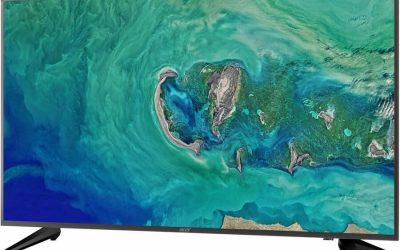
 Acer 27in 4K 3840x2160 IPS 60Hz Office Monitor27-inch10.63 x 24.19 x 18 inches18.25 poundsCheck on Amazon
The best 4K USB-C monitor for most people in 2026 is the Dell UltraSharp U2725QE, a 27-inch IPS Black panel at 120Hz with a Thunderbolt 4 hub and up to 140W of laptop charging. If you want the same single-cable convenience for less, the Dell S2725QC adds 120Hz and 65W charging at a much lower tier, and the BenQ PD2706U and ASUS ProArt PA279CRV suit colour-critical work. The one spec to confirm before buying is the USB-C power delivery wattage, because it must meet or exceed what your laptop charger supplies.
Quick comparison of 4K USB-C monitors
| Pick | Best for | Refresh rate | USB-C power | Price tier |
|---|---|---|---|---|
| Dell UltraSharp U2725QE | Best overall, hybrid work and play | 120Hz | Up to 140W (90W without EPR) | Upper-mid |
| Dell Pro 27 Plus P2725QE | Office docking | 100Hz | Up to 90W | Mid |
| Dell 27 Plus S2725QC | Best value | 120Hz | 65W | Budget to mid |
| BenQ PD2706U | Designers and photographers | 60Hz | 90W | Upper-mid |
| ASUS ProArt PA279CRV | Colour accuracy on a budget | 60Hz | 96W | Mid |
| LG 27UP850N | Simple 4K with USB-C, where still stocked | 60Hz | About 90W-96W by region | Mid, check availability |
Best overall: Dell UltraSharp U2725QE
The U2725QE is a 27-inch 4K IPS Black panel with a 120Hz refresh rate, 3000:1 contrast and DisplayHDR 600, per Dell’s specifications. Its Thunderbolt 4 upstream port can deliver up to 140W through Extended Power Range, falling to 90W if your laptop does not support EPR. It also has a Thunderbolt 4 downstream port for daisy chaining, a 2.5GbE Ethernet port and a built-in KVM switch, which lets one keyboard and mouse control two computers.

Dell 27 Monitor S2725QC, 4K UHD IPS, 120Hz, 99% sRGB, 4ms, FreeSync Premium | 3840x2160, 163 PPI, USB-C, HDMI, DisplayPort, Anti-Glare, Eye Comfort Technology, LED Edgelight System
Chosen because it specifies 4K UHD IPS and 120Hz.
View on AmazonAcer 27in 4K 3840x2160 IPS 60Hz Office Monitor CB272K bmiprux | 4ms, AMD FreeSync, sRGB 99%, HDMI, DisplayPort, USB-C 90W, Ergo Stand, Speaker
Chosen because it specifies 4ms and AMD FreeSync.
View on Amazon
Dell 27 Monitor S2725QS, 4K UHD IPS, 120Hz, 5ms, FreeSync Premium | 350 cd/m2 Brightness, 1,500:1 Contrast, 99% sRGB, Anti-Glare, HDMI, DisplayPort, USB‑C, Height Adjustable, Swivel, Pivot
Chosen because it specifies 4K UHD IPS and 120Hz.
View on Amazon
INNOCN 27" 4K Everyday USB-C Monitor for Laptop MacBook/Mac mini, Eye Care | 65W Power Delivery, Work with USB C Laptop/MacBook Air/Pro, Mac Mini, 400Nits Brightness, TUV Low Blue Light, Ergonomic Stand
Chosen because it specifies Eye Care and 65W Power Delivery.
View on AmazonIt is the pick if one cable should charge a laptop, carry video, and link a wired network. RTINGS names it the best USB-C monitor it has reviewed. The trade-off is cost, and the HDR performance is modest next to OLED or mini-LED displays.
Best value: Dell 27 Plus S2725QC
The S2725QC is a 27-inch 4K IPS monitor at 120Hz with 350 nits, 1500:1 contrast and 99% sRGB coverage. The USB-C port supports 65W charging and DisplayPort Alt Mode, and the monitor has two HDMI inputs with front-facing USB ports. Note it has no DisplayPort input, so desktops use HDMI. It also supports FreeSync Premiumso console and PC gamers get smooth motion that most 60Hz office displays lack.
The limit is 65W charging, which suits ultrabooks but will not fully power a performance laptop under load.
Best for office docking: Dell Pro 27 Plus P2725QE
The P2725QE has a 4K IPS panel at 100Hz with 350 nits, 99% sRGB and a USB-C hub that delivers up to 90W. It adds a USB-C downstream port and three USB-A ports, and it has Ethernet, per reviewers such as PCWorld. It lacks adaptive sync, so it is a work monitor first. Choose it when you dock a business laptop daily and want a minimal desk.
Best for creators: BenQ PD2706U
BenQ’s own specification page lists 90W USB-C power delivery for the PD2706U, with a 27-inch 4K IPS panel at 60Hz, 100% sRGB and 95% P3 coverage. Factory calibration, KVM switching, HDMI 2.0, DisplayPort 1.4 and a USB hub round out the package. The 65W figure sometimes attached to it belongs to another BenQ model, so do not rely on third-party listings. Refresh is 60Hz, which is fine for photo and design work but a step down for gaming.
Best colour accuracy per dollar: ASUS ProArt PA279CRV
The PA279CRV pairs a 27-inch 4K IPS panel with about 99% DCI-P3 and 99% Adobe RGB, plus a factory calibration of Delta E under 2, per ASUS. USB-C supplies up to 96W, and there are two DisplayPort 1.4 connections for daisy chaining. It runs at 60Hz and its speakers are basic. For video editors and photographers working with wide gamut files, it is a strong value.
Also worth a look: LG 27UP850N and a warning about the LG 27US500-W
The LG 27UP850N offers 4K IPS at 60Hz, DisplayHDR 400 and a USB-C port with power delivery that LG lists at 90W or 96W depending on region. It lacks a KVM switch or Ethernet, and some retailers report it as discontinued. Separately, the cheaper LG 27US500-W is often listed as a USB-C monitor but, per LG’s specifications, it has HDMI and DisplayPort only. Always check the port list.
How to choose: a power and bandwidth worked example
- Charging headroom. A laptop with a 100W charger should pair with a monitor that supplies at least about 90W. A 65W monitor will charge it slowly or not at all under gaming load. Rule of thumb: pick a monitor offering at least 85-90% of the charger’s wattage.
- Video bandwidth. 4K at 60Hz and 8-bit needs about 12 Gbps (3840 x 2160 x 60 x 24). 4K at 120Hz and 10-bit needs about 30 Gbps, which exceeds the roughly 26 Gbps usable on DisplayPort 1.4, so a 120Hz USB-C link relies on Display Stream Compression or Thunderbolt.
- Cable. Use the cable in the box or a certified USB-C or Thunderbolt cable rated for the wattage. A basic charging cable may cap you at 60W or lack video support.
Setup and ownership realities
Single-cable setups fail in predictable ways. First, macOS and Windows laptops sometimes wake with the monitor asleep, and the fix is usually updating the monitor firmware or the laptop’s Thunderbolt and graphics drivers. Second, a daisy chain only works when the first monitor supports DisplayPort Multi-Stream Transport out, and the chain shares one link, so two 4K screens at 60Hz is a practical ceiling on DisplayPort 1.4. Third, Ethernet and USB hub speeds drop whenever the link is also carrying 4K video on a four-lane DisplayPort connection, because the port switches to two lanes of data and two of video. If you move large files often, a Thunderbolt model such as the U2725QE keeps the hub fast.
At 27 inches, 4K gives about 163 pixels per inch, which looks sharp at 150% scaling (an effective 2560×1440 workspace). If you leave scaling at 100%, text becomes tiny, so check your operating system scale setting before judging a monitor. Stands matter too: the Dell and BenQ models adjust for height and pivot, while budget panels often only tilt, so measure your desk height or plan on a VESA arm (100×100 mm on most of these models).
Decision matrix
| Your situation | Pick |
|---|---|
| Thin laptop under 65W, light budget | Dell S2725QC |
| Work laptop with 90-100W charger, daily docking | Dell P2725QE |
| Performance laptop, wired network, two computers | Dell U2725QE |
| Photo or design, calibrated colour | BenQ PD2706U or ASUS PA279CRV |
| Console and laptop on one screen | Dell S2725QC (HDMI 2.1 bandwidth and 120Hz) |
Frequently Asked Questions
Do I need Thunderbolt for a 4K USB-C monitor?
No. A standard USB-C port with DisplayPort Alt Mode drives a 4K monitor at 60Hz and charges your laptop. Thunderbolt helps with daisy chaining, more bandwidth and faster data transfer.
How many watts should a USB-C monitor provide?
Match your laptop charger. Ultrabooks run well on 65W, and most mainstream laptops want 90-100W. Gaming laptops often need more than any monitor delivers, so keep their own charger for gaming.
Can a 4K USB-C monitor run at 120Hz?
Some can, such as the Dell U2725QE and S2725QC, but your laptop and its USB-C port must support the required DisplayPort version or Thunderbolt. Otherwise the connection falls back to 60Hz.
Is a USB-C monitor good for gaming?
Models with 120Hz and adaptive sync, like the S2725QC, work well for casual gaming, especially with a console on HDMI. For competitive play, a dedicated gaming panel with a faster response time is better.
Why is my laptop not charging through the monitor?
Typically the monitor wattage is below what the laptop needs, the cable is charge-limited, or you are using the wrong USB-C port on the laptop. Try the manufacturer cable and a port marked with a DisplayPort or Thunderbolt symbol.