Our Top Picks
For 1080p gaming, buy the strongest gaming CPU your budget allows, because at this resolution the processor, not the graphics card, usually sets the frame-rate ceiling: a mid-range six- or eight-core chip is enough for 60 to 144Hz play, while an AMD Ryzen X3D model such as the Ryzen 7 9800X3D is the performance-first choice for 240Hz and above.
Why the CPU Matters More at 1080p
Every frame needs the CPU to prepare game logic, physics and draw calls before the GPU renders pixels. At 1080p the GPU finishes each frame quickly, so the CPU’s preparation time becomes the limit. At 1440p or 4K the GPU takes longer per frame, and CPU differences shrink. That is why reviewers deliberately test CPUs at 1080p: it exposes the processor rather than the graphics card.

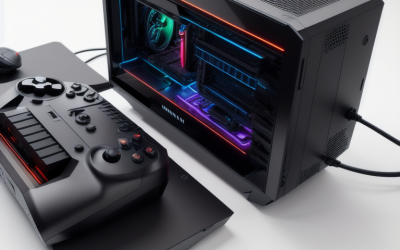
Skytech Gaming PC Desktop, Ryzen 7 9850X3D, RTX 5080, 32GB RAM, 2TB SSD | Windows 11, NVMe SSD, DDR5 6000, 850W GOLD ATX 3 PSU, 360 ARGB AIO , Wi-Fi 5, King 95 Series
Chosen because it specifies Ryzen 7 9850X3D and RTX 5080.
View on Amazon
Skytech Gaming King 95 Gaming PC, Ryzen 7 9800X3D, RTX 5080 | | 64GB DDR5 RAM 6000, 4TB Gen4 NVMe M.2 SSD, Windows 11, 850W GOLD ATX 3 PSU, 360 ARGB AIO , Wi-Fi 5, Desktop
Chosen because it specifies Ryzen 7 9800X3D and RTX 5080.
View on AmazonThe arithmetic is simple. A 144Hz monitor needs a new frame about every 6.9 milliseconds, and a 240Hz monitor needs one about every 4.2 milliseconds. A CPU that takes longer than that to prepare frames in your games caps the frame rate no matter how fast the GPU is.
Step-by-Step: Choosing the CPU
Step 1: Set the refresh target
Decide whether you are playing at 60, 144, 240 or higher. Esports titles are often CPU-bound at high frame rates; heavy open-world games frequently bind the CPU as well. If your monitor is 60Hz or 75Hz, even an entry processor will often be enough.
Step 2: Pick the platform
AMD’s current desktop platform is AM5 with DDR5 memory, hosting the Ryzen 7000 and 9000 series. Intel’s Core Ultra 200S series uses the LGA1851 socket and DDR5. Choose the platform that suits your preferred chips and motherboard features. AM5 buyers often value the longer socket support AMD has stated for the platform, and Intel buyers may value broad motherboard choice.
Step 3: Match tier to goal
Use the table below as a starting framework, then check recent reviews of specific chips.
Step 4: Balance with your GPU
Spending heavily on the CPU while pairing it with an entry-level GPU wastes budget. At 1080p, aim for a balanced pairing: the GPU should be capable of reaching the frame rate your CPU can prepare.
Step 5: Budget for memory and cooling
Fast DDR5 in a dual-channel configuration, and a cooler that fits your chosen chip, help the CPU hold its boost behavior. Check the processor maker’s listing for supported memory speeds and cooler requirements.
Quick-Reference Table
| Goal | CPU class | Example chips | Notes |
|---|---|---|---|
| 60 to 75Hz, tight budget | Entry six-core | Ryzen 5 7600 class, Core Ultra 5 class | Fine for most titles at 1080p; GPU is the larger factor |
| 144Hz general play | Mid-range six to eight cores | Ryzen 5 9600X class, Ryzen 7 7700 class, Core Ultra 5 or 7 class | Sweet spot for balanced builds |
| 240Hz esports | High-end gaming chip | Ryzen 7 9800X3D, Ryzen 7 7800X3D | Large 3D V-Cache chips are reported by reviewers to lead gaming charts |
| Gaming plus streaming or editing | More cores | Ryzen 9 or Core Ultra 7 and 9 class | Extra cores help background workloads, not always frame rate |
Why X3D Chips Keep Appearing on Top
AMD’s X3D processors stack extra L3 cache on the die. The Ryzen 7 9800X3D is an eight-core, 16-thread AM5 chip, and AMD markets the X3D line as its gaming-focused family. Reviewers at outlets such as Tom’s Hardware and TechSpot have repeatedly placed the X3D parts at or near the top of 1080p gaming charts, because many games benefit from large cache. The tradeoff is a premium tier cost compared with standard chips, and in GPU-bound situations such as 1440p or 4K with demanding settings the advantage narrows.
The earlier Ryzen 7 7800X3D remains a capable previous-generation option and is often considered when buyers want X3D behavior in a lower tier, depending on stock.
What About Intel?
Intel’s Core Ultra 200S desktop chips offer strong multi-threaded performance and efficiency gains over older generations, per Intel’s product positioning. Reviewers have generally found them competitive for productivity, while for pure gaming the X3D parts have often led. Intel chips remain a sound choice for people who prefer the platform, need heavy multi-tasking or find a good motherboard deal. Read a current review for the exact model before deciding, since BIOS updates have changed gaming behavior on some platforms.
Pick-If Table
| Pick | If |
|---|---|
| Entry six-core chip | You play at 60 to 100 frames per second and want the GPU to take most of the budget |
| Mid-range six or eight-core chip | You target 144Hz in a range of games and want upgrade room |
| Ryzen 7 9800X3D or similar X3D | You chase 240Hz or higher, play CPU-heavy simulation or esports titles, and accept a premium tier |
| Core Ultra 7 or 9 | You mix gaming with content creation and prefer the Intel platform |
Common Mistakes
- Overspending on CPU while under-buying the GPU. The frame rate you see is limited by the slower side.
- Ignoring the motherboard. Cheap boards can throttle power delivery on high-end chips; check the board maker’s CPU support list and BIOS version before buying.
- Running memory in single channel. One stick can reduce gaming performance; use two matched modules.
- Forgetting to enable the memory profile. DDR5 often runs at a base speed until the XMP or EXPO profile is enabled in the BIOS. BIOS changes can cause instability and may affect warranty terms, so keep settings conservative and follow the board manual.
- Buying by core count alone. Games tend to reward cache, clock behavior and per-core speed rather than raw core count.
- Buying a dead-end platform. Check which socket your chosen chip uses and whether future chips are expected on it.
Alternatives
- Previous-generation chips: Ryzen 7000 and Intel 13th or 14th generation processors can offer good value if prices fall, though Intel’s 13th and 14th generation had well-documented stability advisories that led the maker to release microcode updates; read the maker’s guidance if buying used.
- Mid-range chip now, X3D later: on AM5 you can start with a mid-range processor and move to an X3D model later within the same socket.
- Raise resolution instead: if your CPU already outpaces your monitor, a 1440p display uses spare GPU headroom while the CPU stays comfortable.
Frequently Asked Questions
Is a Ryzen 5 enough for 1080p gaming?
For many games and refresh rates up to 144Hz, a current Ryzen 5 class six-core chip is generally sufficient when paired with a suitable GPU. At 240Hz in CPU-heavy titles, a stronger chip may help.
Does the CPU matter if I play at 1080p with a weak GPU?
Less so. If the graphics card is the bottleneck, a faster CPU will not raise frame rates much. Upgrade the weaker component first.
Is the Ryzen 7 9800X3D worth it for 1080p?
It is positioned and widely reviewed as a top gaming CPU, which suits high-refresh competitive play. For 60 to 144Hz gaming on a modest GPU, a cheaper processor will often feel similar.
What is a CPU bottleneck?
It happens when the CPU cannot prepare frames fast enough to keep the graphics card busy, leaving GPU usage low while frame rate stalls. It is most visible at 1080p with a powerful GPU.
How much RAM do I need?
Sixteen gigabytes of DDR5 is commonly used for gaming, and thirty-two gigabytes gives more room for background apps and newer titles. Use two modules for dual channel.
Should I choose AMD or Intel?
For pure gaming frame rate, AMD X3D chips have generally led reviewer charts. Intel chips can be good for mixed workloads or when a platform deal makes sense. Compare recent reviews of the specific models you are considering.
FAQ
What About Intel?
Is a Ryzen 5 enough for 1080p gaming?
Does the CPU matter if I play at 1080p with a weak GPU?
Is the Ryzen 7 9800X3D worth it for 1080p?
What is a CPU bottleneck?
How much RAM do I need?
Should I choose AMD or Intel?
More from Amazon
Programs that pair well with the guide above. Offers and eligibility are set by Amazon and may change.
Free shipping on eligible items, Prime Video and more. Eligible new members can start with a free trial.
Start a Prime free trialAd-free music streaming. Eligible new subscribers can start with a free trial.
Try Music Unlimited freeA Prime membership for ages 18-24 with a trial period. Eligibility is set by Amazon.
See Prime for Young AdultsAudiobooks and podcasts to listen to on the go. Eligible new members can start with a free trial.
Try Audible freeAs an Amazon Associate we earn from qualifying purchases.