Key takeaways
- Pro: Excellent 4K gaming performance with DLSS 4 headroom.
- Pro: Strong CPU pairings like the Ryzen 7 9800X3D for elite frame rates.
- Pro: Quality cooling, PSUs, and modern connectivity out of the box.
- Pro: Ready to run with no building required.
What's inside
The RTX 5080 desktop occupies a coveted spot in the gaming hierarchy: nearly flagship-level performance without the eye-watering price and power demands of the 5090. For players who want uncompromised 4K gaming and future-proof headroom, a prebuilt RTX 5080 system delivers serious muscle in a ready-to-run package.
In this review we look at what an RTX 5080 desktop offers, which configurations and CPU pairings stand out, and whether buying prebuilt makes sense for you. From Alienware to Skytech and ZOTAC, these machines aim to be the enthusiast sweet spot, so here is what to expect.
As an Amazon Associate we earn from qualifying purchases at no extra cost to you.


🎮 Get More From Your Setup — Free
Prime Gaming gives you free PC games every month, in-game loot, and a free Twitch channel sub — plus fast free shipping on all the gear above. New members get a 30-day free trial.
Watch: Rtx 5080 Desktop: Review & Buyer’s Guide — Video Review
Design & Build
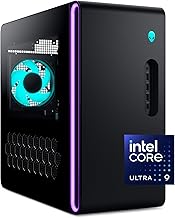
RTX 5080 prebuilts span a wide design spectrum. The Alienware Aurora brings its distinctive styling with Wi-Fi 7 and a clean chassis, while the ZOTAC MEK and ZOTAC MEK Apocalypse lean into bold gamer aesthetics. Boutique builders like Skytech Gaming Azure 3 and STORMCRAFT Phantom emphasize quality components, 360mm AIO liquid cooling, ARGB lighting, and 850W Gold power supplies. Build quality is generally excellent, with tidy cable management and good airflow, and most offer solid upgrade access. These are desktops designed to look impressive and run cool under sustained gaming loads.
Performance
The RTX 5080 is a genuine 4K gaming powerhouse, delivering high frame rates at maximum settings with DLSS 4 pushing performance even higher in supported titles. CPU pairings matter here: systems like the Skytech Azure 3 and STORMCRAFT Phantom pair the GPU with the excellent AMD Ryzen 7 9800X3D for elite gaming performance, while the Alienware Aurora uses an Intel Core Ultra 9 285 for strong all-around capability. With 32GB of DDR5 and fast NVMe storage as standard across most configs, these machines handle demanding games, streaming, and content creation with ease. Liquid-cooled models keep noise and temperatures in check during long sessions.
Pros & Cons
- Pro: Excellent 4K gaming performance with DLSS 4 headroom.
- Pro: Strong CPU pairings like the Ryzen 7 9800X3D for elite frame rates.
- Pro: Quality cooling, PSUs, and modern connectivity out of the box.
- Pro: Ready to run with no building required.
- Con: Prebuilt premium over a DIY equivalent.
- Con: Configurations and pricing vary widely between brands.
- Con: Less VRAM than a 5090 for the most extreme workloads.
Alternatives to Consider
If you want the absolute best and have the budget, a 5090 prebuilt offers more VRAM and raw power for 4K purists and creators. Value-focused buyers can drop to an RTX 5070 Ti system for strong 1440p-to-4K gaming at lower cost. And DIY enthusiasts will always save money building the same specs themselves. The RTX 5080 desktop is the balanced enthusiast choice for those who want near-top-tier gaming without the flagship price.
Frequently Asked Questions
Is an RTX 5080 desktop good for 4K gaming?
Yes, it is one of the best 4K gaming options available, delivering high frame rates at max settings, especially with DLSS 4 enabled.
Which CPU should I pair with an RTX 5080?
The AMD Ryzen 7 9800X3D is a favorite for pure gaming performance, while the Intel Core Ultra 9 285 offers strong all-round productivity and gaming.
Do I need liquid cooling?
It is not mandatory, but 360mm AIO liquid cooling helps keep the high-end CPU cool and quiet under sustained load, which many prebuilts include.
Is it worth buying prebuilt instead of building?
Prebuilts offer convenience, warranty, and balanced components. Building yourself saves money if you have the time and confidence to do it.
Verdict
The RTX 5080 desktop is the enthusiast sweet spot for 4K gaming, delivering near-flagship performance without the 5090’s premium. Systems like the Skytech Azure 3 and STORMCRAFT Phantom with a Ryzen 7 9800X3D are outstanding choices; step up to a 5090 only if you need maximum VRAM, or build your own to save money.