Key takeaways
- Match coverage to your home: A two-pack suits apartments and smaller houses, while three-packs like the Deco X55 cover up to 6,500 sq. ft. for larger multi-story homes.
- Count your devices: Wi-Fi 6 excels in busy households. If you have dozens of phones, TVs, and smart-home gadgets, choose a system rated for high device counts.
- Consider wired backhaul: Ethernet backhaul between nodes, supported across the Deco range, delivers the most stable speeds if you can run a cable.
- Check port speeds: Standard gigabit ports are fine for most, but 2.5G ports on the X55 Pro and Deco 7 matter if you have gigabit-plus internet.
- Think about future needs: If you plan to upgrade internet or devices, a Wi-Fi 7 system like the Deco 7 BE25 buys extra longevity.
What's inside
A single router tucked in one corner of the house is a recipe for dead zones and buffering. Mesh systems fix that by blanketing your whole home in a single, seamless network, and Wi-Fi 6 makes those networks faster and better at handling many devices at once. If you’re tired of dropped video calls in the back bedroom or laggy gaming upstairs, a Wi-Fi 6 mesh system is the upgrade that finally solves it.
Below we’ve gathered some of the most popular and reliable Wi-Fi 6 mesh options, primarily from TP-Link’s well-regarded Deco line, plus a Wi-Fi 7 entry for those who want to future-proof. They differ in coverage area, number of units, and port speed, so we’ll help you match a system to the size of your home.
As an Amazon Associate we earn from qualifying purchases at no extra cost to you.


🎮 Get More From Your Setup — Free
Prime Gaming gives you free PC games every month, in-game loot, and a free Twitch channel sub — plus fast free shipping on all the gear above. New members get a 30-day free trial.
Watch: Best Wifi 6 Mesh Router — Video Review
How to Choose a Wi-Fi 6 Mesh System
- Match coverage to your home: A two-pack suits apartments and smaller houses, while three-packs like the Deco X55 cover up to 6,500 sq. ft. for larger multi-story homes.
- Count your devices: Wi-Fi 6 excels in busy households. If you have dozens of phones, TVs, and smart-home gadgets, choose a system rated for high device counts.
- Consider wired backhaul: Ethernet backhaul between nodes, supported across the Deco range, delivers the most stable speeds if you can run a cable.
- Check port speeds: Standard gigabit ports are fine for most, but 2.5G ports on the X55 Pro and Deco 7 matter if you have gigabit-plus internet.
- Think about future needs: If you plan to upgrade internet or devices, a Wi-Fi 7 system like the Deco 7 BE25 buys extra longevity.
The Best Wi-Fi 6 Mesh Systems Reviewed
TP-Link Deco X55 (3-Pack, up to 6,500 sq. ft.)
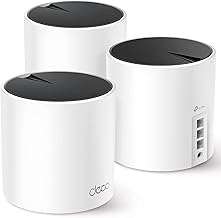
This AX3000 three-pack is the go-to for larger homes, covering up to 6,500 sq. ft. with three gigabit ports per unit and Ethernet backhaul support. It replaces both your router and extenders, delivering smooth, whole-home Wi-Fi 6 that’s easy to set up through the Deco app.
TP-Link Deco X55 (2-Pack, up to 4,500 sq. ft.)
The two-pack version covers up to 4,500 sq. ft., making it ideal for medium-sized homes and apartments. It offers the same AX3000 speeds and per-unit gigabit ports, giving you seamless roaming without the cost of a third node.
TP-Link Deco X20 (3-Pack, 6 Ethernet Ports)
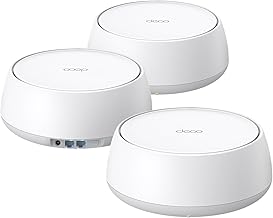
Covering up to 5,800 sq. ft., the Deco X20 three-pack is a dual-band value option with six total Ethernet ports and wired backhaul support. It’s a dependable choice for households that want solid Wi-Fi 6 coverage and plenty of wired connections.
TP-Link Deco X55 Pro (2.5G Ports, 3-Pack)
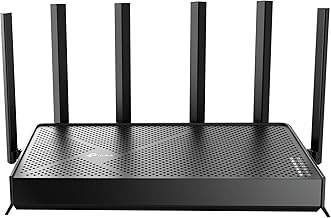
The X55 Pro steps things up with dual 2.5G WAN/LAN ports and support for up to 150 devices across 6,500 sq. ft. If you have gigabit-plus internet or a device-heavy home, its faster ports and four streams make it the smarter long-term pick.
TP-Link Deco 7 BE25 (Wi-Fi 7, 3-Pack)
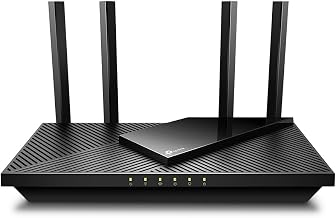
For those ready to jump to the next standard, the Deco 7 BE25 is a Wi-Fi 7 system with 5 Gbps speeds, 2.5G ports, MLO, and AI-roaming across up to 6,600 sq. ft. It’s the future-proof option, offering headroom for years of new devices and faster internet plans.
Frequently Asked Questions
How many mesh units do I need?
It depends on your square footage and layout. A two-pack covers most apartments and small homes, while a three-pack is better for larger or multi-story houses. Thick walls and multiple floors may call for an extra node.
What is Ethernet backhaul and why does it matter?
Backhaul is the connection between mesh units. Wired Ethernet backhaul is faster and more stable than wireless, freeing up bandwidth for your devices. If you can run a cable between nodes, it noticeably improves performance.
Is Wi-Fi 6 enough, or should I get Wi-Fi 7?
Wi-Fi 6 is excellent for the vast majority of homes today. Wi-Fi 7, like the Deco 7, is worth it if you have gigabit-plus internet, many high-demand devices, or simply want the longest-lasting system.
Will a mesh system replace my current router?
Yes. These Deco systems replace your standalone router and any extenders, creating one unified network with a single name. You typically connect the main unit to your modem and place the others around your home.
Final Thoughts
A Wi-Fi 6 mesh system is the most effective fix for dead zones and crowded networks. For most large homes, the Deco X55 three-pack hits the sweet spot of coverage and value; smaller spaces do well with the two-pack; and device-heavy or gigabit-plus households should look at the X55 Pro or the Wi-Fi 7 Deco 7. Match the coverage rating and port speed to your home, and you’ll finally enjoy fast, reliable internet in every room.