Key takeaways
- Target the right GPU: An RTX 5060 Ti or 5070 is the ideal 1440p engine; the RTX 5060 handles esports titles well but leans on DLSS for the most demanding games.
- Balance the CPU: A Ryzen 5 9600X or Ryzen 7 9700X keeps these GPUs fed at 1440p without adding unnecessary cost.
- Memory sweet spot: 16GB of DDR5 is workable, but 32GB is the smarter buy if you multitask, stream, or keep many browser tabs open while gaming.
- Storage matters: A 1TB NVMe SSD is the practical minimum; prioritize Gen4 drives for faster load times and quick game installs.
- Connectivity and cooling: Wi-Fi 7 and a capable cooler (liquid or a strong ARGB air setup) keep the system quiet and future-ready.
What's inside
1440p remains the enthusiast sweet spot in 2026, offering a noticeably sharper image than 1080p while demanding far less GPU muscle than 4K. That balance means you can hit high, stable refresh rates in competitive games and still run single-player blockbusters at ultra settings, all without spending flagship money on your graphics card.
To build this list we focused on prebuilt towers that deliver excellent frames per dollar at 2560×1440, spanning RTX 5060, 5060 Ti, and 5070 configurations from KOTIN, CyberPowerPC, MSI, and STORMCRAFT. Below are our favorites, plus a buying guide and answers to common questions.
As an Amazon Associate we earn from qualifying purchases at no extra cost to you.


🎮 Get More From Your Setup — Free
Prime Gaming gives you free PC games every month, in-game loot, and a free Twitch sub — plus fast free shipping on the rigs above. New members get a 30-day free trial.
Watch: Best 1440p Prebuilt Gaming PC — Video Review
How to Choose a 1440p Prebuilt Gaming PC
- Target the right GPU: An RTX 5060 Ti or 5070 is the ideal 1440p engine; the RTX 5060 handles esports titles well but leans on DLSS for the most demanding games.
- Balance the CPU: A Ryzen 5 9600X or Ryzen 7 9700X keeps these GPUs fed at 1440p without adding unnecessary cost.
- Memory sweet spot: 16GB of DDR5 is workable, but 32GB is the smarter buy if you multitask, stream, or keep many browser tabs open while gaming.
- Storage matters: A 1TB NVMe SSD is the practical minimum; prioritize Gen4 drives for faster load times and quick game installs.
- Connectivity and cooling: Wi-Fi 7 and a capable cooler (liquid or a strong ARGB air setup) keep the system quiet and future-ready.
The Best 1440p Prebuilt Gaming PCs Reviewed
KOTIN RTX 5070 (Ryzen 7 9700X)
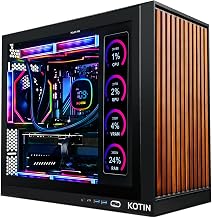
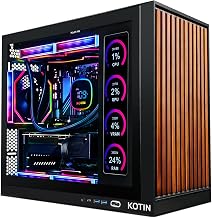
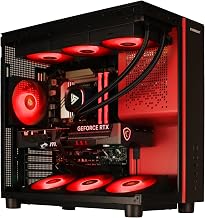
This KOTIN tower is the premium pick, pairing an RTX 5070 with a Ryzen 7 9700X, 32GB DDR5, and a 360mm liquid cooler. Its 11.3-inch smart display and WiFi 7 add flair and future-proofing, and it has the headroom to push well past 100 FPS at 1440p ultra.
MSI Codex Z2
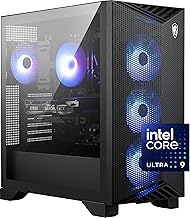
MSI’s Codex Z2 combines an RTX 5070 with an AMD R7-8700F, 32GB DDR5, and a generous 2TB NVMe SSD. With by far the highest review count on this list, it is the dependable brand-name choice for buyers who want strong 1440p performance and roomy storage.
CyberPowerPC Gamer Xtreme
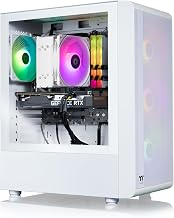
A value standout, the Gamer Xtreme pairs an RTX 5060 with a Core i5-14400F, 16GB DDR5, and a 1TB Gen4 SSD. It is the entry point to smooth 1440p gaming, ideal for esports and well-optimized titles when paired with DLSS.
KOTIN 5060 Ti (Ryzen 7 9700X)
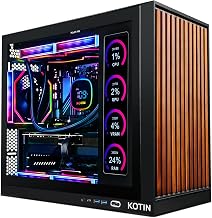
This configuration slots the RTX 5060 Ti alongside a Ryzen 7 9700X and 16GB DDR5 with liquid cooling. The 5060 Ti’s extra memory bandwidth makes it a reliable 1440p performer, and KOTIN’s smart-display chassis keeps things looking sharp.
STORMCRAFT Falcon
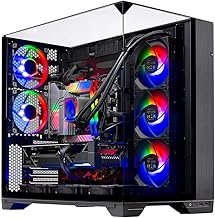
The Falcon brings a gaming-focused Ryzen 7 7800X3D together with an RTX 5070, 32GB DDR5, and a 360mm AIO. That X3D chip makes it the frame-rate champion of the group at 1440p, particularly in CPU-heavy competitive shooters.
Frequently Asked Questions
What GPU do I need for 1440p gaming?
An RTX 5060 Ti or RTX 5070 is the sweet spot for high-settings 1440p. The RTX 5060 works well too, especially with DLSS enabled in newer titles.
Is 16GB of RAM enough for 1440p?
For pure gaming, 16GB is sufficient today. If you stream, edit, or keep heavy background apps open, 32GB is the safer long-term choice.
Do I need an X3D CPU for 1440p?
Not necessarily. A Ryzen 5 9600X or 9700X handles 1440p smoothly. An X3D chip like the 7800X3D in the STORMCRAFT Falcon simply pushes minimum frame rates higher in demanding games.
Will these systems handle 4K later?
The RTX 5070 models can manage 4K with DLSS in many titles, making them the most flexible if you upgrade your monitor down the road.
Final Thoughts
1440p delivers the best mix of clarity and performance in 2026, and each of these prebuilts nails it at a different price point. Choose the KOTIN RTX 5070 for premium headroom, the CyberPowerPC Gamer Xtreme for value, or the STORMCRAFT Falcon if maximum frame rates are your priority.