Key takeaways
- Peak cooling capacity: A good 360mm AIO still leads at sustained loads above roughly 250W, but under gaming loads the gap against a dual-tower air cooler often shrinks to a handful of degrees.
- Noise profile: AIOs add pump whine and typically run more, smaller fans; air coolers have one noise source, and units like the be quiet! Pure Rock Pro 3 Black are tuned specifically for low acoustics.
- Reliability: Air coolers have one moving part per fan and can outlast several builds. AIOs contain a pump, coolant and seals — consumables with a realistic five-to-seven year service life.
- Cost: Air cooling is dramatically cheaper. The Thermalright Assassin X120 Refined SE undercuts almost every AIO on the market while still handling midrange chips comfortably.
- Installation and clearance: AIOs need radiator mounting space and unobstructed fan headers; air coolers need vertical height clearance and, occasionally, low-profile RAM.
- Aesthetics: AIOs win on a tidy socket area and screen-equipped blocks, though air has caught up — the Peerless Assassin 120 Vision MAX ARGB Black includes a 5-inch IPS display on the tower itself.
What's inside
Picking a CPU cooler used to be simple: buy the biggest tower that fit in your case and move on. In 2026 the decision is genuinely harder. Modern desktop chips from both AMD and Intel behave less like steady heaters and more like burst engines, drawing brief, aggressive power spikes during boost before settling back down. How your cooler responds to those spikes — and how loudly it does so — now matters as much as its headline wattage rating.
That brings us to the long-running debate between all-in-one liquid coolers (AIOs) and traditional air coolers. AIOs promise higher sustained cooling capacity, cleaner sightlines around the socket, and a place to mount fans away from your GPU’s heat. Air coolers counter with lower prices, zero pump noise, no pump to fail, and thermal performance that has crept remarkably close to entry-level liquid. Here’s how the two actually compare, and which one belongs in your next build.
As an Amazon Associate we earn from qualifying purchases at no extra cost to you.


⚡ Save on Your Next PC — Amazon Prime
Prime members get fast free shipping on the systems above, plus early access to Prime Day & Black Friday PC deals. New members get a 30-day free trial.
Watch: AIO vs Air Cooler: Which Is Best in 2026? — Video Review
Quick Verdict
Buy an AIO if you run a high-wattage flagship CPU, do sustained all-core work like rendering or compiling, use a small or oddly shaped case with restricted tower clearance, or simply want the look of a clean socket area with a display block. Buy an air cooler if you want the best thermal performance per dollar, absolute long-term reliability, and near-silent operation — which describes the vast majority of gaming builds. For mainstream and upper-midrange gaming CPUs, a dual-tower air cooler like the Thermalright Peerless Assassin 120 SE delivers most of a 240mm AIO’s real-world benefit at a fraction of the cost.
Key Differences
- Peak cooling capacity: A good 360mm AIO still leads at sustained loads above roughly 250W, but under gaming loads the gap against a dual-tower air cooler often shrinks to a handful of degrees.
- Noise profile: AIOs add pump whine and typically run more, smaller fans; air coolers have one noise source, and units like the be quiet! Pure Rock Pro 3 Black are tuned specifically for low acoustics.
- Reliability: Air coolers have one moving part per fan and can outlast several builds. AIOs contain a pump, coolant and seals — consumables with a realistic five-to-seven year service life.
- Cost: Air cooling is dramatically cheaper. The Thermalright Assassin X120 Refined SE undercuts almost every AIO on the market while still handling midrange chips comfortably.
- Installation and clearance: AIOs need radiator mounting space and unobstructed fan headers; air coolers need vertical height clearance and, occasionally, low-profile RAM.
- Aesthetics: AIOs win on a tidy socket area and screen-equipped blocks, though air has caught up — the Peerless Assassin 120 Vision MAX ARGB Black includes a 5-inch IPS display on the tower itself.
AIO Liquid Coolers
An AIO moves heat away from the CPU with a pump and coolant loop, dumping it into a radiator mounted at the top or front of your case. The advantage is thermal mass and surface area: a 360mm radiator can absorb long, punishing all-core workloads without the heat soak that eventually catches up with a metal tower. If you’re running a flagship CPU at full power limits for hours — video encoding, simulation, large code builds — an AIO will hold lower steady-state temperatures and let the chip boost longer.
The trade-offs are real, though. You’re paying substantially more, adding a pump that draws power and produces its own acoustic signature, and accepting a component with a finite lifespan. Radiator placement also matters more than most buyers expect: a front-mounted radiator pre-heats the air reaching your GPU, while a top mount can conflict with tall memory or VRM heatsinks. Done well, an AIO is excellent. Done carelessly, it can underperform a well-chosen air cooler costing a third as much.
Air Coolers
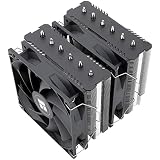
Air cooling has quietly become the value champion of the past few years. Dual-tower designs with six heat pipes and two 120mm fans — the Thermalright Peerless Assassin 120 SE and its ARGB sibling being the obvious reference point — handle 200W-class loads without complaint and stay quiet doing it. Because they exhaust straight through to your rear case fan, they also integrate neatly with conventional front-to-back airflow rather than fighting it.
The range is broad enough to cover almost any budget. Single-tower options like the Cooler Master Hyper 212 PRO ARGB and the Thermalright Assassin X120 Refined SE suit 65W to 125W chips and tight ITX-adjacent builds. Step up to the be quiet! Pure Rock Pro 3 Black for acoustics-first builds with HDT contact and a tuned PWM fan, or the Peerless Assassin 120 Vision MAX ARGB Black if you want display-block flair without a liquid loop. The main constraints remain physical: check your case’s CPU cooler height limit and your RAM height before ordering.
Which Should You Buy?
- For 1440p and 4K gaming builds: pick an air cooler — the Peerless Assassin 120 SE handles gaming loads with headroom to spare and saves budget for the GPU.
- For sustained productivity on a flagship CPU: pick a 360mm AIO for the extra sustained wattage and longer boost durations.
- For quiet, low-maintenance systems: pick an air cooler, ideally the be quiet! Pure Rock Pro 3 Black, and eliminate pump noise entirely.
- For budget and midrange builds: pick the Assassin X120 Refined SE or Hyper 212 PRO ARGB — both cool 65W to 125W chips at a fraction of AIO pricing.
- For show builds with a display: pick the Peerless Assassin 120 Vision MAX ARGB Black for AIO-style presentation and air-cooler reliability.
Frequently Asked Questions
Is an AIO always cooler than an air cooler?
No. A 240mm AIO and a quality dual-tower air cooler perform within a few degrees of each other in gaming workloads. AIOs only pull clearly ahead at 360mm sizes and under long, high-wattage all-core loads.
Do AIOs leak?
Leaks are rare on reputable modern units, but the pump is a wear item. Expect roughly five to seven years of service; air coolers realistically last far longer.
Will a big air cooler block my RAM?
Sometimes. Dual-tower coolers occasionally require shifting the front fan upward or using standard-height memory. Check your motherboard and cooler clearance specs before buying.
Does an ARGB version cool any better?
No. The ARGB variant of the Peerless Assassin 120 SE uses the same heatsink and fan architecture as the standard model; you’re paying only for lighting and cosmetics.
Final Verdict
For most gamers in 2026, a dual-tower air cooler is the smarter buy: it’s cheaper, quieter, effectively maintenance-free, and close enough in performance that the difference won’t change your frame rates. Reserve an AIO for flagship CPUs under sustained heavy load, constrained cases where a tall tower simply won’t fit, or builds where the look is part of the point. Either way, match the cooler to your CPU’s real power draw rather than its marketing tier — that single decision matters more than the cooling medium itself.