Our Top Picks
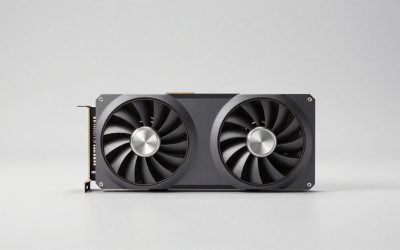
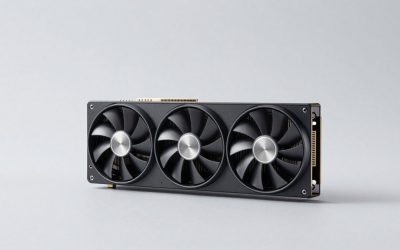
 ASUS Dual Radeon RX 9060 XT 16GB GDDR6RX9060XT|16GB|Black8 x 4.7 x 1.9 inches1.3 PoundsCheck on Amazon
No. If you already own an RX 6800 XT, moving to the RX 9060 XT 16GB is not a performance upgrade: in traditional raster games the older card is generally faster, often by around 10 to 25% at 1440p. The 9060 XT only makes sense for a 6800 XT owner who specifically wants FSR 4, better ray tracing, much lower power draw or a smaller, quieter card. For anyone choosing between them from scratch, a new 9060 XT 16GB at a good price is a reasonable buy, and a used 6800 XT is the better pick for raw raster speed.
The RX 6800 XT launched in October 2020 at $649 as AMD’s upper-tier RDNA 2 card. The RX 9060 XT 16GB launched in June 2025 at $349 as AMD’s mainstream RDNA 4 model. Both have 16 GB of VRAM, so this is not a memory upgrade either. The question is what you would actually gain.

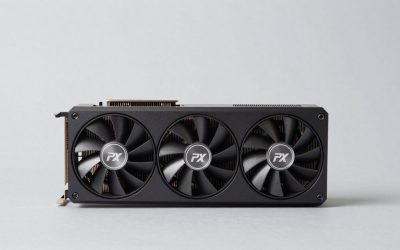
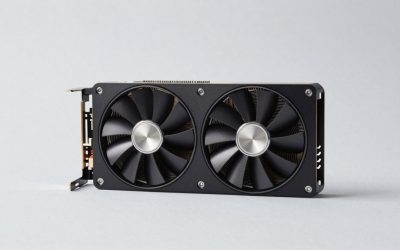
GIGABYTE AMD Radeon RX 6800 XT Gaming OC 16G Graphics Card, 16GB of GDDR6 Memory, Powered by AMD RDNA 2, HDMI 2.1, WINDFORCE 3X Cooling System, GV-R68XTGAMING OC-16GD (Renewed)
Chosen because it specifies 16GB of GDDR6 Memory and Powered by AMD RDNA 2.
View on Amazon
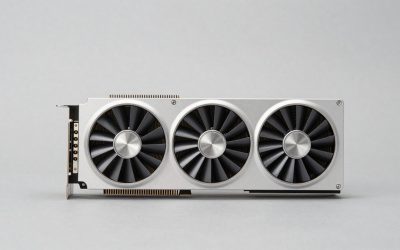
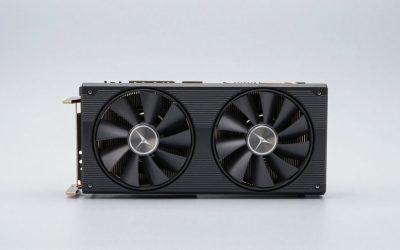
PowerColor AMD Radeon RX 6800 XT Gaming Graphics Card with 16GB GDDR6, Raytracing, PCIe 4.0, HDMI 2.1, AMD Infinity Cache (Renewed)
Chosen because it specifies Raytracing and PCIe 4.0.
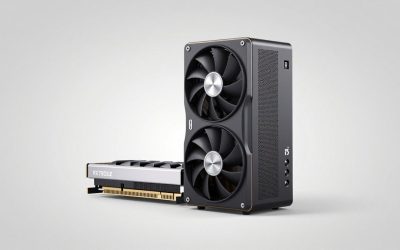
View on AmazonASUS Dual Radeon RX 9060 XT 16GB GDDR6 Gaming Graphics Card | PCIe 5.0, HDMI 2.1b, DisplayPort 2.1a, 2.5-slot design, Axial-tech Fans, 0dB Technology
Chosen because it specifies PCIe 5.0 and HDMI 2.1b.
View on Amazon
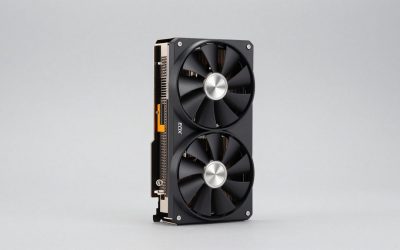
ASUS Dual Radeon RX 9060 XT 16GB GDDR6 White Edition Gaming Graphics Card | PCIe 5.0, HDMI 2.1b, DisplayPort 2.1a, 2.5-slot design, Axial-tech fan design, 0dB Technology
Chosen because it specifies PCIe 5.0 and HDMI 2.1b.
View on AmazonWhat Changes on Paper
| Spec | RX 6800 XT (current card) | RX 9060 XT 16GB (candidate) | Change |
|---|---|---|---|
| Architecture | RDNA 2.0 | RDNA 4.0 | Two generations newer |
| Release | 28 October 2020 | 4 June 2025 | |
| Launch MSRP | $649 | $349 | |
| Shaders | 4608 | 2048 | Fewer, but much higher clocked |
| Boost clock | 2250 MHz | 3130 MHz | +880 MHz |
| Process | 7 nm | 4 nm | |
| TDP | 300 W | 160 W | -140 W |
| VRAM | 16 GB GDDR6, 256-bit | 16 GB GDDR6, 128-bit | Same capacity, half the bus |
| Bandwidth | 512.0 GB/s | 322.3 GB/s | About 37% lower |
| Cache | 4 MB L2 + 128 MB L3 | 4 MB L2 + 32 MB L3 | Smaller Infinity Cache |
| Interface | PCIe 4.0 x16 | PCIe 5.0 x16 | |
| Power connectors | 2x 8-pin | 1x 8-pin | One fewer cable |
| Length / width | 267 mm, 2-slot | 267 mm, 2-slot | Same reference size |
| Outputs | HDMI, 2x DP, USB-C | HDMI 2.1b, 2x DP 2.1a | Newer DP standard |
The 6800 XT has more than twice the shaders, a 256-bit bus and four times the Infinity Cache. RDNA 4’s higher clocks and architectural gains close much of that gap, but not all of it, especially at higher resolutions where bandwidth matters more.
Performance Class: The 6800 XT Still Leads in Raster
Launch review roundups, including data from TechPowerUp and Tom’s Hardware, placed the RX 9060 XT 16GB slightly above the RX 7700 XT and a little below the RTX 5060 Ti 16GB at 1440p. The RX 6800 XT sits a tier higher, roughly in the territory of the RX 7800 XT. Benchmark aggregators that compare the two directly show the 6800 XT ahead by around a quarter in synthetic tests, and game-based margins are typically somewhat smaller.
In practical terms, with figures that vary by settings, CPU and patch:
- 1080p: the gap is smallest, often around 5 to 15%, because CPU limits and the 9060 XT’s high clocks narrow it.
- 1440p: the 6800 XT typically leads by roughly 10 to 25% in raster.
- 4K: the 6800 XT’s wider bus and larger cache widen its lead further.
So in a game where your 6800 XT runs around 90 FPS at 1440p high, expect the 9060 XT 16GB to land somewhere around 70 to 80 FPS at the same settings, before any upscaling.
Where the 9060 XT Actually Improves Things
Ray tracing
RDNA 2’s ray tracing was AMD’s first attempt and has aged poorly. RDNA 4 redesigned the RT units, and the improvement per compute unit is large. In RT-heavy games the 9060 XT 16GB can match or beat the 6800 XT despite being slower in raster, and the heavier the RT load, the more it gains. If you play Cyberpunk 2077, Alan Wake 2 or other RT showcases with RT turned on, this is the one area where moving down a tier can still feel like an upgrade.
FSR 4
FSR 4 is AMD’s machine-learning upscaler and is officially exclusive to RDNA 4. Reviewers widely describe it as a large improvement over FSR 3.1 in stability, fine detail and ghosting. The 6800 XT is limited to FSR 3.1 and AFMF driver frame generation. For upscaled gaming, a 9060 XT running FSR 4 Quality can look comparable to a 6800 XT running FSR 3.1 at a higher internal resolution, which narrows the effective performance gap in games that support FSR 4.
Power, heat and noise
The 140 W TDP reduction is the most tangible daily change. The 9060 XT runs cooler and quieter and heats your room less. At 4 hours of gaming a day, 140 W comes to roughly 200 kWh per year, a real figure where electricity is expensive.
PSU Sizing After the Swap
Here is a simple calculation, GPU TDP plus about 125 W for the CPU plus about 150 W of headroom:
- RX 6800 XT: 300 + 125 + 150 = 575 W, so a 650 to 750 W PSU with two 8-pin cables
- RX 9060 XT 16GB: 160 + 125 + 150 = 435 W, so a 500 to 550 W PSU with one 8-pin cable
Any PSU that ran your 6800 XT will handle the 9060 XT easily. This matters more in the other direction: a builder with a 550 W PSU can run the 9060 XT without upgrading the power supply, but a 6800 XT would need a new one.
Upgrade Scorecard
| Factor | Moving from 6800 XT to 9060 XT 16GB |
|---|---|
| Raster FPS at 1440p | Lower (roughly 10 to 25% down) |
| Ray tracing | Similar to better, depending on RT load |
| Upscaling quality | Better (FSR 4 vs FSR 3.1) |
| VRAM | Same (16 GB) |
| Power and heat | Much better (-140 W) |
| Size | Same reference size; many compact models available |
| Warranty | Fresh warranty |
The Money Side: Sell, Swap or Hold?
Used RX 6800 XT cards generally sell for roughly $280 to $370, depending on model and condition. If you sell yours near the top of that range and buy a 9060 XT 16GB near its $349 launch price, the swap costs little or nothing. You trade some raster speed for FSR 4, better RT, lower power and a warranty. For some owners that is a reasonable sidegrade, but it is not an upgrade.
For someone choosing between the two today, here is the cost per performance at launch MSRP, with the 9060 XT 16GB at 100 and the 6800 XT at about 117 (the middle of the 1440p range):
- RX 6800 XT: $649 / 117 = about $5.55 per performance point (at 2020 launch)
- RX 9060 XT 16GB: $349 / 100 = $3.49 per performance point
On today’s used prices, a 6800 XT around $300 works out to roughly $2.56 per point, cheaper per raster frame than a new 9060 XT. You give up warranty, FSR 4 and efficiency for that discount.
Better Upgrade Paths for 6800 XT Owners
If you want a real step up from a 6800 XT, look higher in the current lineup. The RX 9070 and RX 9070 XT, and on the NVIDIA side the RTX 5070 Ti, deliver a clear raster uplift plus modern upscaling and RT. Going from a 6800 XT to any 60-class card is a feature trade rather than a performance gain.
Who Should Do It and Who Should Not
| You are… | Verdict |
|---|---|
| A 6800 XT owner happy with raster performance | Keep the 6800 XT |
| A 6800 XT owner who plays RT-heavy games with upscaling | Sidegrade is defensible if the swap is cost-neutral |
| A 6800 XT owner fighting heat, noise or a weak PSU | 9060 XT 16GB is a sensible move |
| A new buyer wanting max raster per dollar | Used 6800 XT |
| A new buyer wanting warranty, FSR 4 and a 550 W PSU build | RX 9060 XT 16GB |
Frequently Asked Questions
Is the RX 9060 XT 16GB faster than the RX 6800 XT?
No, not in traditional raster games. The RX 6800 XT is generally faster, often by around 10 to 25% at 1440p, with a larger lead at 4K. The 9060 XT can match or beat it in heavy ray tracing and looks better when using FSR 4 upscaling.
Can the RX 6800 XT use FSR 4?
Officially, no. FSR 4 is limited to RDNA 4 cards, the RX 9000 series. The RX 6800 XT supports FSR 3.1 upscaling, FSR frame generation and AMD Fluid Motion Frames at the driver level.
Is 16 GB on the RX 9060 XT the same as 16 GB on the 6800 XT?
The capacity is the same, so both cards avoid VRAM shortages in current games. The 9060 XT’s memory runs on a 128-bit bus with 322.3 GB/s of bandwidth, compared with 256-bit and 512.0 GB/s on the 6800 XT. That narrower bus is one reason the 9060 XT falls further behind at higher resolutions.
Will I need a new PSU to switch?
No. The RX 9060 XT 16GB needs about 140 W less than the RX 6800 XT and only one 8-pin connector. Any PSU that ran a 6800 XT will run the 9060 XT comfortably.
What is a good upgrade from an RX 6800 XT?
For a meaningful raster improvement, look at higher-tier current cards such as the RX 9070, RX 9070 XT or RTX 5070 Ti. These offer a clear speed increase along with modern upscaling and better ray tracing. A 60-class card like the 9060 XT is a sidegrade at best.