Our Top Picks
 Acer 27in FHD 1920x1080 IPS 120Hz Gaming Monitor27-inch8.27 x 24.07 x 17.44 inches11 PoundsCheck on Amazon
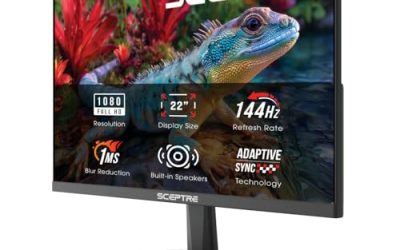
 Sceptre 27-inch Prime Gaming Monitor 100Hz 1ms DisplayPort277.66 x 24.13 x 17.21 inches7.21 PoundsCheck on Amazon
 Sceptre E275W-19203R 27 inch1080P LED Monitor 99% sRGB2724.56 x 18 x 8.27 inches8.8 PoundsCheck on Amazon
Twenty-seven inches is where a monitor stops feeling like an accessory and starts acting like the center of the desk. The screen is wide enough to hold two document windows side by side, tall enough for a timeline in an editing app, and large enough that a game fills your view at a normal sitting distance. The question for a 27 inch buyer is rarely size. It is resolution, because the same diagonal can be a soft-looking 1080p panel or a crisp 1440p one.
This guide is written for shoppers who have already chosen the 27 inch class and want to compare what the listings actually offer. Seven of the eight models below are full HD at different refresh rates and price tiers, and one steps up to QHD. You will find a quick comparison, four checks worth making against the spec sheet, short assessments based on the listed specs, and scenario picks. Browsing in 2026 is easier when you know which compromises are acceptable at this size and which are not.
Quick Picks

Samsung 27" S3 (S32GF) Series FHD High Resolution Monitor | 120Hz Monitor with IPS Panel, Flicker Free, Eye Saver Mode (LS27F320GANXZA)
One of the consumer electronics options compared in this guide.
View on Amazon
Philips 27" Computer Monitor FHD 100Hz VA VESA Eye Care, 271V8LB | 1920×1080 LED Monitor, 4ms GtG, HDMI 1.4, VGA, Adaptive Sync, Flicker-Free, Low Blue Light, 4yr Advance Replacement Warranty
One of the consumer electronics options compared in this guide.
View on Amazon
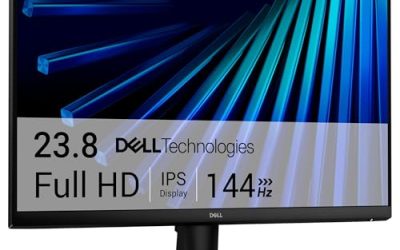
Dell 27 Monitor - SE2726H - 27-inch FHD (1920x1080) 144Hz 1ms Display, in-Plane Switching (IPS) Technology, AMD FreeSync™, TÜV 3-Star 2X HDMI, Tilt
One of the consumer electronics options compared in this guide.
View on AmazonAcer 27in FHD 1920x1080 IPS 120Hz Gaming Monitor | Office KB272 G0bi | 1ms, AdaptiveSync, sRGB 99%, HDMI, VGA, VESA Mountable, Bluelight Filter
One of the consumer electronics options compared in this guide.
View on AmazonSceptre 27-inch Prime Gaming Monitor 100Hz 1ms DisplayPort HDMI x2 100% sRGB AMD FreeSync Build-in Speakers, Eye Care Frameless Machine Black 2025 (E275W-FW100T Series)
One of the consumer electronics options compared in this guide.
View on AmazonSceptre E275W-19203R 27 inch1080P LED Monitor 99% sRGB 2X HDMI VGA Build-In Speakers, Machine Black (E275W-19203R series)
One of the consumer electronics options compared in this guide.
View on Amazon
New! Sceptre 27-inch Prime Gaming Monitor DisplayPort x2 180Hz HDMI x2 180Hz Build-in Speakers, Machine Black 2027 (E275B-FW180T Series)
One of the consumer electronics options compared in this guide.
View on Amazon
Dell 27 Plus QHD Monitor - S2725DSM - 27-inch QHD (2560x1440) 144Hz 1ms Display, 2 x 3W Speakers, HDMI/DisplayPort 1.4 Connectivity, Height/Tilt/Pivot/Swivel Adjustability, AMD FreeSync - Ash White
One of the consumer electronics options compared in this guide.
View on Amazon| Product | Best for | Key spec taken from the product title |
|---|---|---|
| Samsung S3 (S32GF) | Simple everyday screen | 27″ FHD, 120Hz, IPS, flicker free, Eye Saver Mode |
| Philips 271V8LB | Budget office desk | 27″ FHD, 100Hz VA, 4ms GtG, HDMI 1.4 and VGA |
| Dell SE2726H | Affordable fast IPS | 27-inch FHD, 144Hz, 1ms, FreeSync, 2X HDMI |
| Acer KB272 G0bi | Office with light gaming | 27in FHD IPS, 120Hz, sRGB 99%, HDMI and VGA |
| Sceptre Prime 100Hz | Inputs and speakers on a budget | 27-inch, 100Hz, 1ms, DisplayPort, HDMI x2, 100% sRGB |
| Sceptre E275W | Basic multimedia screen | 27 inch 1080P, 99% sRGB, 2X HDMI, VGA, speakers |
| Sceptre Prime 180Hz | High refresh gaming on a budget | 27-inch, DisplayPort x2 180Hz, HDMI x2 180Hz |
| Dell S2725DSM | Sharper detail and ergonomics | 27-inch QHD 2560×1440, 144Hz, 1ms, 2 x 3W speakers |
How to Choose
Resolution: 1080p, 1440p, or 4K at 27 inches
At 27 inches, 1920×1080 works out to roughly 82 pixels per inch, which is fine for movies and games from a normal distance but shows jagged text when you lean in. A QHD panel at 2560×1440 lifts that to roughly 109 pixels per inch and makes spreadsheets, code, and photo work visibly cleaner. 4K goes further but needs a capable graphics card and operating system scaling. If your budget is tight and most of your time goes to streaming or casual play, 1080p is acceptable. If you read text for hours, step up to QHD.
Refresh rate and panel type
For everyday work, 100Hz or 120Hz gives noticeably smoother scrolling than the old 60Hz standard. For games, 144Hz or 180Hz gives an advantage in fast titles, provided your graphics card can keep frame rates up. IPS panels hold color and brightness at wider angles, which matters on a 27 inch screen because the edges are farther from your eyes. VA panels offer deeper contrast and are common in budget screens, with some smearing in dark, fast scenes. Do not pay for a higher refresh rate on a screen you will mostly use for office work.
Connections and cable limits
The ports decide what you can run at full speed. HDMI 1.4, named on one listing here, caps both refresh rate and resolution, while DisplayPort and newer HDMI versions allow the higher figures. Check that your graphics card or laptop has a matching output, and confirm whether a USB-C or DisplayPort source is needed. VGA is useful only for older office hardware and should never be your main connection. Two HDMI inputs help if a console and a PC share the monitor.
Stand, speakers, and where cost cutting hides
Entry-level 27 inch screens often ship with tilt-only stands, and a heavier panel on a flimsy base can wobble when you type. If you want height, pivot, and swivel adjustment, look for them explicitly in the title or specifications. Built-in speakers are common in budget lines and are fine for system sounds and the occasional video, but they are not designed for music. Treat the eye-care and flicker-free labels as baseline features; they do not justify extra spending on their own.
The 8 Best Options
Samsung S3 (S32GF)
Samsung’s S3 series is aimed at buyers who want a brand-name screen with no fuss. The listing shows a 27 inch full HD panel at 120Hz with an IPS panel, a flicker-free backlight, and an Eye Saver Mode. It is a practical match for home offices, study desks, and living-room PCs.
- Strength: 120Hz on an IPS panel is smoother and more consistent from side angles than a standard office screen.
- Strength: flicker-free and Eye Saver Mode features suit long reading sessions.
- Trade-off: the title lists no stand adjustment or port details, so verify them before buying.
Skip it if you want a screen with speakers or a rich input selection.
Philips 271V8LB
Philips offers the budget-minded option: a 27 inch full HD VA panel at 100Hz with a 4ms GtG response, Adaptive Sync, HDMI 1.4, VGA, flicker-free technology, and low blue light. It is designed for general office tasks and casual media.
- Strength: the 100Hz refresh rate improves smoothness over typical 60Hz office monitors.
- Strength: HDMI plus VGA covers both modern and older source devices.
- Trade-off: VA panels can show smearing in fast dark scenes, and HDMI 1.4 limits future-proofing.
Skip it if you play fast games or need wide viewing angles from an IPS panel.
Dell SE2726H
This Dell lists a 27-inch FHD IPS display at 144Hz with a 1ms claim, AMD FreeSync, and two HDMI inputs. It suits people who want a step up from an office screen without the cost of QHD, particularly for casual and midlevel gaming.
- Strength: 144Hz on IPS is a strong pairing at this size.
- Strength: dual HDMI ports let you connect a PC and a console.
- Trade-off: the title mentions a tilt stand, so height and pivot are not available out of the box.
Skip it if you prefer an ergonomic stand or want sharper text from a higher resolution.
Acer KB272 G0bi
Acer markets this as an office screen with gaming specs. The listing shows a 27in FHD IPS panel at 120Hz, a 1ms claim, AdaptiveSync, 99 percent sRGB, HDMI and VGA, VESA compatibility, and a bluelight filter. It works for mixed duty, especially in shared family spaces.
- Strength: 99 percent sRGB coverage suits casual photo and design work.
- Strength: VESA compatibility opens the door to an arm mount.
- Trade-off: only one HDMI port is named, which limits multi-device setups.
Skip it if you need DisplayPort or an elevated refresh rate for competitive games.
Sceptre 27-inch Prime 100Hz
This Sceptre brings a lot of connectivity for the price: a 27-inch gaming-labeled panel at 100Hz with a 1ms claim, DisplayPort, two HDMI inputs, 100 percent sRGB, FreeSync, built-in speakers, and a frameless eye-care design. It targets budget buyers who want inputs and sound included.
- Strength: DisplayPort plus two HDMI ports give a flexible connection set.
- Strength: 100 percent sRGB coverage and frameless edges look good in dual-screen rows.
- Trade-off: the listed 100Hz refresh rate is modest for a gaming-labeled screen.
Skip it if you want 144Hz or higher or a panel type clearly stated in the title.
Sceptre E275W-19203R
The older-style Sceptre is the plain multimedia screen of the group. It lists a 27 inch 1080P LED panel with 99 percent sRGB, two HDMI inputs, VGA, and built-in speakers. It fits a guest room, kitchen desk, or a second monitor for light duty.
- Strength: two HDMI inputs and VGA are generous for the tier.
- Strength: built-in speakers remove the need for extra desk hardware.
- Trade-off: no refresh rate above standard is mentioned in the title.
Skip it if you play action games or want a high refresh rate.
Sceptre 27-inch Prime 180Hz
The faster Sceptre lists a 27-inch gaming screen with two DisplayPort inputs and two HDMI inputs, each at 180Hz, along with built-in speakers. The headline is that both connection types support the high refresh rate, which is unusual at this tier.
- Strength: 180Hz over both DisplayPort and HDMI simplifies console and PC setups.
- Strength: four digital inputs reduce cable swapping.
- Trade-off: the title does not state resolution or panel type, so confirm those before purchase.
Skip it if panel type and sharpness are your first priorities.
Dell S2725DSM
Dell’s Plus line gives the only QHD screen in this group: 27 inches at 2560×1440, 144Hz, a 1ms claim, two 3W speakers, HDMI and DisplayPort 1.4, and height, tilt, and pivot adjustment. It is the more complete all-rounder for people who work and game at the same desk.
- Strength: QHD makes text and detail visibly crisper than 1080p at this size.
- Strength: height and pivot adjustment add real ergonomic value.
- Trade-off: it sits at the higher end of the group, and QHD at 144Hz asks more of your graphics card.
Skip it if you only watch video and browse, since cheaper full HD models will do the same job.
Which One Fits Your Situation
You split time between spreadsheets and games
The Dell S2725DSM is the best-balanced option here. QHD resolution helps with text, 144Hz helps with games, and the stand adjusts for long sessions.
You need a screen for a shared family computer
The Acer KB272 G0bi or the Samsung S3 both make sense. Their IPS panels hold up from side angles, and their eye-comfort features make long homework or reading sessions easier.
You are building a budget gaming station
The Dell SE2726H gives 144Hz IPS with FreeSync, while the faster Sceptre Prime 180Hz offers more input flexibility if you own both a console and a PC.
You want an inexpensive second screen for email and video calls
The Philips 271V8LB or the Sceptre E275W fit this role well. Both include VGA, and the Sceptre adds speakers.
Common Mistakes
- Assuming every 27 inch screen is sharp; a 1080p panel at this size shows visible pixels during text-heavy work.
- Buying a high refresh rate and then connecting it with a cable or port that only supports a lower rate.
- Judging a monitor by speaker listings and expecting satisfying music from 3W drivers.
- Ignoring the stand and finding that a tilt-only base leaves the screen too low or too high for your chair.
- Choosing VA for a bright room without considering that IPS handles side lighting and viewing angles more evenly.
Related guides
- External Hard Drive For Xbox Series X
- How To Check Gpu Temperature While Gaming
- 7.1 Surround Sound Gaming Headsets
Frequently Asked Questions
Is 1080p acceptable on a 27 inch monitor?
It is acceptable for video and games at a normal sitting distance, but text looks softer than on a QHD panel. If you read or code for long periods, QHD is a worthwhile upgrade.
Do I need a 144Hz or 180Hz monitor for office work?
No. A 100Hz or 120Hz screen already feels smooth for scrolling and window dragging. Higher rates pay off mainly in fast games where your computer produces matching frame rates.
What does a VESA mount do for me?
VESA compatibility lets you attach the monitor to an arm or wall bracket, which frees desk space and improves positioning. It is a cheap way to add ergonomics to a tilt-only screen.
Are the built-in speakers good enough?
They are adequate for notifications, short clips, and conference calls. For music, movies, or games, a pair of desktop speakers or a headset will deliver clearly better sound.