Our Top Picks
Four times the pixels of a 1080p screen is not a small ask. A 4K monitor pushes more than eight million pixels every frame, and the graphics card carries nearly all of that load. That single fact reshapes how to shop for a prebuilt desktop: the processor, the case, and the lighting matter far less than the video memory and the class of the GPU. A tower that feels excellent at 1080p can run out of steam at 3840 by 2160 even when every other part looks impressive on the box.
This guide ranks the listings that make sense for a living-room-class or desk-class 4K display, and it is candid about the one that does not quite belong at the top of the stack. In 2026, upscaling technologies and frame generation let mid-range cards stretch toward 4K, but they work best when the card has enough memory and the base frame rate is already healthy. Use the Quick Picks table to see how each machine is built, then read on for the compromises behind the specs.
Quick Picks

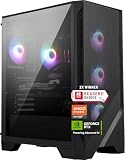
KOTIN Prebuilt Gaming PC RTX 5070 12GB, Ryzen 7 9700X, 32GB DDR5, 1TB SSD | 11.3in Smart Display, 850W 80+ Gold PSU, 360mm Liquid Cooler, WiFi 7, 1440p 4K ARGB Windows 11 Gaming Desktop Computer
One of the consumer electronics options compared in this guide.
View on Amazon
Skytech Gaming PC Desktop, Ryzen 7 9850X3D, RTX 5080, 32GB RAM, 2TB SSD | Windows 11, NVMe SSD, DDR5 6000, 850W GOLD ATX 3 PSU, 360 ARGB AIO , Wi-Fi 5, King 95 Series
One of the consumer electronics options compared in this guide.
View on Amazon
KOTIN Gaming PC, Ryzen 7 9700X, RX 9070 XT 16GB, 32GB DDR5, 1TB SSD | Prebuilt Gaming Computer, 11.3In Smart Display, 360mm Liquid Cooler, WiFi 7, 850W Gold PSU, Windows 11, ARGB, 1440p 4K
One of the consumer electronics options compared in this guide.
View on Amazon
Skytech Gaming PC Desktop, Intel i5 14400F, RTX 5060, 16GB RAM, 1TB SSD | Windows 11, NVMe SSD, DDR5 6000, 750W GOLD PSU, Wi-Fi 5, Archangel 5 Series
One of the consumer electronics options compared in this guide.
View on Amazon
STGAubron Gaming PC Desktop,Core I7,RX 580 8G,16G RAM,1T SSD | Gaming Computer Tower for Streaming,Video Editing,Home,School,I7 up to 3.9GHz,ARGB Fan,WiFi 6,BT 5.0,4K HDMI,Win11 Home
One of the consumer electronics options compared in this guide.
View on Amazon| Product | Best for | Key spec from the title |
|---|---|---|
| KOTIN Ryzen 7 9700X / RTX 5070 12GB | Balanced 4K with a status display | RTX 5070 12GB, 32GB DDR5, 360mm cooler, WiFi 7 |
| Skytech Ryzen 7 9850X3D / RTX 5080 | The strongest 4K graphics on the list | RTX 5080, 32GB RAM, 2TB SSD, 850W Gold |
| KOTIN Ryzen 7 9700X / RX 9070 XT 16GB | Radeon fans who want 16GB of video memory | RX 9070 XT 16GB, 32GB DDR5, 360mm cooler |
| Skytech Core i5 14400F / RTX 5060 | Lower-resolution play or upscaled 4K | RTX 5060, 16GB, 1TB SSD, 750W Gold |
| ZOTAC MEK Ryzen 7 9700X / RTX 5070 12GB | A compact-brand RTX 5070 machine | RTX 5070 12GB, 32GB DDR5, 1TB NVMe, 750W Gold |
The 5 Best Options
Four listings were left out because they do not belong in a 4K guide. A 32-inch 1080p curved monitor is an accessory and not a computer, and three STGAubron towers built around an RX 550, an RX 580, and an RTX 2060 Super class card are aimed at school and streaming use, not 4K play. That leaves five machines, in shortlist order.
KOTIN Ryzen 7 9700X / RTX 5070 12GB
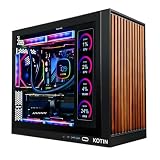
This KOTIN tower is the most distinctive machine in the group, because it adds an 11.3-inch smart display to the case. The title lists a Ryzen 7 9700X, a GeForce RTX 5070 with 12GB of memory, 32GB of DDR5 RAM, a 1TB SSD, an 850W 80+ Gold power supply, a 360mm liquid cooler, and WiFi 7. The end of the title is cut off, so confirm the rest on the product page.
For a 4K buyer the graphics card is the line that matters. An RTX 5070 with 12GB sits in the upper-mid tier, which makes the machine a candidate for 4K play with upscaling enabled and for native 1440p without it. The 850W supply and 360mm cooler are generous for the class, and the small display can show system stats or custom images, which some owners enjoy on a desktop. WiFi 7 in the title is also a forward-looking detail, though it only pays off if your router supports it. Buyers who plan to keep the tower for several years will like that the supply and cooler are sized for more than the card strictly needs.
- 32GB of DDR5 and a 360mm cooler are generous for this tier.
- An 850W Gold supply leaves room for a later graphics upgrade.
- WiFi 7 is listed, the newest wireless standard in this group.
- 12GB of video memory is the practical floor for 4K and may limit settings in demanding titles.
- The smart display adds a feature you may not need, and it is part of what you pay for.
Skip it if you want the strongest possible 4K frame rates, since the RTX 5080 listing sits a full tier above. Against the RX 9070 XT sibling, it trades 4GB of video memory for GeForce features. It also sits close in structure to the ZOTAC at the end of the list, so the choice between them comes down to the extra display and the larger power supply.
Skytech Ryzen 7 9850X3D / RTX 5080
The Skytech RTX 5080 tower is the most direct answer to the question of how to get 4K without compromise from the machines listed here. The title shows a Ryzen 7 9850X3D, a GeForce RTX 5080, 32GB of RAM, a 2TB SSD, Windows 11, NVMe storage, DDR5 6000, an 850W Gold ATX 3 power supply, a 360 ARGB AIO cooler, and Wi-Fi 5.
Of the five listings, this one has the highest graphics tier, the largest drive, and the stacked-cache processor that gaming-focused buyers seek. The ATX 3 label signals support for the current high-power graphics connector, and the 360mm radiator suits a hot-running processor. If your goal is the most comfortable path to 3840 by 2160 at high settings, this is the safest bet on the page. Because the card sits so far up the lineup, the rest of the system rarely becomes the weak link, and a later upgrade is more likely to be a bigger monitor than a new part. It is also the only listing here that names a 2TB drive.
- The RTX 5080 is the top graphics card among these listings.
- 2TB of NVMe storage handles several large 4K-era installs.
- An X3D processor and DDR5 6000 memory support smooth frame pacing.
- Wi-Fi 5 is the oldest wireless standard in the group, so a cable is better for online play.
- It is the premium choice and the biggest outlay of the five.
Skip it if your budget sits firmly in the mid-range or you only need 1440p. Compared with the RX 9070 XT tower next, it offers the higher graphics tier, while the Radeon tower counters with a named 16GB of video memory at a lower tier. Pick this one if the graphics tier is the deciding factor.
KOTIN Ryzen 7 9700X / RX 9070 XT 16GB
The second KOTIN listing swaps the GeForce card for a Radeon RX 9070 XT with 16GB of video memory. The title also lists a Ryzen 7 9700X, 32GB of DDR5 RAM, a 1TB SSD, a prebuilt gaming computer description, the same 11.3-inch smart display, a 360mm liquid cooler, and WiFi 7. A power supply rating beginning with 850 is cut off at the end.
The headline for 4K is the 16GB of video memory, which is more than the RTX 5070 offers and is the figure that tends to matter when textures grow large. Buyers who prefer AMD graphics, or who simply want more memory at a similar tier, will find this a compelling option. As with its sibling, the smart display is a styling feature. The same 32GB of DDR5 and 360mm liquid cooler appear in the title, so the choice between the two KOTIN machines is essentially GeForce against Radeon, with memory capacity on the Radeon side and software breadth on the GeForce side.
- 16GB of video memory is stated in the title.
- 32GB of DDR5 and a 360mm cooler match the RTX 5070 sibling.
- WiFi 7 is listed.
- Radeon drivers and features differ from GeForce, so check that your favorite software is supported.
- The power supply wattage is cut off in the visible title.
Skip it if you depend on GeForce-specific software or encoding tools, or if you want the largest possible library of supported creator applications. Against the Skytech Core i5 build next, it is much more capable at 4K, with a significantly higher graphics tier and double the system memory.
Skytech Core i5 14400F / RTX 5060
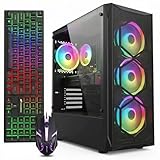
The Skytech RTX 5060 machine is the odd one out in a 4K guide, and it deserves an honest description. The title lists an Intel Core i5 14400F, a GeForce RTX 5060, 16GB of RAM, a 1TB SSD, Windows 11, NVMe storage, DDR5 6000, a 750W Gold power supply, Wi-Fi 5, and the Archangel 5 Series name.
An RTX 5060 is an entry-level card in this lineup, so it is better matched to 1080p and 1440p than to native 4K. It can still drive a 4K screen with upscaling and lowered settings, and it is the one machine here that stays at the entry tier. Think of it as a stepping stone for someone who wants a 4K display now and plans a graphics upgrade later. Used at 1440p it should feel far more at home, and the 750W Gold supply means the swap to a stronger card will not force a second power supply purchase for many mid-tier cards.
- It is the entry-tier option here and sits on a modern DDR5 platform.
- A 750W Gold supply leaves room for a card upgrade.
- Wi-Fi is included.
- The graphics card is the weakest in the group for 4K.
- 16GB of RAM and a 1TB drive fill up quickly with large modern titles.
Skip it if native 4K at high settings is the goal; at that point the extra spend on a higher-tier card pays off quickly. Compared with the ZOTAC next, it gives up a graphics tier and half the system memory to stay at the entry tier, which is a fair trade only if you plan to upgrade.
ZOTAC MEK Ryzen 7 9700X / RTX 5070 12GB
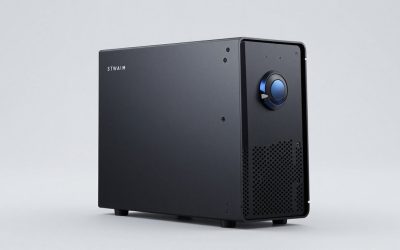
The ZOTAC MEK is a gaming desktop from a graphics-card specialist. The title lists a Ryzen 7 9700X, an NVIDIA GeForce RTX 5070 with 12GB, 32GB of DDR5, a 1TB NVMe SSD, a 750W 80+ Gold power supply, WiFi 6E, Bluetooth 5.3, and Windows, with the rest of the title cut off.
It pairs the same processor and graphics card as the first KOTIN machine, but without the extra display and with a 750W supply instead of 850W. For a buyer who wants an RTX 5070 and a brand tied to graphics hardware, it is a clean alternative. The 750W rating is adequate for the card but leaves a little less room for upgrades. The pairing of WiFi 6E and Bluetooth 5.3 in the title also covers wireless peripherals such as headsets and controllers without extra adapters.
- 32GB of DDR5 and a 1TB NVMe drive are listed.
- A brand known for graphics cards stands behind the build.
- WiFi 6E and Bluetooth 5.3 are both named.
- A 750W supply limits future graphics upgrades.
- The title does not name the cooler type in the visible text.
Skip it if you want the most upgrade headroom or a liquid cooler named in the listing, since the visible title does not state the cooling type. It is the final pick, so the comparison is with the first KOTIN: same core parts, different extras.
Who Actually Needs a 4K Gaming PC
A 4K machine is a specific tool, and plenty of players do not need one. Decide which of these three groups you belong to before you commit to a premium graphics tier, because the right machine for a living-room television is not always the right one for a competitive desk setup. A 4K target also changes the rest of the budget: a good display, a proper cable, and enough storage all become part of the same decision.
The big-screen player
If your display is a 27-inch monitor or larger, or a television, 4K delivers a visible improvement in sharpness. Single-player adventure titles and open-world games look best here, and a card with enough memory keeps textures crisp. For these players, the RTX 5080 and RX 9070 XT machines are the realistic fits. A television adds one more check: make sure the set accepts 4K at the refresh rate you want over HDMI, because some panels cap lower than monitors do.
The content creator who also games
Video editors, photographers, and designers often own 4K displays already, and they notice sharpness in a way casual players may not. A machine with 32GB of RAM and a fast drive handles editing and weekend gaming on the same screen, so the KOTIN and Skytech 5080 builds suit this mixed use well. If your editing software leans on GeForce acceleration, favor the RTX models over the Radeon option.
The competitive player
Fast shooters and sports titles reward frame rate, not resolution. A player who cares about response time will usually be happier on a 1440p high-refresh monitor and a mid-range card, and may not need 4K at all. In that case the RTX 5060 or RTX 5070 machines cover the need at lower cost, and the savings can fund a better monitor.
How to Choose a Gaming PC for 4K
Graphics card tier and video memory
The best 4K tower is wasted on a screen that cannot show what it renders. Check that the monitor lists 3840 by 2160 at 120Hz or higher if you want smooth motion, and confirm its inputs match the ports on the card. The GPU decides everything at 4K. Aim for at least 12GB of video memory and prefer 16GB, since textures and ray tracing consume memory quickly. An RTX 5080 or RX 9070 XT class card is a comfortable target for high settings, an RTX 5070 suits upscaled 4K, and an RTX 5060 is best kept for lower resolutions. Remember that upscaling renders at a lower internal resolution and then reconstructs the image, so the quality you get depends on the card and the game. Native 4K at maximum settings is the hardest target, and only the top tier of these listings approaches it comfortably.
Processor and platform
Eight cores and sixteen threads is plenty for gaming at 4K, because the GPU is the bottleneck. A stacked-cache Ryzen helps in CPU-heavy titles, but a Ryzen 7 9700X is a fine match for an RTX 5070 or RX 9070 XT. An F-suffix Intel chip such as the 14400F lacks integrated graphics, which is not a problem as long as the discrete card handles every display output. Do not overspend on the processor at the expense of the card, since the extra cores cost more than they return at this resolution. Games that simulate many characters or large worlds lean on the CPU more, so if you play strategy or open-world titles, a stacked-cache chip such as the 9850X3D in the Skytech tower has a real, if smaller, role.
Memory
32GB of DDR5 is the sensible target for a 4K build, particularly if you edit video or keep many apps open. 16GB works but leaves little headroom. DDR5 speeds around 5600 to 6000 are standard, and a two-stick kit gives dual-channel bandwidth. A listing that names DDR5 and a speed is more trustworthy than one that says only RAM, so favor the titles that state both.
Storage
Modern games often exceed 100GB, and 4K texture packs push sizes higher. Start with 1TB at a minimum and favor 2TB if you install many titles; only the Skytech RTX 5080 listing names a 2TB drive, so expect to add storage on the others. Make sure the drive is NVMe, since slower interfaces make loading feel dated. A second M.2 slot on the motherboard makes later expansion simple, so ask whether the board has one open.
Power supply and cooling
A 750W Gold supply is the floor for an RTX 5070 class card, and 850W is better for an RTX 5080 or RX 9070 XT. Look for ATX 3 or 3.1 labeling for the newer power connector. A 360mm liquid cooler suits hot processors, and case airflow matters as much as the radiator size. Intake fans at the front and exhaust at the rear and top keep the graphics card cooler, which helps it hold boost clocks during long sessions at 4K.
What to ignore, and where budget models cut corners
Ignore display gimmicks and lighting names. Budget 4K machines cut corners with 16GB of RAM, a small drive, an unnamed power supply, and a weak card sold with a strong processor. If a listing leads with the processor and hides the graphics card, be careful. Another cost-cutting habit is shipping a high-end card with a modest power supply, so compare the wattage with the card class before you accept the listing.
GeForce or Radeon for 4K
The real fork among these machines is the graphics brand. The table compares what the listings offer.
| Factor | GeForce (RTX 5080, 5070, 5060) | Radeon (RX 9070 XT) |
|---|---|---|
| Listed models | Skytech 5080, KOTIN 5070, ZOTAC 5070, Skytech 5060 | KOTIN RX 9070 XT |
| Video memory listed | 12GB on the 5070 models, not stated on the 5060 or 5080 | 16GB |
| Upscaling technology | DLSS | FSR |
| Ray tracing and creator software | Broad support | Improving support |
| Best for | Highest tier and software compatibility | More memory at a similar tier |
Among the five machines, the split is four GeForce builds against one Radeon build, so the Radeon option is the only way to get 16GB of video memory in this group without moving up to a different shortlist. Neither brand is the wrong choice for a gamer; what matters is the tier of the card, the memory on it, and the software you run.
When GeForce makes sense
If you stream, edit video, or use software with GeForce-specific features, or if you want the top tier available, GeForce is the safer route. The RTX 5080 is the strongest graphics card here, and the GeForce models bring the widest software support for creators and streamers.
When Radeon makes sense
If you want more video memory at a given tier and mainly play games, the RX 9070 XT is attractive. Its 16GB of memory suits 4K textures well, and the all-AMD platform is easy to understand. Radeon software also includes tuning tools and its own upscaling option, which may be all you need for gaming alone.
Setup, Compatibility and Upgrade Tips
What to check before buying
Confirm your display: a 4K monitor needs DisplayPort 1.4 or HDMI 2.1 to reach high refresh rates, and older cables may cap you at 30 or 60Hz. Check that the desk and case can handle a large tower with a 360mm radiator. Look at the warranty length before the return window ends, and ask whether the seller handles repairs or the manufacturer does. Note whether the listing states the operating system, since some towers ship without one.
What to upgrade first
Before spending on parts, update the graphics driver and the motherboard firmware, since both can change stability and frame pacing. On a 16GB machine, add RAM to reach 32GB. On a 1TB machine, add a second NVMe drive. The graphics card is the last part to upgrade, and the 750W supplies limit how far that can go without a new power supply, so check the connector on any card you plan to add. Plan the order of upgrades: memory first, storage second, graphics last. Keep the packaging and the receipt for the first few weeks, in case a fault shows up under sustained 4K load.
Common compatibility traps
Many people plug the monitor into the motherboard instead of the graphics card, which leaves the card idle. Use the correct cable and set the refresh rate in the display settings, because Windows often defaults to a lower rate after the first boot. Turn on the high-refresh option in the monitor menu if it has one, and keep drivers updated, and avoid mixing RAM kits when upgrading. If a card runs hot, open the case, clear dust from the filters, and check that the radiator fans spin in the right direction for your airflow plan.
Which One Fits Your Situation
You want the best 4K performance
Choose the Skytech Ryzen 7 9850X3D / RTX 5080. It has the strongest graphics tier, a 2TB drive, and an 850W supply, so it is the one least likely to need changes.
You prefer AMD and want lots of video memory
Choose the KOTIN Ryzen 7 9700X / RX 9070 XT 16GB. Its 16GB of video memory is the largest figure named in any title here.
You want a balanced upscaled 4K machine
Both RTX 5070 towers list 12GB of video memory and 32GB of DDR5, so they land in the same place. Choose the KOTIN Ryzen 7 9700X / RTX 5070 12GB if the status display appeals, or the ZOTAC MEK Ryzen 7 9700X / RTX 5070 12GB for a plainer build.
You are starting small and plan to upgrade
Choose the Skytech Core i5 14400F / RTX 5060, and plan a graphics card upgrade later. This also suits a buyer who wants to spread the cost of a 4K setup over two purchases. Use it at 1440p until then, and consider adding RAM first.
Common Mistakes
- Pairing a 4K monitor with an entry-level graphics card and expecting high settings.
- Ignoring video memory and buying 8GB cards for 4K.
- Overspending on the processor instead of the graphics card.
- Plugging the monitor into the motherboard instead of the graphics card, which leaves the card idle.
- Using an old HDMI cable that limits refresh rate.
- Buying for the smart display or lighting instead of the listed graphics card, memory, and power supply.
Related guides
- External Hard Drive For Xbox Series X
- How To Check Gpu Temperature While Gaming
- 7.1 Surround Sound Gaming Headsets
Frequently Asked Questions
How much video memory do I need for 4K?
12GB is the practical floor and 16GB is more comfortable for new releases with high-resolution texture options. Textures and ray tracing consume memory quickly at 3840 by 2160, and running out of video memory causes stutter that no processor can fix.
Is an RTX 5060 enough for 4K?
It can drive a 4K screen with upscaling and lowered settings, but it is better suited to 1080p and 1440p. For native 4K, aim higher, and treat upscaling as a bonus and not a requirement.
Do I need 32GB of RAM?
For a 4K build, 32GB is the sensible target, especially if you edit video or multitask. 16GB works for gaming alone.
Do I need a special monitor cable?
Yes. Use DisplayPort 1.4 or HDMI 2.1 to reach high refresh rates at 4K. Older cables can limit you to 30 or 60Hz, so buy a certified cable if the one in the box looks old.
Is the smart display useful?
It is a styling feature that shows system stats or images. It does not change gaming performance, so treat it as optional, and do not let it decide the purchase if another listing offers a stronger card for the same budget tier.
Should I choose 1440p instead?
If you favor frame rate over sharpness, 1440p with a high-refresh monitor is a strong alternative. It also lets a mid-range card feel faster, and you can still upgrade to 4K later when you buy a stronger card.
Final Words
For 4K gaming, the graphics card decides the outcome, and every other spec on the sheet is secondary to it. The Skytech RTX 5080 tower is the strongest, the KOTIN RX 9070 XT offers 16GB of memory, and the two RTX 5070 machines cover upscaled 4K in a balanced way. The RTX 5060 build is a stepping stone for lower resolutions. Check video memory, power supply, and cables before you buy, read the cut-off parts of each title on the product page, and match the card to the display you actually own. If you already have a 4K monitor, start with the RTX 5080 or RX 9070 XT machines; if you are still choosing, picking the display and the card together avoids paying for one you cannot use.