Key takeaways
- Match the GPU to your monitor: An RTX 5060 or 5060 Ti is plenty for high-refresh 1080p, while an RTX 5070 is the entry point for comfortable 1440p gaming. Buying more GPU than your display can show is wasted money.
- Don’t let the CPU bottleneck you: A modern Ryzen 7 or Core Ultra 7 keeps pace with these GPUs. Older or lower-tier chips paired with a strong graphics card will cap your frame rates in CPU-heavy titles like strategy games and open-world shooters.
- Prioritize 32GB of DDR5 where you can: 16GB still works, but 32GB has become the comfortable baseline for gaming alongside Discord, a browser, and streaming software. It’s also one of the cheapest upgrades to do yourself later.
- Check storage capacity, not just speed: A 1TB NVMe SSD is the practical minimum in 2026 given install sizes. A 512GB drive will force you into constant uninstall cycles, so budget for an added drive if that’s what you’re getting.
- Look at the power supply and case: Cheap prebuilts often cut corners here. A quality PSU with some wattage headroom and a case with real airflow determine whether your system runs cool and quiet or throttles under load.
What's inside
Shopping for a gaming desktop under $1,000 in 2026 is genuinely difficult, and not because the options are scarce. It’s because the market is flooded with builds that look impressive in a bullet list but fall apart in practice: a strong GPU paired with a bottlenecking CPU, 16GB of RAM in a system that will need 32GB within a year, or a 512GB SSD that fills up after four modern installs. Meanwhile, prices shift week to week, and a machine that was a legitimate bargain in January can look overpriced by March.
This guide cuts through that. We’ve focused on prebuilt gaming PCs that realistically land at or under the $1,000 mark, prioritizing balanced component pairings, 1080p and 1440p performance you can actually count on, and upgrade headroom so the system stays relevant. Below you’ll find our top picks, a straightforward buying framework, and answers to the questions most buyers ask before pulling the trigger.
As an Amazon Associate we earn from qualifying purchases at no extra cost to you.


⚡ Save on Your Next PC — Amazon Prime
Prime members get fast free shipping on the systems above, plus early access to Prime Day & Black Friday PC deals. New members get a 30-day free trial.
Watch: Best Gaming PC Under $1000 — Video Review
How to Choose Gaming PC Under $1000
- Match the GPU to your monitor: An RTX 5060 or 5060 Ti is plenty for high-refresh 1080p, while an RTX 5070 is the entry point for comfortable 1440p gaming. Buying more GPU than your display can show is wasted money.
- Don’t let the CPU bottleneck you: A modern Ryzen 7 or Core Ultra 7 keeps pace with these GPUs. Older or lower-tier chips paired with a strong graphics card will cap your frame rates in CPU-heavy titles like strategy games and open-world shooters.
- Prioritize 32GB of DDR5 where you can: 16GB still works, but 32GB has become the comfortable baseline for gaming alongside Discord, a browser, and streaming software. It’s also one of the cheapest upgrades to do yourself later.
- Check storage capacity, not just speed: A 1TB NVMe SSD is the practical minimum in 2026 given install sizes. A 512GB drive will force you into constant uninstall cycles, so budget for an added drive if that’s what you’re getting.
- Look at the power supply and case: Cheap prebuilts often cut corners here. A quality PSU with some wattage headroom and a case with real airflow determine whether your system runs cool and quiet or throttles under load.
The Best Picks Reviewed
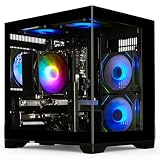
MSI Codex Z2 (RTX 5070, 32GB, 2TB)
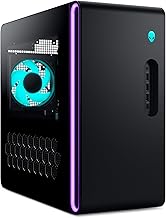
This is the most complete package on the list, pairing an RTX 5070 with a Ryzen 7 8700F, 32GB of DDR5, and a genuinely generous 2TB NVMe SSD. It’s a well-balanced 1440p machine that requires no immediate upgrades, and MSI’s case and thermal design are a clear step above most budget prebuilts.
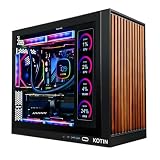
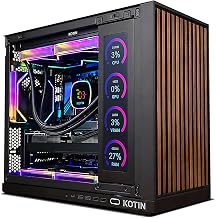
KOTIN Prebuilt RTX 5070 / Ryzen 7 9700X
The Ryzen 7 9700X is the strongest CPU in this lineup, making this the pick if you play CPU-demanding titles or plan to stream while you game. The 1TB SSD is the one compromise, but it’s an easy and inexpensive thing to expand.
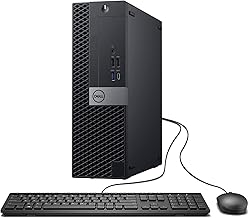
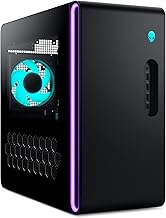
Alienware Aurora (RTX 5070, Core Ultra 7 265F)
Alienware’s Aurora brings a well-engineered chassis, solid cooling, and proper manufacturer support, which counts for a lot if you’d rather not troubleshoot a boutique build yourself. Performance from the RTX 5070 and Core Ultra 7 265F is right in line with the competition, so you’re largely paying for build quality and warranty confidence.
MSI Codex Z2 (RTX 5060 Ti, 16GB, 1TB)
The step-down Codex Z2 keeps the same well-built chassis and Ryzen 7 8700F but swaps in an RTX 5060 Ti, making it an excellent high-refresh 1080p machine and a capable 1440p one with settings tuned. Adding a second 16GB DDR5 stick later is the obvious first upgrade.
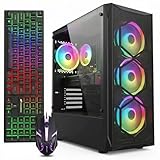
YAWYORE Gaming PC (Ryzen 7 5700X, RTX 5060)
This is the value play: the RTX 5060 handles 1080p gaming at high settings without complaint, and the Ryzen 7 5700X remains a perfectly competent gaming CPU despite being an older platform. Just be aware that AM4 limits your long-term CPU upgrade path.
Frequently Asked Questions
Can I really game at 1440p on a sub-$1,000 PC?
Yes, with an RTX 5070-equipped system. You’ll be playing most modern titles at high settings with DLSS enabled and comfortably above 60fps. For competitive esports titles, 1440p at high refresh rates is easily achievable.
Is a prebuilt worth it versus building my own?
In 2026, prebuilt pricing on RTX 5070 systems is competitive enough that the DIY savings are often modest once you account for a Windows license and your own time. Prebuilts also come with a single warranty covering the whole system, which is worth something if things go wrong.
Do these come with a monitor, keyboard, or mouse?
Generally no. Budget for peripherals separately, and remember that a good 1440p high-refresh monitor is often a bigger upgrade to your experience than a slightly faster GPU.
What should I upgrade first?
Storage and RAM, in that order. Both are inexpensive, easy to install, and address the most common corner-cutting in budget prebuilts. Save GPU upgrades for two or three years down the line.
Final Thoughts
For most buyers, the MSI Codex Z2 with the RTX 5070, 32GB of RAM, and 2TB SSD is the clear pick — it’s the most complete system here and needs nothing added out of the box. If raw CPU performance matters more to you, the KOTIN RTX 5070 build with the Ryzen 7 9700X is the better platform long-term. And if you’re gaming at 1080p and want to keep spending down, the YAWYORE RTX 5060 system delivers the best frames-per-dollar of the group.