Key takeaways
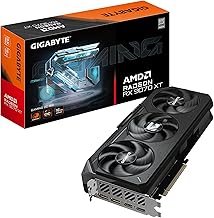
- Prioritize the GPU above everything: The graphics card determines your frame rate more than any other component. At this budget, an RX 580 8GB or RTX 2060 is a far better outcome than a fast CPU paired with a GT 1030 or integrated graphics.
- Treat 16GB of RAM as the floor: Modern games and background apps routinely exceed 8GB. Every pick here ships with 16GB, and confirming it’s dual-channel (2x8GB rather than a single stick) is worth a quick question to the seller.
- Insist on NVMe SSD storage: A 512GB NVMe drive is the sweet spot for load times and OS responsiveness. Avoid any listing that still ships a mechanical hard drive as the boot device — it will bottleneck the entire system.
- Understand “Renewed” and refurbished labeling: Renewed units can be excellent value, but verify the warranty length and return window before purchasing. Ask specifically whether the power supply and GPU are original or replacement parts.
- Check the upgrade path: Look for a standard ATX case, an accessible PSU rating, and at least one free RAM slot. A $450 machine you can drop a better GPU into in two years is worth more than a sealed box you’ll have to replace outright.
What's inside
Shopping for a gaming PC under $500 in 2026 means navigating a market crowded with vague spec sheets, recycled office towers wearing RGB fans, and listings that quietly swap in a weaker GPU than the photos suggest. The hard truth is that a genuinely new, high-performance rig doesn’t exist at this price — but a carefully chosen prebuilt with a proven last-generation graphics card absolutely does, and it will handle 1080p esports and most modern titles at medium settings without complaint.
This guide cuts through the noise. We’ve focused on budget desktops that pair a real discrete GPU with enough RAM and SSD storage to stay usable for the next few years, and we flag which machines are genuine value and which are best treated as starter systems you’ll upgrade later. Below you’ll find our top picks, a practical buying checklist, and answers to the questions budget buyers ask most.
As an Amazon Associate we earn from qualifying purchases at no extra cost to you.




⚡ Save on Your Next PC — Amazon Prime
Prime members get fast free shipping on the systems above, plus early access to Prime Day & Black Friday PC deals. New members get a 30-day free trial.
Watch: Best Gaming PC Under $500 — Video Review
How to Choose Gaming PC Under $500
- Prioritize the GPU above everything: The graphics card determines your frame rate more than any other component. At this budget, an RX 580 8GB or RTX 2060 is a far better outcome than a fast CPU paired with a GT 1030 or integrated graphics.
- Treat 16GB of RAM as the floor: Modern games and background apps routinely exceed 8GB. Every pick here ships with 16GB, and confirming it’s dual-channel (2x8GB rather than a single stick) is worth a quick question to the seller.
- Insist on NVMe SSD storage: A 512GB NVMe drive is the sweet spot for load times and OS responsiveness. Avoid any listing that still ships a mechanical hard drive as the boot device — it will bottleneck the entire system.
- Understand “Renewed” and refurbished labeling: Renewed units can be excellent value, but verify the warranty length and return window before purchasing. Ask specifically whether the power supply and GPU are original or replacement parts.
- Check the upgrade path: Look for a standard ATX case, an accessible PSU rating, and at least one free RAM slot. A $450 machine you can drop a better GPU into in two years is worth more than a sealed box you’ll have to replace outright.
The Best Picks Reviewed
STGAubron Gaming PC — Core i7 / RX 580 8GB
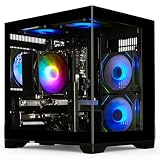
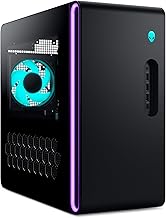
This is the most balanced value proposition on the list: a capable Core i7 paired with an RX 580 8GB, 16GB of RAM, and a 512GB SSD hits the sweet spot for 1080p gaming at high settings in esports titles and medium settings in newer releases. The 8GB of VRAM is the standout feature here, giving it noticeably more headroom in texture-heavy games than 4GB and 6GB competitors.
STGAubron Gaming PC — R5 2600 / RTX 2060 6GB
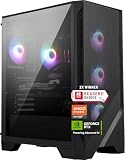
If you want ray tracing and DLSS support on a budget, the RTX 2060 is the cheapest realistic entry point, and pairing it with a six-core Ryzen 5 2600 keeps the CPU from bottlenecking it in most titles. Expect comfortable 1080p/60 performance in the majority of modern games with settings dialed to medium-high.
YAWYORE Gaming PC — Ryzen 5 5600GT
The 5600GT is a genuinely modern six-core CPU with strong integrated Radeon graphics, and the 1TB NVMe drive plus built-in WiFi make this the most convenient out-of-box experience in the roundup. Understand what you’re buying, though: without a discrete GPU it’s best suited to esports titles like Valorant, CS2, and Rocket League rather than demanding AAA games.
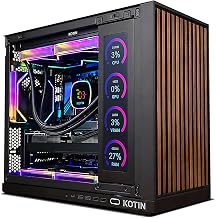
YAWYORE Gaming PC — Ryzen 7 5700X / RTX 5060
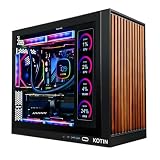
This is the most capable machine listed and will typically sit at or slightly above the $500 ceiling depending on the day — watch it for a sale. The eight-core 5700X paired with a current-generation RTX 5060 delivers a real 1080p high-settings experience with modern upscaling support, and it’s the only pick here with meaningful headroom for 1440p.
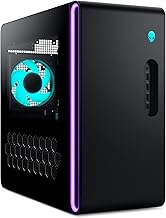
Dell Gaming Tower — i5-7500 (Renewed)
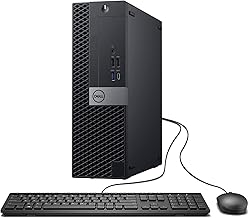
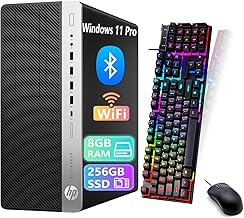
The value here is the chassis, the 16GB of DDR4, the 256GB SSD, and the licensed Windows 11 Pro install, not the GT 1030 graphics card, which is entry-level by any measure. Buy this only as an upgrade platform — budget another $150 for a used RX 6600 down the line and it becomes a respectable machine.
Frequently Asked Questions
Can a $500 gaming PC really run modern games?
Yes, at 1080p with medium settings in most cases. Esports titles will run comfortably above 100 FPS, while demanding recent AAA releases will need settings compromises and often benefit from upscaling technologies like FSR or DLSS.
Is a used or renewed PC a bad idea?
Not inherently. Renewed desktops from established sellers with clear warranty terms often deliver better components per dollar than new budget builds. The risk is concentrated in the power supply and cooling, so check reviews and confirm the return policy before buying.
Should I buy prebuilt or build my own at this budget?
Under $500, prebuilts generally win. Sellers source last-generation GPUs at volume pricing that individual buyers can’t match, and the included Windows license alone accounts for a meaningful chunk of a DIY budget.
What should I upgrade first?
The graphics card, in nearly every case. After that, add a second RAM stick if the system shipped with a single module, and expand storage with a second NVMe drive when your game library outgrows the boot disk.
Final Thoughts
For most buyers, the STGAubron Core i7 with the RX 580 8GB is the smartest use of a $500 budget — it’s the best pure gaming performance per dollar here, and that 8GB VRAM buffer will age better than you’d expect. If ray tracing and DLSS matter to you, the STGAubron R5 2600 / RTX 2060 build is the better call, while patient shoppers should watch the YAWYORE Ryzen 7 5700X with the RTX 5060 for a sale that brings it under the cap.