Key takeaways
- Resolution and size: At this budget, 27-inch QHD (2560×1440) is the clear sweet spot. It delivers a noticeably sharper image than 1080p at a normal desk distance without the GPU tax of 4K, and mid-range cards can still hit high frame rates in most titles.
- Panel type: Fast IPS panels dominate this price bracket and offer the best all-round balance of colour accuracy, viewing angles and response times. VA panels give deeper blacks and often come curved, but can smear in dark scenes. QD-OLED is now just about reachable under $500 and delivers vastly better contrast — at the cost of brightness in well-lit rooms.
- Refresh rate and response time: 144Hz is the practical minimum in 2026; 165–180Hz is the norm and worth the small premium. Treat “1ms” claims with scepticism — they’re measured under ideal conditions. Look for reviews of real-world overdrive performance instead.
- Adaptive sync: FreeSync Premium and G-SYNC Compatible certification eliminate tearing and stutter within the monitor’s variable refresh range. Nearly every monitor here supports both, so it shouldn’t be a deciding factor — but verify the sync range covers the frame rates you actually play at.
- Connectivity and extras: Check for DisplayPort 1.4 (needed for full refresh rate at 1440p), enough HDMI 2.0/2.1 ports for consoles, and a proper VESA mount if you use an arm. USB-C with power delivery is a genuine convenience if you also dock a laptop, and built-in speakers are a nice fallback but never a substitute for headphones.
What's inside
Shopping for a gaming monitor under $500 is harder than it should be. Spec sheets are crowded with marketing terms — “1ms,” “HDR,” “180Hz” — that mean very different things depending on the panel underneath, and two monitors with nearly identical listings can deliver wildly different real-world experiences. Meanwhile, prices swing week to week, so a panel that looks like a bargain today may be overpriced next month.
This guide cuts through that noise. We’ve focused on 27-inch 1440p displays, which remain the sweet spot for value in 2026: sharp enough to feel like a genuine upgrade over 1080p, but light enough that a mid-range GPU can still push high frame rates. Below you’ll find our top picks, a short buying checklist, and answers to the questions we hear most often — all with an eye on genuine value rather than spec-sheet bragging rights.
As an Amazon Associate we earn from qualifying purchases at no extra cost to you.






⚡ Save on Your Next PC — Amazon Prime
Prime members get fast free shipping on the systems above, plus early access to Prime Day & Black Friday PC deals. New members get a 30-day free trial.
Watch: Best Gaming Monitor Under $500 — Video Review
How to Choose Gaming Monitor Under $500
- Resolution and size: At this budget, 27-inch QHD (2560×1440) is the clear sweet spot. It delivers a noticeably sharper image than 1080p at a normal desk distance without the GPU tax of 4K, and mid-range cards can still hit high frame rates in most titles.
- Panel type: Fast IPS panels dominate this price bracket and offer the best all-round balance of colour accuracy, viewing angles and response times. VA panels give deeper blacks and often come curved, but can smear in dark scenes. QD-OLED is now just about reachable under $500 and delivers vastly better contrast — at the cost of brightness in well-lit rooms.
- Refresh rate and response time: 144Hz is the practical minimum in 2026; 165–180Hz is the norm and worth the small premium. Treat “1ms” claims with scepticism — they’re measured under ideal conditions. Look for reviews of real-world overdrive performance instead.
- Adaptive sync: FreeSync Premium and G-SYNC Compatible certification eliminate tearing and stutter within the monitor’s variable refresh range. Nearly every monitor here supports both, so it shouldn’t be a deciding factor — but verify the sync range covers the frame rates you actually play at.
- Connectivity and extras: Check for DisplayPort 1.4 (needed for full refresh rate at 1440p), enough HDMI 2.0/2.1 ports for consoles, and a proper VESA mount if you use an arm. USB-C with power delivery is a genuine convenience if you also dock a laptop, and built-in speakers are a nice fallback but never a substitute for headphones.
The Best Picks Reviewed
Samsung Odyssey OLED G6 (G61SH)
The standout pick if your budget stretches to the top of this range — a QD-OLED panel delivers perfect blacks, near-instant pixel response and colour saturation that no IPS monitor here can match. Best suited to a light-controlled room, and worth keeping the built-in burn-in protections enabled.
ASUS ROG XG27ACS
The most complete all-rounder in this lineup: 180Hz Fast IPS, native G-SYNC compatibility and USB-C with power delivery, making it equally at home in a gaming rig or a laptop docking setup. The build quality and OSD are a clear step up from budget-brand rivals.
ASUS TUF Gaming VG27AQ3A
A superb value proposition that hits nearly every box — 180Hz, Fast IPS, 130% sRGB coverage, ELMB Sync and both FreeSync Premium and G-SYNC Compatible certification. If you want ROG-class performance without the ROG price, this is the one to buy.
Acer Nitro KG271U N3bmiipx
A no-nonsense 180Hz IPS panel that delivers the fundamentals — sharp 1440p, low input lag and solid motion clarity — at a price that regularly dips well below the rest of this list. The stand is tilt-only and HDR is nominal, but as a pure gaming display it punches far above its cost.
Samsung Odyssey G5 (G51F)
Samsung’s long-running budget favourite remains a dependable entry point into 1440p gaming, with strong contrast and reliable adaptive sync. It’s the safest choice if you want a recognised brand at the lower end of this budget, though rivals now offer higher refresh rates for similar money.
Frequently Asked Questions
Is 1440p worth it over 1080p for gaming?
For 27-inch displays, yes. At that size 1080p starts to look noticeably soft, while 1440p keeps text and textures crisp without demanding the GPU horsepower of 4K. Most mid-range cards from the last two generations handle 1440p at high frame rates comfortably.
Do I need a curved monitor?
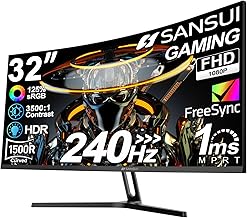
It’s a matter of preference rather than performance. At 27 inches the curve is subtle and mainly aids immersion in single-player and racing titles; competitive players often prefer flat panels for consistent geometry. Options like the KTC H27S5C offer a curve at a low price if you want to try it.
Is OLED reliable enough for everyday use?
Modern QD-OLED panels include pixel-shifting, panel refresh cycles and logo-dimming that make burn-in unlikely with mixed use, and most now carry a dedicated burn-in warranty. If you leave static desktop elements on screen for eight hours a day, however, a quality IPS panel remains the safer long-term buy.
What refresh rate can my GPU actually use?
A monitor’s refresh rate is a ceiling, not a guarantee. To use 180Hz at 1440p you’ll want a card capable of pushing 120fps or more in your chosen games — but even if you fall short, adaptive sync means higher-refresh panels still feel smoother than a 60Hz display.
Final Thoughts
For most buyers, the ASUS TUF Gaming VG27AQ3A is the smartest purchase here — it delivers essentially everything you need from a 1440p gaming display at a price that leaves room in the budget for a better GPU. Spend a little more and the ASUS ROG XG27ACS adds USB-C convenience and a more premium build, while the Samsung Odyssey OLED G6 is the one to stretch for if picture quality is your priority and you game in a darkened room. All three represent genuine value at the top of this price bracket rather than simply the biggest numbers on the box.