Our Top Picks

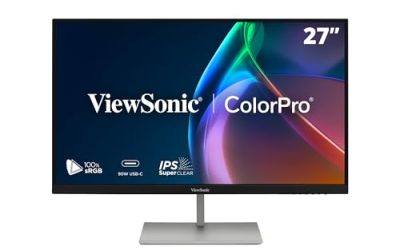
ASUS TUF Gaming VG27UQ1A 27 Inch 4K 160Hz G-SYNC Gaming Monitor | ELMB Sync, 1ms, 95% DCI-P3, FreeSync Premium, DisplayWidget Center, for PS5 and Xbox
Chosen because it specifies ELMB Sync and 1ms.
View on Amazon
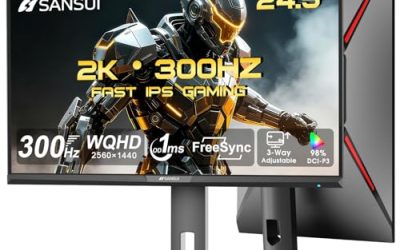
LG 27G810A-B 27-inch Ultragear 4K UHD (3840 x 2160) IPS Gaming Monitor, Dual Mode UHD 180Hz or FHD 360Hz, 1ms, NVIDIA G-Sync, AMD FreeSync Premium, VESA DisplayHDR 400, HDMI 2.1, Black
Chosen because it specifies Dual Mode UHD 180Hz or FHD 360Hz and 1ms.
View on AmazonChoosing the best 4k 144hz gaming monitor means balancing image quality, refresh rate, panel technology, and connectivity. Today’s options include traditional IPS, Mini LED, and premium OLED displays, with many exceeding 144Hz. This guide compares four worthwhile monitors for different gaming preferences and budgets.
How to Choose a 4K 144Hz Gaming Monitor
A 4K gaming monitor combines a 3840 × 2160 resolution with a high refresh rate, making it suitable for detailed single-player games and competitive titles. However, resolution and refresh rate alone do not determine picture quality. Panel technology, HDR performance, response behavior, and graphics card compatibility can make a substantial difference when choosing a display.
1. Choose the Right Panel Technology
IPS monitors remain practical choices for gamers who want consistent colors, wide viewing angles, and freedom from OLED burn-in concerns. Their main disadvantage is relatively limited native contrast, which can make dark scenes appear gray, particularly in rooms with controlled lighting.
Mini LED improves LCD contrast through multiple local dimming zones. This allows brighter highlights and darker areas to appear together, although blooming can remain visible around bright objects against dark backgrounds. OLED takes a different approach by controlling individual pixels, producing excellent black levels and fast pixel response.
2. Consider Screen Size and Pixel Density
A 27- or 28-inch 4K monitor offers approximately 157–163 pixels per inch, depending on the exact panel size. This produces detailed images and sharp text, making smaller displays attractive for desks with limited viewing distance.
A 32-inch monitor provides a larger gaming image without sacrificing 4K resolution. Its lower pixel density compared with a smaller 4K panel is still sufficient for detailed desktop use. Consider desk depth, viewing distance, and available adjustment options before choosing between these sizes.
3. Check Refresh Rate and Gaming Features
A 144Hz refresh rate allows the display to refresh approximately 144 times per second. Higher-refresh monitors can also operate at 144Hz, provided the connected device and selected display mode support that setting.
Variable refresh rate technologies such as AMD FreeSync and NVIDIA G-SYNC compatibility help synchronize the monitor with GPU output. This reduces screen tearing when frame rates fluctuate. Also examine response-time behavior rather than relying exclusively on advertised millisecond figures, which may use different measurement conditions.
4. Verify Connectivity and GPU Compatibility
A suitable connection is essential for receiving the monitor’s advertised resolution and refresh rate. HDMI 2.1 and DisplayPort 1.4 with Display Stream Compression (DSC) are common options for high-refresh 4K displays. DisplayPort 2.1 offers additional bandwidth on compatible equipment.
Before purchasing, check the graphics card’s actual output capabilities, monitor input specifications, cable requirements, and supported color format. A monitor advertising 4K at 160Hz does not automatically mean every connected device can achieve that combination.
Top 4K 144Hz Gaming Monitor Picks
The following recommendations cover different display technologies and gaming priorities rather than treating every monitor above 144Hz as interchangeable. Some models operate natively at exactly 144Hz, while others offer higher refresh rates that comfortably include 144Hz operation. The distinction matters when comparing connectivity, HDR, screen size, and overall value.
1. GIGABYTE M28U – Best Value
28-inch IPS | 4K | 144Hz
The GIGABYTE M28U is a practical choice for gamers who want native 4K at 144Hz without moving into premium OLED pricing. Its 28-inch Super Speed IPS panel provides a compact desktop format, while its resolution delivers detailed images for modern PC games.
Its manufacturer specifications include 3840 × 2160 resolution, a maximum 144Hz refresh rate, 300-nit typical brightness, and a 1ms GTG response-time rating. Connectivity includes two HDMI 2.1 ports, DisplayPort 1.4 with DSC, and USB-C. It also includes a USB hub and KVM functionality.
The main compromise is HDR performance. VESA DisplayHDR 400 support and a typical 1,000:1 contrast ratio do not provide the deep blacks or localized highlight control associated with stronger Mini LED and OLED displays. Its stand offers height adjustment, although it lacks swivel and pivot functionality.
Best for: Buyers seeking a straightforward 4K 144Hz IPS monitor for everyday PC gaming, productivity, and console use.
Consider an alternative if: HDR contrast, premium image quality, or a larger screen is a priority.
2. Acer Nitro XV275K P5biipruzx – Best Mini LED Value
27-inch IPS Mini LED | 4K | 160Hz
The Acer Nitro XV275K P5biipruzx offers a useful combination of high-resolution gaming and local dimming. Its 160Hz native refresh rate exceeds the requested 144Hz threshold, while its Mini LED backlight provides more control over brightness and dark areas than conventional edge-lit IPS displays.
According to RTINGS’ model-specific review, this monitor has 1,152 local dimming zones and a dual-mode feature that switches from 4K at 160Hz to 1080p at 320Hz. Its connections include HDMI 2.1, DisplayPort 1.4, and USB-C, alongside USB connectivity and KVM functionality.
The dual-mode capability makes it interesting for players who alternate between visually demanding games and competitive shooters. However, switching to 1080p reduces image detail considerably. Local dimming can also produce blooming, so its HDR presentation should not be confused with OLED’s pixel-level black control.
Best for: Players who want Mini LED contrast, a relatively compact screen, and an alternative high-refresh mode for competitive gaming.
Consider an alternative if: You prefer OLED blacks, a larger display, or a simpler monitor without multiple operating modes.
3. TCL 32R84 – Best for Bright HDR Gaming
32-inch QD-Mini LED | 4K | 165Hz
The TCL 32R84 is an appealing option for gamers who prioritize brightness and HDR capability. Its 32-inch screen provides more viewing area than compact 27- and 28-inch alternatives, making it suitable for immersive single-player games and entertainment.
TCL lists a 3840 × 2160 resolution, 165Hz refresh rate, 1,400 local dimming zones, and DisplayHDR 1400 certification. The manufacturer also specifies a peak brightness of 1,500 nits, a 3,000:1 native contrast ratio, and HDMI 2.1 and DisplayPort 1.4 connections supporting 4K at 165Hz.
Another useful feature is its USB-C connection with up to 90W Power Delivery. This can simplify connectivity with compatible laptops, although the actual charging capability depends on the connected device.
The main consideration is its LCD-based Mini LED technology. Local dimming improves contrast, but blooming around bright objects can still occur. Its larger physical footprint also requires sufficient desk space.
Best for: Gamers who want a large 4K screen, strong HDR brightness, and high refresh rates.
Consider an alternative if: You prefer the per-pixel black levels of OLED or need a smaller monitor for a compact desk.
4. ASUS ROG Swift OLED PG32UCDM Gen3 – Best Overall
31.5-inch Tandem QD-OLED | 4K | 240Hz
The ASUS ROG Swift OLED PG32UCDM Gen3 is a premium option for players who want high-end image quality alongside refresh rates substantially above 144Hz. Its 31.5-inch Tandem QD-OLED panel combines 4K resolution with a maximum 240Hz refresh rate.
ASUS specifies a 0.03ms response time, DisplayHDR 500 True Black certification, 99% DCI-P3 color coverage, and true 10-bit color. Its connectivity includes DisplayPort 2.1a UHBR20 with 80Gbps bandwidth, HDMI 2.1, and USB-C with 90W Power Delivery.
OLED’s individual pixel illumination produces deep blacks without the backlight blooming associated with LCD displays. Its fast pixel response also makes it particularly attractive for games with rapid movement. The 240Hz ceiling provides additional headroom for competitive titles when the graphics hardware can generate sufficiently high frame rates.
However, premium OLED technology comes with trade-offs. Static interface elements can contribute to long-term burn-in risk, making OLED protection features and sensible usage habits important. Its purchase cost is also difficult to justify if your PC cannot take advantage of its higher refresh rate.
Best for: Enthusiasts who want premium HDR, excellent motion clarity, and a display that can serve both immersive and competitive gaming.
Consider an alternative if: You have a limited budget, regularly display static content for extended periods, or prefer a brighter Mini LED LCD for a well-lit environment.
Comparison Table
| Product | Best For | Key Spec | Compatibility | Watch Out For |
| GIGABYTE M28U | Best Value | 28-inch IPS, 144Hz | HDMI 2.1, DP 1.4 DSC | Limited HDR |
| Acer Nitro XV275K P5biipruzx | Mini LED Value | 27-inch, 4K 160Hz | HDMI 2.1, DP 1.4 | Local dimming blooming |
| TCL 32R84 | Bright HDR Gaming | 32-inch, 4K 165Hz | HDMI 2.1, DP 1.4, USB-C | Large footprint |
| ASUS ROG Swift OLED PG32UCDM Gen3 | Best Overall | 31.5-inch, 4K 240Hz | HDMI 2.1, DP 2.1a | OLED burn-in considerations |
FAQ
1. Is a 4K 144Hz Monitor Worth It for PC Gaming?
Yes, a 4K 144Hz monitor is worthwhile if your PC can deliver an enjoyable frame rate at 3840 × 2160. It combines detailed visuals with smoother motion than conventional 60Hz displays. However, demanding games may require DLSS, FSR, or adjusted graphics settings to maintain higher frame rates.
2. What GPU Do You Need for 4K 144Hz Gaming?
You generally need a powerful modern graphics card for demanding native 4K gaming at high refresh rates. The exact requirement depends on the game, graphics preset, ray tracing, and desired frame rate. Upscaling technologies can reduce rendering demands, but they do not guarantee 144 FPS in every game.
3. Is OLED Better Than Mini LED for 4K Gaming?
OLED generally provides better pixel-level black control and faster pixel response, while Mini LED can deliver higher sustained brightness and avoids the same OLED burn-in concerns. OLED is attractive for dark-room gaming and cinematic visuals, whereas Mini LED can be preferable in brighter environments.
4. Can You Use a 4K 144Hz Monitor with PS5 or Xbox Series X?
Yes, compatible 4K high-refresh monitors can connect to both consoles through HDMI. However, PS5 and Xbox Series X generally support gaming output up to 4K at 120Hz rather than 144Hz. The console, game, HDMI connection, and monitor must all support the selected display mode.
Final Thoughts
The best 4k 144hz gaming monitor depends on your priorities rather than refresh rate alone. The GIGABYTE M28U suits value-conscious buyers, Acer and TCL offer Mini LED alternatives, and ASUS delivers premium OLED quality. Compare GPU capability, connectivity, screen size, and HDR needs before choosing your next display.
More from Amazon
Programs that pair well with the guide above. Offers and eligibility are set by Amazon and may change.
Free shipping on eligible items, Prime Video and more. Eligible new members can start with a free trial.
Start a Prime free trialAd-free music streaming. Eligible new subscribers can start with a free trial.
Try Music Unlimited freeA Prime membership for ages 18-24 with a trial period. Eligibility is set by Amazon.
See Prime for Young AdultsAudiobooks and podcasts to listen to on the go. Eligible new members can start with a free trial.
Try Audible freeAs an Amazon Associate we earn from qualifying purchases.