Key takeaways
- GPU first: The graphics card sets your frame rates, so prioritize the strongest GPU your budget allows, from RTX 5060 to RTX 5090.
- Balanced CPU: Pair the GPU with a capable Ryzen or Intel chip so it never bottlenecks your games.
- Memory and storage: Aim for 32GB of DDR5 and at least a 1TB NVMe SSD for smooth multitasking and fast load times.
- Cooling and PSU: Look for a quality 80+ Gold power supply and adequate air or liquid cooling for sustained performance.
- Connectivity and upgrades: Wi-Fi support, plenty of ports, and room to add storage or RAM keep the system future-proof.
What's inside
Buying a prebuilt gaming PC has never made more sense than it does right now. With RTX 50-series GPUs and the latest AMD and Intel processors widely available in ready-to-run systems, you can skip the parts hunt and get a balanced, warrantied machine that games hard out of the box.
We compared the standout prebuilt gaming desktops available today across a range of budgets and performance tiers. Below is how to choose the right one, followed by detailed looks at the systems that impressed us most.
As an Amazon Associate we earn from qualifying purchases at no extra cost to you.




🎮 Get More From Your Setup — Free
Prime Gaming gives you free PC games every month, in-game loot, and a free Twitch channel sub — plus fast free shipping on all the gear above. New members get a 30-day free trial.
Watch: Best Gaming Pc Right Now — Video Review
How to Choose the Right Gaming PC
- GPU first: The graphics card sets your frame rates, so prioritize the strongest GPU your budget allows, from RTX 5060 to RTX 5090.
- Balanced CPU: Pair the GPU with a capable Ryzen or Intel chip so it never bottlenecks your games.
- Memory and storage: Aim for 32GB of DDR5 and at least a 1TB NVMe SSD for smooth multitasking and fast load times.
- Cooling and PSU: Look for a quality 80+ Gold power supply and adequate air or liquid cooling for sustained performance.
- Connectivity and upgrades: Wi-Fi support, plenty of ports, and room to add storage or RAM keep the system future-proof.
The Best Gaming PCs Reviewed
KOTIN RTX 5070 Prebuilt
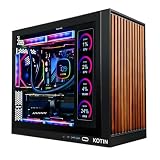
The KOTIN Prebuilt with an RTX 5070, Ryzen 7 9700X, 32GB DDR5, and a 1TB SSD is a superb 1440p and entry-4K machine. Its 850W 80+ Gold PSU, 360mm liquid cooler, Wi-Fi 7, and even an integrated smart display make it feel premium well beyond its class.
iBUYPOWER Element RTX 5070
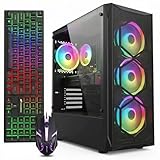
The iBUYPOWER Element pairs a Ryzen 9 7900X with an RTX 5070, 32GB DDR5, and a 1TB NVMe SSD. It is a well-rounded high-frame-rate 1440p system that includes a keyboard and mouse, making it a genuine plug-and-play gaming setup.
Skytech Azure 3
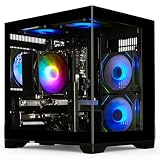
The Skytech Azure 3 goes AMD all the way with a Ryzen 7 9850X3D and Radeon RX 9070 XT, 32GB DDR5-5600, and a 2TB Gen4 SSD. The X3D chip’s gaming-focused cache makes it a frame-rate standout, backed by an 850W Gold PSU and 360mm ARGB AIO.
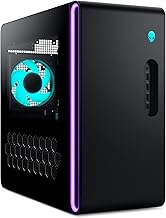
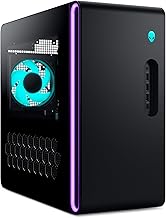
Alienware Aurora RTX 5070
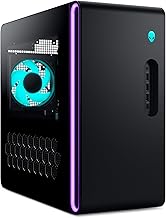
The Alienware Aurora combines an RTX 5070 with an Intel Core Ultra 7 265F, 32GB DDR5, a 1TB SSD, Wi-Fi 7, and Killer 2.5Gb Ethernet. Its iconic chassis and strong connectivity make it a polished mainstream flagship.
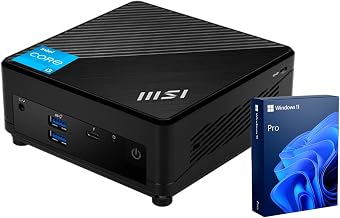
MSI Codex Z2
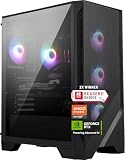
The MSI Codex Z2 offers a Ryzen 7 8700F, RTX 5070, 32GB DDR5, and a roomy 2TB NVMe SSD. It is VR-ready with USB Type-C and delivers dependable 1440p performance from a trusted brand.
Frequently Asked Questions
Is a prebuilt gaming PC worth it?
Yes. Prebuilts now offer competitive pricing, a single warranty, and immediate readiness, sparing you the time and risk of sourcing and assembling parts yourself.
What GPU do I need for 1440p gaming?
An RTX 5070 or RX 9070 XT delivers excellent high-refresh 1440p performance and dips comfortably into 4K with DLSS or FSR upscaling enabled.
How much RAM should a gaming PC have?
32GB of DDR5 is the current sweet spot, giving you headroom for gaming, streaming, and multitasking without paying for capacity you will not use.
Can I upgrade a prebuilt later?
Most of these systems use standard components, so you can add storage, more RAM, or a new GPU down the line as long as the case and PSU allow.
Final Thoughts
The best gaming PC right now depends on your budget and taste, but you cannot go wrong with our favorites. The Skytech Azure 3 with its Ryzen 9 X3D chip is the frame-rate champion, the KOTIN RTX 5070 build offers the most premium features for the money, and the Alienware Aurora is the polished mainstream pick. Choose the balance that fits your games and you will be gaming at high settings the moment it arrives.