Key takeaways
- Prioritize the GPU: Your graphics card determines frame rates more than anything else. At this budget, an RTX 5070 is the sweet spot for 1440p high settings; anything below an RTX 5060 or RX 7600 class card will limit you to 1080p.
- Don’t overpay for the CPU: A Ryzen 7 9700X or Core Ultra 7 265F is more than enough. Spending extra on a flagship CPU while pairing it with a weaker GPU is the most common mistake in this price bracket.
- 32GB of DDR5 is the new baseline: 16GB still works for most titles, but modern open-world games, background apps, and streaming push past it. If a build ships with 16GB, budget for an upgrade.
- Check storage capacity, not just type: Nearly everything is NVMe now, but a 512GB drive fills up after four or five modern installs. Aim for 1TB minimum, and confirm there’s a free M.2 slot for later.
- Look at cooling and PSU headroom: Cheap prebuilts often skimp here. Adequate airflow and a quality power supply with 100–150W of spare capacity protect long-term stability and leave room for a future GPU upgrade.
What's inside
Shopping for a gaming PC under $1500 in 2026 is genuinely confusing. Prebuilt prices swing wildly week to week, DDR5 memory costs have stayed stubbornly high, and two machines with the same graphics card can differ by hundreds of dollars depending on the CPU, storage, cooling, and how much of the budget went into the case rather than the parts that matter. Add in aggressive marketing around “AI-powered” gaming and it gets harder to tell which builds are genuinely balanced and which are quietly cutting corners.
This guide cuts through that. We’ve focused on prebuilts that stay realistically within a $1500 ceiling, prioritizing balanced component pairings over headline specs — a mid-range GPU with adequate CPU and memory beats a mismatched build every time. Below you’ll find our picks, a short buying checklist, and honest notes on where each system makes its compromises.
As an Amazon Associate we earn from qualifying purchases at no extra cost to you.





⚡ Save on Your Next PC — Amazon Prime
Prime members get fast free shipping on the systems above, plus early access to Prime Day & Black Friday PC deals. New members get a 30-day free trial.
Watch: Best Gaming PC Under $1500 — Video Review
How to Choose Gaming PC Under $1500
- Prioritize the GPU: Your graphics card determines frame rates more than anything else. At this budget, an RTX 5070 is the sweet spot for 1440p high settings; anything below an RTX 5060 or RX 7600 class card will limit you to 1080p.
- Don’t overpay for the CPU: A Ryzen 7 9700X or Core Ultra 7 265F is more than enough. Spending extra on a flagship CPU while pairing it with a weaker GPU is the most common mistake in this price bracket.
- 32GB of DDR5 is the new baseline: 16GB still works for most titles, but modern open-world games, background apps, and streaming push past it. If a build ships with 16GB, budget for an upgrade.
- Check storage capacity, not just type: Nearly everything is NVMe now, but a 512GB drive fills up after four or five modern installs. Aim for 1TB minimum, and confirm there’s a free M.2 slot for later.
- Look at cooling and PSU headroom: Cheap prebuilts often skimp here. Adequate airflow and a quality power supply with 100–150W of spare capacity protect long-term stability and leave room for a future GPU upgrade.
The Best Picks Reviewed
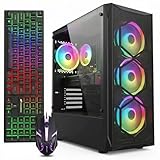
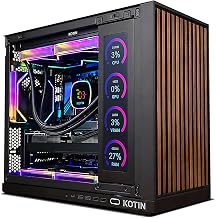
KOTIN RTX 5070 / Ryzen 7 9700X
This is the strongest raw value on the list — an RTX 5070 paired with a Ryzen 7 9700X, 32GB of DDR5, and a 1TB SSD covers every base for 1440p gaming without obvious compromises. Build quality and support are a step below the big brands, so it suits buyers who are comfortable troubleshooting occasionally.
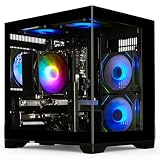
MSI Codex Z2 (R7-8700F, RTX 5070)
MSI’s Codex Z2 matches the same RTX 5070 performance tier but doubles storage to 2TB, which is a meaningful practical advantage if you keep a large library installed. The R7-8700F is a slightly older architecture than the 9700X, though the real-world gaming gap is small since the GPU does the heavy lifting.
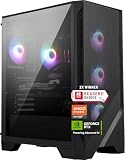
Lenovo Legion Tower 5i (RTX 5070 Ti)
The Legion Tower 5i is the fastest machine here thanks to the RTX 5070 Ti, which delivers a genuine step up at 1440p and makes entry-level 4K viable in many titles. Expect it to sit at the very top of the $1500 range — verify the current configuration price, as Lenovo’s specs shift frequently.
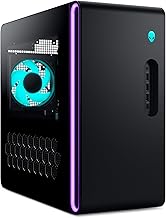
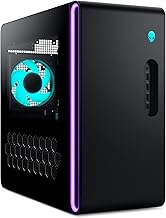
Alienware Aurora (RTX 5070, Core Ultra 7 265F)
The Aurora offers the best cooling, chassis engineering, and warranty support of any pick on this list, which matters if you’d rather not open the case. You do pay a brand premium, so it’s the right choice for buyers who value reliability and service over pure specs-per-dollar.
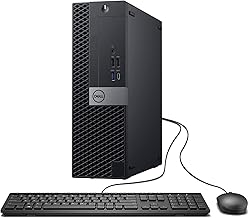
CyberPowerPC (Ryzen 5 5500, RX 6500 XT)
This is the budget entry point, and it’s honest about what it is: a competent 1080p esports machine for titles like Valorant, CS2, and Rocket League. The RX 6500 XT’s 4GB of VRAM is a real limitation in modern AAA games, so treat it as a starter system with a planned GPU upgrade.
Frequently Asked Questions
Is $1500 enough for 1440p gaming in 2026?
Yes. An RTX 5070-class GPU paired with a modern six or eight-core CPU handles 1440p at high settings in nearly every current title, often above 100 FPS with upscaling enabled. 4K remains a stretch at this budget outside of lighter or older games.
Should I buy a prebuilt or build my own?
Building your own still saves money on paper, but the gap has narrowed considerably as prebuilt vendors buy components in volume. Prebuilts also come with a single warranty covering the whole system, which is worth real money if something fails.
How long will a $1500 gaming PC last?
Expect three to four years of comfortable high-settings gaming, and longer if you’re willing to drop to medium presets or lean on upscaling. A GPU swap around year four typically extends usable life by another two to three years.
Do I need 32GB of RAM, or is 16GB fine?
16GB is still playable for most games, but 32GB has become the practical baseline for multitasking, mod-heavy titles, and streaming. If you’re choosing between two otherwise identical builds, take the 32GB option.
Final Thoughts
For most buyers, the KOTIN RTX 5070 build delivers the best straight value under $1500, combining a current-generation GPU, a strong Ryzen 7 CPU, and 32GB of DDR5 without obvious cost-cutting. If you want more storage and a more established brand behind it, the MSI Codex Z2 is the safer pick at a similar performance level, while the Lenovo Legion Tower 5i is worth stretching for if its RTX 5070 Ti configuration lands within your budget — it’s the only option here with meaningful 4K potential.