Key takeaways
- Airflow vs. aesthetics: Mesh fronts breathe better; solid glass fronts look cleaner but can restrict intake. Balance both to your priorities.
- Included fans: Cases bundling multiple ARGB PWM fans save money and setup time. Count and placement matter as much as the number.
- Motherboard support: Confirm ATX, micro-ATX, or back-connect (BTF) compatibility so your board and cable routing line up cleanly.
- Radiator and GPU clearance: Check maximum GPU length and radiator size, especially for large modern cards and 360mm AIOs.
- Build quality: Tempered glass, solid steel, and thoughtful cable channels make assembly easier and the finished rig more durable.
What's inside
Your PC case is more than a box; it dictates airflow, noise, build ease, and how proudly your components show off through tempered glass. A well-designed chassis keeps temperatures in check while giving you room to route cables and add future upgrades without a fight.
From airflow-optimized towers to show-stopping RGB display cases, the right pick depends on your parts, aesthetics, and cooling ambitions. Here’s how to choose and which cases earn their place in a 2026 build.
As an Amazon Associate we earn from qualifying purchases at no extra cost to you.


🎮 Get More From Your Setup — Free
Prime Gaming gives you free PC games every month, in-game loot, and a free Twitch channel sub — plus fast free shipping on all the gear above. New members get a 30-day free trial.
Watch: Best Gaming Computer Case — Video Review
How to Choose a Gaming Computer Case
- Airflow vs. aesthetics: Mesh fronts breathe better; solid glass fronts look cleaner but can restrict intake. Balance both to your priorities.
- Included fans: Cases bundling multiple ARGB PWM fans save money and setup time. Count and placement matter as much as the number.
- Motherboard support: Confirm ATX, micro-ATX, or back-connect (BTF) compatibility so your board and cable routing line up cleanly.
- Radiator and GPU clearance: Check maximum GPU length and radiator size, especially for large modern cards and 360mm AIOs.
- Build quality: Tempered glass, solid steel, and thoughtful cable channels make assembly easier and the finished rig more durable.
The Best Gaming Computer Cases Reviewed
CORSAIR 4000D RS ARGB Frame
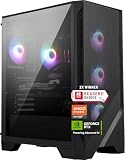
Corsair’s high-airflow mid-tower ships with three RS fans, an InfiniRail mounting system, and broad support for ASUS BTF and MSI Zero boards. It’s a versatile modern favorite.
Fractal Design North (Walnut)
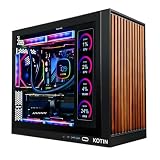
With genuine walnut wood trim and two 140mm fans, the North blends premium looks with strong ATX airflow. A USB-C front port adds practicality to its standout style.
Lian Li V100-ATX
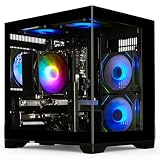
The V100 arrives with four 120mm ARGB fans, an LED strip, and a tempered-glass display platform. It’s built for showcasing a clean, colorful build.
MUSETEX ATX Case (7 ARGB Fans)
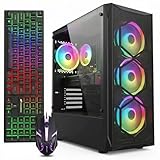
Value hunters get seven pre-installed PWM ARGB fans, dual tempered glass, and a Type-C port. It’s an affordable way to hit strong airflow out of the box.
KEDIERS C570 Open-Frame (Pink)
This open-frame case with seven ARGB fans makes a bold statement, and the pink colorway stands out. Great cooling potential with maximum visual flair.
Frequently Asked Questions
How many case fans do I need?
Three to six fans is typical, arranged for front intake and rear/top exhaust. More fans help, but airflow balance matters more than raw count.
Is a mesh front better than glass?
Mesh fronts deliver cooler temperatures thanks to unrestricted intake. Glass fronts look sleeker but should be paired with strong top or side ventilation.
Will a large GPU fit my case?
Always check the case’s maximum GPU length against your card’s spec. Modern flagship cards are long, so clearance is a common oversight.
What size case should I get?
Mid-tower ATX suits most builds, balancing space and footprint. Choose smaller form factors only if desk space is tight and upgrades are unlikely.
Final Thoughts
The CORSAIR 4000D RS ARGB is the best all-around choice, while the Fractal Design North wins on style. Budget builders should grab the MUSETEX for its generous fan package.