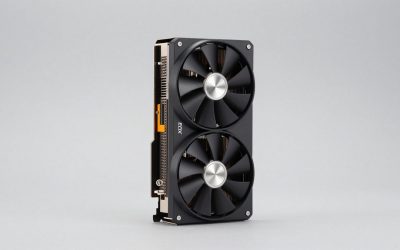
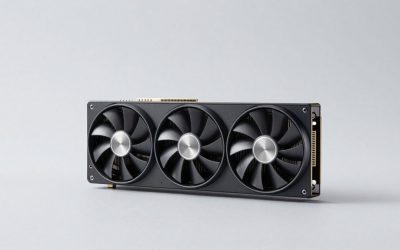
Choosing the best graphics card for 1440p gaming means finding the right balance between native rendering performance, video memory, ray tracing capabilities, and price. A 2560 × 1440 monitor places considerably more demand on a GPU than a 1080p display, particularly when playing demanding AAA games at high or ultra settings.
In 2026, AMD’s Radeon RX 9000 series and NVIDIA’s GeForce RTX 50 series offer several compelling choices. The Radeon RX 9070 is an excellent starting point for value-focused 1440p gaming, while the RX 9070 XT delivers more traditional rendering performance. NVIDIA’s RTX 5070 Ti is particularly attractive to players who prioritize ray tracing, DLSS, and advanced frame-generation features.
However, the most expensive graphics card is not automatically the best purchase. Your monitor’s refresh rate, the games you play, your power supply, and the actual selling price all influence which GPU makes sense. This guide compares the strongest options and explains which type of 1440p gamer should consider each one.
What Makes a Graphics Card Good for 1440p Gaming?
Before comparing individual models, it helps to understand what separates a suitable 1440p GPU from a card designed primarily for 1080p or 4K gaming.
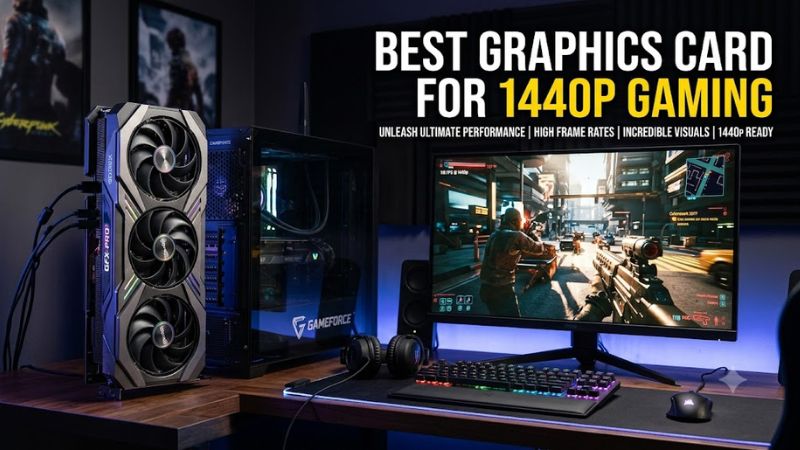
At 2560 × 1440, a graphics card renders approximately 3.69 million pixels per frame. That is about 78% more pixels than 1920 × 1080. Consequently, maintaining high frame rates requires more rendering power, especially when enabling demanding effects such as ray tracing, high-resolution textures, and advanced shadows.
Three characteristics deserve particular attention.
Native Gaming Performance
Native performance describes how quickly a graphics card renders a game at the monitor’s selected resolution without relying on an upscaling technology.
For a conventional 1440p gaming setup, a reasonable target is:
- 60 FPS: Suitable for many single-player games and visually demanding titles.
- 90–120 FPS: A strong target for smoother gameplay across different genres.
- 144–165 FPS: Appropriate for high-refresh-rate monitors and competitive gaming.
- 200 FPS or higher: Primarily useful for competitive players with sufficiently fast displays and games that can produce those frame rates.
These are practical targets rather than guarantees. Actual performance depends on the game, graphics settings, CPU, and test environment.
Video Memory Capacity
VRAM stores textures, rendering data, frame buffers, and other graphical resources. Insufficient memory can cause texture-quality compromises, stuttering, or inconsistent performance in particularly demanding games.
For a new 1440p graphics card in 2026:
- 8GB is increasingly restrictive for demanding high-quality gaming.
- 12GB is a more practical starting point.
- 16GB provides additional room for high-resolution textures and demanding workloads.
More VRAM does not automatically make a GPU faster. Memory bandwidth, GPU architecture, processing resources, and software optimization remain important.
Upscaling and Ray Tracing
NVIDIA’s DLSS and AMD’s FSR can render a game internally at a lower resolution before reconstructing the image for a 1440p display. Supported frame-generation technologies can also increase displayed frame rates.
These technologies are useful, but they should not replace adequate native GPU performance.
Ray tracing is another important consideration. It improves lighting, reflections, and shadows in supported games, but can significantly increase rendering demands. NVIDIA generally offers a stronger overall ray-tracing and DLSS feature package, while AMD’s Radeon cards are competitive in traditional rasterized rendering.
Best Graphics Cards for 1440p Gaming: Top Picks
The following recommendations focus on desktop graphics cards available in the current AMD and NVIDIA generations. The selections prioritize 1440p gaming performance, memory capacity, feature support, and the trade-offs that matter when building or upgrading a PC.
Performance comparisons use published independent testing, not Real Gaming News in-house benchmarks. Prices and availability can change substantially.
1. AMD Radeon RX 9070 – Best Overall Value for 1440p Gaming
Best overall value
The AMD Radeon RX 9070 is one of the most compelling choices for gamers who want strong 1440p performance without paying for an expensive flagship GPU.
Its combination of 16GB of GDDR6 memory, a 256-bit memory interface, and AMD’s RDNA 4 architecture makes it well suited to demanding modern games. The card also offers enough rendering capacity to support high-quality settings without immediately requiring aggressive upscaling.
One particularly useful point is its performance relative to more expensive competitors. Tom’s Hardware’s June 2026 GPU hierarchy identifies the RX 9070 as a leading 1440p rasterization value option. Its testing covers multiple games at native resolution, without DLSS, FSR, XeSS, or frame generation.
In Tom’s Hardware’s October 2026 gaming GPU comparison, the RX 9070 averaged 74.8 FPS at 1440p. That result placed it close to the GeForce RTX 5070, which averaged 74 FPS in the same published comparison.
Key specifications:
- GPU architecture: AMD RDNA 4
- Video memory: 16GB GDDR6
- Memory interface: 256-bit
- Game frequency: 2,070MHz reference specification
- Typical board power: 220W
- AMD recommended power supply: 650W
Why consider it:
- Strong native 1440p rasterization performance.
- 16GB VRAM provides useful capacity for demanding games.
- Competitive performance without requiring a flagship-class power supply.
- Suitable for high-quality gaming and many high-refresh-rate scenarios.
Main limitation: Ray tracing performance is less competitive than NVIDIA’s higher-end RTX 50-series alternatives. Players who prioritize demanding ray-traced effects should compare it carefully against the RTX 5070 and RTX 5070 Ti.
Best for: Gamers who prioritize conventional rendering performance, 16GB VRAM, and overall value.
2. AMD Radeon RX 9070 XT – Best for High-Performance 1440p Gaming
Best raster performance
The AMD Radeon RX 9070 XT is a stronger option for players who want higher frame rates without moving to an expensive flagship graphics card.
It uses AMD’s RDNA 4 architecture and includes 16GB of GDDR6 memory. Compared with the standard RX 9070, it has more compute units and a higher power requirement.
This additional hardware gives the XT model an advantage in demanding games, particularly when playing at high or ultra settings. It is also worth considering for gamers using 1440p monitors with 144Hz or 165Hz refresh rates.
Tom’s Hardware’s October 2026 comparison reports an average of 85.3 FPS at 1440p for the RX 9070 XT. That is a meaningful improvement over the standard RX 9070 in its published gaming suite.
However, average frame rate does not tell the entire story. Some games respond differently to AMD and NVIDIA architectures, and demanding ray-tracing workloads can change the ranking considerably.
Key specifications:
- GPU architecture: AMD RDNA 4
- Video memory: 16GB GDDR6
- Memory interface: 256-bit
- Compute units: 64
- Game frequency: 2,400MHz reference specification
- Typical board power: 304W
- AMD recommended power supply: 750W
Why consider it:
- Higher rasterization performance than the standard RX 9070.
- 16GB VRAM for demanding 1440p games.
- Strong option for high-quality graphics settings.
- Useful performance headroom for games that become more demanding over time.
Main limitation: Its higher power consumption means buyers need to check their PSU capacity, connectors, and case cooling. Its ray-tracing performance also does not match the strongest NVIDIA alternatives.
Another consideration is price. The RX 9070 XT becomes less attractive if retailers charge substantially more than its original $599 launch MSRP. A large price difference between the XT and standard versions can make the cheaper card a better purchase.
Best for: Players who want stronger native rendering performance and frequently play graphically demanding AAA games.
3. NVIDIA GeForce RTX 5070 Ti – Best Premium 1440p Graphics Card
Best premium choice
The NVIDIA GeForce RTX 5070 Ti is a compelling choice for gamers who want more than conventional rendering performance.
Its Blackwell architecture combines dedicated ray-tracing hardware, Tensor Cores, and NVIDIA’s DLSS ecosystem. These features make it particularly attractive for games that support advanced ray tracing, AI-assisted upscaling, and multi-frame generation.
The RTX 5070 Ti also includes 16GB of GDDR7 memory. This gives it a useful memory-capacity advantage over several lower-tier graphics cards, although memory capacity alone does not determine overall performance.
Tom’s Hardware reported a 92 FPS average at 1440p in its October 2026 comparison, putting the card ahead of the RX 9070 XT in that particular test suite.
Its ray-tracing results are also significantly stronger than those of the RX 9070 XT in Tom’s Hardware’s June 2026 hierarchy.
Key specifications:
- GPU architecture: NVIDIA Blackwell
- Video memory: 16GB GDDR7
- Memory interface: 256-bit
- CUDA cores: 8,960
- Boost clock: 2.45GHz reference specification
- Graphics power: 300W reference specification
- Recommended system power: 750W
Why consider it:
- Strong 1440p performance.
- 16GB of faster GDDR7 memory.
- Better ray-tracing performance than comparable Radeon options.
- DLSS upscaling and Multi Frame Generation support.
- Useful for gamers who also work with GPU-accelerated creative applications.
Main limitation: Pricing is its biggest weakness. Its original $749 MSRP is considerably less attractive when retailers charge substantially more. Tom’s Hardware’s October 2026 price comparison reported a median street price of approximately $1,099.
At that level, buyers should compare it with the RX 9070 XT and consider whether NVIDIA’s additional features justify the premium.
Best for: Enthusiasts who play ray-traced games, value DLSS features, and want a powerful 1440p GPU.
4. NVIDIA GeForce RTX 5070 – Best Balanced NVIDIA Option
The NVIDIA GeForce RTX 5070 is worth considering if you prefer NVIDIA’s software features but do not need the additional performance of the RTX 5070 Ti.
It offers 6,144 CUDA cores, 12GB of GDDR7 memory, and access to NVIDIA’s current DLSS feature ecosystem.
For conventional 1440p gaming, it competes closely with the Radeon RX 9070. Tom’s Hardware’s October comparison recorded 74 FPS for the RTX 5070, compared with 74.8 FPS for the RX 9070.
That difference is small enough that other considerations become important, particularly ray tracing, upscaling, memory capacity, and the actual price of each card.
The RTX 5070’s 12GB memory capacity is sufficient for many 1440p games, but the RX 9070’s 16GB gives AMD an advantage in available VRAM.
Key specifications:
- GPU architecture: NVIDIA Blackwell
- Video memory: 12GB GDDR7
- Memory interface: 192-bit
- CUDA cores: 6,144
- Boost clock: 2.51GHz reference specification
- Graphics power: 250W reference specification
- Recommended system power: 650W
Why consider it:
- Competitive 1440p performance.
- NVIDIA DLSS and ray-tracing features.
- Lower power requirement than the RTX 5070 Ti.
- Suitable for gamers who prefer NVIDIA’s software ecosystem.
Main limitation: Its 12GB VRAM capacity is less generous than the 16GB offered by the RX 9070 and RX 9070 XT. It can also become difficult to recommend if its selling price approaches that of faster graphics cards.
Best for: NVIDIA-focused gamers who want a capable 1440p GPU without stepping up to the Ti model.
5. AMD Radeon RX 9060 XT 16GB – Best More Affordable 1440p Option
The AMD Radeon RX 9060 XT 16GB is a sensible entry point for buyers who want to move beyond 1080p without spending as much as they would on an RX 9070-series GPU.
Its 16GB of GDDR6 memory is an important advantage for a card in this performance segment. However, buyers should not confuse memory capacity with rendering power. The RX 9060 XT has fewer compute resources than the RX 9070 and is not designed to deliver the same frame rates in demanding games.
For less demanding titles, optimized graphics settings, and games that support upscaling, it can provide a practical 1440p experience.
The card is especially interesting for players who do not need maximum ray tracing or consistently high frame rates in every AAA release.
Key specifications:
- GPU architecture: AMD RDNA 4
- Video memory: 16GB GDDR6
- Memory interface: 128-bit
- Compute units: 32
- Game frequency: 2,530MHz reference specification
Why consider it:
- 16GB VRAM at a lower performance tier.
- More accessible entry into 1440p gaming.
- Suitable for many mainstream games.
- Lower overall performance expectations can make it easier to pair with a more affordable PC.
Main limitation: Its narrower memory interface and smaller GPU configuration limit its performance compared with the RX 9070 family. It is not the ideal choice for players who expect maximum settings and consistently high frame rates in demanding AAA games.
Also, distinguish the 16GB version from the 8GB RX 9060 XT. They are different memory configurations, and the 16GB model is the more sensible choice for buyers specifically targeting 1440p.
Best for: Budget-conscious gamers who want 1440p support and are comfortable adjusting graphics settings.
1440p Graphics Card Comparison
The following table summarizes the main differences between the recommended GPUs. Reference specifications are provided where applicable; individual graphics card manufacturers may use different clocks, cooling systems, dimensions, and power limits.
| Graphics card | VRAM | Best use | Main trade-off |
| Radeon RX 9070 | 16GB GDDR6 | Overall value | Weaker ray tracing |
| Radeon RX 9070 XT | 16GB GDDR6 | High-refresh 1440p | Higher power consumption |
| GeForce RTX 5070 Ti | 16GB GDDR7 | Premium gaming and RT | Expensive street prices |
| GeForce RTX 5070 | 12GB GDDR7 | Balanced NVIDIA gaming | Less VRAM |
| Radeon RX 9060 XT 16GB | 16GB GDDR6 | More affordable 1440p | Lower rendering performance |
Tom’s Hardware’s October 2026 comparison provides another useful perspective:
| Graphics card | Average FPS at 1440p |
| RTX 5070 Ti | 92.0 |
| RX 9070 XT | 85.3 |
| RX 9070 | 74.8 |
| RTX 5070 | 74.0 |
Source: Tom’s Hardware, October 2026 GPU comparison. These are aggregate results from its published test suite, not guaranteed FPS figures for individual games.
The results demonstrate why the RX 9070 deserves attention. Although it is not the fastest option in this group, its performance is close to the RTX 5070 in the cited comparison, while offering 16GB rather than 12GB of VRAM.
How to Choose the Right 1440p Graphics Card
Selecting a graphics card involves more than comparing benchmark rankings. The right choice depends on how you use your PC and whether the rest of your system can support the upgrade.
Match the GPU to Your Monitor
A 1440p 60Hz monitor does not require the same graphics hardware as a 1440p 240Hz display.
For single-player games, prioritizing image quality and stable frame delivery may be more useful than spending extra money for extremely high average FPS.
Competitive players, meanwhile, may benefit from the additional performance of an RX 9070 XT or RTX 5070 Ti. However, the CPU must also be capable of producing sufficiently high frame rates. A powerful GPU cannot eliminate a CPU bottleneck.
Check Your Power Supply
Power requirements vary between reference designs and custom graphics cards.
Before purchasing, check:
- The PSU’s actual rated wattage and quality.
- Whether the required PCIe or 12V-2×6 power connectors are available.
- Whether the graphics card requires an adapter.
- The PSU manufacturer’s recommendations for the complete system.
As a reference, AMD recommends a 650W system power supply for the RX 9070 and 750W for the RX 9070 XT. NVIDIA specifies 650W for the RTX 5070 and 750W for the RTX 5070 Ti.
These recommendations are not universal guarantees. A system with a high-power CPU, numerous drives, or substantial overclocking may need additional power headroom.
Measure Case Clearance and Cooling
Graphics cards with the same GPU can have considerably different physical dimensions.
Check the exact manufacturer’s specifications for:
- Card length and available front clearance.
- Card thickness and occupied expansion slots.
- Power connector clearance near the side panel.
- Case airflow and intake fan configuration.
- Potential interference with radiators or other components.
A card that technically fits inside a case may still have restricted airflow or an awkward power cable arrangement.
Consider the CPU and Memory Configuration
A modern midrange or high-end CPU is generally a sensible partner for these graphics cards. Older processors may restrict performance in competitive games, simulation titles, and other CPU-intensive workloads.
Also check motherboard compatibility, available PCIe slots, and BIOS support where relevant. PCIe graphics cards are generally backward-compatible across supported generations, although available bandwidth can vary.
For a new gaming system, 32GB of system RAM is a practical target. This is separate from GPU VRAM and should not be treated as interchangeable memory.
Do Not Buy Based on MSRP Alone
GPU pricing is particularly important in 2026. Tom’s Hardware’s October comparison reported substantial price inflation across several NVIDIA models.
For example, its reported median street prices included approximately $1,099 for the RTX 5070 Ti and $759 for the RX 9070 XT, compared with their respective launch MSRPs of $749 and $599.
These are historical market observations from October, not guaranteed prices on November 2, 2026. Check current retailer listings before purchasing.
A graphics card that offers excellent performance at MSRP can become poor value when its actual selling price increases substantially.
Frequently Asked Questions
1. Is 12GB VRAM enough for 1440p gaming?
Yes, 12GB is sufficient for many current 1440p games, particularly when using sensible texture settings. However, 16GB provides additional capacity for demanding games, high-resolution textures, and longer-term flexibility.
2. Is the RX 9070 XT better than the RTX 5070 Ti?
The RX 9070 XT offers strong traditional rendering performance and 16GB VRAM, while the RTX 5070 Ti delivers stronger ray tracing and NVIDIA’s DLSS feature ecosystem. The better purchase depends on game selection, feature priorities, and actual prices.
3. Do I need an expensive GPU for a 1440p 144Hz monitor?
No, but you need enough rendering performance to take advantage of the monitor. An RX 9070 or RTX 5070 can be a reasonable starting point, while an RX 9070 XT or RTX 5070 Ti offers more headroom in demanding games. Reaching 144 FPS consistently is not guaranteed.
4. Should I use DLSS or FSR for 1440p gaming?
Use whichever technology provides the best image quality and performance in the particular game. Both can improve performance, but results vary by implementation and graphics settings. Native rendering remains a useful baseline when comparing GPUs.
Final Thoughts
The best graphics card for 1440p gaming in 2026 depends on whether you prioritize value, native performance, ray tracing, or advanced rendering features.
The Radeon RX 9070 is the strongest starting recommendation for buyers seeking a balance of performance and 16GB VRAM. The RX 9070 XT is a better fit for players who want higher native frame rates, while the RTX 5070 Ti is worth considering for premium ray-tracing and DLSS-focused gaming.
The RTX 5070 remains a balanced NVIDIA alternative, and the RX 9060 XT 16GB provides a more affordable route into 1440p gaming.
Ultimately, compare actual selling prices rather than relying on launch MSRPs. Check your power supply, case clearance, and CPU before upgrading. A well-matched GPU and monitor will generally deliver a better gaming experience than spending extra money on graphics performance your system cannot fully use.