Our Top Picks
 Epson Duet 80-Inch Dual Aspect Ratio Projection Screen8046.2 x 12.2 x 9.3 inches28.05 poundsCheck on Amazon
Aspect ratio is the proportion of a screen’s width to its height, written like 16:9, and for most gamers 16:9 is the standard that nearly every game, console and monitor supports, while 21:9 and 32:9 ultrawide screens give a wider view at the cost of some compatibility questions.
The short answer
An aspect ratio of 16:9 means that for every 16 units of width there are 9 units of height. It describes the shape, not the size. A small laptop screen and a large TV can both be 16:9. Resolution, such as 1920×1080, is a different number: it counts pixels, and it happens to match the shape when the pixel grid is the same proportion.
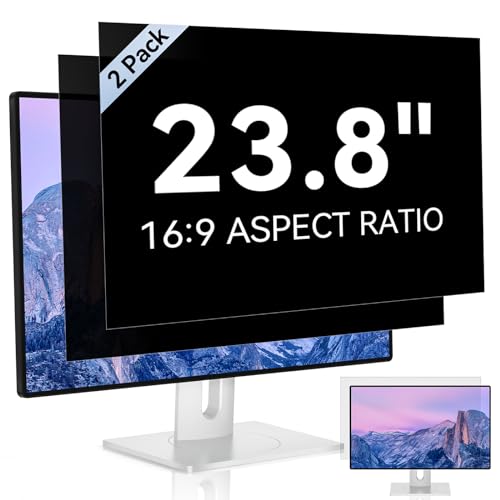
[2 Pack] 23.8 Inch Computer Privacy Screen for 16:9 Aspect Ratio Widescreen Monitor, Eye Protection Anti Glare Blue Light Computer Monitor Privacy Filter, Removable Anti-Scratch 23.8in Protector
Chosen because it specifies Removable Anti-Scratch 23.8in Protector.
View on Amazon
Computer Privacy Screen Filter for 24 Inch 16:9 Aspect Ratio Monitor | Anti-Spy Protector Film Size- WxH: 20 15/16" x 11 13/16" (532mm x 299mm) (Not for 24" 16:10)
Picked as a relevant option in this category.
View on AmazonEpson Duet 80-Inch Dual Aspect Ratio Projection Screen
Picked as a relevant option in this category.
View on Amazon
RCA Svideo to HDMI Converter with 4 : 3/16 : 9 Aspect Ratio Switch, S-Video RCA to HDMI Adapter, Support 720P/1080P Output Switch for VHS/VCR/DVD Player/Wii/PS1/PS2/N64/NGC/NES to View on HD TVs
Chosen because it specifies S-Video RCA to HDMI Adapter.
View on AmazonCommon aspect ratios and where they come from
| Ratio | Approx. decimal | Typical use | Notes |
|---|---|---|---|
| 4:3 | 1.33 | Older monitors, classic games | The standard computer shape until the early 2000s, according to Wikipedia’s history of display ratios |
| 16:10 | 1.6 | Productivity laptops and some monitors | Slightly taller than 16:9; popular in the mid-2000s |
| 16:9 | 1.78 | Most gaming monitors, TVs, consoles | The default shape for HDTV and modern displays |
| 21:9 | about 2.37 | Ultrawide monitors | Marketed since around 2014; wider field of view |
| 32:9 | 3.5 | Super ultrawide monitors | Introduced by Samsung in 2017; roughly two 16:9 screens side by side |
The names 21:9 and 32:9 are marketing-style approximations of the actual panel proportions, so the real pixel counts, such as 3440×1440 for common ultrawide panels, are the figures to read on a spec sheet.
How to work out an aspect ratio
- Take the width in pixels and the height in pixels.
- Divide both by their greatest common divisor.
- The result is the ratio. For 1920×1080 it reduces to 16:9. For 2560×1600 it reduces to 8:5, which is shown as 16:10.
If you only want the decimal, divide width by height. A result near 1.78 means 16:9.
What aspect ratio changes in games
- Field of view. Many games adjust the horizontal view for wider screens, which means more of the scene is visible on the sides. Some games instead crop the top and bottom, so you see the same horizontal area with less vertical space.
- HUD placement. A wider screen can push health bars and minimaps far out to the edges, or the game can keep them in a centered 16:9 zone.
- Cutscenes. Many cutscenes are authored in 16:9, and on an ultrawide the video may appear with black bars on the sides.
- Performance. More pixels need more GPU work. A 3440×1440 ultrawide pushes more pixels than 2560×1440, so frame rates can fall, which is the practical cost of the wider view.
- Competitive rules. Some competitive games limit or lock the aspect ratio so that no player sees extra of the map. Check the game’s own settings or the tournament rules if that matters to you.
Black bars, stretching and cropping
When content does not match the screen shape, something has to give. Letterboxing adds bars above and below, pillarboxing adds bars at the sides, stretching distorts the image, and cropping cuts off part of it. In the graphics driver or monitor menu, the scaling options are usually named something like aspect ratio, full screen, or no scaling. The right choice for most games is to keep the aspect ratio, so shapes are not distorted, and accept bars when needed.
Which ratio fits which player
| If you are | A good fit | Why |
|---|---|---|
| A competitive esports player on a tight desk | 16:9 | Universal support and the smallest screen to track by eye |
| A single-player and racing fan who wants immersion | 21:9 | Wider view on supported games |
| A sim or flight player with a deep desk | 32:9 | Wraps the field of view, but needs strong GPU headroom |
| Mixed work and gaming user | 16:10 or 21:9 | 16:10 offers extra vertical room, 21:9 fits side-by-side windows |
| Console player on a TV | 16:9 | Consoles and TVs are built around it |
Common mistakes
- Confusing aspect ratio with resolution. 1920×1080 and 3840×2160 are both 16:9 but have very different pixel counts.
- Buying an ultrawide without checking game support. Look at the game’s settings or the community-maintained lists for the titles you play.
- Forgetting the GPU load. An ultrawide at a high refresh rate asks more of the graphics card than a standard screen at the same height.
- Leaving scaling on stretch. It makes circles look like ovals. Set the scaling to keep the aspect ratio.
- Comparing diagonal sizes. A 34-inch ultrawide is not as tall as a 34-inch 16:9 monitor, because the extra size is in width.
Quick fixes if the picture looks wrong
- Set the desktop resolution to the monitor’s native resolution as listed by the maker.
- Open the graphics driver panel and select scaling that preserves aspect ratio.
- In the game, choose the resolution that matches your screen shape, then check the field-of-view and UI options.
- If a game forces 16:9, look for an official ultrawide setting in its menu or support page before using third-party patches, since patches can run into anti-cheat or stability issues.
Alternatives to changing your monitor
If you like the idea of a wider view but not the cost, a second monitor in the same 16:9 shape is a different path. For the game itself, raising the field-of-view slider where it is offered widens the view without changing hardware. Neither is identical to an ultrawide, but they cover a similar need.
Frequently Asked Questions
What is the most common aspect ratio for gaming?
It is 16:9. Consoles, most monitors and most games are designed around it, so it has the widest support with the fewest surprises.
Is 21:9 better than 16:9 for gaming?
It depends on the games. Supported titles show a wider field of view, which many players find more immersive, but unsupported ones may show bars or stretched images. It also needs more GPU power at the same height.
Does aspect ratio affect FPS?
Indirectly, yes. A wider screen has more pixels at the same height, so the GPU has more to draw and frame rates can drop compared with a 16:9 panel of the same height.
What is the difference between 16:9 and 16:10?
16:10 is slightly taller. That extra vertical space suits documents and web pages, while 16:9 matches video and most games.
Can I play a 16:9 game on an ultrawide?
Usually yes. The game either adds side bars or stretches to fill, depending on its options, so set the scaling to keep the aspect ratio.
How do I find my screen’s aspect ratio?
Look at the display settings for the native resolution, then reduce the width and height to their simplest ratio. For example, 2560×1440 reduces to 16:9.
FAQ
What is the most common aspect ratio for gaming?
Is 21:9 better than 16:9 for gaming?
Does aspect ratio affect FPS?
What is the difference between 16:9 and 16:10?
Can I play a 16:9 game on an ultrawide?
How do I find my screen’s aspect ratio?
More from Amazon
Programs that pair well with the guide above. Offers and eligibility are set by Amazon and may change.
Free shipping on eligible items, Prime Video and more. Eligible new members can start with a free trial.
Start a Prime free trialAd-free music streaming. Eligible new subscribers can start with a free trial.
Try Music Unlimited freeA Prime membership for ages 18-24 with a trial period. Eligibility is set by Amazon.
See Prime for Young AdultsAudiobooks and podcasts to listen to on the go. Eligible new members can start with a free trial.
Try Audible freeAs an Amazon Associate we earn from qualifying purchases.