Our Top Picks
 ASUS ROG PG27AQWP-W 27 Inch 1440p 540Hz Tandem14.5" x 23.8" x 2.5"10.8 x 23.8 x 21.6 inches15.52 poundsCheck on Amazon
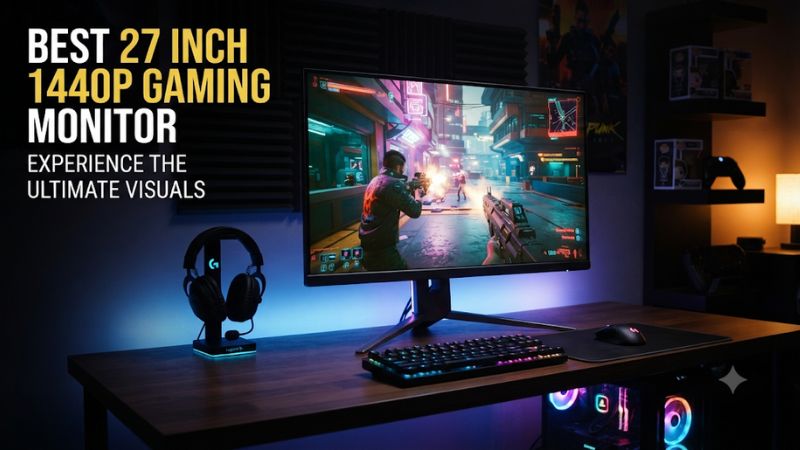
A 27-inch 1440p display offers a practical balance of sharp visuals, desk space, and gaming performance. The best 27 inch 1440p gaming monitor depends on your preferred refresh rate, panel technology, budget, and graphics card. These recommendations cover affordable IPS, Mini LED, and premium OLED options.
How to Choose a 27-Inch 1440p Gaming Monitor
Choosing the right display means looking beyond resolution and advertised response times. A 2560 × 1440 monitor can deliver a very different gaming experience depending on its panel, refresh rate, contrast, motion handling, and connectivity. Your graphics card and gaming habits should determine which features deserve priority.
1. Choose the Right Panel Technology
IPS monitors are versatile choices for competitive and general gaming. They typically offer consistent viewing angles, good color reproduction, and responsive motion handling. Their main disadvantage is relatively low native contrast, which can make dark scenes look gray in rooms with limited lighting.
VA panels generally provide deeper native blacks, making them attractive for atmospheric games and darker environments. However, some models exhibit noticeable dark-level smearing during movement. OLED delivers excellent contrast and very fast pixel response, but costs more and requires consideration of image-retention protection.
2. Match Refresh Rate to Your Games
A 144Hz or 165Hz display is already a substantial upgrade from a conventional 60Hz monitor. Moving to 180Hz or 240Hz can provide smoother motion, particularly in competitive shooters where your system consistently produces high frame rates.
Higher refresh rates are not automatically better purchases. A 360Hz or faster monitor makes more sense for players prioritizing competitive responsiveness than for someone primarily playing cinematic single-player games. Consider your GPU’s actual 1440p performance before paying extra for refresh-rate headroom.
3. Check Adaptive Sync and Connectivity
Adaptive Sync helps synchronize the display’s refresh behavior with changing GPU frame rates, reducing tearing and improving perceived smoothness. Check the manufacturer’s specifications for AMD FreeSync, NVIDIA G-SYNC compatibility, and the supported operating range rather than assuming every monitor supports every implementation.
Connectivity also matters. DisplayPort is generally the preferred connection for high-refresh-rate PC gaming, while HDMI is important for consoles and other devices. Verify the maximum resolution and refresh rate supported by each input. A monitor’s advertised maximum refresh rate may not be available through every connection.
4. Consider HDR, Ergonomics, and Desk Setup
HDR quality depends on more than an HDR-compatible label. Panel contrast, peak brightness, local dimming, and color reproduction all influence the result. OLED and Mini LED displays can provide more convincing HDR than ordinary edge-lit IPS monitors, although their implementations differ.
Also inspect the stand’s height, tilt, swivel, and pivot adjustments. VESA mounting compatibility can help if you use a monitor arm. A 27-inch screen at 1440p provides a useful balance of workspace and pixel density, but you should still account for viewing distance and desk depth.
Top 4 Best 27-Inch 1440p Gaming Monitors
The following selections cover four different buying priorities: affordable IPS gaming, stronger HDR performance, OLED image quality, and extremely high refresh rates. They are not interchangeable. The right choice depends on whether you value price, dark-scene contrast, competitive responsiveness, or a combination of these characteristics.
| Product | Best For | Key Spec | Compatibility | Watch Out For |
| ASUS ROG Strix XG27ACS | Best Budget IPS | 180Hz, Fast IPS | PC, adaptive sync | Limited HDR contrast |
| AOC Q27G3XMN | Best Value Mini LED | 180Hz, 336 dimming zones | PC, HDMI consoles | VA dark smearing |
| HyperX OMEN OLED 27q | Best OLED Value | 240Hz, QD-OLED | PC gaming | OLED image retention |
| ASUS ROG Swift OLED PG27AQWP-W | Best Premium | 540Hz, Tandem WOLED | High-end PC gaming | Very expensive |
1. ASUS ROG Strix XG27ACS – Best Budget IPS

ASUS ROG XG27ACS 27 Inch 1440p 180Hz USB-C G-SYNC HDR Gaming Monitor | DisplayHDR 400, sRGB 133%, 1ms (GTG), Fast IPS, ELMB Sync, AI Gaming, Free Sync, for PS5 and Xbox
Chosen because it lists an explicit depth/thickness.
View on AmazonBest budget pick
The ASUS ROG Strix XG27ACS is a sensible starting point for buyers who want a fast 1440p display without paying OLED prices. Its 27-inch Fast IPS panel combines a 2560 × 1440 resolution with a maximum 180Hz refresh rate, making it suitable for competitive shooters, multiplayer games, and everyday gaming.
ASUS specifies a 1ms GTG response time, 350-nit typical brightness, and a 1,000:1 typical contrast ratio. Connectivity includes DisplayPort 1.4, HDMI 2.0, and USB-C with DisplayPort Alt Mode. Adaptive-Sync, AMD FreeSync, and G-SYNC compatibility provide useful flexibility for different graphics cards.
Who should buy it: Players seeking an affordable, versatile monitor for games such as Counter-Strike 2, Fortnite, and Valorant. Its IPS technology also makes it suitable for general desktop use.
Limitations: Its conventional IPS backlight does not provide the deep blacks or precise highlight control available from OLED and Mini LED displays. HDR10 support should not be confused with premium HDR image quality.
Consider the AOC Q27G3XMN instead if dark-scene contrast and HDR are more important than IPS viewing characteristics.
2. AOC Q27G3XMN – Best Value Mini LED
Best value
The AOC Q27G3XMN is an interesting alternative to conventional IPS gaming monitors because it combines a Fast VA panel with Mini LED backlighting. Its 27-inch QHD display supports 180Hz through DisplayPort and includes 336 local dimming zones, providing more precise backlight control than ordinary edge-lit LCD monitors.
Its official specifications include a 4,000:1 static contrast ratio, 1,000-nit advertised brightness, 1ms GTG response time, and VESA DisplayHDR 1000 certification. It also supports AMD FreeSync Premium Pro and includes HDMI 2.0 and DisplayPort 1.4 connections.
aoc.com+2
Who should buy it: Gamers who enjoy atmospheric adventures, horror games, RPGs, and visually demanding titles. The local dimming system makes it a particularly interesting option for people who want stronger HDR capabilities without purchasing an OLED monitor.
Limitations: Its VA panel can exhibit dark-level smearing in certain transitions. Local dimming can also create visible halos around bright objects against dark backgrounds. The HDMI connection has a lower maximum refresh rate than DisplayPort.
Choose the ASUS XG27ACS if you prioritize consistent motion handling and viewing angles over HDR contrast. For HDR-focused gaming, however, the AOC offers a more specialized feature set.
3. HyperX OMEN OLED 27q – Best OLED Value
The HyperX OMEN OLED 27q is a compelling choice for players who want OLED contrast and faster refresh rates without moving directly into the most expensive monitor category. It combines a QHD resolution with a 240Hz refresh rate and a QD-OLED panel.
HyperX lists a 0.03ms GTG response time and a 27.63-inch screen. Its OLED technology produces individually controlled pixels rather than relying on a conventional LCD backlight, allowing dark scenes to retain much deeper blacks. The manufacturer lists a $399.99 US promotional price on its product page, reduced from a displayed $499.99 price; promotions and stock can change.
OMEN OLED 27q – HyperX US+1
Who should buy it: Gamers who want a combination of responsive motion, high contrast, and vivid colors. It is particularly attractive for cinematic games, competitive multiplayer, and mixed gaming use.
Limitations: OLED requires more consideration than conventional IPS. Static interface elements, taskbars, and other frequently displayed content can contribute to image retention over time. Bright-room performance and reflections should also influence your decision.
If you primarily play in a bright room or leave static applications open for extended periods, the AOC Mini LED model may be a more practical alternative.
4. ASUS ROG Swift OLED PG27AQWP-W – Best Premium Monitor
The ASUS ROG Swift OLED PG27AQWP-W t ASUS ROG PG27AQWP-W 27 Inch 1440p 540Hz Tandem OLED Gaming Monitor | Dual Mode FHD 720Hz, TrueBlack Glossy, Neo Proximity Sensor, 0.02ms, G-SYNC Compatible, DisplayPort 2.1, for PS5 and Xbox Chosen because it lists an explicit depth/thickness.
argets enthusiasts who want extremely high refresh rates alongside premium OLED image quality. Its 26.5-inch Tandem WOLED panel delivers a native 2560 × 1440 resolution and supports refresh rates up to 540Hz.
ASUS also advertises a dual-mode feature, allowing the monitor to reach 720Hz at 720p. Other specifications include a 0.02ms GTG response time, 99.5% DCI-P3 color coverage, and a peak HDR brightness rating of 1,500 nits. Connectivity includes DisplayPort 2.1 and two HDMI 2.1 ports. ASUS lists a US store price of $1,099, making this a premium purchase rather than a mainstream value option.
ROG USA+1
Who should buy it: Competitive players with powerful gaming PCs who can benefit from very high frame rates, as well as enthusiasts who want high-end OLED contrast and motion clarity.
Limitations: The price is difficult to justify for casual gaming. Reaching extremely high frame rates at native 1440p requires substantial GPU performance, and not every game can take advantage of the maximum refresh rate. Its glossy screen can also produce noticeable reflections.
For most gamers, the ASUS XG27ACS or AOC Q27G3XMN offers a more sensible balance between cost and practical gaming benefits.
FAQ: Buying a 27-Inch 1440p Gaming Monitor
1. Is 27 inches the best size for 1440p gaming?
Yes, 27 inches is an excellent size for 1440p gaming because it provides a useful balance between screen space and pixel density. At this size, 2560 × 1440 resolution delivers approximately 109 pixels per inch, producing detailed images for games and desktop applications.
It is also a practical choice for typical desktop viewing distances. You get more screen space than a 24-inch monitor without needing the desk depth required by many larger displays.
2. Is 1440p 180Hz better than 1440p 240Hz?
A 240Hz monitor offers more frequent screen updates than a 180Hz model, which can improve motion clarity and responsiveness. However, the difference is less important when your PC cannot consistently produce frame rates approaching those refresh rates.
For most players, a good 180Hz monitor provides plenty of performance. Competitive players with powerful graphics cards may benefit more from 240Hz or higher.
3. Can an RTX 4060 or RTX 4070 run a 1440p gaming monitor?
Yes, both graphics cards can connect to and run a 1440p gaming monitor. However, actual gaming performance depends on the game, graphics settings, ray tracing, and available VRAM.
An RTX 4070 generally provides more performance headroom for demanding 1440p games than an RTX 4060. You can also use DLSS where supported to improve frame rates. Neither GPU guarantees that every game will reach 180Hz or 240Hz.
4. Should I buy an OLED or IPS 1440p monitor?
Choose OLED if you prioritize deep blacks, strong contrast, and extremely fast pixel response. It is particularly attractive for cinematic games and players who want premium image quality.
Choose IPS if you prefer a more affordable display for everyday use, competitive gaming, and mixed desktop workloads. IPS avoids the same OLED-specific image-retention concerns, although its black levels are generally weaker. Mini LED is another option if you want stronger HDR performance without choosing OLED.
Final Thoughts
The best 27 inch 1440p gaming monitor depends on your budget and priorities. The ASUS XG27ACS suits affordable gaming, the AOC Q27G3XMN offers stronger HDR, and HyperX provides an accessible OLED option. Enthusiasts can consider ASUS’s premium 540Hz display. Compare your GPU capabilities and preferred panel before purchasing.
More from Amazon
Programs that pair well with the guide above. Offers and eligibility are set by Amazon and may change.
Free shipping on eligible items, Prime Video and more. Eligible new members can start with a free trial.
Start a Prime free trialAd-free music streaming. Eligible new subscribers can start with a free trial.
Try Music Unlimited freeA Prime membership for ages 18-24 with a trial period. Eligibility is set by Amazon.
See Prime for Young AdultsAudiobooks and podcasts to listen to on the go. Eligible new members can start with a free trial.
Try Audible freeAs an Amazon Associate we earn from qualifying purchases.