Key takeaways
- Resolution target: Match VRAM and GPU horsepower to your monitor — 8GB is fine for 1080p, but 4K gaming demands 12GB or more.
- Ray tracing and DLSS support: Newer RTX 50-series cards support DLSS 4 with frame generation, which can dramatically boost performance in supported titles.
- Power and case clearance: High-end cards often need 2.5 to 3+ slots and beefy PSUs; check your case dimensions and power supply wattage before buying.
- Cooling design: Axial-tech fans, 0dB idle modes, and multi-slot heatsinks matter for long gaming sessions and keeping noise down.
- Budget vs. longevity: Spending more upfront on VRAM and a newer architecture often means you won’t need to upgrade again for several years.
What's inside
Choosing the right graphics card in 2026 means cutting through a crowded lineup of Nvidia GPUs spanning three generations, wildly different price points, and marketing jargon that makes every card sound like the “best” option. Whether you’re chasing 4K/120fps with ray tracing maxed out or just want smooth 1080p performance without breaking the bank, picking the wrong card can mean bottlenecked frame rates, wasted money, or a card that outpaces the rest of your rig.
This guide breaks down the top Nvidia GeForce RTX cards on the market right now, from budget-friendly 1080p picks to enthusiast-grade 4K powerhouses, so you can match the right GPU to your resolution, budget, and gaming goals.
As an Amazon Associate we earn from qualifying purchases at no extra cost to you.


🎮 Get More From Your Setup — Free
Prime Gaming gives you free PC games every month, in-game loot, and a free Twitch channel sub — plus fast free shipping on all the gear above. New members get a 30-day free trial.
Watch: Best Nvidia Card For Gaming — Video Review
How to Choose a Nvidia Card For Gaming (2026)
- Resolution target: Match VRAM and GPU horsepower to your monitor — 8GB is fine for 1080p, but 4K gaming demands 12GB or more.
- Ray tracing and DLSS support: Newer RTX 50-series cards support DLSS 4 with frame generation, which can dramatically boost performance in supported titles.
- Power and case clearance: High-end cards often need 2.5 to 3+ slots and beefy PSUs; check your case dimensions and power supply wattage before buying.
- Cooling design: Axial-tech fans, 0dB idle modes, and multi-slot heatsinks matter for long gaming sessions and keeping noise down.
- Budget vs. longevity: Spending more upfront on VRAM and a newer architecture often means you won’t need to upgrade again for several years.
The Best Nvidia Card For Gaming (2026)s Reviewed
ASUS TUF Gaming RTX 5080 16GB OC Edition
The RTX 5080 is the sweet spot for serious 4K gamers, pairing 16GB of GDDR7 with DLSS 4 for excellent longevity in demanding new titles. The TUF Gaming OC Edition’s robust cooling and military-grade components make it a reliable choice for extended high-load sessions.
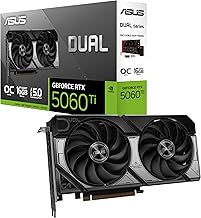
ASUS Dual RTX 5060 8GB OC Edition
A compact, quiet option for 1080p and light 1440p gaming, the RTX 5060 brings DLSS 4 and PCIe 5.0 support to a budget-friendly price point. Its 0dB fan technology and 2.5-slot design make it a great pick for smaller builds.
ASUS ROG Strix RTX 3090 24GB
Still a content-creation and gaming powerhouse thanks to its massive 24GB GDDR6X buffer, the RTX 3090 shines in workloads that demand huge VRAM, like heavily modded games or high-res texture packs. It’s a large, power-hungry card, so it’s best suited to full-tower builds with strong PSUs.
ASUS TUF Gaming RTX 3080 OC Edition 10GB
The RTX 3080 remains a strong 1440p and entry-level 4K performer, especially at its current price relative to newer cards. Dual ball fan bearings add durability, making this a smart value pick for gamers upgrading from older hardware.
ASUS TUF Gaming RTX 5070 12GB OC Edition
The RTX 5070 hits a great balance between price and performance, offering 12GB of GDDR7 and DLSS 4 support for confident 1440p gaming with headroom for future titles. Military-grade components and protective PCB coating add peace of mind for long-term use.
Frequently Asked Questions
How much VRAM do I actually need for gaming in 2026?
For 1080p, 8GB is generally sufficient. For 1440p, aim for 12GB, and for 4K or future-proofing, 16GB or more is recommended as game textures and ray tracing demands continue to grow.
Is DLSS 4 worth prioritizing over raw hardware specs?
Yes, in many cases. DLSS 4’s frame generation can significantly boost performance in supported titles, sometimes making a mid-range card feel like a higher-tier one in real-world gameplay.
Are older cards like the RTX 3080 or 3090 still worth buying?
Absolutely, especially at discounted prices. Both still deliver strong 1440p and 4K performance for current titles, though they lack DLSS 4 and newer architectural efficiencies found in the RTX 50-series.
What else should I check before buying a graphics card?
Confirm your power supply has enough wattage and the correct connectors, verify your case has enough clearance for multi-slot coolers, and make sure your motherboard supports the card’s PCIe generation for best performance.
Final Thoughts
For most gamers in 2026, the ASUS TUF Gaming RTX 5080 is the top all-around pick for high-end 1440p and 4K performance, while the ASUS TUF Gaming RTX 5070 offers the best balance of price and capability for mainstream builds. Budget-conscious shoppers should look closely at the ASUS Dual RTX 5060 for reliable, quiet 1080p gaming without overspending.