Key takeaways
- A can of compressed air or an electric air duster (reusable, no propellant).
- A soft anti-static brush or clean makeup brush for stubborn buildup.
- Microfiber cloths for wiping surfaces and fan blades.
- Isopropyl alcohol (90%+) for grimy fan hubs and shrouds.
Dust is the silent performance killer inside every gaming PC. It coats fan blades, clogs heatsink fins, and blankets radiators, and every layer forces your components to run hotter and your fans to spin louder to compensate. A rig that once idled quietly at 35°C can creep into the 50s purely from six months of accumulated dust. The fix is cheap, takes about half an hour, and should be part of every gamer’s routine.
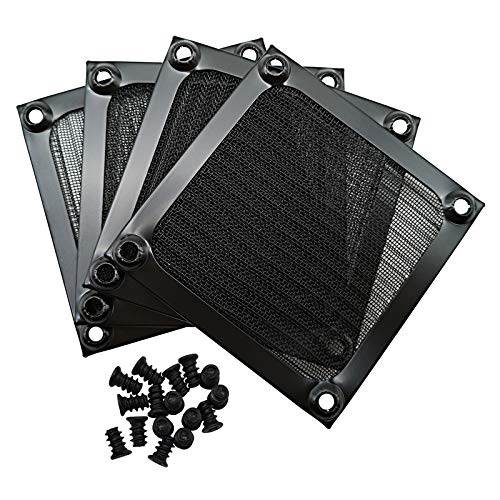
This guide shows you how to clean your fans and filters safely without damaging bearings or blowing dust deeper into the system. Fitting reusable dust filters like the ThreeBulls 120mm or MoKo PC case mesh kits afterward keeps the interior far cleaner between cleanings. All you need is compressed air, a soft brush, and a few minutes of patience.
Our top picks


![MoKo 400x300mm DIY PC Case Dust Mesh Filter, [4 Pack] PVC Dustproof Magnetic Dust Filter Cover, PC Mesh Grill with Magnetic Frame Strip Computer Cooler Fan Dust Filter for Computer PC Case, Black](https://m.media-amazon.com/images/I/51YgJYNN2-L._SL500_.jpg)

As an Amazon Associate we earn from qualifying purchases at no extra cost to you. Ratings are shown as listed on Amazon.
⚡ Save on Your Next PC — Amazon Prime
Prime members get fast free shipping on the systems above, plus early access to Prime Day & Black Friday PC deals. New members get a 30-day free trial.
Watch: How to Clean Your PC Fans and Filters — Video Review
Gather the Right Tools
Cleaning a PC well takes only a handful of items, and using the wrong ones can cause real damage. Never use a household vacuum directly on components; it generates static that can zap circuitry.
- A can of compressed air or an electric air duster (reusable, no propellant).
- A soft anti-static brush or clean makeup brush for stubborn buildup.
- Microfiber cloths for wiping surfaces and fan blades.
- Isopropyl alcohol (90%+) for grimy fan hubs and shrouds.
Power Down and Open Safely
Shut the PC off completely and unplug the power cable, then hold the power button for five seconds to discharge residual electricity. Move the case to a well-ventilated area or outdoors, because you’re about to release a cloud of dust. Ground yourself by touching a metal part of the case before reaching inside, and avoid working on carpet where static builds up.
Clean the Fans Correctly
Spinning fans while blasting them with compressed air can over-spin the bearing and damage it. Hold each fan blade still with a finger, then blow air through it. Work from the intake side outward so dust exits the case rather than getting pushed deeper. Give short bursts to case fans, CPU cooler fans, GPU fans, and the PSU fan through its grille. For caked-on grime around fan hubs, a cloth dampened with isopropyl alcohol wipes it clean.
Tackle Heatsinks and Radiators
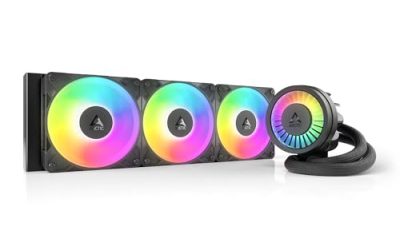
Dust trapped between the thin fins of a CPU tower cooler or AIO radiator is the biggest thermal offender because it blocks the exact surface that sheds heat. Blow compressed air straight through the fin stack in the direction the fan normally pushes air. For a heavily clogged radiator, you may need to remove the fans first to reach the fins. This step alone can drop load temperatures by 5-10°C on a neglected system.
Install Dust Filters to Stay Clean
Prevention beats cleaning. Magnetic or clip-on mesh filters over your intake fans catch dust before it enters, and you simply rinse or vacuum the filter instead of opening the case. Kits like the ThreeBulls 120mm filters or a MoKo DIY mesh sheet you cut to size cover intake vents cheaply. Run your case at slight positive pressure (more intake than exhaust) so unfiltered air can’t sneak in through gaps.
Tips
- Clean every 3-6 months, or monthly if you have pets or a carpeted room.
- Keep compressed-air cans upright and use short bursts to avoid spraying cold liquid propellant.
- Photograph cable and fan orientation before removing anything so reassembly is easy.
- Wipe tempered-glass side panels with microfiber and a little screen cleaner while you’re at it.
Frequently Asked Questions
Can I use a vacuum to clean my PC?
Avoid standard vacuums; they build static charge that can damage components. If you want suction, use an anti-static electronics vacuum specifically. Compressed air blowing dust out is the safest method for most people.
How often should I clean my gaming PC?
Every three to six months for a typical setup. Homes with pets, smokers, or carpeted rooms should clean monthly. Rising idle temperatures are your signal that it’s overdue.
Do dust filters reduce airflow?
Slightly, but a clean filter’s tiny airflow cost is far less than the airflow a dust-clogged heatsink loses. Keeping filters clean is the key; a filthy filter chokes airflow badly, so rinse them regularly.
Is it safe to spin fans with compressed air?
No, hold the blades still while cleaning. Letting fans free-spin far beyond their rated RPM can wear or damage the bearing over time, leading to noisy or failing fans.
Conclusion
Regular fan and filter cleaning is the cheapest way to keep a gaming PC cool and quiet. Power down, take it somewhere ventilated, hold each fan still while you blow it out, clear the heatsink fins, and finish by fitting reusable dust filters so the next cleaning is even easier. Thirty minutes every few months protects your investment and keeps your temperatures exactly where they belong.