Our Top Picks
For gaming, a Core i5 is enough for most players, a Core i7 is the better fit if you stream, record or run many background apps while playing, and a Core i9 rarely changes frame rates enough to justify the step up. The tier name matters less than the generation and the graphics card you pair it with, and that is where most buyers go wrong.
The short answer by buyer type
- Playing at 1440p or 4K with a mid-range or lower graphics card: a Core i5 is plenty, because the GPU sets the frame rate.
- High refresh rate esports at 1080p with a top-tier graphics card: a Core i7 gives more headroom, and the processor starts to matter more.
- Gaming plus video editing, rendering or heavy multitasking: Core i7 or Core i9, because those extra cores are used outside games.
- Gaming only, money no object: a Core i9 is the fastest Intel option in the family, but reviewers report only a small gain in games over the i7 below it.
What actually differs between i5, i7 and i9
Intel’s modern desktop Core chips use a hybrid design with Performance cores (P-cores) for demanding threads and Efficient cores (E-cores) for background and parallel work. The tiers differ mainly in how many of each you get, plus clock speeds and cache. On Intel’s 14th-generation desktop K models the maker lists these configurations:
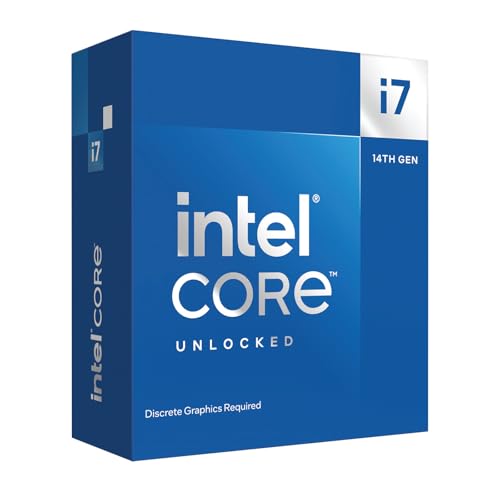
Intel Core i7-14700KF Gaming Desktop Processor, 20 Processing Units (8 Performance + 12 Efficient),
Chosen because it specifies 20 Processing Units (8 Performance + 12 Efficient).
View on Amazon
Intel Core i9-12900KF Gaming Desktop Processor 16 (8P+8E) Cores up to 5.2 GHz Unlocked LGA1700 600 Series Chipset 125W
Picked as a relevant option in this category.
View on Amazon
Intel Core i7-12700K Gaming Desktop Processor with Integrated Graphics and 12 (8P+4E) Cores up to 5.0 GHz Unlocked LGA1700 600 Series Chipset 125W
Picked as a relevant option in this category.
View on Amazon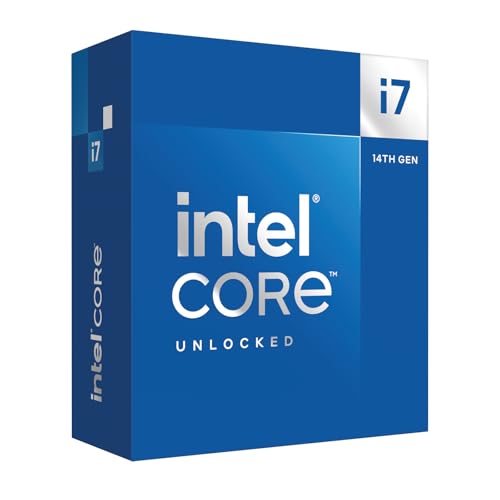
Intel Core i7-14700K new gaming desktop processor, 20 cores (8 P-cores + 12 E-cores) with integrated graphics - unlocked
Chosen because it specifies 20 cores (8 P-cores + 12 E-cores) with integrated graphics and unlocked.
View on Amazon| Model | Cores (P + E) | Threads | Max turbo listed by Intel |
|---|---|---|---|
| Core i5-14600K | 14 (6 + 8) | 20 | 5.3 GHz |
| Core i7-14700K | 20 (8 + 12) | 28 | 5.6 GHz |
| Core i9-14900K | 24 (8 + 16) | 32 | 6.0 GHz |
Notice that the i7 and i9 share the same eight P-cores. Games lean heavily on a handful of fast threads, which is why the gap in games between i7 and i9 is narrower than the core counts suggest. The i9’s extra E-cores and higher boost clocks pay off mainly in rendering, encoding and compiling.
How much do the extra cores help in games
Most game engines still depend on a small number of heavy threads, with a few lighter worker threads. Past roughly six to eight fast cores, additional cores bring diminishing returns in typical titles. Reviewers who have looked at hybrid Intel chips, such as PCMag, report that eight P-cores alone handle game workloads well and that the E-cores matter most for productivity tasks. Core count therefore tells you more about creative work than about frame rates.
Where the extra cores can help while gaming is when you do something else at the same time: streaming with software encoding, running a browser with many tabs, a voice chat, capture software and launchers. More cores let those tasks run without stealing time from the game. If your play session is just the game, that benefit mostly disappears.
When the graphics card is the limit
A game can only run as fast as its slowest part. At 4K, or at 1440p with demanding graphics settings, the graphics card is usually the bottleneck. In that situation an i5, i7 and i9 produce very similar frame rates, and money spent on the processor would have done more good as a better GPU. The processor shows its value at lower resolutions, at competitive settings, and in games that are heavy on simulation, such as strategy titles, large open-world games and some esports titles running at very high frame rates.
A practical way to judge this: if your graphics card sits near full usage in a game, the processor is not holding you back. If the card sits well below full usage and frame rate is lower than you want, a faster processor may help.
Generation matters more than the tier
A newer Core i5 can match or beat an older Core i7. Within one generation the tiers are ordered, but across generations a current mid-tier chip often outperforms an older upper-tier chip in games. When comparing used or discounted parts, compare the model number, not just the i5, i7 or i9 label.
Intel has also introduced the Core Ultra 200S desktop line, which replaces the i5, i7 and i9 naming with Core Ultra 5, 7 and 9. Reviewers such as Tom’s Hardware, TechRadar and Digital Trends reported that the Core Ultra 9 285K was in some games slower than the previous generation Core i9-14900K, and that AMD’s X3D chips led for gaming. So choosing within Intel’s lineup is not simply a matter of picking the newest name; read gaming reviews for the exact model.
The 13th and 14th generation stability issue
Intel acknowledged that some 13th and 14th generation desktop processors, mainly higher-power K-series i7 and i9 models, could develop instability related to elevated voltage behaviour, and the maker released microcode updates and extended the warranty on affected processors. If you are buying a used or older i7 or i9 from these generations, update the motherboard BIOS to a version that includes Intel’s microcode fix and follow the maker’s guidance on power settings. Contact Intel support if you see repeated crashes.
Cooling and power needs rise with the tier
- Core i5 K models run at lower power and are easier to cool with a mid-range air cooler.
- Core i7 and i9 K models draw considerably more power under load, so they benefit from a larger air cooler or a liquid cooler and a motherboard with a capable power delivery design.
- Check that your case airflow and your power supply fit the whole build, not only the processor.
Heat matters because high temperatures can cause the processor to reduce speed, so a cheaper chip with good cooling can outpace a pricier chip that throttles.
Decision table: pick this if
| Pick | If you | Watch out for |
|---|---|---|
| Core i5 | play mostly at 1440p or 4K, want the best value, or have a mid-range graphics card | Fewer cores if you also stream or edit |
| Core i7 | play at high refresh rates, stream, or want headroom for years of upgrades | Needs better cooling than an i5 |
| Core i9 | mix gaming with rendering, encoding or compiling for work | Small gaming gain over i7, highest heat and power |
Common mistakes
- Buying an i9 with a budget graphics card. The graphics card sets the ceiling, so the extra processor spend goes unused in games.
- Ignoring the generation. An older i9 is not automatically faster in games than a newer i5 or i7.
- Skipping cooling. A K-series i7 or i9 with a weak cooler can throttle and lose the speed you paid for.
- Using too little memory or slow storage. Memory capacity and speed affect smoothness; follow the motherboard maker’s supported memory list.
- Forgetting the platform. Processors only fit boards with the matching socket and chipset support, so check the motherboard’s CPU support list before buying.
Alternatives to consider
- AMD Ryzen X3D chips. Reviewers such as TechSpot and Tom’s Hardware report that the Ryzen 7 9800X3D leads current Intel chips in gaming, while Intel’s top chips lead in heavy multi-threaded work.
- Intel Core Ultra 5 or 7. If you are building on the newer platform, these offer lower power draw than the older K chips, with gaming results that reviewers describe as mixed against the previous generation.
- A previous-generation i5 or i7. A well-priced older chip can be a sensible gaming choice if the motherboard and memory you already own support it.
Frequently Asked Questions
Is a Core i9 worth it for gaming only?
For gaming alone, usually not. The i9 shares its P-core count with the i7, and games rarely use the extra E-cores. The money is often better spent on a stronger graphics card.
Is an i5 a bottleneck for a high-end graphics card?
It can be at low resolutions and very high frame rates, where the processor limits how many frames it can prepare. At 1440p and 4K, a current i5 generally keeps a strong graphics card busy. Watch GPU usage in your games to see whether the card is being held back.
Does the i7 help with streaming while gaming?
Yes, the extra cores let encoding and background apps run alongside the game. Many streamers also use hardware encoding on the graphics card, which reduces the processor load and narrows the gap between tiers.
Are i5, i7 and i9 the same across all generations?
No. The labels describe a tier inside each generation, and the core counts and speeds change between generations. Always compare model numbers and read reviews for that exact chip.
Should I pick Core Ultra instead of Core i?
Core Ultra 200S is Intel’s newer desktop line with a different socket and platform, so it needs a compatible motherboard. Reviewers report efficiency gains but gaming performance that is mixed compared to the previous generation, so compare the specific chips you are considering.
Do I need an unlocked K chip for gaming?
No. Non-K chips run at their rated speeds and work well for gaming. K chips are for people who want to adjust clock speeds, and overclocking can void warranties and cause instability, so keep settings conservative.
FAQ
Is a Core i9 worth it for gaming only?
Is an i5 a bottleneck for a high-end graphics card?
Does the i7 help with streaming while gaming?
Are i5, i7 and i9 the same across all generations?
Should I pick Core Ultra instead of Core i?
Do I need an unlocked K chip for gaming?
More from Amazon
Programs that pair well with the guide above. Offers and eligibility are set by Amazon and may change.
Free shipping on eligible items, Prime Video and more. Eligible new members can start with a free trial.
Start a Prime free trialAd-free music streaming. Eligible new subscribers can start with a free trial.
Try Music Unlimited freeA Prime membership for ages 18-24 with a trial period. Eligibility is set by Amazon.
See Prime for Young AdultsAudiobooks and podcasts to listen to on the go. Eligible new members can start with a free trial.
Try Audible freeAs an Amazon Associate we earn from qualifying purchases.