Key takeaways
- Pro: Mini PCs deliver full desktop computing in a tiny footprint.
- Pro: Portable monitors add a travel-friendly second screen.
- Pro: Adjustable and lap desks enable comfortable setups anywhere.
- Pro: Highly modular, build the exact mobile setup you need.
What's inside
The idea of a “portable desktop” sounds like a contradiction, but it captures a very real need: desktop-class capability you can pick up and move, whether that’s a mini PC you can pocket, a portable monitor that travels with your laptop, or a mobile workspace you can set up anywhere. The category is broad, and the right choice depends on exactly what you want to make portable.
We looked at the leading ways to build a portable desktop setup, from tiny but powerful mini PCs to travel-ready displays and adjustable desks. Here’s what these options offer and how to assemble the mobile workspace that suits you.
As an Amazon Associate we earn from qualifying purchases at no extra cost to you.


🎮 Get More From Your Setup — Free
Prime Gaming gives you free PC games every month, in-game loot, and a free Twitch channel sub — plus fast free shipping on all the gear above. New members get a 30-day free trial.
Watch: Portable Desktop: Review & Buyer’s Guide — Video Review
Design & Build
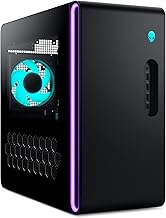
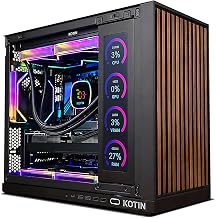
Portable desktop solutions come in a few distinct shapes. Mini PCs like the MSI Cubi 5 and KAMRUI AK1PLUS pack real desktop internals into palm-sized boxes you can slip into a bag and connect to any display, offering full Windows computing wherever you land. Portable monitors such as the InnoView 15.6″ and MNN 15.6″ bring the screen along, folding flat and running off a single cable. Rounding out the ecosystem, the COMHOMA standing desk and a lap desk provide the physical surface, letting you set up a proper workstation on a couch, in bed, or beside a treadmill. Build quality is generally solid, with the mini PCs feeling especially well-engineered for their size.
Performance
The mini PCs anchor performance here. The MSI Cubi 5 with its Intel 6-core processor, 16GB of RAM, Thunderbolt 4, and triple-4K-monitor support is a genuine desktop replacement capable of serious multitasking, while the KAMRUI offers dual-4K output and expandable storage at a friendlier price for lighter workloads. The portable monitors extend rather than compute, giving your laptop or mini PC a crisp second screen for productivity on the road. The desk options don’t affect performance but dramatically improve comfort and flexibility, the COMHOMA’s adjustable height even supports standing and walking-pad setups for a healthier mobile workspace.
Pros & Cons
- Pro: Mini PCs deliver full desktop computing in a tiny footprint.
- Pro: Portable monitors add a travel-friendly second screen.
- Pro: Adjustable and lap desks enable comfortable setups anywhere.
- Pro: Highly modular, build the exact mobile setup you need.
- Con: A true portable desktop requires assembling several pieces.
- Con: Budget mini PCs like the KAMRUI suit only light workloads.
- Con: Portable monitors draw power from your host device.
Alternatives to Consider
If ultimate portability matters most, a capable mini PC like the MSI Cubi 5 paired with a slim portable monitor gives you a full desktop you can carry in one hand. If you already have a laptop and just want more workspace, focus on a portable monitor plus an adjustable desk. And for the tightest budgets, the KAMRUI mini PC covers everyday tasks and media without the premium price.
Frequently Asked Questions
What exactly is a portable desktop?
It’s a movable desktop-class setup, typically a compact mini PC, a portable monitor, and sometimes a foldable or adjustable desk, that gives you full computing power you can relocate easily.
Can a mini PC really replace a full desktop?
A capable model like the MSI Cubi 5 handles office work, browsing, and multitasking comfortably, and even supports multiple 4K monitors. For heavy gaming or editing, a full tower is still stronger.
Do portable monitors need their own power?
Most draw power and video over a single USB-C cable from your host device, which shortens its battery life. Some offer a separate power input for longer sessions.
Is a standing desk worth it for a portable setup?
If comfort and health matter, yes, an adjustable desk like the COMHOMA lets you switch between sitting and standing and even pair with a walking pad, improving long work sessions.
Verdict
For a true portable desktop, the MSI Cubi 5 mini PC is the standout core, delivering real computing power in a package you can take anywhere. Pair it with a slim portable monitor for a complete mobile workstation, and add the KAMRUI as a budget alternative if your tasks are lighter.