Key takeaways
- DDR4 vs DDR5: Match your motherboard. Newer platforms use DDR5 for higher bandwidth; older builds run DDR4, which still games well at lower cost.
- Capacity: 32GB (2x16GB) is the modern sweet spot for gaming and multitasking. 16GB works for pure gaming but leaves little headroom.
- Speed and latency: Faster speeds and tighter timings help, especially on AMD. Aim for 3200MHz+ on DDR4 and 6000MHz on DDR5 for a good balance.
- XMP/EXPO support: Look for Intel XMP or AMD EXPO profiles so you can hit rated speeds with a single BIOS setting.
- Dual-channel: Always buy a matched two-stick kit. Dual-channel operation noticeably outperforms a single stick of the same capacity.
What's inside
RAM rarely gets the spotlight, but it quietly shapes your gaming experience. The right kit prevents stutters, feeds a fast CPU with low-latency data, and gives you the headroom to game while streaming or keeping browser tabs open. Choosing well means matching capacity, speed, and platform.
We looked at both DDR4 and DDR5 kits across price points, weighing real-world gaming benefit over headline numbers. Below are the memory kits that deliver dependable performance, easy overclocking, and the capacity most gamers actually need.
As an Amazon Associate we earn from qualifying purchases at no extra cost to you.




🎮 Get More From Your Setup — Free
Prime Gaming gives you free PC games every month, in-game loot, and a free Twitch channel sub — plus fast free shipping on all the gear above. New members get a 30-day free trial.
Watch: Best Memory For Gaming — Video Review
How to Choose Gaming Memory
- DDR4 vs DDR5: Match your motherboard. Newer platforms use DDR5 for higher bandwidth; older builds run DDR4, which still games well at lower cost.
- Capacity: 32GB (2x16GB) is the modern sweet spot for gaming and multitasking. 16GB works for pure gaming but leaves little headroom.
- Speed and latency: Faster speeds and tighter timings help, especially on AMD. Aim for 3200MHz+ on DDR4 and 6000MHz on DDR5 for a good balance.
- XMP/EXPO support: Look for Intel XMP or AMD EXPO profiles so you can hit rated speeds with a single BIOS setting.
- Dual-channel: Always buy a matched two-stick kit. Dual-channel operation noticeably outperforms a single stick of the same capacity.
The Best Gaming Memory Reviewed
Crucial Pro DDR5 32GB (6400MHz)
This Crucial Pro kit hits 6400MHz CL32 with both XMP 3.0 and EXPO support, making it a top-tier DDR5 choice. It’s ideal for high-end Intel and AMD builds that want speed and stability.
Lexar Thor Z RGB DDR5 32GB (6000MHz)
The Lexar Thor Z pairs 6000MHz CL38 speed with on-die ECC, a PMIC, and RGB flair. It’s a strong DDR5 kit for gaming and AI workloads on modern platforms.
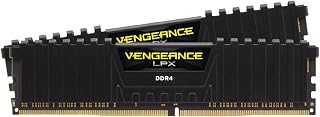
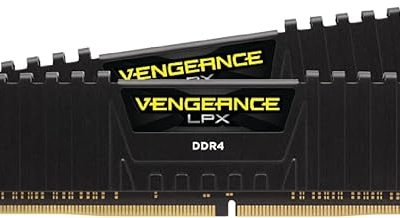
Corsair Vengeance LPX DDR4 32GB
A perennial favorite, the Vengeance LPX offers up to 3200MHz CL16 in a low-profile design with XMP and EXPO support. It’s a reliable, cooler-friendly DDR4 upgrade for existing builds.
GIGASTONE Game PRO DDR4 32GB
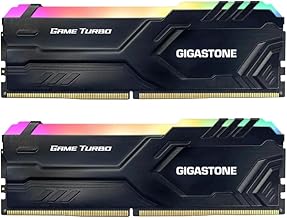
This GIGASTONE kit delivers 3200MHz with tight CL16 timings and XMP 2.0 in a clean white design. It’s a value-focused DDR4 option for budget-conscious gaming rigs.
G.SKILL Trident Z RGB DDR4 16GB
The Trident Z RGB brings 3200MHz CL16 speed and iconic lighting in a 16GB kit. It’s a great choice for pure gaming builds that want performance and style without overspending.
Frequently Asked Questions
How much RAM do I need for gaming?
32GB is the current sweet spot, giving room for gaming plus streaming and multitasking. 16GB still handles most games but offers little headroom.
Does RAM speed affect gaming performance?
Yes, modestly. Faster memory and tighter timings help frame rates, especially on AMD Ryzen. The gains are real but smaller than a GPU upgrade.
Should I buy DDR4 or DDR5?
It depends on your motherboard. DDR5 is faster and future-proof for new builds, while DDR4 remains a cost-effective choice for existing platforms.
What is XMP or EXPO?
They’re one-click profiles that set your RAM to its rated speed in the BIOS. XMP is Intel’s standard, EXPO is AMD’s; many kits support both.
Final Thoughts
For new DDR5 builds, the Crucial Pro 6400MHz kit leads on speed and compatibility, while the Corsair Vengeance LPX is the go-to DDR4 upgrade. Value-focused gamers should consider the GIGASTONE Game PRO for solid 32GB performance without the premium.