Key takeaways
- Run at least two front intake fans and one rear exhaust as a baseline.
- Keep cables out of the airflow path with the back-panel channels.
- Remove dust filters and clean them monthly; a clogged filter can add 10°C.
- Make sure no fan is fighting another by blowing air backward.
A gaming CPU that idles in the high 40s and spikes past 90°C under load isn’t just loud, it’s actively costing you performance. Modern chips from Intel’s 14th-gen and AMD’s Ryzen 7000/9000 series will thermal-throttle the moment they touch roughly 95°C, dropping clock speeds and producing the exact frame drops you’re trying to avoid. Getting a hot CPU back under control is one of the most satisfying upgrades you can make because it’s usually cheap and the improvement is measurable within minutes.
This guide covers every temperature lever in order of impact, from a five-minute cable tidy to swapping the cooler entirely. A quality air cooler like the Thermalright Assassin X 120R Digital or fresh thermal paste can drop a throttling chip by 15-20°C. Grab a monitoring tool such as HWiNFO, note your idle and load temps, then work through each step and re-test.
Our top picks
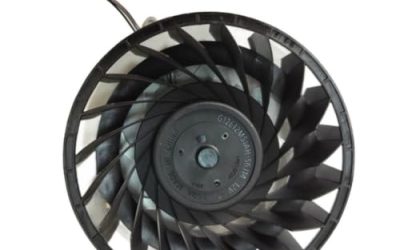
 Replacement Cooling Fan with 5 Blades for
- [PRECISE FIT FOR XBOX SERIES S] This internal…
- [ENHANCED COOLING PERFORMANCE] The powerful internal fan significantly…
- [USER-FRIENDLY INSTALLATION] With its compact and lightweight design,…
 Thermalright Assassin X 120R Digital Black CPU
- [Good Combination Of Heat Dissipation] The CPU cooler…
- [Product Specifications] Model: Assassin X 120 R Digital…
- [Digital Screen Top Cover] while maintaining heat dissipation…
 Comidox 2PCS DC 12V 4 Wire PWM
- Supports all internal 12V 5A fans, synchronous rectified…
- Multiple fans can be used in parallel (total…
- It can be turned on with the three-wire…
| Product | Key specs | |
|---|---|---|
| Replacement Cooling Fan with 5 Blades for | [PRECISE FIT FOR XBOX SERIES S] This internal… [ENHANCED COOLING PERFORMANCE] The powerful internal fan significantly… [USER-FRIENDLY INSTALLATION] With its compact and lightweight design,… | Check price |
| Thermalright Assassin X 120R Digital Black CPU | [Good Combination Of Heat Dissipation] The CPU cooler… [Product Specifications] Model: Assassin X 120 R Digital… [Digital Screen Top Cover] while maintaining heat dissipation… | Check price |
| Comidox 2PCS DC 12V 4 Wire PWM | Supports all internal 12V 5A fans, synchronous rectified… Multiple fans can be used in parallel (total… It can be turned on with the three-wire… | Check price |
 Jungle Leopard KF200 Mini CPU Cooler|CPU Temperature | Digital display screen: The KF200 CPU Cooler carries… High-efficiency heat dissipation design: Two high-purity copper heat… Quiet and low-noise operation: Fan speed of 2200RPM±10%,… | Check price |
 DC 12V PWM PC CPU Fan Temperature | Support all within 12V 5A fans, synchronous rectifier… Circuit load capacity: maximum current per output 5A,… When the temperature lower than the accelerated temperature,… | Check price |
As an Amazon Associate we earn from qualifying purchases at no extra cost to you.
⚡ Save on Your Next PC — Amazon Prime
Prime members get fast free shipping on the systems above, plus early access to Prime Day & Black Friday PC deals. New members get a 30-day free trial.
Watch: How to Lower CPU Temperatures — Video Review
Understand What “Too Hot” Actually Means
Before you panic, know the safe ranges. For most desktop CPUs in 2026, idle temps of 30-45°C and gaming loads of 60-80°C are perfectly healthy. Anything sustained above 85°C means your cooling is undersized or your paste has degraded. Ryzen chips run hotter by design and will happily sit at 80-85°C under all-core load, so focus on whether you’re hitting the 95°C throttle ceiling, not on chasing an arbitrary low number.
Improve Case Airflow
Your cooler can only work with the air it’s fed. A case starved of intake will trap heat no matter how good the heatsink is. Aim for a slight positive pressure with more intake than exhaust so dust gets pushed out through filters rather than pulled in through cracks.
- Run at least two front intake fans and one rear exhaust as a baseline.
- Keep cables out of the airflow path with the back-panel channels.
- Remove dust filters and clean them monthly; a clogged filter can add 10°C.
- Make sure no fan is fighting another by blowing air backward.
Reapply Thermal Paste
Thermal paste dries out over 2-4 years and its conductivity plummets. If your build is a few years old and running hot, this is often the entire fix. Clean the old paste off with isopropyl alcohol, apply a pea-sized dot of a quality compound, and reseat the cooler evenly. A degraded stock paste swapped for a modern one routinely drops load temps by 8-12°C.
Upgrade Your Cooler
If you’re still on the stock cooler or a budget tower, this is the biggest single win. A modern dual-tower air cooler or a 240mm+ AIO handles even the hottest gaming chips. The Thermalright Assassin X 120R Digital is a strong budget pick, while enthusiasts often step up to a larger tower or liquid loop. Match the cooler’s rated TDP to your CPU’s package power under load, not just its base TDP.
Fix Mounting Pressure and Contact
Intel’s LGA 1700 socket is known for slightly bending the CPU, which lifts the corners off the cooler and raises temps by 5-10°C. A contact-frame like an anti-bending LGA 1700 frame flattens the chip and restores even contact. On any platform, make sure you’re tightening the cooler in a diagonal cross pattern so pressure is uniform.
Tips
- Undervolt your CPU in BIOS; shaving 0.05-0.10V off can cut load temps 5-10°C with no performance loss.
- Set a custom fan curve so fans ramp earlier instead of waiting until 80°C.
- Don’t over-apply paste; too much acts as an insulator, not a conductor.
- Verify your AIO pump header is set to full speed and the radiator fans aren’t running in reverse.
Frequently Asked Questions
What CPU temperature is dangerous?
Sustained temps above 95°C trigger throttling and, over years, shorten chip lifespan. Brief spikes to 90°C during a benchmark are fine, but if you’re gaming at 90°C+ constantly, address your cooling before it costs you performance.
How often should I replace thermal paste?
Every 2-4 years for most users, or sooner if you notice temps creeping up. Premium pastes last longer than the stock compound that ships pre-applied on budget coolers.
Will a bigger cooler always run cooler?
Generally yes, up to a point. A high-end air cooler matches most 240mm AIOs. Beyond that, a 360mm AIO helps with the hottest overclocked chips, but for a stock gaming CPU a good tower cooler is plenty.
Does undervolting hurt stability?
A conservative undervolt is safe and often improves stability by reducing heat. Test with a stress tool for 30 minutes after each adjustment; if the system stays stable, you’ve found free thermal headroom.
Conclusion
Lowering CPU temperatures follows a clear priority order: airflow, then paste, then cooler, then mounting and undervolting. Most gamers fix a throttling chip with a fresh cooler and new paste for under the cost of one AAA game. Monitor before and after each change, aim to stay comfortably below the 95°C throttle point, and your clocks will hold steady exactly when you need them most.
FAQ
What CPU temperature is dangerous?
How often should I replace thermal paste?
Will a bigger cooler always run cooler?
Does undervolting hurt stability?
More from Amazon
Programs that pair well with the guide above. Offers and eligibility are set by Amazon and may change.
Free shipping on eligible items, Prime Video and more. Eligible new members can start with a free trial.
Start a Prime free trialAd-free music streaming. Eligible new subscribers can start with a free trial.
Try Music Unlimited freeA Prime membership for ages 18-24 with a trial period. Eligibility is set by Amazon.
See Prime for Young AdultsAudiobooks and podcasts to listen to on the go. Eligible new members can start with a free trial.
Try Audible freeAs an Amazon Associate we earn from qualifying purchases.