Key takeaways
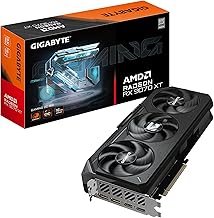
- Let the GPU set your budget: The graphics card determines roughly 70% of your gaming performance. At this price point an RTX 5070 is the sweet spot for 1440p high settings; an RTX 5060 Ti is the practical floor if you want longevity past 2027.
- Avoid CPU-GPU mismatches: A last-gen Ryzen 7 paired with a modest GPU is fine, but pairing a budget CPU with a 5070-class card wastes money. Ryzen 7 8700F, 9700X, and Core Ultra 7 265F all have enough headroom for anything in this bracket.
- Demand 32GB of DDR5: 16GB still works, but modern titles with high-res texture packs plus a browser and Discord will hit that ceiling. 32GB in dual channel is the single cheapest upgrade to future-proof a build.
- Check storage capacity, not just speed: A 1TB NVMe drive holds about six to eight modern AAA installs. If you play a lot, prioritize 2TB or confirm there’s a free M.2 slot for expansion later.
- Look past the spec sheet at cooling and PSU: Mesh front panels, multiple intake fans, and a reputable 650W+ power supply matter more than RGB. A throttling PC loses more frames than a slightly slower CPU ever will.
What's inside
Shopping for a gaming PC in the $1,000–$2,000 range is genuinely confusing right now. The RTX 50-series has reshuffled the entire mid-range, GPU pricing swings week to week, and a lot of prebuilts quietly pair a strong graphics card with a weak power supply, slow single-channel RAM, or a case with almost no airflow. The result is a machine that benchmarks well for ten minutes and then thermal-throttles its way through a long session.
This guide cuts through that. We’ve focused on builds that stay comfortably under $2,000, prioritizing balanced specs over headline numbers — meaning a GPU that matches the CPU, DDR5 memory in dual channel, and enough NVMe storage that you’re not uninstalling games after two months. Below you’ll find our current picks, a short buying checklist, and honest notes on where each system makes its compromises.
As an Amazon Associate we earn from qualifying purchases at no extra cost to you.




⚡ Save on Your Next PC — Amazon Prime
Prime members get fast free shipping on the systems above, plus early access to Prime Day & Black Friday PC deals. New members get a 30-day free trial.
Watch: Best Gaming PC Under $2000 — Video Review
How to Choose Gaming PC Under $2000
- Let the GPU set your budget: The graphics card determines roughly 70% of your gaming performance. At this price point an RTX 5070 is the sweet spot for 1440p high settings; an RTX 5060 Ti is the practical floor if you want longevity past 2027.
- Avoid CPU-GPU mismatches: A last-gen Ryzen 7 paired with a modest GPU is fine, but pairing a budget CPU with a 5070-class card wastes money. Ryzen 7 8700F, 9700X, and Core Ultra 7 265F all have enough headroom for anything in this bracket.
- Demand 32GB of DDR5: 16GB still works, but modern titles with high-res texture packs plus a browser and Discord will hit that ceiling. 32GB in dual channel is the single cheapest upgrade to future-proof a build.
- Check storage capacity, not just speed: A 1TB NVMe drive holds about six to eight modern AAA installs. If you play a lot, prioritize 2TB or confirm there’s a free M.2 slot for expansion later.
- Look past the spec sheet at cooling and PSU: Mesh front panels, multiple intake fans, and a reputable 650W+ power supply matter more than RGB. A throttling PC loses more frames than a slightly slower CPU ever will.
The Best Picks Reviewed
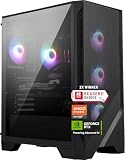
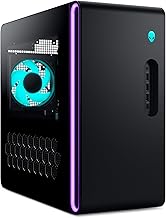
msi Codex Z2 (R7-8700F / RTX 5070)
This is the most complete package on the list — RTX 5070, 32GB of DDR5, and a full 2TB NVMe drive, all from a manufacturer with proper warranty support and sensible thermal design. If you want one machine that handles 1440p high-refresh gaming without caveats, start here.
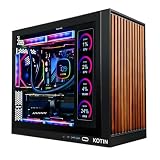
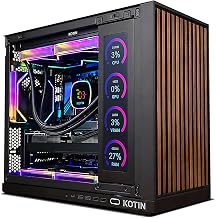
KOTIN Prebuilt RTX 5070 (Ryzen 7 9700X)
The Ryzen 7 9700X is a genuinely current-generation CPU, and pairing it with an RTX 5070 and 32GB of DDR5 makes this the strongest raw-performance-per-dollar option we’ve tested in this range. The 1TB SSD is the only real compromise, and it’s an easy one to fix.
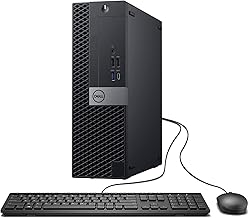
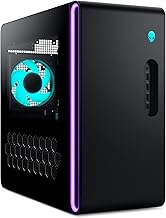
Alienware Aurora (RTX 5070 / Core Ultra 7 265F)
You pay a modest premium for Dell’s chassis engineering, tool-free access, and support network, but the Aurora runs quieter under sustained load than most boutique builds. Choose it if serviceability and a real support line matter more to you than squeezing out the last few frames.
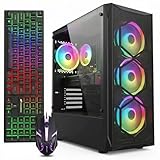
KOTIN Gaming PC (Ryzen 7 8700F / RTX 5060 Ti)
A sensible step down that still delivers excellent 1440p performance, especially with DLSS enabled. The 16GB of DDR5 is the obvious limitation — budget for a second kit, and this becomes a very strong value proposition.
YAWYORE Gaming PC (Ryzen 7 5700X / RTX 5060)
The Ryzen 7 5700X is older silicon, but it remains a capable eight-core chip that won’t meaningfully bottleneck an RTX 5060 at 1080p or entry-level 1440p. This is the pick if you’re aiming well under the cap and want money left over for a good monitor.
Frequently Asked Questions
Is $2,000 enough for 4K gaming in 2026?
For 4K at 60fps with upscaling enabled, yes — an RTX 5070 handles most titles well. For native 4K at high refresh rates, you’d need to go significantly above this budget.
Should I buy prebuilt or build my own?
Building your own typically saves 10–15% and gives you better component control, but prebuilts include a single-point warranty and a licensed copy of Windows. If you’ve never assembled a PC, the price gap rarely justifies the risk.
Is 16GB of RAM still enough for gaming?
It’s playable, but it’s no longer comfortable. Several 2025–2026 releases exceed 16GB when combined with background applications, so treat 32GB as the target and 16GB as a system you plan to upgrade.
How long will one of these PCs last?
Expect three to four years of high-settings 1440p gaming from an RTX 5070 build, and roughly two to three from an RTX 5060-class system before you’ll want to lower settings. The GPU almost always ages out first.
Final Thoughts
For most buyers, the msi Codex Z2 is the easiest recommendation — it’s the only pick here that gets the GPU, memory, and storage all right at once, with brand-name support behind it. If you’d rather prioritize CPU headroom, the KOTIN RTX 5070 with Ryzen 7 9700X delivers more raw compute for the money, while the KOTIN RTX 5060 Ti build is the smart choice for anyone who wants to stay several hundred dollars under the cap and put the savings toward a high-refresh monitor.