Key takeaways
- Cost: FreeSync is free for manufacturers, so panels are cheaper; native G-Sync modules add to the price.
- Compatibility: FreeSync now works with NVIDIA GPUs (G-Sync Compatible); native G-Sync historically favored NVIDIA only.
- Validation: G-Sync monitors pass strict NVIDIA testing; FreeSync quality varies more between models.
- Refresh range: Premium G-Sync guarantees a wide flicker-free range; some budget FreeSync panels have narrower ranges.
- Hardware: Native G-Sync uses a dedicated module; FreeSync uses the open VESA Adaptive-Sync standard.
- Availability: Far more FreeSync monitors exist at every price point.
Variable refresh rate technology eliminated screen tearing and transformed how smooth games feel, but it comes in two flavors, AMD’s FreeSync and NVIDIA’s G-Sync, and the marketing around them confuses buyers constantly. In 2026, the practical differences have shrunk dramatically, yet the choice still affects which monitor you should buy and whether it’ll work best with your graphics card. Understanding the distinction saves you from overpaying for a feature you don’t need or buying a panel that fights your GPU.
This comparison clears up what FreeSync and G-Sync actually are, how they perform, and whether cross-compatibility means the branding matters at all anymore. We’ll reference monitors and DisplayPort cables from both ecosystems to help you pick the right combination for tear-free, low-latency gaming.
Our top picks




As an Amazon Associate we earn from qualifying purchases at no extra cost to you. Ratings are shown as listed on Amazon.
⚡ Save on Your Next PC — Amazon Prime
Prime members get fast free shipping on the systems above, plus early access to Prime Day & Black Friday PC deals. New members get a 30-day free trial.
Watch: FreeSync vs G-Sync: Which Is Better? — Video Review
Quick Verdict
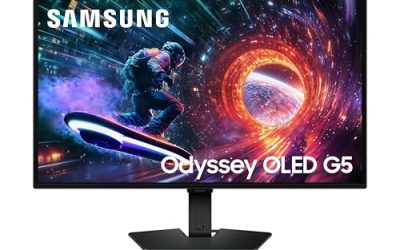
For most gamers in 2026, FreeSync is the smarter buy: it’s royalty-free, built into the vast majority of gaming monitors, and now works with NVIDIA cards too under the “G-Sync Compatible” umbrella. Pay the G-Sync premium only if you want the guaranteed validation, the widest flicker-free refresh range, and top-tier motion handling on a high-end NVIDIA setup. For the money, a quality FreeSync panel like the Samsung Odyssey G5 delivers 95% of the experience.
Key Differences
- Cost: FreeSync is free for manufacturers, so panels are cheaper; native G-Sync modules add to the price.
- Compatibility: FreeSync now works with NVIDIA GPUs (G-Sync Compatible); native G-Sync historically favored NVIDIA only.
- Validation: G-Sync monitors pass strict NVIDIA testing; FreeSync quality varies more between models.
- Refresh range: Premium G-Sync guarantees a wide flicker-free range; some budget FreeSync panels have narrower ranges.
- Hardware: Native G-Sync uses a dedicated module; FreeSync uses the open VESA Adaptive-Sync standard.
- Availability: Far more FreeSync monitors exist at every price point.
FreeSync
AMD’s FreeSync is built on the open VESA Adaptive-Sync standard, which means manufacturers can add it at no licensing cost. The result is that nearly every gaming monitor on the market includes it, across every price tier, and panels are cheaper than equivalent native-G-Sync models. A FreeSync display like the Samsung Odyssey G5, paired with a certified DisplayPort 1.4 cable, gives tear-free gaming that looks identical to G-Sync in normal use.
The one caveat is consistency: because FreeSync certification is looser, cheaper panels can have a narrow variable-refresh range or occasional flicker on dark scenes. Look for “FreeSync Premium” or “FreeSync Premium Pro” tiers, which guarantee a wider range and low-framerate compensation. Crucially, FreeSync monitors also carry NVIDIA’s “G-Sync Compatible” certification in most cases, so they work seamlessly with GeForce cards.
G-Sync
NVIDIA’s G-Sync comes in two forms. Native G-Sync uses a dedicated hardware module inside the monitor that passes strict NVIDIA validation, guaranteeing a wide flicker-free refresh range, excellent variable overdrive, and low-framerate compensation. These panels tend to be premium displays and cost more because of that module. “G-Sync Compatible” is the other form: a FreeSync monitor NVIDIA has tested and approved to run variable refresh on GeForce cards.
The advantage of native G-Sync is guaranteed quality and the best motion handling, particularly variable overdrive that keeps ghosting low across the entire refresh range. For a high-end NVIDIA gaming setup where you want the absolute best and validated experience, native G-Sync delivers, but for most players the price premium isn’t worth it now that FreeSync works with NVIDIA hardware too.
Which Should You Buy?
- Best value tear-free gaming: A FreeSync Premium monitor, works with both AMD and NVIDIA.
- AMD Radeon GPU: FreeSync, the natural and cheaper match.
- NVIDIA GPU on a budget: A G-Sync Compatible (FreeSync) panel.
- High-end NVIDIA, want the best: Native G-Sync for validated top-tier motion.
- Buying any modern gaming monitor: Confirm it lists your GPU brand’s support; most cover both.
Frequently Asked Questions
Can I use FreeSync with an NVIDIA card?
Yes, in almost all cases. NVIDIA supports variable refresh on FreeSync monitors it certifies as “G-Sync Compatible,” and many uncertified FreeSync panels work too. Enable G-Sync in the NVIDIA Control Panel and FreeSync in the monitor menu.
Is native G-Sync worth the extra money?
For most gamers, no. FreeSync now delivers a nearly identical experience for less. Native G-Sync is worth it only if you want guaranteed validation, the widest flicker-free range, and the best variable overdrive on a high-end NVIDIA build.
What’s the difference between FreeSync tiers?
Standard FreeSync covers the basics. FreeSync Premium adds a wider refresh range and low-framerate compensation for smoothness below the normal range. FreeSync Premium Pro adds HDR support. Aim for at least Premium for the best experience.
Do I need a special cable for variable refresh?
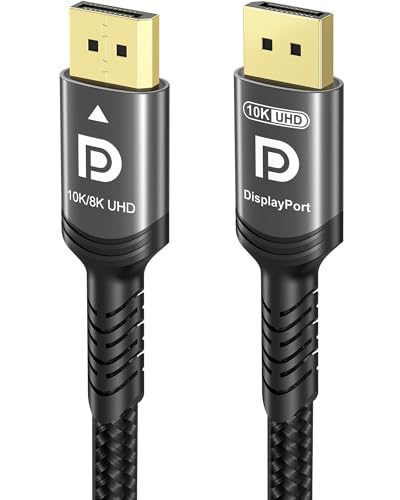
Use a quality DisplayPort 1.4 or HDMI 2.1 cable. A certified DisplayPort cable is the most reliable for high-refresh variable-sync gaming. A poor cable can cause dropouts or limit the refresh range.
Final Verdict
The FreeSync-versus-G-Sync war is essentially over, and the winner for most people is compatibility. Because FreeSync is free, ubiquitous, and now works with NVIDIA cards, a good FreeSync Premium monitor is the value pick regardless of which GPU you own. Reserve the native G-Sync premium for high-end NVIDIA setups where you demand validated, best-in-class motion. Whichever you choose, pair it with a certified DisplayPort cable and enable it in both the monitor menu and your GPU software.