Key takeaways
- Latency: Wired is technically instant; modern 2.4GHz wireless is so close it’s imperceptible in real play.
- Battery: Wired never needs charging; wireless requires periodic recharging or battery swaps.
- Cost: Wired keyboards are cheaper at every quality tier.
- Desk clutter: Wireless gives a clean, cable-free setup and easy repositioning.
- Reliability: Wired has no signal dropouts or interference; wireless can rarely hiccup on crowded 2.4GHz bands.
- Connectivity: Many wireless boards are tri-mode (2.4GHz, Bluetooth, USB-C), doubling as productivity devices.
The wireless-versus-wired keyboard debate used to have an obvious answer for gamers: wired, every time, because wireless meant lag. That’s no longer true. Modern 2.4GHz wireless gaming keyboards in 2026 deliver latency indistinguishable from a cable, and the freedom of a clean, cordless desk has won over even competitive players. Yet wired keyboards still hold advantages in reliability, cost, and never needing a charge, so the choice remains genuinely worth thinking through.
This comparison examines where each type wins today, covering latency, battery, cost, reliability, and desk setup, so you can decide which suits your play style and workspace. We’ll reference gaming keyboards and combos from both camps, including wireless tri-mode boards and wired RGB options, to illustrate the tradeoffs.
Our top picks






As an Amazon Associate we earn from qualifying purchases at no extra cost to you. Ratings are shown as listed on Amazon.
⚡ Save on Your Next PC — Amazon Prime
Prime members get fast free shipping on the systems above, plus early access to Prime Day & Black Friday PC deals. New members get a 30-day free trial.
Watch: Wireless vs Wired Keyboard for Gaming — Video Review
Quick Verdict
For most gamers in 2026, a good 2.4GHz wireless gaming keyboard is now a fully viable choice with no meaningful latency penalty, offering a cleaner desk and flexibility. Choose wired if you want the lowest cost, zero battery management, and rock-solid reliability, or if you’re a hardcore competitor who wants to eliminate every possible variable. The gap has narrowed so much that this is now about convenience and budget more than raw performance.
Key Differences
- Latency: Wired is technically instant; modern 2.4GHz wireless is so close it’s imperceptible in real play.
- Battery: Wired never needs charging; wireless requires periodic recharging or battery swaps.
- Cost: Wired keyboards are cheaper at every quality tier.
- Desk clutter: Wireless gives a clean, cable-free setup and easy repositioning.
- Reliability: Wired has no signal dropouts or interference; wireless can rarely hiccup on crowded 2.4GHz bands.
- Connectivity: Many wireless boards are tri-mode (2.4GHz, Bluetooth, USB-C), doubling as productivity devices.
Wireless Keyboards
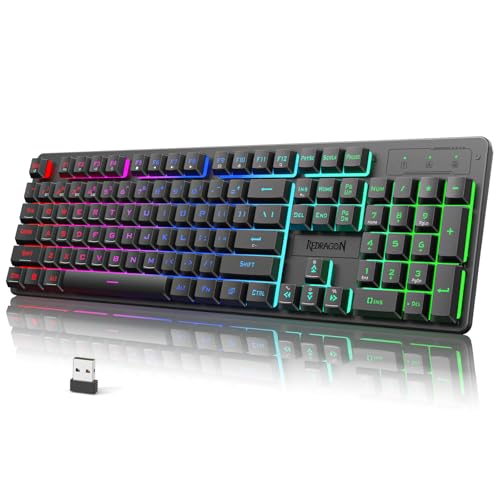
Modern wireless gaming keyboards have effectively closed the latency gap. A quality 2.4GHz dongle connection, like those on tri-mode boards such as the Redragon K521KS, delivers response times you cannot distinguish from a cable in actual gameplay, which is why wireless has become mainstream even among serious players. The payoff is a clean desk with no cable snaking across it and the freedom to reposition the board however you like.
Many wireless boards are also tri-mode, switching between a low-latency 2.4GHz dongle for gaming, Bluetooth for a tablet or laptop, and USB-C wired mode when charging, making them versatile beyond just games. The tradeoffs are battery management (you’ll recharge every few days to weeks depending on RGB use) and a higher price than an equivalent wired board. Stick with the 2.4GHz dongle rather than Bluetooth for gaming, since Bluetooth adds noticeable latency.
Wired Keyboards
Wired keyboards remain the reliability and value champions. With a direct USB connection there’s zero latency, zero interference, and nothing to charge, plug it in and it simply works forever. For competitive gamers who want to remove every possible variable, or anyone who hates thinking about batteries, wired is the no-compromise choice, and boards like a wired RGB TECKNET or similar deliver full features for less money.
You also get more keyboard for your budget: at any given price, a wired board typically offers better switches, build, or features than a wireless equivalent because there’s no radio and battery to pay for. The only real downside is the cable itself, which adds desk clutter and slightly limits placement. If you value maximum reliability and cost efficiency over a cordless desk, wired is still an excellent, sensible pick.
Which Should You Buy?
- Clean desk and flexibility: A 2.4GHz wireless gaming keyboard.
- Lowest cost and zero maintenance: Wired.
- Hardcore competitive play: Either works; wired removes all variables.
- Use across multiple devices: A tri-mode wireless board.
- Best features per dollar: Wired, more keyboard for the money.
Frequently Asked Questions
Is wireless keyboard latency noticeable in gaming?
Not with a modern 2.4GHz dongle connection. The latency is so low it’s imperceptible in real gameplay, even competitively. Avoid Bluetooth for gaming, though, as it adds noticeable lag; use the dedicated dongle instead.
How long does a wireless gaming keyboard battery last?
It varies widely with RGB lighting. With lighting off or dimmed, many last weeks; with full RGB, a few days to a week. Most charge over USB-C and can be used while charging, so you’re never stuck.
Are wired keyboards better for competitive gaming?
They remove every variable, no battery, no signal, so some competitors prefer them for peace of mind. But top wireless boards now match wired latency, so it’s more about preference than a real performance gap in 2026.
What is a tri-mode keyboard?
A tri-mode keyboard connects three ways: low-latency 2.4GHz for gaming, Bluetooth for other devices, and USB-C wired. It lets one keyboard serve your gaming PC, laptop, and tablet, switching modes on the fly.
Final Verdict
The old rule that gamers must go wired is obsolete. In 2026, a good 2.4GHz wireless gaming keyboard gives you a clean desk and full flexibility with latency you won’t feel, making it a great choice for most players who don’t mind occasional charging. Wired keyboards still win on cost, zero maintenance, and absolute reliability, making them ideal for budget builds and competitors who want no variables. Decide whether a cable-free desk or lower cost and simplicity matters more, and you can’t go wrong either way.