Key takeaways
- GPU for your resolution: An RTX 5060 Ti suits 1080p and 1440p, while an RTX 5070 pushes higher-refresh QHD and entry 4K.
- CPU balance: Pair the GPU with a capable Ryzen or Intel chip so neither component holds the other back.
- RAM and storage: 32GB of DDR5 and a 1TB NVMe SSD is the modern sweet spot for gaming and multitasking.
- Cooling and airflow: Good case airflow, quality fans, or an AIO keep temperatures and noise in check.
- Upgrade potential: Standard parts and spare slots let you expand storage, RAM, or the GPU later.
What's inside
A gaming desktop remains the best way to get maximum performance for your money, with superior cooling, easy upgrades, and frame rates a comparable laptop simply cannot match. In 2026, the market is packed with RTX 5060 Ti and 5070 towers that deliver everything from smooth 1080p esports to high-refresh 1440p and 4K, often with striking RGB designs and bundled peripherals.
We rounded up the best gaming desktops across price points, from value ARGB rigs to premium Alienware machines, and explain how to read a spec sheet so you land on a balanced system that will not bottleneck itself or leave you wanting more.
As an Amazon Associate we earn from qualifying purchases at no extra cost to you.


🎮 Get More From Your Setup — Free
Prime Gaming gives you free PC games every month, in-game loot, and a free Twitch channel sub — plus fast free shipping on all the gear above. New members get a 30-day free trial.
Watch: Best Gaming Desktops — Video Review
How to Choose the Right Gaming Desktop
- GPU for your resolution: An RTX 5060 Ti suits 1080p and 1440p, while an RTX 5070 pushes higher-refresh QHD and entry 4K.
- CPU balance: Pair the GPU with a capable Ryzen or Intel chip so neither component holds the other back.
- RAM and storage: 32GB of DDR5 and a 1TB NVMe SSD is the modern sweet spot for gaming and multitasking.
- Cooling and airflow: Good case airflow, quality fans, or an AIO keep temperatures and noise in check.
- Upgrade potential: Standard parts and spare slots let you expand storage, RAM, or the GPU later.
The Best Gaming Desktops Reviewed
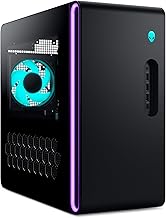
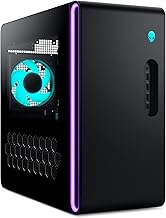
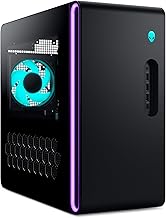
Alienware Aurora (RTX 5070, Core Ultra 7)
The Aurora pairs an RTX 5070 with a Core Ultra 7 265F, 32GB DDR5, and Wi-Fi 7 in Dell’s premium chassis. It is the polished, high-performance pick for 1440p and 4K gaming.
iBUYPOWER Element (RTX 5070, Ryzen 9 7900X)
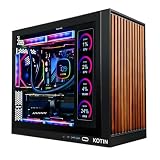
The Element combines a Ryzen 9 7900X and RTX 5070 with 32GB DDR5 and a bundled keyboard and mouse. It is a powerful, ready-to-play rig for demanding gamers.
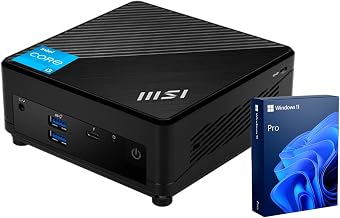
MSI Codex Z2 (RTX 5060 Ti, Ryzen 7)
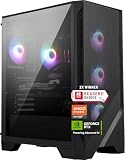
The Codex Z2 offers an RTX 5060 Ti and Ryzen 7 8700F with USB-C and VR readiness. It is a well-rounded machine for high-refresh 1080p and 1440p play.
ZOTAC MEK (RTX 5060 Ti, Ryzen 7 9700X)
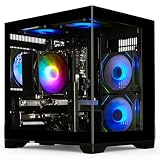
The ZOTAC MEK pairs an RTX 5060 Ti with a Ryzen 7 9700X for strong QHD performance in a compact, tidy build. It is a great mainstream choice.
Skytech Storm (RTX 5060 Ti, Ryzen 5)
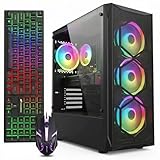
The Skytech Storm delivers RTX 5060 Ti gaming with a Ryzen 5 5500 and a 650W Gold PSU at a friendly price. It is an excellent value entry into desktop gaming.
Frequently Asked Questions
Is a gaming desktop better than a laptop?
For raw performance per dollar, cooling, and upgradeability, yes. Laptops win only on portability.
What GPU do I need for 1440p?
An RTX 5060 Ti handles 1440p well, while an RTX 5070 gives more headroom for high-refresh QHD and entry 4K.
How much RAM should a gaming desktop have?
32GB of DDR5 is the current sweet spot, offering plenty of room for gaming, streaming, and multitasking.
Can I upgrade a pre-built desktop?
Most use standard components, so you can add storage, RAM, or a new GPU as your needs grow.
Final Thoughts
For a premium experience, the Alienware Aurora and iBUYPOWER Element lead with their RTX 5070 builds, while the MSI Codex Z2 and ZOTAC MEK offer strong mainstream value. Budget gamers should look at the Skytech Storm for excellent bang for the buck.