Key takeaways
- Comfortable ergonomic shape ideal for long sessions.
- Lightweight build with solid, rattle-free construction.
- Five on-board profiles that travel without software.
- Wired and wireless options in black or white.
What's inside
Cherry’s XTRFY sub-brand has quietly become a favorite among players who care about ergonomics as much as sensor specs. The M50 wireless gaming mouse continues that tradition with a comfort-first shape, lightweight build, and the kind of no-nonsense reliability that made XTRFY a staple in esports circles.
In this review I’ll cover what the CHERRY XTRFY M50 gets right, how the wireless and wired variants differ, and where it sits against competitors like the Logitech G305. If you value a mouse that disappears in the hand during long sessions, the M50 deserves a look.
As an Amazon Associate we earn from qualifying purchases at no extra cost to you.


🎮 Get More From Your Setup — Free
Prime Gaming gives you free PC games every month, in-game loot, and a free Twitch channel sub — plus fast free shipping on all the gear above. New members get a 30-day free trial.
Watch: Cherry m50 Wireless Gaming Mouse — Video Review
Design & Build
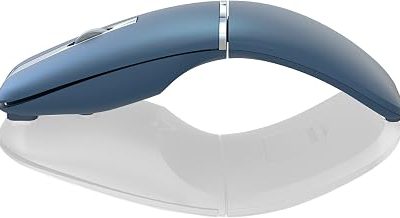
The M50’s calling card is its ergonomic shape, sculpted for a comfortable palm or claw grip with an emphasis on control rather than aggressive gaming styling. It’s a lightweight mouse available in black or white, wired or wireless, and the build feels solid without the creak or flex that plagues some ultralights. Five on-board profiles and customizable controls give it flexibility beyond its clean looks.
Cherry keeps the design symmetrical-leaning but with subtle ergonomic contours, and the wired M50 variant trims cost for players who don’t need cable-free freedom. The related M68 wireless takes an even lower front profile for esports-focused users.
Performance
In use, the M50 tracks accurately and feels responsive, with a reliable wireless connection that holds up in fast-paced play. It’s not chasing the 8000Hz hyperpolling crowd or headline-grabbing 40K DPI figures; instead it focuses on consistent, low-fuss performance and a shape that stays comfortable through marathon sessions.
The on-board profile system means you can carry your settings between machines without software, a genuine convenience for LAN and travel. Battery life on the wireless model is dependable, and the click feel is crisp and confident.
Pros & Cons
- Comfortable ergonomic shape ideal for long sessions.
- Lightweight build with solid, rattle-free construction.
- Five on-board profiles that travel without software.
- Wired and wireless options in black or white.
- No ultra-high polling rate for competitive extremists.
- Modest headline specs versus flagship sensors.
- Fewer buttons than MMO-oriented mice.
Alternatives to Consider
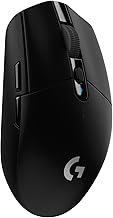
If wireless value is your priority, the Logitech G305 Lightspeed offers the proven HERO sensor and a long 250-hour battery at a lower price. Players who want the lowest possible front profile for esports should look at Cherry’s own M68 wireless, while anyone who prefers a wired-only setup can save with the wired M50 variant.
Frequently Asked Questions
Is the CHERRY M50 good for FPS games?
Yes. Its accurate sensor, lightweight body, and comfortable shape suit FPS play well, even if it skips the extreme polling rates of some rivals.
What’s the difference between the wired and wireless M50?
The wireless version adds cable-free freedom and a rechargeable battery, while the wired M50 is lighter on the wallet and never needs charging.
Does it need software to configure?
You can store up to five profiles on-board, so it works without software once set. Configuration software is available for deeper tuning.
Is it better than the Logitech G305?
The M50 wins on ergonomic comfort and profile storage; the G305 counters with a famous sensor and outstanding battery life. Your grip preference usually decides it.
Verdict
The CHERRY XTRFY M50 is a comfort-focused wireless gaming mouse that prioritizes reliability and hand-feel over spec-sheet bragging rights. For players who want a dependable, ergonomic mouse that stays comfortable all night, it’s an easy recommendation, with the G305 as the value alternative.