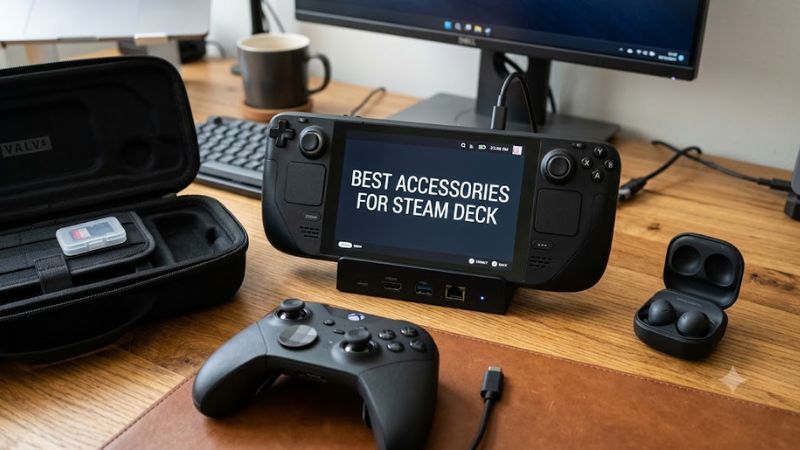
The best accessories for Steam Deck make Valve’s handheld more convenient to use, easier to carry, and better suited to your gaming setup. For most owners, a microSD card, a reliable protective case, and a tempered-glass screen protector are the most practical additions. A USB-C dock, portable power bank, wireless controller, or headset becomes worthwhile when it matches how you play.
You do not need to buy every accessory available. The original Steam Deck and Steam Deck OLED already include a power adapter and protective carrying case, so start by identifying what your current setup lacks. The recommendations below cover storage, protection, charging, desktop gaming, and comfort, with compatibility considerations for both Steam Deck generations.
The best Steam Deck accessories at a glance
| Accessory | Best for | Main benefit | Main trade-off |
| Samsung PRO Plus microSD card | Expanding game storage | Adds space without opening the Deck | Slower than internal SSD storage |
| JSAUX Steam Deck-compatible dock | TV and monitor gaming | Adds display outputs and USB connectivity | Requires extra desk space and cables |
| Tempered-glass screen protector | Everyday protection | Helps guard against scratches | Can introduce glare or affect touch feel |
| JSAUX-compatible hard carrying case | Travel and commuting | Protects the handheld during transport | A larger case takes up more room |
| USB-C PD power bank | Gaming away from outlets | Extends portable playtime | Adds weight and requires recharging |
| USB-C PD wall charger | Travel and backup charging | Provides a spare charging option | Wattage and cable quality matter |
| Xbox Wireless Controller | Couch gaming | Enables comfortable play on a larger display | Requires a separate controller |
| Bluetooth gaming headset | Private gaming and voice chat | Adds wireless audio and microphone options | Requires charging and may add latency |
These are category-based recommendations rather than claims that every listed model is the best-performing product in independent laboratory tests. Exact prices and availability vary, so the most important buying criteria are compatibility, build quality, and whether the accessory solves a real problem.
1. Best storage upgrade: Samsung PRO Plus microSD card
Best for: Players with large Steam libraries
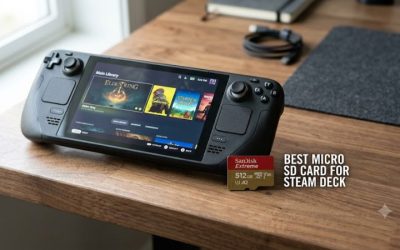
A high-capacity microSD card is one of the most useful accessories for Steam Deck owners who regularly install large games. The Samsung PRO Plus is a sensible option because it is available in several capacities and uses the microSDXC format supported by the handheld.
Valve specifies UHS-I microSD support for both the LCD and OLED models. The PRO Plus offers advertised sequential read speeds of up to 180 MB/s and write speeds of up to 130 MB/s, although actual performance depends on the device and workload. The Deck’s UHS-I interface limits the benefit of cards advertised with higher speeds.
For most players, 512GB is a practical starting capacity if they keep several large games installed. A 1TB card makes more sense for a particularly large library, provided the additional cost is reasonable.
Why it makes the list: You can expand storage without opening the handheld or replacing its internal drive.
Main limitation: Games installed on a microSD card can have different loading and installation performance from those on the internal SSD. Do not buy a card solely on the basis of its highest advertised transfer speed.
2. Best dock: JSAUX Steam Deck-compatible docking station
Best for: TV gaming and desk setups
A USB-C dock lets you connect the Steam Deck to an external monitor or television while adding ports for peripherals. The JSAUX Upgraded 5-in-1 Docking Station is one option highlighted by PCGamesN’s 2026 accessory roundup.
The reviewed dock configuration includes HDMI, two USB ports, Ethernet, and USB-C power input. That combination can accommodate a display, wired network connection, keyboard, mouse, and external power, depending on how you arrange the connected devices.
Valve’s handheld supports DisplayPort output over USB-C, so a compatible dock can serve as the center of a compact gaming station. For everyday gaming, a 1080p monitor or television is a sensible pairing; output capabilities alone do not guarantee that demanding games will run at high resolutions or frame rates.
Why it makes the list: It makes switching between handheld play and a desktop-style setup easier.
Main limitation: The dock does not upgrade the Steam Deck’s processor or graphics performance. Its advertised maximum display resolution is not a promise of equivalent gaming performance.
Before buying, check the dock’s display output, USB port count, Ethernet support, physical fit, and power-delivery specifications. A dock with a high maximum wattage does not force that amount of power into the Deck; the handheld negotiates its charging requirements.
3. Best screen protection: Tempered-glass screen protector
Best for: Daily use and travel
A tempered-glass screen protector helps protect the Steam Deck’s display from scratches caused by everyday handling and contact with small objects. It is particularly useful if you regularly put the handheld into a backpack or travel case.
Choose a protector designed for your exact model and display dimensions. The LCD and OLED versions have different screen sizes, and a protector intended for one version should not be assumed to fit the other correctly.
Look for a kit with an alignment frame, dust-removal stickers, and clear installation instructions. A properly fitted protector should leave the touchscreen usable and avoid covering the display area.
Why it makes the list: It is a relatively simple way to reduce the risk of cosmetic screen damage.
Main limitation: Tempered glass can add reflections, particularly on glossy displays, and it cannot prevent every impact-related crack. If your Deck has an etched-glass display, check the protector’s effect on glare before purchasing.
4. Best travel case: JSAUX Steam Deck-compatible carrying case
Best for: Commuters and frequent travelers
The included carrying case is sufficient for many Steam Deck owners, so a replacement is optional rather than essential. A larger, semi-rigid case becomes useful when you want room for charging equipment, cables, earbuds, and other small accessories.
The JSAUX carrying-case range includes options designed around handheld gaming devices, with protective shells and additional storage depending on the model. Check the exact product’s compatibility list and internal dimensions before buying.
A useful case should hold the Deck securely without putting pressure on the analog sticks or triggers. Separate compartments are preferable to loose storage, where a charger or adapter could press against the screen.
Why it makes the list: A dedicated travel case helps keep the handheld and its accessories organized in one place.
Main limitation: Larger cases add bulk. If you already use a backpack and rarely carry accessories, the original case may be all you need.
5. Best portable power accessory: USB-C PD power bank
Best for: Flights, road trips, and long gaming sessions away from outlets
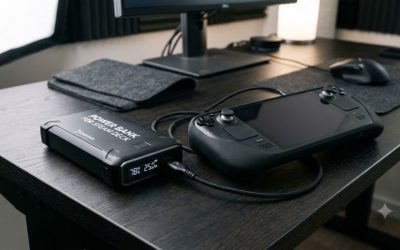
A USB-C Power Delivery power bank is useful when you cannot easily recharge the Steam Deck. Look for a model that explicitly supports USB-C PD output at 45W or higher, with a compatible USB-C cable and sufficient battery capacity.
Both the LCD and OLED Steam Deck specifications list a 45W USB-C PD power supply. A power bank that can supply that level of power is a sensible choice for charging during gameplay, although actual consumption varies by game, screen brightness, and system settings.
Capacity matters, too. A 20,000mAh power bank offers a useful balance between portability and stored energy, but its usable output is lower than its nominal battery capacity because of voltage conversion and charging losses.
Why it makes the list: It extends the time you can play without a wall outlet.
Main limitation: A power bank adds weight and does not guarantee a specific number of extra gaming hours. High-wattage output and battery capacity are separate specifications, so check both.
For travel, also check airline rules for lithium batteries and confirm that the power bank’s watt-hour rating is clearly marked.
6. Best spare charger: USB-C PD wall charger
Best for: Keeping a charger at work or in a travel bag
A second charger is convenient if you frequently move between home, work, and travel. The most important requirement is compatible USB-C Power Delivery support, rather than a large wattage number printed on the packaging.
For the Steam Deck, a reputable 45W USB-C PD charger is an appropriate baseline. A higher-wattage multiport charger can also be useful if you want to charge a phone or other device at the same time, but check its power distribution when several ports are in use.
Use a good-quality USB-C cable rated for the required power. Cheap or poorly specified charging equipment can cause slow charging or unreliable operation.
Why it makes the list: It removes the need to pack and unpack your main charger every time you travel.
Main limitation: If you already have a compatible charger and rarely travel, another adapter provides little practical benefit.
7. Best external controller: Xbox Wireless Controller
Best for: Playing on a TV or monitor
The Xbox Wireless Controller is a useful choice for players who connect their Steam Deck to a television or monitor. Its familiar layout works well for many controller-focused games, including platformers, racing games, action adventures, and sports titles.
The Steam Deck supports Bluetooth controllers, and Valve’s specifications list Bluetooth connectivity on both LCD and OLED models. Once paired, a compatible controller can handle gameplay while the Deck rests on a stand or dock.
For local multiplayer, an additional controller may also be useful, provided the game supports multiple controllers and the required number of players.
Why it makes the list: It provides a familiar couch-gaming experience without requiring the handheld to remain in your hands.
Main limitation: A separate controller adds cost and requires its own battery or charging arrangement. Bluetooth latency and connection quality can also vary by environment.
If you primarily play handheld, the Deck’s built-in controls are already sufficient for most supported games, so a controller should be a lower priority.
8. Best audio accessory: Bluetooth gaming headset
Best for: Private listening and multiplayer voice chat
A Bluetooth gaming headset is a practical addition for players who game in shared spaces or want wireless audio. It can provide integrated microphone support for multiplayer sessions, depending on the headset and the game’s communication setup.
You do not need to buy a wireless model, however. Valve also includes a 3.5mm stereo headphone and headset jack, so conventional wired headphones are a straightforward alternative that do not need to be recharged.
When choosing a Bluetooth headset, prioritize comfort, battery life, microphone quality, and compatibility with your other devices. If you play rhythm games or other titles that demand precise audio timing, check latency performance before choosing a wireless model.
Why it makes the list: It provides a more private and flexible audio setup than the built-in speakers.
Main limitation: Wireless headsets need charging, and Bluetooth audio can introduce latency. Expensive gaming audio is not necessary for everyone, particularly if wired headphones already meet your needs.
Which Steam Deck accessories should you buy first?
Your best starting point depends on what currently limits your gaming experience.
| Your situation | First accessory to consider | Why |
| You keep uninstalling games to make room | microSD card | Expands available game storage |
| You travel with your Deck regularly | Screen protector or travel case | Helps protect the display and handheld |
| You want to play on a television | USB-C dock | Connects the Deck to an external display and peripherals |
| You often play away from power outlets | USB-C PD power bank | Provides additional portable power |
| You already own a dock and monitor | Wireless controller | Makes couch gaming more comfortable |
| You play in shared rooms | Headset or wired headphones | Keeps game audio private |
| You move between several locations | Spare USB-C PD charger | Reduces the need to carry your main adapter |
Accessories you can skip initially
Not every popular Steam Deck accessory offers enough value to justify an immediate purchase.
- Replacement SSD: Consider one only if you need substantially more internal storage and are comfortable opening the handheld. The SSD uses the M.2 2230 form factor, not the longer M.2 2280 format found in many desktop and laptop upgrades.
- Decorative skins: These change the appearance of the device but are not essential to gameplay.
- External monitor: Worthwhile for a desk setup, but unnecessary if you prefer playing exclusively on the built-in screen.
- Premium wireless earbuds: Convenient, but wired headphones already work through the 3.5mm jack.
- Extra cooling accessories: Do not buy them solely on the promise of higher frame rates. The Steam Deck’s performance depends on its hardware and software settings, and an accessory is not automatically an effective cooling solution.
What to check before buying Steam Deck accessories
The original LCD Steam Deck and the Steam Deck OLED share several important connections, but not every accessory fits both models. Before purchasing, check these details:
Model compatibility: Cases and screen protectors need to match the handheld’s physical dimensions. Docks and charging equipment should explicitly support the Deck’s USB-C connections and power requirements.
USB-C power delivery: For chargers and power banks, confirm USB-C PD support and adequate output. Valve’s published specifications list a 45W PD power supply for both generations.
Storage compatibility: Choose a reputable microSD card compatible with the UHS-I interface. For an internal SSD replacement, verify the M.2 2230 form factor and the appropriate installation procedure.
Display connections: A dock needs a compatible video output and the correct cable for your monitor or television. The display’s resolution and refresh rate must also be supported by the complete connection chain.
Included accessories: Check your specific bundle before buying replacements. The original package generally includes charging equipment and a carrying case, although included items can vary by configuration and market.
FAQ
1. What is the most useful accessory for Steam Deck?
A microSD card is one of the most useful accessories for owners who need more game storage, while a screen protector is a sensible choice for people concerned about scratches. If you already have plenty of storage and protect your Deck carefully, neither needs to be an immediate purchase.
2. Do Steam Deck accessories work with the Steam Deck OLED?
Many USB-C docks, Bluetooth controllers, headsets, and microSD cards work with both Steam Deck generations, but physical accessories require closer checking. Screen protectors and fitted cases should be selected for the exact LCD or OLED model.
3. Does a Steam Deck dock improve gaming performance?
No, a dock does not inherently increase the Steam Deck’s processing or graphics power. It adds connectivity for an external display and peripherals, while actual game performance still depends on the handheld’s hardware, game settings, and resolution.
4. Is a power bank worth buying for Steam Deck?
A power bank is worthwhile if you frequently play away from outlets or travel for extended periods. Choose a reputable USB-C PD model with at least 45W output and enough capacity for your needs; if you mostly play near a wall outlet, you may not need one.
Final verdict
The best accessories for Steam Deck are the ones that solve a specific problem without adding unnecessary expense. Start with a microSD card if storage is tight, protect the display if you carry the handheld often, and add a USB-C dock if you want to play on a television or monitor. A compatible power bank is the next practical upgrade for frequent travelers.
The best-value setup is not the one with the most accessories. It is the one that makes your Steam Deck more convenient to use while keeping compatibility, portability, and your budget in mind.