Key takeaways
- PCIe generation: Gen4 drives hit around 7,000MB/s and suit most gamers, while Gen5 pushes far higher for cutting-edge builds and future workloads.
- Capacity: Modern games are huge, so 1TB is the practical minimum and 2TB is ideal if you keep a large library installed.
- Heatsink for PS5: The PS5 requires a drive with an effective heatsink to stay cool, so confirm this before buying for a console.
- Form factor: Most desktops and PS5s use M.2 2280, but compact devices like handhelds may need a smaller 2230 drive.
- Endurance and warranty: Higher TBW ratings and longer warranties signal a drive built to last through years of heavy installs and rewrites.
What's inside
Load times, texture streaming, and fast travel screens all live or die by your storage, and in 2026 an NVMe SSD is the single most impactful upgrade for a snappy gaming experience. With PCIe 4.0 drives now affordable and PCIe 5.0 pushing eye-watering speeds, choosing the right one comes down to matching capacity, speed, and compatibility to your rig or console.
We rounded up six of the best NVMe SSDs for gaming, from value-focused 1TB drives to blistering flagship models built for PS5 and high-end PCs. Here is what to look for and how each one performs.
As an Amazon Associate we earn from qualifying purchases at no extra cost to you. Product prices and availability are accurate as of the date shown and are subject to change.




🎮 Get More From Your Setup — Free
Prime Gaming gives you free PC games every month, in-game loot, and a free Twitch channel sub — plus fast free shipping on all the gear above. New members get a 30-day free trial.
Watch: Best Nvme SSD For Gaming — Video Review
How to Choose an NVMe SSD for Gaming
- PCIe generation: Gen4 drives hit around 7,000MB/s and suit most gamers, while Gen5 pushes far higher for cutting-edge builds and future workloads.
- Capacity: Modern games are huge, so 1TB is the practical minimum and 2TB is ideal if you keep a large library installed.
- Heatsink for PS5: The PS5 requires a drive with an effective heatsink to stay cool, so confirm this before buying for a console.
- Form factor: Most desktops and PS5s use M.2 2280, but compact devices like handhelds may need a smaller 2230 drive.
- Endurance and warranty: Higher TBW ratings and longer warranties signal a drive built to last through years of heavy installs and rewrites.
The Best NVMe SSDs Reviewed
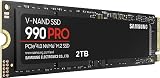
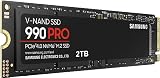
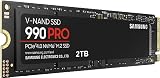
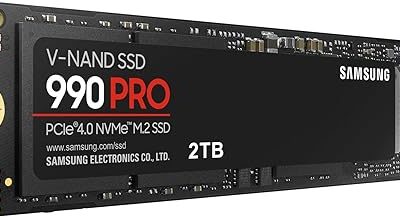
Samsung 990 PRO 2TB
A Gen4 powerhouse hitting up to 7,450MB/s with excellent sustained performance. Its 2TB capacity and proven reliability make it a top pick for gaming and heavy workstation use.
Samsung 9100 PRO 1TB
A Gen5 flagship reaching a staggering 14,700MB/s, built for AI computing and future-facing gaming rigs. If you want the fastest storage available, this is it.
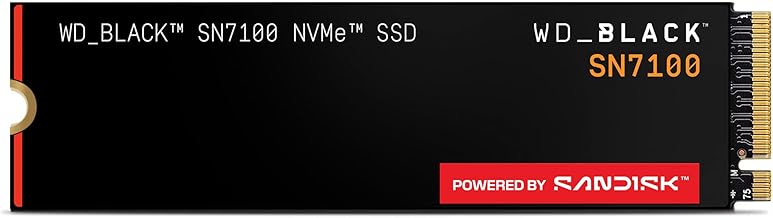
WD_Black SN7100 1TB
A cool, efficient Gen4 drive delivering up to 7,250MB/s with next-gen TLC 3D NAND. It is a great fit for laptops and handheld gaming devices where power draw matters.
Crucial P310 1TB
This Gen4 drive offers up to 7,100MB/s and bundles Acronis recovery software. It works across desktops, laptops, and handheld consoles, making it a flexible everyday choice.
SIX NVMe M.2 1TB with Heatsink
A budget-friendly Gen4 option reaching 7,350MB/s and shipping with a heatsink for PS5 expansion. It is an easy value pick for adding console or desktop storage.
Frequently Asked Questions
Do I need a Gen5 SSD for gaming?
Not yet. Gen4 drives already exceed what current games require, so Gen5 is mainly for enthusiasts and creators who want maximum future headroom.
Will any NVMe SSD work in a PS5?
No. The PS5 needs a Gen4 M.2 2280 drive with a heatsink that meets its speed requirements, so verify compatibility before purchasing.
How much SSD space do I need?
Given that flagship titles can exceed 100GB each, 1TB is the sensible minimum and 2TB is worthwhile if you rotate many large games.
Will an SSD improve my frame rates?
An SSD dramatically cuts load times and reduces texture pop-in, but it does not directly boost frame rates, which depend on your GPU and CPU.
Final Thoughts
The Samsung 990 PRO 2TB is our all-around favorite for its speed, capacity, and reliability, while the Samsung 9100 PRO leads for anyone chasing Gen5 performance. For PS5 owners on a budget, the heatsink-equipped SIX NVMe drive is a smart, affordable pick.