Key takeaways
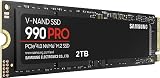
- Raw speed: SATA III caps out at roughly 550 MB/s. Gen4 M.2 drives such as the Samsung 990 PRO push 7,450 MB/s, and Gen5 models like the Samsung 9100 PRO reach 14,700 MB/s.
- Latency: NVMe uses a leaner command protocol with deep queues, so random reads — the kind games actually perform — resolve far quicker than on AHCI-based SATA.
- Installation: M.2 drives screw directly onto the board with no cables. SATA needs a data cable, a power lead from the PSU, and a drive bay.
- Compatibility: Nearly every desktop and laptop built since about 2012 has SATA ports. M.2 slots with PCIe support only became universal around 2016.
- Heat and power: Gen4 and Gen5 M.2 drives run hot enough to want a heatsink. SATA drives are cool and undemanding.
- Console support: The PS5 expansion bay accepts M.2 NVMe only. SATA drives connect over USB and cannot run PS5 titles natively.
What's inside
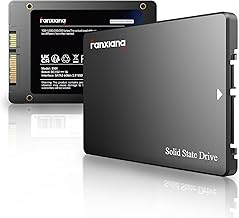
Choosing storage used to be simple: you bought the biggest drive you could afford and got on with it. In 2026, the decision is really about interface. An M.2 NVMe SSD plugs straight into your motherboard and talks to the CPU over PCIe lanes, while a SATA SSD uses the same 2.5-inch form factor and cabling that mechanical hard drives have used for two decades. Both are flash storage, but the pipe connecting them to your system is wildly different in size.
That difference matters more than it did a few years ago. DirectStorage is now standard in major PC titles, PS5 games assume NVMe-class throughput, and open-world engines stream assets continuously rather than loading them once at a level transition. Meanwhile, SATA SSDs have become genuinely cheap. The right answer depends on whether you are building a gaming rig from scratch, upgrading a console, or breathing life into an older machine.
As an Amazon Associate we earn from qualifying purchases at no extra cost to you. Product prices and availability are accurate as of the date shown and are subject to change.



⚡ Save on Your Next PC — Amazon Prime
Prime members get fast free shipping on the systems above, plus early access to Prime Day & Black Friday PC deals. New members get a 30-day free trial.
Watch: M.2 vs SATA SSD: Which to Choose in 2026? — Video Review
Quick Verdict
M.2 NVMe is the correct default for any gaming build made in the last five years — it is faster, tidier, and now barely costs more per terabyte than SATA. SATA remains worthwhile in exactly two situations: you are reviving an older desktop or laptop with no M.2 slot, or you need bulk secondary storage for a game library you do not want to compress or delete.
Key Differences
- Raw speed: SATA III caps out at roughly 550 MB/s. Gen4 M.2 drives such as the Samsung 990 PRO push 7,450 MB/s, and Gen5 models like the Samsung 9100 PRO reach 14,700 MB/s.
- Latency: NVMe uses a leaner command protocol with deep queues, so random reads — the kind games actually perform — resolve far quicker than on AHCI-based SATA.
- Installation: M.2 drives screw directly onto the board with no cables. SATA needs a data cable, a power lead from the PSU, and a drive bay.
- Compatibility: Nearly every desktop and laptop built since about 2012 has SATA ports. M.2 slots with PCIe support only became universal around 2016.
- Heat and power: Gen4 and Gen5 M.2 drives run hot enough to want a heatsink. SATA drives are cool and undemanding.
- Console support: The PS5 expansion bay accepts M.2 NVMe only. SATA drives connect over USB and cannot run PS5 titles natively.
M.2 NVMe SSDs
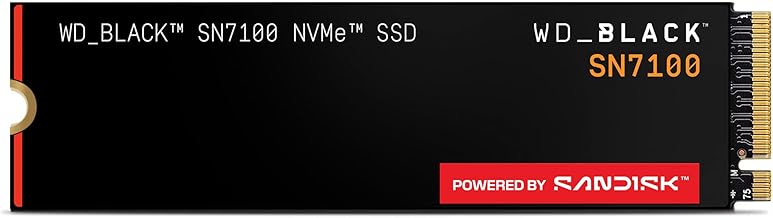
The performance ceiling here is enormous, but the practical gains are more nuanced. Moving from SATA to Gen4 typically cuts level load times by a third to a half and largely eliminates texture pop-in in streaming-heavy games. Moving from Gen4 to Gen5 delivers far smaller in-game gains, which is why drives like the Crucial P310, Acer Predator GM7, and WD_Black SN7100 are the value sweet spot — all three sit in the 7,100–7,400 MB/s range for a fraction of what flagship silicon costs.
Spend up when the workload justifies it. The Samsung 990 PRO earns its premium through sustained write performance and endurance under editing and compilation loads, while the 9100 PRO is aimed at Gen5 boards handling AI workloads and large dataset transfers. For a PS5, verify the drive fits with its heatsink attached — the Predator GM7 is explicitly rated for console use. If your motherboard is Gen3-only, the Silicon Power 2TB Gen3x4 saturates that link without paying for headroom you cannot use.
SATA SSDs
SATA’s advantage is universality. A 2.5-inch SSD works in a 2013 laptop, a small-form-factor office PC, a NAS, or an external enclosure, with no lane allocation, BIOS quirks, or thermal throttling to think about. For anyone upgrading a machine that still boots from a mechanical hard drive, a SATA SSD is the single largest perceived improvement available, and it costs very little.
For gaming specifically, the limitations are real but narrower than raw numbers suggest. Older and less demanding titles — competitive shooters, strategy games, most indies — load acceptably from SATA because they are CPU- or GPU-bound rather than storage-bound. Where SATA falls behind is modern open-world streaming, DirectStorage-enabled titles, and any scenario involving frequent large file transfers. It is a fine home for an overflow library, and a poor choice for a boot drive in a new build.
Which Should You Buy?
- For a new gaming PC: pick an M.2 Gen4 drive — the Crucial P310 or WD_Black SN7100 hit the best price-to-performance ratio.
- For a PS5 upgrade: pick M.2 NVMe with a heatsink; the Acer Predator GM7 is purpose-built for it.
- For editing, streaming, or heavy multitasking: pick the Samsung 990 PRO for its sustained write consistency.
- For a Gen5 motherboard and future-proofing: pick the Samsung 9100 PRO, accepting that gaming gains are modest.
- For an older PC without M.2, or bulk secondary storage: pick SATA, or the Gen3 Silicon Power drive if a slot is available.
Frequently Asked Questions
Will an M.2 SSD actually improve my frame rate?
Not directly. Average FPS is determined by your CPU and GPU. What NVMe improves is load times, asset streaming, and 1% lows in games that pull data from disk mid-session, which reduces stutter in open-world titles.
Can I use both an M.2 and a SATA drive together?
Yes, and it is a common setup. Install the OS and current games on M.2, and use SATA for your archive library. Check your manual first — some boards disable SATA ports when certain M.2 slots are populated.
Do I need a heatsink for an M.2 SSD?
For Gen4 drives, a motherboard heatsink is usually sufficient. Gen5 drives generate substantially more heat and should always be cooled. Consoles require a low-profile heatsink to fit the expansion bay.
Is 2TB the right capacity in 2026?
For most gamers, yes. Flagship titles now routinely exceed 150GB, and 1TB fills quickly. Pricing per terabyte is also most favourable at 2TB across nearly every current model.
Final Verdict
M.2 NVMe has won on merit. Unless your hardware physically cannot accept one, it is the drive to buy — a Gen4 model in the 7,000 MB/s class delivers essentially all the real-world benefit at a sensible price. Keep SATA in mind for older systems and cheap bulk capacity, but treat it as a supporting role rather than the foundation of a 2026 gaming setup.