Our Top Picks

ARCTIC MX-4 (incl. Spatula, 4 g) - Premium Performance Thermal Paste
Chosen because it specifies 4 g) and Premium Performance Thermal Paste.
View on Amazon
ARCTIC MX-4 (4 g) - Premium Performance Thermal Paste for All Processors
Chosen because it specifies Premium Performance Thermal Paste for All Processors.
View on Amazon
Thermal Grizzly Kryonaut - 1 Gram - Extremely High Performance Thermal Paste + 12 Cleaning Wipes 6 Wet & 6 Dry - for Demanding Applications and Overclocking CPU/GPU/PS4/PS5/Xbox
Chosen because it specifies 1 Gram.
View on Amazon
Thermal Paste CPU 1.8g with Toolkit for CPU GPU IC and Heatsinks
Picked as a relevant option in this category.
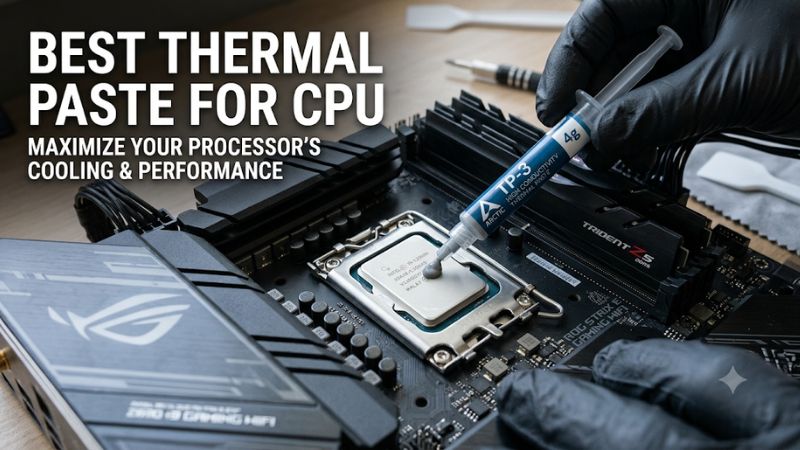
View on AmazonChoosing the best thermal paste for CPU cooling can help maintain consistent temperatures during gaming and demanding workloads. The right compound depends on your processor, cooler, budget, and maintenance preferences. This guide compares four popular options and explains which one makes the most sense for different PC builds.
How to Choose the Best Thermal Paste for CPU
A good thermal paste fills microscopic gaps between the CPU heat spreader and cooler base, improving heat transfer between the two surfaces. However, buying the most expensive compound does not automatically produce lower temperatures. Focus on thermal performance, electrical properties, application difficulty, and long-term stability before choosing.
1. Thermal Performance and Heat Transfer
Thermal resistance is more useful than relying exclusively on advertised thermal conductivity. It describes how much resistance a material creates as heat moves through it. A lower thermal resistance generally indicates better heat transfer under comparable measurement conditions.
For gaming desktops, a reputable conventional compound is usually sufficient. Differences between quality products can be relatively small, particularly when cooler mounting pressure, CPU power consumption, and case airflow have a greater influence on operating temperatures.
2. Electrical Conductivity and Safety
Electrical properties matter because thermal compound can spread beyond the CPU heat spreader during installation. A non-electrically conductive paste reduces the risk of accidental electrical problems if a small amount reaches nearby components.
Avoid treating liquid metal as an ordinary thermal paste alternative. Liquid metal compounds can conduct electricity and may react with aluminum surfaces. They require careful application and appropriate cooler materials, making them unsuitable for inexperienced builders.
3. Application Difficulty and Consistency
Paste consistency affects how easily you can dispense and distribute the compound. Thicker formulas may require greater mounting pressure, while thinner compounds can be easier to distribute depending on the application method.
Beginners should prioritize products with clear installation instructions. You generally do not need an elaborate spreading technique for conventional CPU thermal paste. Follow the manufacturer’s recommended application pattern and allow the cooler to distribute the compound through mounting pressure when instructed.
4. Longevity and Package Size
Thermal paste should maintain suitable consistency during normal operation rather than requiring frequent replacement. Some manufacturers publish recommended usage periods, while others emphasize resistance to drying or leakage without providing an identical service-life guarantee.
Package size also affects value. A small syringe is sufficient for an occasional CPU replacement, while larger packages make more sense for PC builders maintaining several systems. Check the expiration or storage recommendations before purchasing and keep the syringe properly sealed.
Top Picks: Best Thermal Paste for CPU in 2026
These four options cover everyday gaming, long-term ownership, enthusiast applications, and premium cooling. The selections prioritize documented product characteristics and independent comparative information rather than assuming that the highest advertised conductivity number automatically means the lowest CPU temperature.
| Product | Best For | Key Spec | Compatibility | Watch Out For |
| ARCTIC MX-6 | Best Overall | 45,000 poise viscosity | Conventional CPU coolers | Thick consistency |
| Noctua NT-H2 | Best for Beginners | 3.5g; up to 5 years recommended CPU usage | Air and liquid coolers | Smaller package |
| Thermal Grizzly Kryonaut | Best for Enthusiasts | 130–170 Pa·s viscosity | Conventional CPU coolers | Premium positioning |
| ARCTIC MX-4 | Best Budget Alternative | 2g, 4g, and 8g versions | Conventional CPU coolers | Older formulation |
1. ARCTIC MX-6 – Best Overall
ARCTIC MX-6 is an excellent starting point for most gaming desktop owners. Its non-electrically conductive and non-capacitive formulation makes it a practical option for routine CPU maintenance. The paste is available in 2g, 4g, and 8g packages, giving buyers flexibility depending on how frequently they maintain their systems.
Another important characteristic is its relatively high viscosity of 45,000 poise. ARCTIC recommends allowing cooler mounting pressure to distribute the compound rather than attempting to spread it with a spatula. Its formulation is also designed to resist drying, bleeding, and the pump-out effect.
The main drawback is its thick consistency, which may feel unfamiliar to first-time builders. However, this does not make it unsuitable for ordinary desktop processors. Choose MX-6 if you want a versatile compound for gaming, productivity, and routine PC maintenance without moving into specialist materials.
2. Noctua NT-H2 – Best for Beginners
Noctua NT-H2 is a convenient option for builders who prioritize straightforward installation and cleanup. The standard 3.5g package includes three NA-CW1 cleaning wipes, helping users remove old compound from the CPU and cooler contact surface before applying a fresh layer.
Noctua specifies an operating temperature range of -50°C to +200°C and recommends usage on the CPU for up to five years. The compound is also non-electrically conductive and non-corroding, making it suitable for conventional air and liquid cooling setups.
Its main limitation is the relatively small amount supplied in the standard package. Noctua estimates approximately three applications on large CPUs and up to 20 on smaller processors, depending on the application. Builders maintaining multiple PCs may prefer the 10g package instead.
3. Thermal Grizzly Kryonaut – Best for Enthusiasts
Thermal Grizzly Kryonaut targets enthusiasts who want a premium conventional compound for demanding cooling applications. Its manufacturer lists a viscosity of 130–170 Pa·s, an operating temperature range of -250°C to +350°C, and electrical conductivity of 0 pS/m.
The compound does not require a curing period and is marketed for overclocking applications. It is also electrically non-conductive, making it less hazardous than liquid metal when used correctly. However, that does not mean it should be applied carelessly around sockets or electrical contacts.
One limitation is its enthusiast-oriented positioning, which may not offer meaningful additional value for a standard gaming PC. Thermal Grizzly also notes that Kryonaut can be susceptible to pump-out in direct-die CPU applications. Consider another material when your cooling setup requires specialized long-term direct-die performance.
4. ARCTIC MX-4 – Best Budget Alternative
ARCTIC MX-4 remains a familiar option for builders who want a conventional thermal compound without spending extra on enthusiast-focused products. Its straightforward application and availability in different package sizes make it suitable for routine CPU cooler maintenance and occasional repasting.
It is important to distinguish MX-4 from its newer MX-6 counterpart. ARCTIC states that MX-6 has measurably lower thermal resistance than MX-4 in the manufacturer’s laboratory measurements. That does not mean every gaming PC will experience a substantial temperature difference after switching compounds.
The main reason to choose MX-4 is value rather than chasing the latest formulation. If you already own a genuine tube in good condition, there is little reason to replace it simply because a newer product exists. However, buyers purchasing fresh compound may prefer MX-6 when the price difference is small.
FAQ
1. Does Better Thermal Paste Improve Gaming FPS?
Better thermal paste can indirectly improve gaming consistency when inadequate heat transfer causes a CPU to reach thermal limits. However, changing between reputable compounds does not automatically increase FPS.
If your processor already operates within its normal temperature and power limits, replacing the existing paste may produce little noticeable difference. Check CPU temperatures, cooler performance, and thermal throttling before purchasing a new compound.
2. How Often Should You Replace CPU Thermal Paste?
There is no universal replacement interval because thermal compounds differ in formulation, usage conditions, and manufacturer recommendations. Noctua, for example, recommends up to five years of usage for NT-H2 on the CPU.
Monitor temperatures and cooling behavior instead of replacing paste according to an arbitrary schedule. If temperatures rise unexpectedly, check cooler mounting, fan operation, dust accumulation, and CPU power consumption before assuming the compound has deteriorated.
3. Is Liquid Metal Better Than Regular Thermal Paste?
Liquid metal can offer excellent heat-transfer performance, but it is considerably more demanding to install and maintain. Unlike conventional non-conductive compounds, liquid metal is electrically conductive and can react with aluminum.
It is generally unnecessary for an ordinary gaming desktop. Most users should choose a conventional non-conductive compound because it offers a more practical balance between cooling, installation difficulty, and hardware safety.
4. Can You Use the Same Thermal Paste on AMD and Intel CPUs?
Yes, conventional CPU thermal pastes such as ARCTIC MX-6, Noctua NT-H2, and Thermal Grizzly Kryonaut can be used with compatible AMD and Intel desktop processors.
The important consideration is the cooler’s mounting system and the processor’s contact surface. Follow the cooler manufacturer’s installation instructions, particularly for larger heat spreaders and unusual mounting configurations. Laptop and direct-die applications may require additional compatibility checks.
Final Thoughts
The best thermal paste for CPU cooling does not have to be the most expensive option available. ARCTIC MX-6 is a strong everyday choice, Noctua NT-H2 suits straightforward maintenance, and Kryonaut targets enthusiasts. Choose a genuine compound that matches your cooling setup, then prioritize correct application and cooler mounting.
More from Amazon
Programs that pair well with the guide above. Offers and eligibility are set by Amazon and may change.
Free shipping on eligible items, Prime Video and more. Eligible new members can start with a free trial.
Start a Prime free trialAd-free music streaming. Eligible new subscribers can start with a free trial.
Try Music Unlimited freeA Prime membership for ages 18-24 with a trial period. Eligibility is set by Amazon.
See Prime for Young AdultsAudiobooks and podcasts to listen to on the go. Eligible new members can start with a free trial.
Try Audible freeAs an Amazon Associate we earn from qualifying purchases.