Our Top Picks
 Philips 22 Inch Computer Monitor FHD 100Hz VA22 inch 100Hz8.7 x 19.4 x 14.5 Inches9.3 PoundsCheck on Amazon
 Philips 24 Inch Computer Monitor FHD 100Hz VA24 inch 100Hz8.7 x 21.3 x 16.4 inches6.4 PoundsCheck on Amazon
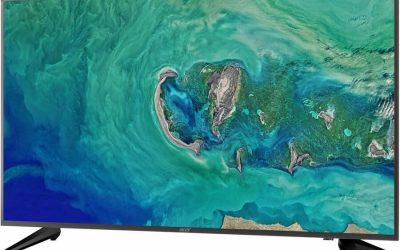
 Acer 23.8in FHD 1920x1080 IPS 120Hz Office Monitor23.8-inch4.53 x 21.21 x 16.7 Inches7.7 poundsCheck on Amazon
 YOTETION 19-inch Full HD 75Hz Small Thin Monitor19IN-NoAudio-1PACK2.4 x 17.1 x 11.2 inchesCheck on Amazon
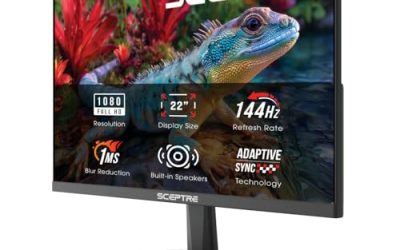
 Sceptre Curved 24-inch Gaming Monitor 1080p R1500 98%24-Inches16.04 x 21.61 x 9.06 inches6 PoundsCheck on Amazon
A student monitor does a different job than a gaming or design display. It is on for hours of reading, writing and video lectures, it has to fit a cramped dorm desk or a shared kitchen table, and it needs to be kind to tired eyes at midnight. That changes the shopping list: a sharp 1080p panel, a stand that adjusts, a way to connect a laptop and sensible eye-comfort features matter more than a fast refresh rate or a dramatic curve.
This guide is for high school and college students setting up a first study station, parents equipping a homework corner, and anyone who needs a second screen for a laptop. Eight monitors are compared by what their listings state, from 19-inch budget screens to a portable 15.6-inch display, so you can weigh size, panel type and connectivity before the new school year in 2026.
Quick Picks
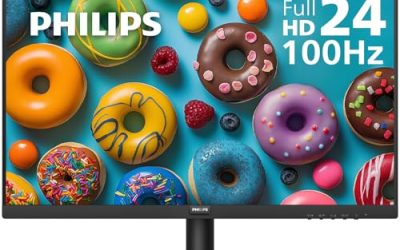
Philips 22 Inch Computer Monitor FHD 100Hz VA VESA Flicker-Free, 221V8LB | 1920×1080 LED Monitor, 4ms GtG, Adaptive Sync, HDMI 1.4, Tilt Adjust, Low Blue Light, 4yr Advance Replacement Warranty
One of the consumer electronics options compared in this guide.
View on Amazon
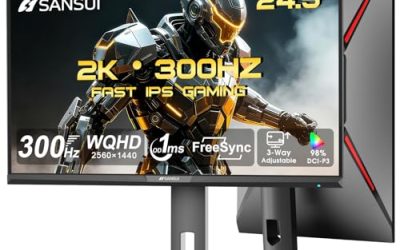
Sceptre New 22-Inch Gaming Monitor, FHD 1080p, Up to 144Hz, HDMI, DisplayPort, Built-in Speakers, Machine Black (E225W-FW144 Series, 2026)
One of the consumer electronics options compared in this guide.
View on AmazonPhilips 24 Inch Computer Monitor FHD 100Hz VA VESA Flicker-Free, 241V8LB | 1920×1080 LED Monitor, 4ms GtG, Adaptive Sync, HDMI 1.4, Tilt Adjust, Low Blue Light, 4yr Advance Replacement Warranty
One of the consumer electronics options compared in this guide.
View on AmazonAcer 23.8in FHD 1920x1080 IPS 120Hz Office Monitor KB242Y G0bi | 1ms, AdaptiveSync (FreeSync Compatible), sRGB 99%, HDMI, VGA, VESA Mountable, Bluelight Filter, Flickerless Technology
One of the consumer electronics options compared in this guide.
View on AmazonYOTETION 19-inch Full HD 75Hz Small Thin Monitor for laptops, Computers and desktops, HD+ 1440 x 900p, Anti-Glare, LED Display, VGA/HDMI Connection
One of the consumer electronics options compared in this guide.
View on AmazonSceptre Curved 24-inch Gaming Monitor 1080p R1500 98% sRGB HDMI x2 VGA Build-in Speakers, VESA Wall Mount Machine Black (C248W-1920RN Series)
One of the consumer electronics options compared in this guide.
View on Amazon
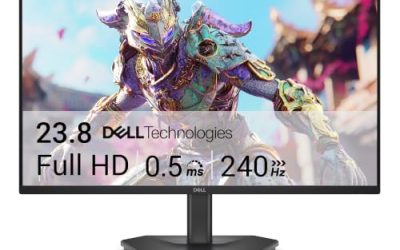
Dell 24 Plus Monitor - S2425HSM - 23.8-inch FHD (1920x1080) 144Hz 1ms Display, 2 x 3W Speakers, HDMI Connectivity, Height/Tilt/Pivot/Swivel Adjustability, AMD FreeSync - Ash White
One of the consumer electronics options compared in this guide.
View on Amazon
InnoView Portable Monitor, 15.6 Inch FHD 1080P HDMI USB C Second External Monitor for Laptop, Desktop, MacBook, Phones, Tablet, PS5/4, Xbox, Switch, Built-in Speaker with Protective Case
One of the consumer electronics options compared in this guide.
View on Amazon| Product | Best for | Key spec from the title |
|---|---|---|
| Philips 221V8LB 22-inch | Everyday study on a small desk | 22 inches, 1920×1080, 100Hz VA, flicker-free |
| Sceptre E225W 22-inch | Study plus gaming with speakers | Up to 144Hz, HDMI and DisplayPort, speakers |
| Philips 241V8LB 24-inch | More room for documents | 24 inches, 100Hz VA, adaptive sync |
| Acer KB242Y | Wide-viewing color for coursework | 23.8 inches, IPS, 120Hz, sRGB 99% |
| YOTETION 19-inch | Tight budgets and tiny desks | 19 inches, 75Hz, 1440 x 900 |
| Sceptre C248W Curved | Immersive curved screen with speakers | 24-inch curved, 98% sRGB, 2 HDMI |
| Dell S2425HSM 24-inch | Adjustable stand and long-term use | 23.8 inches, 144Hz, height-adjustable stand |
| InnoView Portable | Second screen for a laptop | 15.6 inches, 1080P, USB-C and HDMI |
How to Choose
Size and resolution
For a typical desk about two feet from your eyes, 22 to 24 inches at 1920×1080 is the sweet spot: crisp enough for text, small enough to fit. A 19-inch screen with a lower resolution, such as 1440 x 900, shows less on screen at once. Go bigger only if your desk is deep. Full HD is the floor for coursework with multiple windows.
Panel type and eye comfort
IPS panels have wide viewing angles and consistent color, which helps if you share the screen or tilt it. VA panels offer deeper contrast for video but can shift when viewed from the side. Flicker-free backlights and a low blue light mode reduce eye strain over long sessions. Anti-glare coatings help in bright dorm rooms.
Ports and stand
HDMI is the key connection for a laptop, and DisplayPort or USB-C is a bonus. VGA only matters for older school computers. A stand with height, pivot and swivel adjustment helps posture, while a tilt-only stand is common at this tier. VESA mounting holes let you attach an arm to free up desk space.
Refresh rate and features to ignore
A 100Hz or 120Hz panel feels smoother for scrolling, but study use does not require 144Hz or a 1ms response claim. Built-in speakers are handy for lectures but sound thin. Curved screens and gaming styling add little for homework, and budget monitors often cut corners on stand adjustment and brightness uniformity.
The 8 Best Options
Philips 221V8LB 22-inch
This 22-inch 1920×1080 LED monitor has a 100Hz VA panel with a 4ms GtG response, adaptive sync, HDMI 1.4, tilt adjustment, flicker-free technology and a low blue mode. It is a straightforward study monitor for a small desk.
- Strength: flicker-free and low blue features suit long reading sessions.
- Strength: 100Hz refresh and adaptive sync make scrolling smoother than a 60Hz screen.
- Trade-off: HDMI 1.4 and a tilt-only stand limit connection and posture options.
Skip it if you need a height-adjustable stand or a wide-viewing IPS panel. VA contrast can look different from the side, and a shared screen may suit IPS better. A tilt-only stand also means you may need books or a riser to bring the top edge to eye level, which matters for neck comfort on late-night essay sessions.
Sceptre E225W 22-inch
A 22-inch gaming-style monitor with FHD 1080p resolution, up to 144Hz, HDMI, DisplayPort and built-in speakers in machine black. It suits students who study in the day and play in the evening.
- Strength: up to 144Hz refresh with HDMI and DisplayPort suits both uses.
- Strength: built-in speakers save a desk accessory.
- Trade-off: the title mentions no panel type, so viewing angles are unclear.
Skip it if you want eye-comfort features or a stand with many adjustments. The title does not state them, and homework-only users can skip the high refresh rate. Because the panel and stand details are missing from the title, read the full product page before deciding on it for long study blocks.
Philips 241V8LB 24-inch
The 24-inch sibling of the 22-inch model keeps the 100Hz VA panel, 1920×1080 resolution, 4ms GtG response, adaptive sync, HDMI 1.4, tilt adjustment and flicker-free low blue features. It gives more room for side-by-side windows.
- Strength: 24 inches of Full HD suits documents and split-screen study.
- Strength: flicker-free and low blue modes reduce eye strain.
- Trade-off: the same tilt-only stand and HDMI 1.4 limits as the smaller size.
Skip it if your desk is shallow, since 24 inches at Full HD looks coarser up close. Buyers wanting a height-adjustable stand should look at another model. The extra two inches are welcome for a split view of notes and a textbook PDF, but they do not add sharpness, since the resolution stays the same.
Acer KB242Y
The KB242Y is a 23.8-inch Full HD IPS office monitor with a 120Hz refresh rate, a 1ms response claim, AdaptiveSync and FreeSync compatibility, 99% sRGB, HDMI and VGA inputs, VESA mounting and a blue light filter.
- Strength: an IPS panel and 99% sRGB give wide angles and accurate color.
- Strength: VESA mounting and a blue light filter help desks and eyes.
- Trade-off: the title does not list DisplayPort or a height-adjustable stand.
Skip it if you need USB-C or a stand with full adjustment. It suits coursework and creative classes, and the VGA port is only a bonus for old computers. A 120Hz IPS office screen is a pleasant step up for daily use, though students who share it with a console will want to verify the HDMI version first.
YOTETION 19-inch
A small, thin 19-inch monitor that is billed as Full HD at 75Hz while stating HD+ 1440 x 900, with an anti-glare screen and VGA and HDMI connections. It is the budget option for laptops, computers and desktops with limited space.
- Strength: a compact size fits the tightest desks.
- Strength: anti-glare coating, VGA and HDMI connections suit older machines.
- Trade-off: the title contradicts itself on resolution, and 1440 x 900 shows less on screen.
Skip it if you want sharp text or room for multiple windows. Check the resolution on the product page, and heavy multitaskers should choose a 22-inch or larger Full HD screen. It makes the most sense as a secondary screen next to a laptop or as a cheap replacement for an aging desktop display in a spare room.
Sceptre C248W Curved
A 24-inch curved gaming monitor at 1080p with an R1500 curve, 98% sRGB, two HDMI ports, VGA, built-in speakers and VESA wall-mount support. The second HDMI port helps share one screen between a laptop and a console.
- Strength: two HDMI ports and VGA offer plenty of connection choices.
- Strength: 98% sRGB and built-in speakers add useful extras.
- Trade-off: a curved gaming screen offers little for study, and the title gives no refresh rate or panel type.
Skip it if you want a flat screen for document work or a pivoting stand. The curve suits video and games, and it can distort straight lines in diagrams or spreadsheets. If the screen will double as a TV for roommates, the speakers and two HDMI inputs make it more useful than a study-only monitor.
Dell S2425HSM 24-inch
The Dell 24 Plus is a 23.8-inch Full HD monitor with a 144Hz, 1ms display, two 3W speakers, HDMI and a stand with height, tilt, pivot and swivel adjustment. It is the ergonomic pick for long-term daily use.
- Strength: a height, tilt, pivot and swivel stand helps posture.
- Strength: 144Hz refresh and built-in speakers add flexibility.
- Trade-off: the title lists HDMI only, so there is no DisplayPort or USB-C.
Skip it if you need extra ports or a portable display. The speakers are modest, and anyone moving between dorms often should favor a lighter option. Because the title lists HDMI only, check that your laptop has an HDMI output or carry the right adapter, since a missing cable is the usual first-week surprise.
InnoView Portable
A 15.6-inch FHD 1080P portable monitor with HDMI and USB-C, built as a second screen for laptops, desktops, MacBooks, phones, tablets and consoles. It suits students who study in libraries and want a mobile second display.
- Strength: a portable body and USB-C suit a laptop and travel.
- Strength: HDMI plus USB-C works with many devices.
- Trade-off: 15.6 inches is small as a main screen, and a stand may be needed.
Skip it if you want a primary desktop monitor. It is a second screen first, and anyone who stays at one desk will do better with a larger monitor. Pair it with a stand or folding cover for stability, and remember that power and signal may share a single USB-C cable only if your laptop supports video over that port.
Which One Fits Your Situation
A dorm desk and a laptop
The Acer KB242Y adds an IPS panel with VESA mounting, while the InnoView Portable gives a second screen you can pack up.
Long study sessions and posture
The Dell S2425HSM has the most adjustable stand listed here, and the Philips models add flicker-free low blue features.
Study plus occasional gaming
The Sceptre E225W offers up to 144Hz and both HDMI and DisplayPort at 22 inches.
A very tight budget and space
The YOTETION 19-inch fits small desks, though you should confirm the resolution first.
Common Mistakes
- Buying a curved gaming screen for document-heavy coursework.
- Ignoring stand adjustment and getting neck strain.
- Choosing a low resolution to save space and then squinting at text.
- Forgetting HDMI or USB-C compatibility with your laptop.
- Paying for 144Hz when homework needs only a clear picture.
Related guides
- External Hard Drive For Xbox Series X
- How To Check Gpu Temperature While Gaming
- Wrist Rests For Gaming Mouse
Frequently Asked Questions
What size monitor is best for a student?
22 to 24 inches at 1920×1080 suits most desks and gives room for two windows side by side.
Is IPS better than VA for studying?
IPS offers wide viewing angles and consistent color. VA gives deeper contrast, and either works if the screen is flicker-free.
Do I need a high refresh rate?
Not for study. 100Hz or 120Hz feels smooth for scrolling, and 144Hz mainly matters for games.
Can I use a portable monitor as my main screen?
You can, but 15.6 inches is small for long work. It shines as a second screen for a laptop, especially in a library or a shared study room where a full-size monitor will not fit.