The RTX 5070 Ti is one of the sweet-spot GPUs of this generation, delivering high-refresh 1440p performance with enough headroom to flirt with 4K and heavy ray tracing. Pairing it with the wrong display, though, leaves that horsepower stranded. Match it to a slow panel and you cap your frames; match it to an overly demanding 4K screen and the card struggles to keep pace in the most punishing titles.
The goal is balance. You want a monitor that fully exploits the 5070 Ti’s strengths without asking it to render pixels it can not comfortably push. Below are our favorite pairings, from fast 1440p esports panels to a flagship ultrawide OLED, plus the practical criteria that should guide your choice.
Our top picks
 Amzfast 27 Inch Gaming Monitor 280Hz WQHD
- 【27'' QHD 1440p Gaming Monitor】 Amzfast 27 inch…
- 【280Hz&1ms Adaptive Sync】280Hz refresh rate and 1ms (MPRT)…
- 【 AI Gaming Features】Equipped PBP technology, split-screen support…
 GIGABYTE GeForce RTX 5070 Ti Gaming OC
- Powered by the NVIDIA Blackwell architecture and DLSS…
- Powered by GeForce RTX 5070 Ti
- Integrated with 16GB GDDR7 256bit memory interface
 LG 45GX950A-B 45-inch Ultragear 5K2K WUHD
- World's First 5K2K OLED Gaming Monitor - Gaming…
- Sharp Text Clarity with Reduced Color Fringe -…
- Bright 45" OLED Picture: Up to 1300 nits…
| Product | Key specs | |
|---|---|---|
| Amzfast 27 Inch Gaming Monitor 280Hz WQHD | 【27'' QHD 1440p Gaming Monitor】 Amzfast 27 inch… 【280Hz&1ms Adaptive Sync】280Hz refresh rate and 1ms (MPRT)… 【 AI Gaming Features】Equipped PBP technology, split-screen support… | Check price |
| GIGABYTE GeForce RTX 5070 Ti Gaming OC | Powered by the NVIDIA Blackwell architecture and DLSS… Powered by GeForce RTX 5070 Ti Integrated with 16GB GDDR7 256bit memory interface | Check price |
| LG 45GX950A-B 45-inch Ultragear 5K2K WUHD | World's First 5K2K OLED Gaming Monitor - Gaming… Sharp Text Clarity with Reduced Color Fringe -… Bright 45" OLED Picture: Up to 1300 nits… | Check price |
 LG 34G630A-B 34-Inch Ultragear WQHD | UltraGear: More Screen 21:9 Widescreen Gaming - The 21:9 UltraGear WQHD… 240Hz Refresh Rate for the Win - React… | Check price |
 KTC 32 Inch 280Hz 240Hz Curved Gaming | 【280Hz Ultra-high Refresh Rate】KTC 31.5 inch curved gaming… 【1500R Curved for Immersive Visual】1500R HVA curved monitor… 【Crystal-clear Picture Quality】FHD (1920×1080P) resolution monitor has 128%… | Check price |
 Samsung 40” Odyssey G7 | Samsung’s 40” Odyssey G7 G75 WUHD 180Hz Curved… 40” 1000R curved display with a 21:9 screen… VESA DisplayHDR 600 delivers more contrast, with deeper… | Check price |
As an Amazon Associate we earn from qualifying purchases at no extra cost to you.
🎮 Get More From Your Setup — Free
Prime Gaming gives you free PC games every month, in-game loot, and a free Twitch channel sub — plus fast free shipping on all the gear above. New members get a 30-day free trial.
Watch: Best Monitor For A 5070 Ti — Video Review
How to Choose the Right Monitor for a 5070 Ti
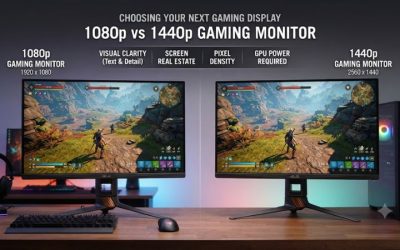
- Resolution target: 1440p is the 5070 Ti’s home turf; go ultrawide or 4K only if you accept lower frames in demanding games.
- Refresh rate: Aim for 165Hz minimum, with 240Hz-plus ideal for competitive shooters where the card easily clears those frame rates at 1440p.
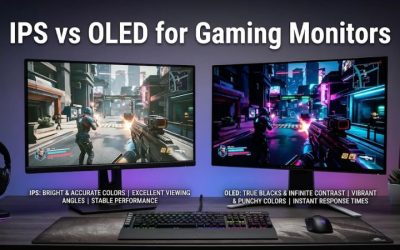
- Panel type: Fast IPS for balanced color and speed, or OLED if you want reference-grade contrast and are willing to pay for it.
- Adaptive sync: G-SYNC Compatible or FreeSync eliminates tearing and keeps motion smooth when frame rates fluctuate.
- Connectivity: Look for DisplayPort 1.4 or HDMI 2.1 so the panel can actually receive the high-refresh signal the GPU outputs.
The Best 5070 Ti Monitors Reviewed
Amzfast 27″ 280Hz WQHD IPS
This is the ideal all-rounder for the card. The Amzfast 27-inch 280Hz WQHD pairs a fast IPS panel with G-SYNC compatibility, HDR400, and 117% sRGB coverage, so the 5070 Ti can stretch its legs at 1440p while still looking vibrant. Height adjustment and PIP/PBP round out a surprisingly complete package.
LG 45GX950A UltraGear 5K2K OLED
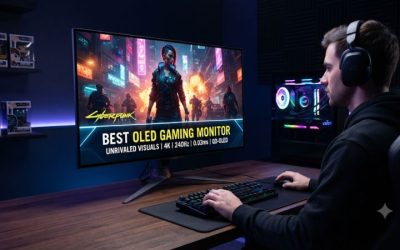
For those who want a showcase, the LG 45GX950A is a 45-inch curved 5K2K WUHD OLED with a dual-mode refresh switch and HDR True Black 400. It is the most demanding display here, but the 5070 Ti can drive it beautifully in single-player epics where its contrast is jaw-dropping.
LG 34G630A UltraGear WQHD
The LG 34G630A is a 34-inch curved ultrawide running 240Hz with FreeSync Premium and USB-C. It hits a smart middle ground: immersive width for sim and RPG players without pushing the pixel count as high as the 5K2K flagship, so frame rates stay comfortably high.
Amzfast 27″ 200Hz Curved FHD
If you value silky motion over resolution, the Amzfast 27-inch 200Hz Curved FHD panel lets the 5070 Ti bury the frame counter in esports titles. Built-in speakers and FreeSync make it a tidy secondary or budget-focused primary display.
GIGABYTE / ASUS TUF RTX 5070 Ti (pairing note)
Since your card choice affects clearances and cooling, models like the GIGABYTE RTX 5070 Ti Eagle OC ICE SFF and ASUS TUF Gaming RTX 5070 Ti OC are excellent partners, offering strong cooling and DisplayPort 2.1 output to feed these high-refresh panels.
Frequently Asked Questions
Can the RTX 5070 Ti handle 4K gaming?
Yes, particularly with DLSS enabled. It is happiest at high-refresh 1440p, but it delivers a strong 4K experience in most titles when you lean on upscaling.
Is 240Hz overkill for this card?
Not at 1440p. In esports and well-optimized games the 5070 Ti routinely exceeds 200fps, so a 240Hz panel is genuinely useful rather than wasted.
Should I choose OLED or IPS?
OLED offers unmatched contrast and is ideal for cinematic gaming, while fast IPS is brighter, cheaper, and better for mixed desktop and competitive use.
Do I need HDMI 2.1 or DisplayPort?
Either works if it supports the panel’s full refresh. DisplayPort 1.4 or 2.1 is generally the safest bet for high-refresh 1440p and ultrawide resolutions.
Final Thoughts
For most buyers, the Amzfast 27-inch 280Hz WQHD is the smartest match for a 5070 Ti, balancing speed, color, and price. If budget is no object and immersion is the goal, the LG 45GX950A OLED is a stunning upgrade, while the LG 34G630A ultrawide is the ideal compromise between spectacle and frame rate.
FAQ
Can the RTX 5070 Ti handle 4K gaming?
Is 240Hz overkill for this card?
Should I choose OLED or IPS?
Do I need HDMI 2.1 or DisplayPort?
More from Amazon
Programs that pair well with the guide above. Offers and eligibility are set by Amazon and may change.
Free shipping on eligible items, Prime Video and more. Eligible new members can start with a free trial.
Start a Prime free trialAd-free music streaming. Eligible new subscribers can start with a free trial.
Try Music Unlimited freeA Prime membership for ages 18-24 with a trial period. Eligibility is set by Amazon.
See Prime for Young AdultsAudiobooks and podcasts to listen to on the go. Eligible new members can start with a free trial.
Try Audible freeAs an Amazon Associate we earn from qualifying purchases.