Key takeaways
- Refresh rate over resolution: At this budget, 1080p at 144Hz will feel dramatically smoother than 1440p at 60Hz. High refresh rates reduce motion blur and shorten the gap between your input and what appears on screen — prioritise it for anything competitive.
- Panel type matters more than “1ms”: IPS panels deliver noticeably better colour accuracy and viewing angles than the cheap TN and VA panels that used to dominate this price bracket. Response-time claims are measured inconsistently across brands; panel type is a far more reliable indicator of quality.
- Check adaptive sync compatibility: FreeSync is near-universal now, but explicit NVIDIA G-Sync Compatible certification means the monitor has been validated to run tear-free without flickering on GeForce cards. If you’re on NVIDIA, that certification is worth seeking out.
- Match screen size to viewing distance: A 24-inch 1080p panel has noticeably tighter pixel density than a 27-inch one. If you sit close at a standard desk, 24 inches often looks sharper; 27 inches suits a deeper desk or a more immersive, laid-back setup.
- Don’t overvalue budget HDR: “HDR10 support” on a sub-$300 monitor means the display accepts an HDR signal, not that it can render one convincingly. Treat it as a bonus rather than a buying reason, and put your money toward refresh rate, panel quality, and a decent stand instead.
What's inside
Shopping for a gaming monitor under $300 in 2026 is deceptively difficult. The sub-$300 tier is the most crowded segment on the market, packed with panels that advertise the same headline specs — 144Hz, 1ms, HDR, FreeSync — while delivering wildly different real-world results. Two monitors with identical spec sheets can look and feel nothing alike once you’re actually mid-match, and marketing terms like “HDR Ready” or “1ms MBR” often obscure more than they reveal.
This guide cuts through that noise. We’ve focused on monitors that deliver genuine competitive performance at a realistic budget price — fast refresh rates, low input lag, adaptive sync that actually works with your GPU, and panel quality that holds up outside of gaming too. Every pick below sits comfortably under $300, and several land well beneath it. Whether you’re building a first gaming PC, upgrading from a 60Hz office display, or adding a second screen to your setup, there’s a sensible option here.
As an Amazon Associate we earn from qualifying purchases at no extra cost to you.






⚡ Save on Your Next PC — Amazon Prime
Prime members get fast free shipping on the systems above, plus early access to Prime Day & Black Friday PC deals. New members get a 30-day free trial.
Watch: Best Gaming Monitor Under $300 — Video Review
How to Choose Gaming Monitor Under $300
- Refresh rate over resolution: At this budget, 1080p at 144Hz will feel dramatically smoother than 1440p at 60Hz. High refresh rates reduce motion blur and shorten the gap between your input and what appears on screen — prioritise it for anything competitive.
- Panel type matters more than “1ms”: IPS panels deliver noticeably better colour accuracy and viewing angles than the cheap TN and VA panels that used to dominate this price bracket. Response-time claims are measured inconsistently across brands; panel type is a far more reliable indicator of quality.
- Check adaptive sync compatibility: FreeSync is near-universal now, but explicit NVIDIA G-Sync Compatible certification means the monitor has been validated to run tear-free without flickering on GeForce cards. If you’re on NVIDIA, that certification is worth seeking out.
- Match screen size to viewing distance: A 24-inch 1080p panel has noticeably tighter pixel density than a 27-inch one. If you sit close at a standard desk, 24 inches often looks sharper; 27 inches suits a deeper desk or a more immersive, laid-back setup.
- Don’t overvalue budget HDR: “HDR10 support” on a sub-$300 monitor means the display accepts an HDR signal, not that it can render one convincingly. Treat it as a bonus rather than a buying reason, and put your money toward refresh rate, panel quality, and a decent stand instead.
The Best Picks Reviewed
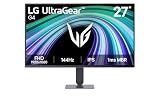
LG 27G414B-B UltraGear 27-Inch
This is the most complete package on the list: a 27-inch IPS panel at 144Hz with G-Sync Compatible certification, built-in speakers, and — crucially at this price — a genuine tilt and height-adjustable stand. Ergonomics are the first thing budget monitors usually sacrifice, so getting proper height adjustment alongside a well-tuned IPS panel makes this the easiest recommendation for most buyers.
ASUS TUF Gaming VG249QE5A 24-Inch
ASUS’s TUF line has quietly become the reliability benchmark in this segment, and the VG249QE5A earns it with a 146Hz overclock, Extreme Low Motion Blur Sync, Variable Overdrive, and a three-year warranty that few rivals match. If you play competitive shooters and care about crisp motion clarity above all else, this is the sharpest-feeling panel here.
LG 24G411A-B UltraGear 24-Inch
Essentially the 27-inch model’s smaller sibling, this trades the adjustable stand and speakers for a lower price and tighter pixel density, which many competitive players actively prefer. You still get the same IPS panel quality, 144Hz overclock, and dual G-Sync Compatible and FreeSync support.
MSI PRO MP243L E14 24-Inch
The best crossover pick for anyone whose monitor pulls double duty for work and play — a 144Hz IPS panel with slim four-side bezels, VESA mounting, and a VGA port for older office hardware or legacy peripherals. It’s not the flashiest gaming monitor here, but it’s a genuinely capable one at a price that leaves room in the budget elsewhere.
Sceptre E225W-FW144 22-Inch
The entry point to high-refresh gaming, offering up to 144Hz, DisplayPort, and built-in speakers on a compact 22-inch frame. It’s the sensible choice for a first build, a dorm desk, or a secondary display where 27 inches simply won’t fit — just don’t expect IPS-grade colour from it.
Frequently Asked Questions
Is 1080p still worth buying in 2026?
Absolutely, especially under $300. A 1080p 144Hz monitor lets a mid-range GPU push high frame rates in demanding titles without upscaling compromises, and at 24 inches the pixel density is perfectly sharp at normal viewing distance.
Do I need G-Sync if I have an NVIDIA graphics card?
You don’t need a dedicated G-Sync module, which adds significant cost. G-Sync Compatible monitors like the LG UltraGear models use the open adaptive-sync standard and have been validated by NVIDIA to run tear-free on GeForce cards, which is all most players need.
Should I get a 24-inch or 27-inch monitor?
Choose 24 inches if you sit close to your desk or play competitively, since everything stays within your field of view and the image looks sharper. Choose 27 inches for immersion in single-player games and general desktop work, provided you have the desk depth to sit back a little.
Is HDR worth it on a budget gaming monitor?
Not really. Convincing HDR requires high peak brightness and local dimming, neither of which exists at this price point, so “HDR10” here simply means the display will accept an HDR signal. Budget for refresh rate and panel quality instead.
Final Thoughts
For most buyers, the LG 27G414B-B UltraGear is the standout — a large IPS panel, G-Sync Compatible support, and a properly adjustable stand at a price that undercuts far less capable rivals. Competitive players who want the fastest possible motion clarity should look at the ASUS TUF Gaming VG249QE5A and its 146Hz overclock, while anyone building on the tightest budget will find the Sceptre E225W-FW144 an honest, no-nonsense way into high-refresh gaming.