Key takeaways
- 1TB: the practical minimum in 2026, enough for your OS and a handful of large games at once.
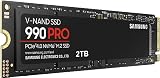
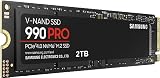
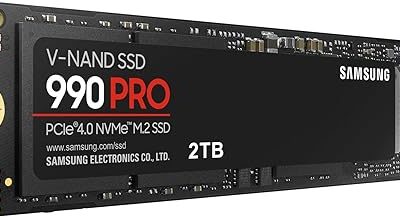
- 2TB: the sweet spot for most players, holding a healthy rotating library without constant housekeeping. Drives like the Samsung 990 PRO 2TB or WD_Black SN7100 2TB sit right in this range.
- 4TB and up: for large permanent libraries, content creators, or anyone who hates managing space.
What's inside
Game installs have ballooned to a size that would have seemed absurd a few years ago, with flagship titles now routinely demanding 100 to 200GB each. Buy too little storage and you spend your evenings uninstalling games to make room for the next download; buy the wrong kind and your loading screens drag while faster drives leave you behind. Storage is one of the easiest specs to get right if you understand a few fundamentals.
This guide explains exactly how much storage a gaming PC needs in 2026 and, just as importantly, what type. We will cover the real capacity you should target, why NVMe SSDs have become non-negotiable, what PCIe generations actually mean for your games, when a second drive makes sense, and how to plan for growth so you are not upgrading again in a year.
As an Amazon Associate we earn from qualifying purchases at no extra cost to you.


⚡ Save on Your Next PC — Amazon Prime
Prime members get fast free shipping on the systems above, plus early access to Prime Day & Black Friday PC deals. New members get a 30-day free trial.
Watch: How Much Storage for a Gaming PC in 2026? — Video Review
How Much Capacity You Actually Need
Capacity planning starts with honest math about your library. A modern AAA game averages 80 to 150GB, and your operating system plus common apps claim another 50GB or so before you install anything. Here is a realistic guide:
- 1TB: the practical minimum in 2026, enough for your OS and a handful of large games at once.
- 2TB: the sweet spot for most players, holding a healthy rotating library without constant housekeeping. Drives like the Samsung 990 PRO 2TB or WD_Black SN7100 2TB sit right in this range.
- 4TB and up: for large permanent libraries, content creators, or anyone who hates managing space.
Why NVMe SSDs Are Now Essential
The single most important storage decision is drive type, and in 2026 the answer is clear: NVMe. A SATA SSD is fine, and a mechanical hard drive is a relic for gaming. NVMe drives connect through the faster PCIe interface and deliver read speeds many times higher than SATA, which translates to dramatically shorter load times and, critically, smooth performance with the DirectStorage technology modern games use to stream assets directly to the GPU. An M.2 NVMe drive also installs flush on the motherboard with no cables, keeping your build tidy.
Understanding PCIe Generations
NVMe drives come in different PCIe generations, and knowing the difference saves you from overpaying or underbuying. A Gen3 drive reads around 3,500 MB/s, a Gen4 drive like the Crucial P310 pushes past 7,000 MB/s, and a Gen5 drive such as the Samsung 9100 PRO can exceed 14,000 MB/s. The catch: for actual gaming, the jump from Gen3 to Gen4 is noticeable but not transformative, and Gen5 offers little real-world gaming benefit today while running hotter and costing more. For most builds, a quality Gen4 drive is the smart, balanced choice.
When to Use a Second Drive
A two-drive strategy remains one of the best value moves in PC building. Put your operating system and the games you play most on a fast primary NVMe drive, then add a larger, cheaper secondary drive for your backlog, older titles, and media. This keeps your active games loading at full speed while giving you abundant cheap capacity for everything else. A budget-friendly high-capacity NVMe like the Silicon Power 2TB or a value QLC drive works perfectly as that second tier, and you can always add it later since most motherboards have multiple M.2 slots.
Planning for Future Growth
Games only get bigger, so build in headroom from the start. It is almost always cheaper per gigabyte to buy one larger drive now than two smaller drives over time, and it saves you the hassle of reinstalling everything later. Check how many M.2 slots your motherboard offers before you buy so you know your expansion path, and keep at least 10 to 15 percent of any SSD free, since drives slow down and wear faster when completely full. Buying a 2TB drive today instead of a 1TB is the kind of small upgrade you rarely regret.
Tips
- Target 2TB as your baseline in 2026; it holds a real library without constant uninstalling.
- Choose an M.2 NVMe drive over SATA or a hard drive; the load-time and DirectStorage benefits are worth it.
- A quality PCIe Gen4 drive is the value sweet spot; skip Gen5 unless you need it for professional workloads.
- Always leave 10 to 15 percent of your SSD empty to preserve speed and longevity.
Frequently Asked Questions
Is 1TB enough for a gaming PC in 2026?
It is the bare minimum. With modern games often exceeding 100GB each, a 1TB drive fills up after just a few installs plus your operating system. It works if you only keep two or three games at a time, but 2TB gives you far more breathing room for a small price increase.
Do I really need NVMe, or is a SATA SSD fine?
A SATA SSD is acceptable and still vastly better than a hard drive, but NVMe is the recommended choice. NVMe drives load games faster and are required to get the full benefit of DirectStorage, which more 2026 titles rely on. Given how close NVMe and SATA prices now are, NVMe is the obvious pick.
Is a PCIe Gen5 SSD worth it for gaming?
Not for most gamers today. Gen5 drives are blazing fast on paper but offer minimal real-world gaming improvement over Gen4 while costing more and running hotter. Unless you do heavy content creation, a good Gen4 drive delivers the best balance of speed, heat, and price.
Should I use one big drive or two smaller ones?
Either works, but a single larger drive is usually cheaper per gigabyte and simpler. A two-drive setup shines when you want a fast NVMe for active games and a cheaper high-capacity drive for your backlog. Since most motherboards have several M.2 slots, you can start with one and add a second later.
Conclusion
Storage does not need to be complicated: aim for a 2TB PCIe Gen4 NVMe SSD as your default in 2026, leave some space free, and add a second drive down the line if your library outgrows it. That combination gives you fast loads, room to grow, and full compatibility with the technologies modern games depend on. Buy a little more capacity than you think you need today, and you will save yourself an upgrade tomorrow.